Codex Cloud User Guide: Environment Setup, Pricing, and Deployment Essentials

Codex Cloud runs verifiable coding tasks on OpenAI-hosted compute; environment reproducibility and acceptance criteria are key.
Codex Cloud runs coding tasks on OpenAI-hosted compute and continues even when your local machine is off — ideal for describable, verifiable work like fixing tests and adding endpoints. The workflow: connect a GitHub repo, configure and publish a reusable environment, submit tasks with clear acceptance criteria, review diffs and test output, then open a PR. Saving, publishing the filesystem, and sharing permissions are three separate actions; saved VM states have a default recovery window of up to seven days, so commit important changes to Git. Subscription prices can't be converted into fixed task counts, local and cloud share plan quotas, and API Keys don't include Codex Cloud. Resource limits vary by plan.
Codex Cloud User Guide: Environment Setup, Pricing, and Deployment Essentials
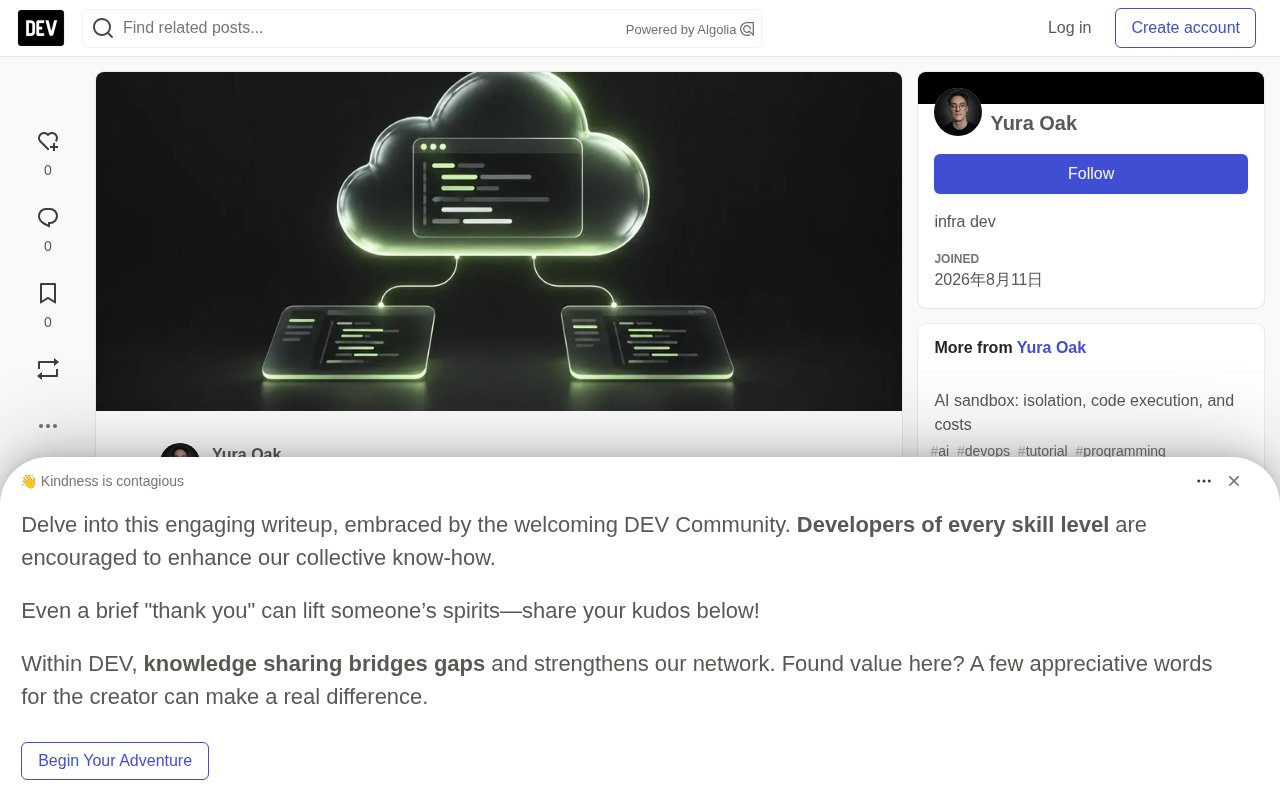
OpenAI's Codex Cloud runs coding tasks on compute infrastructure hosted by OpenAI. You simply connect a code repository, prepare a reusable environment, and hand Codex a clearly defined task. Even when your laptop is asleep, Codex can edit files and run tests on its own; when you return, you review the changes, request fixes, and finally open a pull request.
This guide is based on hands-on testing and official documentation, walking through the complete workflow from environment setup to deployment handoff, while highlighting pricing, resource limits, and common pitfalls.
What Codex Cloud Can Do
Codex can inspect repositories, diagnose defects, modify code, and run a project's toolchain. A cloud environment stores the prepared repository, dependencies, and access settings, and each new task launches in an isolated workspace. According to Lizard's hands-on testing (Codex CLI 0.159.2, Small Firecracker sandbox, Node.js 22.23.2), Codex was able to install dependencies from the lockfile, add a /healthz endpoint, and pass both the newly added HTTP 200 test and the existing 404 test, while the project's build command also checked the JavaScript syntax and passed.
This model suits describable, verifiable work: fixing failing tests, adding API endpoints, updating dependencies and confirming the build passes. If a change requires multiple rounds of review, continue within the same task so Codex retains the working files. It's important to note this is not the same as "remote access to a local agent" — cloud tasks run on OpenAI's machines and continue executing even when your local machine is off.
Firecracker sandbox is a lightweight virtualization technology open-sourced by AWS, purpose-built for secure multi-tenant scenarios. It combines the strong isolation of hardware virtualization (KVM-based) with container-level startup speed (millisecond scale) and low memory overhead (typically just a few MiB per microVM). Compared to traditional virtual machines, Firecracker strips away unnecessary device emulation and BIOS, keeping only the minimal feature set needed to run modern Linux workloads. OpenAI's Codex Cloud uses Firecracker sandboxes to create isolated execution environments for each cloud task, meaning even if code running in one task has security vulnerabilities, it cannot cross boundaries to access files or network resources of other users or tasks — this is the key infrastructure that allows Codex Cloud to safely host multi-tenant coding tasks.
How to Configure a Codex Cloud Environment
Environment creation must be done through the web or desktop app. Prepare your GitHub repository, build instructions, and necessary development credentials in advance.
Connecting a Repository and Preparing the Toolchain
Select Work in > Cloud > Select environment > Create environment, connect GitHub as prompted, and check the repositories the project needs. For your first setup, it's best to pick a repository whose testing process you're familiar with, so you can compare results against the cloud output.
Codex will automatically inspect the project, install dependencies and tools, and validate the workflow. If the project depends on a specific runtime version, you need to state that explicitly. For example, for a Node.js project, you could ask it to "install dependencies from the lockfile using the project's specified Node.js version and package manager, identify the test and build commands and run both, and report each command and result." The configuration process will record an Install script (dependency installation) and Start skill (service startup and readiness check) — review these commands carefully, especially when databases or private package repositories are involved.
Publishing the Environment and Submitting Tasks
Review the configuration report, resolve any failures, save, and select Publish. Wait for the Environment published message before starting a task. There's an easily confused detail here: saving only stores the configuration, publishing is what freezes the prepared filesystem as the starting point for new tasks, and sharing permissions are yet another independent setting — the three should not be conflated.
When launching a task, provide only one change with clear acceptance criteria at a time. For example, to add a GET /healthz endpoint to a Web API repository, require it to return HTTP 200 with {"status":"ok"}, add a new test, and run the existing test suite, showing the commands, results, and changed files. A single HTTP response alone doesn't prove the whole application works, so the acceptance criteria must retain the existing tests.
Reviewing Results
Before accepting changes, read the diff and test output, confirm Codex actually ran the commands it claims, verify the tests cover the target behavior, and watch for skipped checks and unrelated file changes. Request corrections within the same task, then commit or open a PR — and still run your normal CI before merging.
lockfile is a file generated by modern package managers that records the exact version, download URL, and content hash of every dependency in a project. Common examples include Node.js's package-lock.json, Python's poetry.lock or Pipfile.lock, and Rust's Cargo.lock. Unlike manifest files such as package.json that only declare semantic version ranges (like ^1.2.0), a lockfile ensures that anyone, on any machine, at any time gets exactly the same set of versions when installing dependencies. In the context of Codex Cloud, installing from the lockfile means consistency between the cloud environment and the developer's local environment is guaranteed, avoiding hard-to-diagnose problems like "works locally, fails in the cloud." When configuring an environment, be sure to confirm the project has committed a lockfile and have Codex install from the lockfile rather than version ranges.
Lifecycle of Environments and Task Files
Environments provide the starting configuration, and tasks accumulate their own changes after launch. Launching a new task gives you an isolated workspace from the published configuration; resuming the same task continues that task's saved files and uncommitted changes; editing and republishing an environment only updates the starting point for new tasks, while existing tasks maintain their own states.
OpenAI's documentation states that saved VM states have a default recovery window of up to seven days after the last interaction that started or resumed a task. This is a VM recovery window, not a guarantee of continuous execution, nor a conversation history retention period. Always commit important work to Git. If you temporarily install a tool within a task, it's only valid for that task; to bring it into future tasks, you need to edit the environment, verify the installation, and republish.
Pricing and Usage Limits
Cloud chats are included in eligible ChatGPT plans. According to OpenAI's published pricing, Plus is $20/month, Pro is $100, $200, or $500/month, Business is $20 per user per month billed annually (requires two or more people) or $25 billed monthly, and Enterprise and Edu require contacting sales. Free and Go have limited desktop Codex access per the pricing guide — confirm cloud feature eligibility before choosing a plan.
Subscription prices can't be reliably converted into a fixed number of cloud tasks — model choice, task length, context, and tool calls all affect consumption. Local messages and cloud chats share plan quotas, and ChatGPT Work also shares usage with Codex. Local message estimates are not cloud task quotas; rely on the remaining quota and reset time shown on the usage dashboard, and eligible plans can purchase additional credits. Additionally, API Keys are billed separately for API-based Codex workflows and do not include Codex Cloud features.
Access Configuration for Services and Secrets
Private package repositories need both network access and valid credentials — allowlisting just the hostname only solves the network half of the problem. Current environment settings distinguish two ways to supply values: environment variables for cases where programs need to read the actual value directly, and network secrets for credentials that should be delivered through a proxy to allowed HTTPS services. When using network secrets, the program receives a placeholder, and the proxy replaces it with the real credential when matching the target domain on a port 443 HTTPS request. Always test a request during the configuration phase.
If downloads fail, check the specific URL — the package repository and its download host may need to be allowlisted separately; if authentication fails, check the credentials, scope, and target address. Development credentials should be strictly limited to the services the task requires.
Network Secrets differ from ordinary environment variables in a key way: whether credentials are visible to the running program. With environment variables, code reading process.env.XXX directly gets the plaintext credential, and any code that can access that process (including third-party dependencies or potentially malicious code) could exfiltrate it. Network secrets use a proxy injection model: the program reads a placeholder, and when an HTTPS request to the target domain is made, an OpenAI-managed proxy intercepts it and replaces the placeholder with the real credential on port 443 before forwarding. This means even if a placeholder leaks, an attacker cannot recover the real value, and the proxy can restrict credentials to being sent only to allowlisted target domains. For private package repositories, internal APIs, or cloud service credentials, using network secrets is the safer choice.
Resource Limits to Check Before Running Tasks
Default resources listed in the cloud environment guide vary by plan: Plus and Edu Plus get 2 vCPU, 8 GiB memory, and 8 GiB disk; Pro, Business, Enterprise, and Edu, Edu Pro get 4 vCPU, 16 GiB memory, and 32 GiB disk. Enterprise customers can inquire about larger VMs. Check disk usage before builds that download large dependencies or produce large artifacts.
According to the same guide, the new cloud environment experience does not yet support computer and browser operation, GitLab, or self-hosted GitHub Enterprise Server; repository skills can be used for tasks, but local personal skills don't sync automatically. If acceptance testing requires browser interaction, prepare a separate test environment with browser capabilities — passing unit tests can't prove that a rendered button actually works.
Why Some Guides Describe Different Behavior
OpenAI still maintains Codex Cloud (Legacy) documentation for existing review and integration workflows, and older instructions may describe configuration-only secrets or container caching. Use the new cloud environment setup for the workflow above, and confirm which experience you're dealing with before applying old instructions.
Differences Between Codex Cloud and Codex CLI
CLI is an interface you can run on your own computer or a remote machine; Cloud provides an OpenAI-hosted workspace, and CLI can also submit tasks to Cloud. To operate cloud tasks from the terminal, use commands like codex cloud, codex cloud exec --env YOUR_ENVIRONMENT_ID "...", and codex cloud list --limit 5 — consult your installed CLI's --help for specific parameters. Submit commands only kick off cloud work; results still need to be reviewed afterward.
After Cloud Tasks: Deployment Handoff
After accepting changes, the application still needs a deployment target, and you may also need a browser to verify rendering. A practical order is: review the Codex Cloud diff, merge through normal checks, then deploy that commit to the target platform. At this point, the application and database run as separate resources and continue after the development sandbox stops.
If you build your own agent workflow, sandbox solutions typically offer shell, file, and HTTPS previews, and the desktop template also includes a desktop with a browser. Note that running Codex CLI on infrastructure you control means you manage credentials, process lifecycle, and saved work yourself, and you pay for model usage under OpenAI's corresponding terms — such infrastructure does not add capacity to your Codex Cloud quota.
Quick Reference for Common Configuration Issues
| Issue | Check First |
|---|---|
| Cloud controls missing | Logged-in account, plan, selected workspace, and admin access settings |
| GitHub connected but repository missing | GitHub permissions and repositories selected for the environment |
| Configuration fails | The first failing command in the configuration dialogue; rerun checks after fixing |
| Dependency download fails | The exact repository and download hostnames, then authentication |
| New task still missing installed tools | Whether the reusable environment was updated and republished |
| Uncommitted files seem lost | Whether the original task was reopened rather than starting a new task |
After changing configuration, always launch a new task from the republished environment to verify the results.
Summary
The value of Codex Cloud lies in offloading "describable, verifiable" coding work to hosted compute for background execution. What truly determines success isn't model capability itself, but whether the environment is reproducible, whether acceptance criteria include existing tests, and your clear awareness of the seven-day VM recovery window and plan quota boundaries. Commit important changes to Git promptly and fold temporary tools back into the reusable environment — that's how this workflow runs steadily.
One-line Summary
Codex Cloud runs verifiable coding tasks on OpenAI-hosted compute; environment reproducibility and acceptance criteria are key.
Paragraph Summary
Codex Cloud runs coding tasks on OpenAI-hosted compute and continues even when your local machine is off — ideal for describable, verifiable work like fixing tests and adding endpoints. The workflow: connect a GitHub repo, configure and publish a reusable environment, submit tasks with clear acceptance criteria, review diffs and test output, then open a PR. Saving, publishing the filesystem, and sharing permissions are three separate actions; saved VM states have a default recovery window of up to seven days, so commit important changes to Git. Subscription prices can't be converted into fixed task counts, local and cloud share plan quotas, and API Keys don't include Codex Cloud. Resource limits vary by plan, and the new experience doesn't yet support browser operation or GitLab.
Related articles

Building an AI Agent from Scratch in Python: Generate a Complete Scripted Video from Voice
Build an AI agent from scratch in Python using OpenRouter's unified API to chain speech transcription, script generation, image generation, speech synthesis, and video generation into a five-step pipeline that turns one voice command into a complete scripted video. Detailed code for each step, JSON Schema structured output, polling, and cost control.

Tencent Workbody in Action: AI Agents Let Ordinary People Automate Local Files
Tencent Workbody AI Agent hands-on demo: no code needed, use natural language to batch-convert local docx files to PDF and auto-archive. Comparing with chat LLMs like Doubao, analyzing Agent execution loops and the real gap with Codex — an AI automation tool anyone can use.

Building Projects with AI: Learn to Code First? Uncle Bob Says No—Skip Reading the Code, Define the Standards
Uncle Bob doesn't read agent-written code; he defines standards via automated checks. Must you learn to code first to build with AI? The article breaks down the "define standards, read evidence" alternative, analyzing effort and cognitive costs, and offering a workable entry point for non-coders.