Codex Record & Replay Plugin: Record Once, Auto-Generate Reusable Skills

Codex's Record & Replay plugin lets you record operations once and auto-generate reusable AI Skills.
OpenAI Codex's new Record & Replay plugin uses MCP protocol to capture user mouse and keyboard events, automatically generating reusable Skills that can be shared across teams. This AI-native approach to RPA eliminates the need for coding or complex workflow editors, representing a significant leap from conversational AI to operational AI that understands and replicates what users do.
Introduction: Repetitive Tasks Can Finally Be Fully Automated
OpenAI's Codex recently launched an exciting new feature — the Record & Replay Plugin. The core concept is simple yet incredibly powerful: you perform an operation manually just once, and the system automatically records it, generating a reusable Skill. From then on, you can invoke that Skill at any time, and it will automatically repeat the entire workflow.
For developers and office workers whose daily routines are filled with repetitive tasks, this is undoubtedly a game-changing productivity tool. Let's break down how it works and what it looks like in practice.
Core Architecture: MCP Server + Event Recording + Skill Generation
The plugin's technical architecture isn't overly complex, but it's elegantly designed. The workflow can be broken down into three key steps:
- Event Recording: The plugin uses MCP (Model Context Protocol) Inventor Stream capabilities to capture mouse and keyboard events on screen, fully recording the user's operation sequence.
- Workflow Management: The recorded event data is managed through an MCP server, forming a structured workflow description.
- Skill Creation: The
skill createinterface is called to package the recorded workflow into a reusable Skill that can be invoked at any time.
MCP Protocol: The "Universal Interface" for AI Agents
MCP (Model Context Protocol) mentioned here is a standardized protocol open-sourced by Anthropic in late 2024, designed to establish a unified communication interface between large language models and external data sources and tools. Before MCP, every AI application needed custom adapters to connect with different tools or data sources, leading to severe ecosystem fragmentation. MCP adopts a client-server architecture where AI applications act as clients and various tools and data sources serve as servers, communicating through standardized JSON-RPC messages. This design is similar to how USB interfaces unify hardware devices — one protocol solves all connection problems. MCP has already gained support from major AI vendors including OpenAI, Google, and Microsoft, and is rapidly becoming the de facto standard in the AI Agent space. The Record & Replay plugin leverages MCP's standardized capabilities to elegantly implement the complete pipeline of event capture, workflow management, and skill invocation.
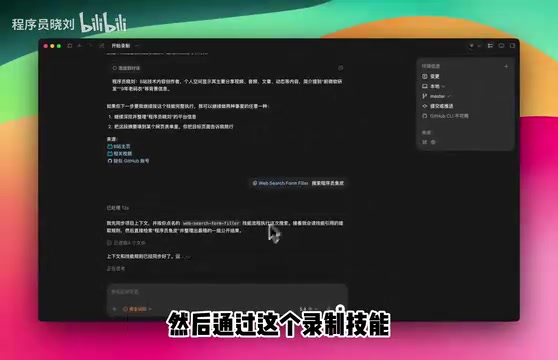
In simple terms, this system translates "human operations" into "AI-executable automation scripts," and the entire process is virtually zero-barrier for users — no code required, just operate as you normally would.
Skills: Not Just Macro Recording, But Semantic Skill Units
It's worth noting that Skills here are not traditional macros or scripts. In the AI Agent technology stack, a Skill refers to a standardized, packaged operation sequence that can be called and executed by an Agent. This concept draws from the "Skill Primitive" idea in robotics — decomposing complex tasks into composable, reusable basic skill units. Unlike traditional macros or scripts, AI-driven Skills possess semantic understanding capabilities, allowing them to adaptively adjust based on context during execution rather than mechanically repeating fixed pixel-coordinate clicks. This means that even if the interface layout changes slightly, the Skill can still execute correctly — something traditional record-and-replay tools struggle to achieve.
Hands-On Demo: Complete Workflow from Recording to Skill Invocation
Step 1: Start Recording
The usage flow is very intuitive. First, click the plugin entry point and select "Record Skill." The plugin automatically brings the recording tool into the dialog. Then simply say "start recording," and when a pause icon appears on the interface, recording has officially begun.
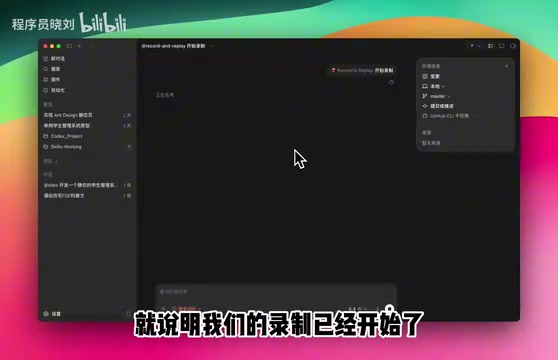
At this point, you can perform the operations you want to automate normally — such as opening a browser, navigating to Baidu, entering search keywords, extracting key information from search results, etc. When finished, click the stop recording icon.
Step 2: Auto-Generate the Skill
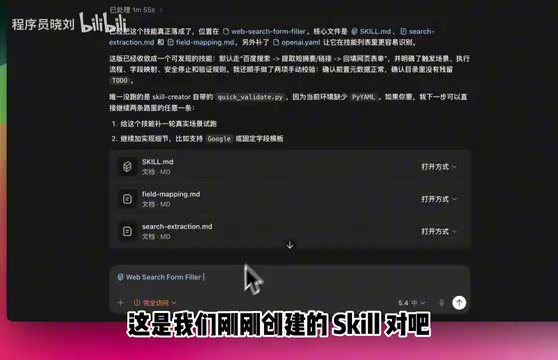
After recording is complete, you can ask the AI to "design a skill for me." The system will automatically analyze your operation workflow and generate a structured Skill. If the AI keeps asking for confirmation on details, you can even tell it "don't ask, just generate it," and it will quickly complete the Skill design.
The generated Skill clearly describes the entire operation chain, for example:
- Step 1: Open Baidu search
- Step 2: Enter keywords and search
- Step 3: Extract key materials from search results
- Step 4: Backfill and organize information
Step 3: One-Click Skill Invocation
The generated Skill can be invoked at any time. For example, in the demo, entering "search for Programmer Xiao Liu" automatically triggered the newly created Skill, executing the complete search workflow.

The AI automatically found relevant Bilibili account information, historical video content, and even retrieved the GitHub homepage and other highly relevant information, organizing it into a clean output. The entire process was fully automated with no manual intervention required.
Skill Sharing and Team Reuse
An even more valuable aspect of this feature is that Skills are shareable. Skills you create can be directly shared with friends, colleagues, or team members. They don't need to re-record anything — they can simply invoke your Skill to execute the same automated workflow.
Imagine these scenarios:
- Someone on the team creates a "Competitive Intelligence Gathering" Skill that all members can invoke with one click
- An operations team member records a "Multi-Platform Content Publishing" Skill — each publication only requires inputting the content
- A developer records an "Environment Deployment Check" Skill that new hires can use immediately
This reusability and shareability of Skills elevates it from a personal efficiency tool to team-level automation infrastructure.
Deep Analysis: Why Record & Replay Matters
An AI-Powered Upgrade to Traditional RPA
Traditional RPA (Robotic Process Automation) tools like UiPath and Power Automate can achieve similar recording and playback functionality, but they typically require users to have some technical background to configure and debug workflows. Codex's Record & Replay reduces this barrier to nearly zero — you just need to "do it once," and the AI understands your intent and generates an executable automated workflow.
To understand the significance of this transformation, consider the current state of the RPA industry. The global RPA market exceeded $3 billion in 2023, with major players including UiPath (valued at roughly tens of billions of dollars), Automation Anywhere, Blue Prism, and Microsoft's Power Automate. The core pain points of traditional RPA include: workflow design requires specialized personnel using visual editors for step-by-step configuration, workflows easily break when interfaces change (the "brittleness" problem), and they struggle with unstructured data and scenarios requiring judgment. In recent years, as large language models have risen, "AI + RPA" convergence has become an industry trend, with UiPath and others integrating AI capabilities. Codex's Record & Replay represents an alternative path — directly reconstructing RPA in an AI-native way, bypassing the traditional workflow editor entirely. This poses a potentially disruptive threat to the entire RPA industry's business model.
Another Killer Application for the MCP Ecosystem
The MCP protocol is becoming the standard interface for AI Agent interaction with external tools. This plugin cleverly leverages MCP's capabilities to capture and manage user operation events, further demonstrating the enormous potential of the MCP ecosystem in practical applications. As more similar plugins emerge, MCP is poised to become the core infrastructure for AI automation.
The Leap from "Conversational AI" to "Operational AI"
Previously, our interaction with AI mainly stayed at the conversational level — you ask, it answers. Record & Replay brings AI into the "operational level" — it not only understands what you said but also understands what you did, and can reproduce your operations. This is an important milestone in AI Agents moving from concept to practical utility.
From a technical evolution perspective, AI Agent development has gone through several key stages: starting with pure text conversation (like ChatGPT), then the Function Calling mode with tool-calling capabilities (AI can call APIs), and now the Computer Use / GUI Agent stage (AI can directly operate graphical interfaces). Anthropic's Claude Computer Use released in 2024, Google's Project Mariner, and Microsoft's UFO project are all exploring letting AI directly control desktops and browsers. The core challenges of this technology include: screen understanding (converting pixels into semantic information), operation planning (decomposing goals into specific mouse and keyboard actions), and error recovery (automatic correction when operations fail). Record & Replay dramatically reduces AI's planning difficulty by having humans demonstrate first — it's a very pragmatic engineering approach. It doesn't require AI to understand tasks from scratch but instead provides a "reference path" through human demonstration, and the AI only needs to generalize and adapt from there.
Conclusion: Humans Demonstrate Once, AI Replicates Infinitely
The Codex Record & Replay plugin may seem simple in functionality, but it represents a fundamentally new paradigm of human-AI collaboration: humans demonstrate once, AI replicates infinitely. For those plagued by repetitive work every day, this may be one of the most intuitive and user-friendly AI automation solutions currently available.
Of course, this feature is still in its early stages, and its stability and accuracy in complex scenarios remain to be validated. But the direction is undoubtedly correct — future AI tools will increasingly be tools that "understand what you're doing."
Key Takeaways
Related articles

Transformer²: Achieving Co-Design of Robot Morphology and Control with a Unified Architecture
Deep dive into how Transformer² uses a unified Transformer architecture to integrate robot morphology design and motion control into one model, enabling task-driven end-to-end co-design for embodied AI.

Tutorial: Installing Tailscale on a Jailbroken Kindle to Create a Private Network Node
Learn how to deploy Tailscale on a jailbroken Kindle, turning an idle e-reader into a private network node. Covers cross-compilation, power optimization, and risk considerations.
Tutorial: Installing Tailscale on a Jailbroken Kindle to Create a Private Network Node
Learn how to deploy Tailscale on a jailbroken Kindle to turn an idle e-reader into a private network node. Covers cross-compilation, power optimization, and risk considerations.