Codex Training Setting Re-Enabled? Check These Two Switches

The Codex training switch appears to have automatically re-enabled, but it is actually the often overlooked Include environments switch that was not turned off.
Recently, developers have reported that OpenAI Codex's model training option appears to have re-enabled itself after being turned off, raising data privacy concerns. The article points out that public attention has focused on the main training switch while overlooking another key setting in OpenAI's documentation — "Include environments" — which determines whether environment context is included in training data. Many developers only turn off the main switch and leave this option enabled by default, creating the illusion that "the setting was re-enabled." The article proposes a three-step five-minute self-check list: confirm the main training switch is off, separately check Include environments, and periodically review settings persistence. Because the official documentation does not clarify the default policy of the second switch and the community has no conclusion yet, the most practical approach is to check item by item and review regularly.
Background: Developers Find Codex Training Switch "Automatically Revived"
Recently, developers in the community have reported that OpenAI Codex's model training option appears to have re-enabled itself after being turned off. This phenomenon has sparked discussions about data privacy and settings persistence. According to OpenAI's official documentation, this option should maintain the state set by the user, but there is a discrepancy between actual experience and the documentation.
It should be made clear that the current information mainly comes from developer community observations and comparison with OpenAI's documentation; there is still no official explanation for this phenomenon. This article does not intend to stir up panic, but rather to help you do a five-minute self-check: what you really need to look at is actually more than one switch.
The Overlooked Second Switch: "Include environments"
Most discussion focuses on the main training switch, but there is a second key setting in OpenAI's documentation — "Include environments". This option determines whether your environment context will be included in the scope of training data.
The problem is that this switch is less prominent than the main switch, and many people do not notice it at all when turning off the training option. According to feedback, some developers only turned off the main switch but left "Include environments" in its default enabled state, thus mistakenly believing they had fully opted out of training.
This is also why the illusion of "the setting being re-enabled" appears: it is not that the main switch was tampered with, but that you never truly closed all relevant entry points.
Environment Context in AI coding assistants usually refers to the engineering environment information that the model can perceive when performing code completion, generation, or debugging, including but not limited to project file structure, dependency lists, configuration file contents, terminal output, runtime error logs, and context related to the currently open file. The "Include environments" switch in OpenAI's documentation essentially controls whether such environment snapshots are packaged into the training data pipeline. Unlike prompts in a single conversation, environment context often contains a large amount of internal project information that is not explicitly entered by the user, so its impact on privacy boundaries is more subtle and broader. Some developers mistakenly believe that turning off the main training switch is equivalent to opting out of all data collection, precisely because they do not understand that environment context is an independent data channel collected separately from conversation content.
Five-Minute Self-Check List
According to OpenAI's documentation, it is recommended to check in the following order:
- Main training switch: Confirm that the model training option related to Codex is turned off.
- Include environments switch: Check this item separately and confirm that it has not been enabled by default.
- Settings persistence review: Re-enter the settings page after some time and observe whether both items remain as originally set.
These three steps can be completed in about five minutes. The key is the second step — it is the most easily missed part in the current information.
How to Understand This "Re-Enabling"
Based on the available materials, three possibilities coexist:
- The default value logic of the settings interface causes the second switch to be enabled;
- There is an inconsistency between the documentation and the actual UI behavior;
- When users turn off the main switch, they do not realize that the subsidiary option still needs to be handled separately.
OpenAI's documentation does not clearly explain the default policy of the second switch, and the developer community has not yet reached a consensus. Therefore, rather than asserting that "training has been forcibly enabled," it is better to understand it as a reminder: the completeness of privacy settings depends on whether you have checked all relevant switches, not just the most obvious one.
For developers who care about the flow of code data, it is recommended to incorporate these two checks into regular practice and review them once after each platform update.
Settings Persistence refers to whether changes made by a user to a certain configuration remain unchanged after the session ends, the account logs in again, or the platform version is updated. In SaaS products, settings persistence is affected by multiple layers of factors: front-end UI state caching, back-end user preference storage, default value backfill logic, and configuration migration during feature gradual rollout. When a platform iterates on the UI or adjusts default policies, old user preferences may be overwritten by new default values, and if the product documentation is not updated accordingly, it creates the impression that "I clearly turned it off, but it was turned on again." This does not necessarily mean that the platform intentionally resets user choices, but for privacy-related options, any persistence gap is worth proactively compensating for through periodic review by users, rather than relying only on a one-time setting.
Conclusion
The feedback that Codex training settings are "automatically re-enabled" points to a core clue: an often overlooked "Include environments" switch. Before OpenAI provides further explanation, the most practical approach is to check the two switches item by item according to the documentation and regularly review whether the settings remain unchanged. A five-minute cost buys you a clear understanding of your own data boundaries.
Related articles
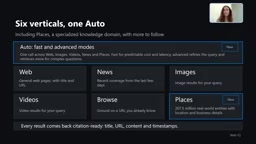
Microsoft WebIQ: Verifiable Real-Time Web Grounding for AI Agents
Microsoft WebIQ gives AI Agents real-time, citable web grounding across web, news, images, videos, and Places—164ms P95 latency, 50% fewer tokens, Scopes source control, and MCP integration.
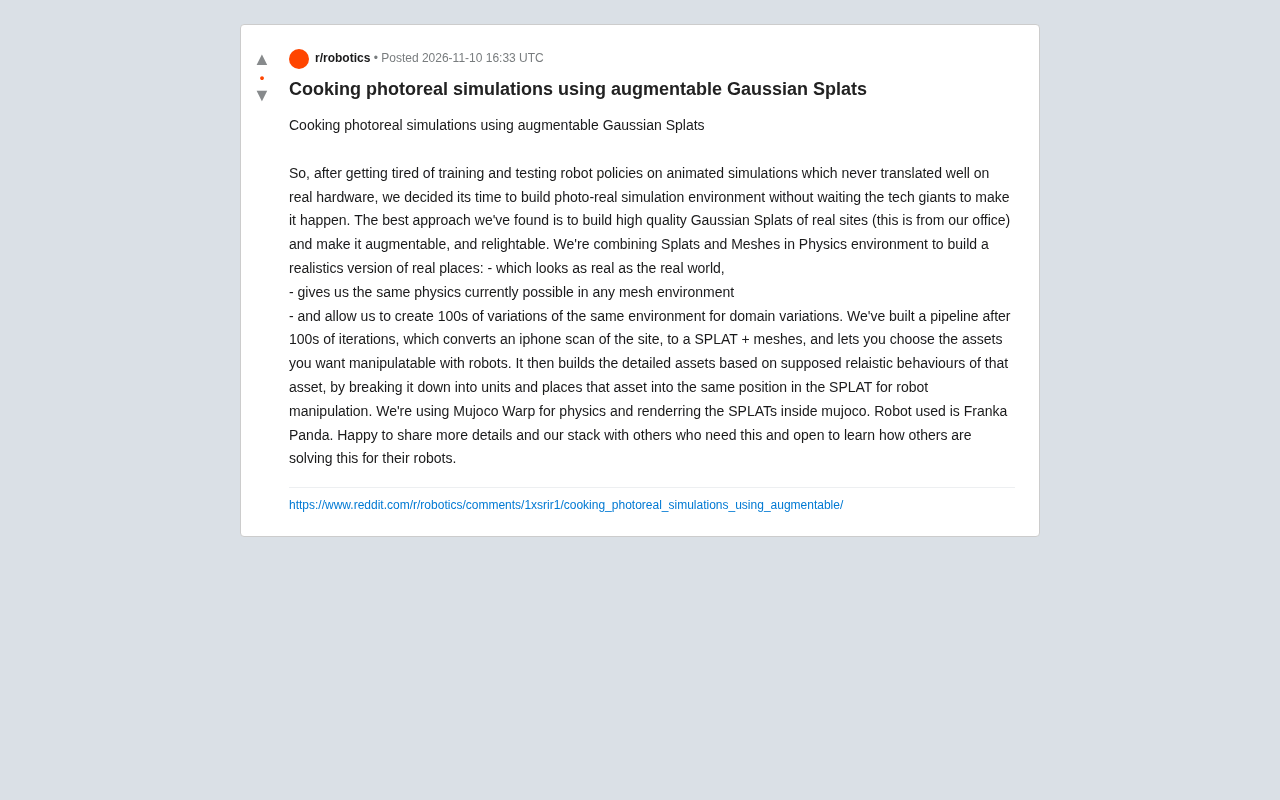
Augmentable Gaussian Splatting: Building Photorealistic Simulation Environments for Robot Training
Team combines Gaussian Splatting with meshes to build photorealistic robot simulation environments, integrating MuJoCo Warp physics and Franka Panda for augmentable, relightable real-site simulation.

Gemini 4 Carbon Released: The Leap from Gemini 3 to Gemini 4 in Under a Year
Google releases Gemini 4 Carbon, less than a year after Gemini 3. In the official demo, Carbon reverse-engineered the Theme Park binary, added a new DeepMind-themed ride, and ported it to the web in one shot.