Codex vs Claude Code vs Cursor: In-Depth Comparison and Selection Guide for the Big Three of AI Coding

A comprehensive comparison of Codex, Claude Code, and Cursor to help developers choose the right AI coding tool.
This article provides an in-depth comparison of the three leading AI coding tools — Codex, Claude Code, and Cursor — across pricing, stability, frontend/backend capabilities, and usage modes. It highlights Codex's strength in UI and frontend work, Claude Code's edge in backend logic, and Cursor's project-level context awareness, recommending developers master all three for maximum flexibility.
The competition among AI coding tools has reached a fever pitch. Cursor, Claude Code, and Codex each have their loyal followers, but how should developers actually choose? A recent in-depth Codex tutorial by a Bilibili creator included a particularly insightful comparison of the three tools. Drawing on those observations, this article breaks down the current AI coding tool landscape and offers a practical selection strategy.
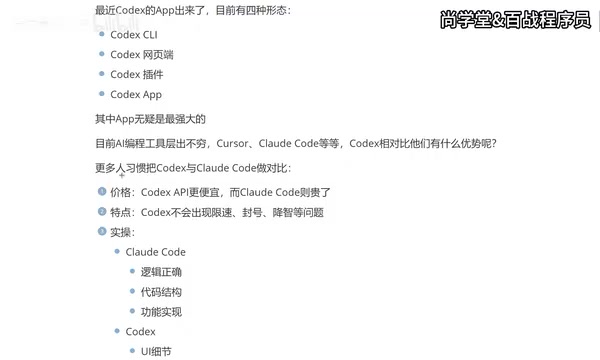
Codex's Four Usage Modes: The Standalone App Emerges as the Most Powerful
With the official launch of the Codex App, Codex now offers four distinct usage modes:
- CLI (Terminal Command Line)
- Web Interface
- IDE Plugin (e.g., VS Code extension)
- Standalone App
These four modes represent different ways AI coding tools interact with developers. CLI (Command Line Interface) is a text-based interface where developers type commands in the terminal. Its strengths lie in being lightweight and scriptable, making it ideal for experienced developers who want to execute tasks quickly — though it's less beginner-friendly. The IDE plugin mode embeds AI capabilities directly into integrated development environments like VS Code, allowing developers to get code completion and generation without switching windows. The web interface offers the lowest barrier to entry — just open a browser and start using it.
Previously, most developers were accustomed to integrating Codex via plugins in various development tools, but the standalone App is now considered the most powerful usage mode. The standalone App is regarded as the strongest form because it breaks free from the constraints of a host environment. It can independently manage file system access, terminal execution, multi-model orchestration, and more, while providing richer visual interfaces — such as real-time previews of generated UI, project structure tree views, and more. This form essentially upgrades AI coding from an "assistant plugin" to an "independent development partner." The App not only provides a more complete feature set but can also work alongside traditional development tools like VS Code to create a more efficient workflow.
For users without development experience, the App form of Codex is also much more friendly in terms of visual presentation and interaction, significantly lowering the barrier to entry for AI-assisted programming.
Codex vs Claude Code: The Frontend vs Backend Capability Divide
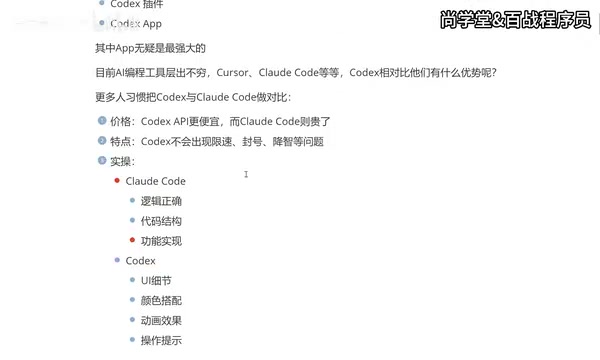
Many developers tend to compare Codex and Claude Code side by side. Their differences mainly manifest across several dimensions:
Price Comparison
Codex has lower API call costs, while Claude Code is relatively more expensive. The cost structure of AI coding tools is primarily determined by the API call fees of the underlying large language models. Taking OpenAI's GPT series and Anthropic's Claude series as examples, they charge based on the number of input and output tokens, with per-unit prices varying by several multiples across different models. A token is the basic unit that large language models use to process text — one English word typically corresponds to 1-2 tokens, while Chinese characters are roughly 1-2 tokens each. In coding scenarios, a single complete code generation request might consume thousands to tens of thousands of tokens, and with heavy usage, monthly costs can range from tens to hundreds of dollars. For developers who frequently use AI coding tools, cost differences become very significant over long-term use.
Stability Comparison
Claude Code has a particularly frustrating issue — rate limiting and account bans. Rate limiting is a request frequency cap set by API providers to prevent resource abuse, typically measured in "requests per minute" or "daily token consumption." When a user sends a large number of requests in a short period, the system returns a 429 status code and temporarily refuses service. Account banning is a more severe measure, usually triggered when behavior violating the terms of service is detected (such as account sharing, automated batch calls, etc.). Anthropic enforces relatively strict usage limits on Claude Code, especially under the Pro subscription plan, with hidden daily caps on conversation turns or token consumption. This unpredictability is a significant pain point for programmers who rely on AI tools for daily development, as it can interrupt workflows at critical development milestones. Codex performs more reliably in this regard, without rate limiting or account ban issues.
Regarding "quality degradation," while some users have reported declining output quality from Codex, this issue does not appear to be widespread based on actual usage experience.

Differences in Core Strengths
This is the most critical difference between the two, and the most important factor when making a choice:
-
Claude Code: Leans more toward logical correctness, code structure, and functional implementation. It excels in backend development scenarios with stronger logical rigor, making it a favorite among backend developers.
-
Codex: Places more emphasis on UI details, color coordination, animation effects, and interaction prompts. In frontend development, app development, and other scenarios that require attention to visual presentation, Codex's output quality is noticeably superior.
There are technical reasons behind this capability divide. Frontend development involves HTML, CSS, JavaScript, and frameworks like React and Vue, with the core challenge being visual fidelity — including pixel-level layout precision, color system harmony, animation smoothness, and natural interaction feedback. These capabilities require the model to have a deep understanding of design language and user experience. Backend development, on the other hand, focuses on data structure design, algorithmic logic, database query optimization, concurrency handling, and API architecture design, demanding stronger logical reasoning and systematic thinking from the model. OpenAI's models have invested heavily in multimodal understanding (especially vision-related tasks), which may be one reason Codex performs better at frontend UI generation. Meanwhile, Anthropic's Claude series has been optimized for long-context reasoning and code logic consistency, giving it an edge in backend scenarios.
Put simply, backend developers should prioritize Claude Code, while frontend developers or those working on interface-related tasks will find Codex to be the better choice.
The Big Three of AI Coding: Don't Pick Just One — Master Them All
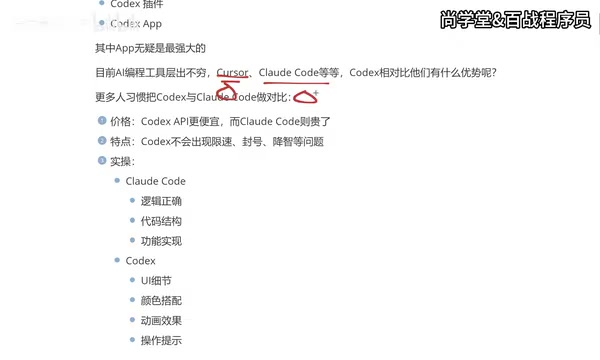
While AI coding tools are proliferating, only three have truly established themselves at the top: Cursor, Claude Code, and Codex.
Among them, Cursor is an AI-native IDE deeply customized on top of VS Code, developed by Anysphere. Its core philosophy is to natively integrate AI capabilities into every aspect of the editor, rather than simply layering them on as a plugin. Cursor supports Tab-key intelligent completion, multi-file context-aware editing (Composer mode), codebase-level semantic search, and more. Its unique advantage lies in deep understanding of project context — by indexing the entire code repository, Cursor can reference existing code styles, type definitions, and business logic when generating code, producing output that is highly consistent with the existing codebase. This "project awareness" capability is difficult to fully replicate with pure API calls or standalone App forms.
A point worth emphasizing: you should master all three tools, not just one. Here's why:
- Different companies may require different tools, and mastering multiple tools improves your workplace adaptability
- Different tools excel in different scenarios, and flexible switching maximizes development efficiency
- AI tools iterate extremely fast — today's best choice might be surpassed tomorrow, and multi-tool proficiency is a form of risk hedging
Regarding the third point, the AI coding tool space is in an unprecedented period of rapid iteration. In early 2023, GitHub Copilot was virtually the sole dominant player. By 2024, Cursor emerged as a developer darling. In 2025, Claude Code and Codex rapidly rose to form a three-way standoff. Behind this rapid reshuffling is the exponential improvement in underlying large model capabilities — from GPT-3.5 to GPT-4 to o3/o4-mini, from Claude 2 to Claude 3.5 Sonnet to Claude 4, each generation of models has brought qualitative leaps in code generation ability. At the same time, the rise of the Agentic Coding paradigm is reshaping tool forms — AI is no longer just passively responding to instructions but can autonomously plan tasks, execute code, debug errors, and iterate on optimizations. This means today's tool landscape could look completely different in six months, and maintaining familiarity with multiple tools is a necessary career strategy for developers.
A Frontend Developer's Tool Migration Path
According to the creator's personal experience, his tool usage journey is quite representative:
- Cursor Phase (about six months): Powerful features but expensive — every payment was "painful"
- Claude Code Phase: Costs decreased after connecting to domestic models, but the experience wasn't ideal, and the terminal CLI interaction wasn't intuitive enough
- Codex Phase: The launch of the App form was a turning point, offering the best experience when paired with VS Code
This migration path reflects the real journey of many developers: from chasing features to focusing on cost-effectiveness, and finally to finding the tool that best fits their workflow. It's worth noting that "connecting to domestic models" refers to using API relay services to forward Claude Code requests to domestically deployed or proxied large models, reducing call costs and network latency. However, this approach often comes with some loss in model capability, resulting in an experience that falls short of directly connecting to the original model.
How to Choose the Right AI Coding Tool for You
Based on the analysis above, we can summarize a clear selection framework:
| Dimension | Cursor | Claude Code | Codex |
|---|---|---|---|
| Price | Expensive | Moderately expensive | Relatively affordable |
| Stability | Stable | Rate limiting/ban risk | Stable |
| Frontend Capability | Good | Average | Excellent |
| Backend Logic | Good | Excellent | Good |
| Usage Mode | IDE | Primarily terminal | Multi-mode (App is strongest) |
Recommended Strategy: Use one tool as your primary and keep the other two as backups. Frontend developers should prioritize Codex, backend developers should prioritize Claude Code, and Cursor — as a veteran tool — still has unique strengths in overall experience, particularly in scenarios requiring deep understanding of large existing codebases, refactoring, or cross-file modifications, where Cursor's project-level context awareness remains its core competitive advantage.
Moreover, in practice, many senior developers have already adopted a "combo" strategy: using Cursor for daily code writing and small-scale modifications, Claude Code for complex backend architecture design and logical reasoning tasks, and Codex for quickly generating frontend pages and UI components. While this multi-tool collaborative approach increases the learning curve, it fully leverages each tool's strengths to maximize overall development efficiency.
Ultimately, tools are just means to an end. Improving your own programming thinking and problem decomposition skills is what truly unlocks the maximum value of AI coding tools. Regardless of which tool you choose, the key is to use it well, use it fluently, and let AI become a true multiplier for your programming productivity.
Related articles

Disaster and Glory of the Apollo Program: The History We Must Revisit Before Returning to the Moon
From the fatal Apollo 1 fire to Apollo 8's daring lunar orbit to Apollo 11's successful landing—revisiting the disasters, fears, and compromises of the Apollo program and their lessons for today's return to the Moon.

Netflix Trust Exercise Turns Into Firing Trap: Where Are the Boundaries of Corporate Trust?
A Netflix employee was fired after sharing private info in a trust exercise. We analyze the risks of corporate trust exercises and how employees can protect themselves.

AMD CDNA5 Architecture Deep Dive: Technical Evolution and the AI Computing Competition Landscape
Deep analysis of AMD's CDNA5 architecture covering Chiplet packaging upgrades, HBM memory evolution, and low-precision compute optimization, examining how AMD challenges NVIDIA's AI chip dominance.