Complete Guide to Local LLM Deployment with Ollama: Free, Open-Source, Zero Barrier

Ollama lets you deploy open-source LLMs locally for free, with zero setup complexity and no API fees.
This article explains why local LLM deployment matters and how Ollama makes it accessible. It covers API token billing costs, the distinction between open-source and closed-source models, and Ollama's five key strengths: free and open-source, cross-platform (macOS/Windows/Linux/Docker), zero-barrier setup, CPU/GPU dual-mode execution via quantization, and OpenAI-compatible APIs. It also introduces RAG-based private knowledge base construction as a flagship enterprise use case.
Why Deploy Large Models Locally
Today, most users interact with large language models — whether ChatGPT, DeepSeekAd, or Chinese alternatives like Baidu's ERNIE Bot or Alibaba's Qwen — by visiting official websites and chatting with hosted models online. This approach is simple and convenient, and casual use is nearly free.
But when you move into personalized development, the picture changes. If you need to call these models via API, you typically have to apply for a dedicated API Key — and that Key is tied to a billing system that charges based on the number of tokens in each request and response.
Two key concepts are worth understanding here: an API Key is an authentication credential that identifies the caller and controls access; a Token is the basic unit that large language models use to process text — it's not simply "one word equals one token." In Chinese, a single character typically maps to 1–3 tokens; in English, a common word is roughly 1 token. Models are usually priced separately for input and output tokens, with output tokens often costing more. This means generating a long article will cost significantly more than sending a short question. Understanding tokens is a prerequisite for managing API costs effectively.
Take DeepSeek as an example — its pricing is relatively affordable compared to other models, and early users even received free credits. But those promotions are now gone. Different models have different token prices, and costs can add up quickly at scale.
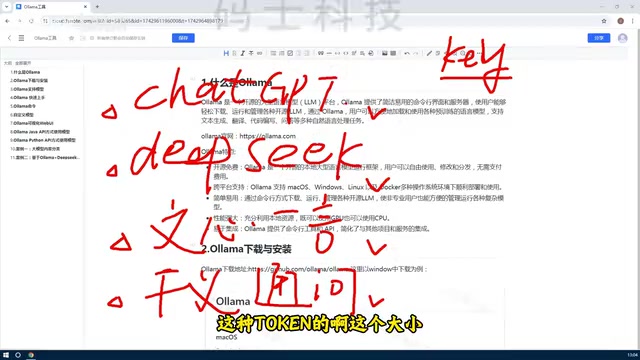
This naturally raises the question: Can we deploy open-source models directly on our own machines?
It's worth distinguishing between open-source and closed-source models. Open-source models publish their weights, architecture, and sometimes training details, allowing anyone to freely download, use, modify, and redistribute them. DeepSeek, LLaMA (Meta), and Mistral are well-known examples. Closed-source models like ChatGPT (OpenAI) and Claude (Anthropic) do not release their weights — users can only access them through official APIs or web interfaces. The core advantage of open-source models is that users retain full control over data flow, can deploy locally and fine-tune the models, and are not bound by a provider's terms of service. That said, closed-source models still hold an edge in general capability due to the massive compute and data invested in their training.
DeepSeek, for instance, is open-source (ChatGPT is not), and there are many other excellent open-source models — including powerful multimodal models like LLaVA that handle image tasks. A multimodal model is one that can understand and process multiple data types simultaneously — text, images, audio, and even video. LLaVA (Large Language and Vision Assistant) is a classic open-source multimodal model that combines a vision encoder (typically based on CLIP) with a large language model, enabling the model to "see" images and answer questions about them in natural language. Multimodal capability is one of the core directions in AI development today — commercial models like GPT-4o and Gemini also support it. By deploying multimodal models locally via Ollama, users can perform image understanding and document parsing in completely offline environments.
Once these open-source models are deployed locally, there's no need to apply for API Keys or pay any fees — especially valuable in development scenarios involving code generation or API calls, where local inference incurs zero cost.
The key tool that makes this possible is the subject of this guide: Ollama.
What Is Ollama: A Deep Dive into the LLM Management Platform
Simply put, Ollama is an open-source large language model management platform. Its core function is to make it easy to deploy various open-source models locally, with unified support for downloading, managing, deleting, and even creating custom models.

Ollama offers two interaction modes:
- Command-line interface (Client): An interactive terminal, great for quick testing and scripted workflows
- Web UI: A graphical interface for more intuitive, visual management
Whether it's a lightweight model a few GB in size or a massive model hundreds of GB large, you can download and deploy it locally through Ollama. Naturally, larger models demand more from your hardware — that's a real trade-off to consider.

Before tools like Ollama existed, running a large model locally typically required building a complex GPU environment from scratch. That process involved: installing NVIDIA GPU drivers, configuring CUDA (NVIDIA's parallel computing platform and programming model), installing cuDNN (a deep learning acceleration library), setting up Python virtual environments, installing deep learning frameworks like PyTorch or TensorFlow, and ensuring strict version compatibility across all components. Version mismatches are the most common headache — for example, CUDA 12.x may not be compatible with older versions of PyTorch, and certain models require specific versions of the Transformers library. This setup process is extremely unfriendly to beginners, often taking hours or even days before a model runs successfully.
Ollama encapsulates all these underlying dependencies into a unified runtime, drastically lowering the barrier: once installed, you simply download a model and start using it — all the environment complexity is completely abstracted away.
Five Core Advantages of Ollama
Completely Free and Open-Source
Ollama is a fully open-source, free tool that anyone can download and use without licensing costs. This is a key reason for its rapid adoption.
Cross-Platform Compatibility
Ollama supports all major operating systems: macOS, Windows, Linux, and Docker.
For individual learners, installing it on Windows or macOS is the recommended starting point. For enterprise environments, Linux or Docker-based deployments are more suitable for better stability and scalability.
Docker is a containerization technology that packages an application along with all its dependencies into a standardized container, ensuring consistent behavior across any environment. Using Docker to deploy Ollama in enterprise settings offers several clear advantages: environment isolation (no conflicts with other services on the host), easy horizontal scaling (quickly spin up multiple container instances to handle high-concurrency requests), and simplified operations (support for orchestration via Docker Compose or Kubernetes for automated deployment and elastic scaling). For teams that need to run model services reliably in production, Docker is the recommended deployment method.
Zero-Barrier Onboarding
Ollama provides both a command-line interface (Client) and a Web UI for model management.

Whether you prefer the efficiency of the command line or the intuitiveness of a graphical interface, there's an option that works for you. Commonly used commands will be covered in detail in follow-up tutorials.
CPU/GPU Dual-Mode Execution
This is one of Ollama's standout features. Models deployed through Ollama can leverage GPU acceleration when available, or run on CPU alone when no dedicated GPU is present — Ollama automatically makes use of whatever resources the machine has.
In other words, even if your computer lacks a powerful GPU, you can still run open-source models — and that's precisely what makes the barrier to entry so low. Note that CPU inference is significantly slower than GPU inference, especially for larger models. Generally, models with 7B (7 billion) parameters or fewer can achieve acceptable response speeds on modern CPUs; for 13B and above, a GPU is strongly recommended. Under the hood, Ollama uses quantization techniques to compress model size and reduce computational load, enabling models that would otherwise require tens of gigabytes of VRAM to run on consumer-grade hardware.
Quantization is worth explaining further. The core idea is to compress model weights from high-precision floating-point numbers (such as FP32 or FP16) to low-precision integers (such as INT8 or INT4), dramatically reducing memory footprint and compute requirements. Take a 7B parameter model as an example: in FP16 format it requires roughly 14GB of VRAM, but after 4-bit quantization it only needs about 4GB — making it runnable on consumer-grade or even integrated graphics. Ollama defaults to the GGUF format provided by the llama.cpp project, which includes multiple quantization levels (Q4_K_M, Q5_K_S, etc.), allowing users to choose the right precision-speed trade-off for their hardware. Quantization inevitably introduces some precision loss, but for most everyday tasks, Q4 or Q5 quantized models perform very close to full-precision versions — making them the best practice for local deployment.
Easy API Integration
Ollama provides standard API interfaces and command-line access, making it straightforward to integrate with locally hosted models. Developers can access models using Python, Java, Rust, and many other languages, offering excellent extensibility.
Ollama's API design is compatible with the OpenAI API format, which means many applications already built on the OpenAI API can switch to a local Ollama model simply by changing the API endpoint URL — significantly lowering migration costs.
Real-World Use Case: Building an Enterprise Private Knowledge Base
One of the most valued applications of Ollama is deploying open-source models locally and then interacting with them via API.
A very common real-world scenario is: feeding an enterprise's internal private knowledge into an open-source model to build a domain-specific intelligent Q&A system or private knowledge assistant.
The core technology behind this is called RAG (Retrieval-Augmented Generation). Here's how it works: internal company documents (such as product manuals, regulations, and technical documentation) are first converted into vector representations using an Embedding model and stored in a vector database (such as Chroma, Milvus, or FAISS). When a user asks a question, the system retrieves the most relevant document chunks from the vector database and sends them — along with the original question — to the large language model as context. The model then generates an accurate answer based on that context. This approach reduces model "hallucination" (fabricating information that doesn't exist) and ensures responses are grounded in the company's actual data.
With Ollama, this kind of use case can be implemented with relative ease. Data never leaves the local environment, there are no per-call fees, and the system can be deeply customized for specific business needs — making it highly attractive to organizations that prioritize data security. In industries with strict data compliance requirements — such as finance, healthcare, and legal — local deployment is often the only viable path.
Vector databases are a key piece of infrastructure in the RAG architecture and deserve a closer look. While traditional databases excel at exact matching (e.g., looking up a specific ID), vector databases specialize in "semantic similarity search" — finding content that is closest in meaning to a query, even when the wording is completely different. After processing by an Embedding model, a document is transformed into a high-dimensional numerical vector (e.g., 1,536 dimensions) that represents the semantic meaning of the text in vector space. Two pieces of text with similar meaning will have vectors that are spatially close to each other. Chroma is currently the most commonly used lightweight vector database alongside Ollama, well-suited for local single-machine deployments; FAISS, open-sourced by Meta, offers high performance for large-scale scenarios; and Milvus is a distributed solution designed for production environments. Understanding how vector databases work helps you make the right technology choices when building a private knowledge base, based on your data scale and deployment environment.
Summary
To recap the key takeaways from this article:
- What Ollama is: An open-source model management tool that makes it easy to deploy open-source LLMs locally — with no usage fees
- Rich core advantages: Free and open-source, cross-platform, zero-barrier onboarding, with both API and client-based management options
- Strong extensibility: Supports both CPU and GPU resources, and can be integrated via multiple programming languages
For developers looking to get started with local LLM deployment, Ollama is an almost indispensable starting point. It abstracts away what was once a complex environment setup into just a few simple commands, making "running a large model on your own computer" something genuinely within reach.
Related articles

Remote Compose: A New Document-Driven Paradigm for Cross-Platform UI on Android
Remote Compose transmits compact binary documents instead of screen pixels, enabling efficient UI rendering on remote surfaces like Wear OS and widgets. This article covers its document creation API, expression animations, size optimization techniques, and Wear OS progress.

How Crashlytics Eliminates Android Memory and Responsiveness Issues
Through the Chroma Clip case study, this article explains how Firebase Crashlytics uses Application Exit Info, Profiling Manager, GWP ASAN, and ARM MTE to pinpoint ANRs, OOMs, memory limit terminations, and native memory corruption—solving the challenge of stack traces that don't point to the real culprit.

Googlebook's First Developer Case Studies: How Notability and Logitech Built Desktop-Class Android Experiences
Notability and Logitech share first-hand experience building for Googlebook: using Jetpack Compose, Navigation 3, and Jetpack Ink for desktop-class Android, plus how the peripheral customization API bridges hardware and OS.