Coze vs. Dify in Practice: Building AI Agents from Zero

Compare Coze and Dify's deployment differences and core capabilities, with a beginner-friendly entry path.
Based on a Bilibili creator's hands-on tutorial, this article introduces ByteDance's no-code AI application development platform Coze and compares it with the open-source, locally deployable Dify. Coze only supports online building, with creation split into agents and AI applications. Its four core capabilities are: workflows embeddable in agents and apps to strictly constrain AI execution by a set process; a rich official plugin ecosystem covering news, image understanding, image search, and link reading; a knowledge base supporting local files, links, database tables, and more; and persistent memory that saves multi-turn conversations and records/summarizes them via variables. The most obvious difference is deployment form: Dify suits teams prioritizing data localization and deep customization, while Coze excels at out-of-the-box use, and both are similar in workflow design. Getting-started advice: beginners create a test agent via "Quick Start," learn plugin, knowledge base, and memory configuration, then try workflows; experienced developers can integrate via API; those with hard local deployment requirements should turn to Dify.
As the barrier to AI application development keeps dropping, no-code platforms now let users without programming experience build agents quickly. ByteDance's Coze is a prime example, while Dify appeals to another group of developers with its open-source, locally deployable nature. Based on a hands-on tutorial from a Bilibili creator, this article outlines the core differences between the two platforms and Coze's key capabilities, helping beginners find an entry path that suits them.
What Is Coze: Building AI Apps with No Code
According to the Bilibili creator, Coze is a no-code AI chatbot and agent development platform launched by ByteDance. Its core positioning is to let users—regardless of programming experience—quickly build LLM-based AI applications. Typical use cases include chatbots, PPT creation assistants, and role-playing AI apps. Users with programming experience can operate AI applications via API, while those without can start using them directly once built.
Note that Coze only supports creating AI applications online. Users log in to the official website, enter the development platform, and click "Quick Start" to begin building; it does not support local deployment like Dify. The creation entry offers two directions: agents and AI applications—the only two application forms the platform currently offers.
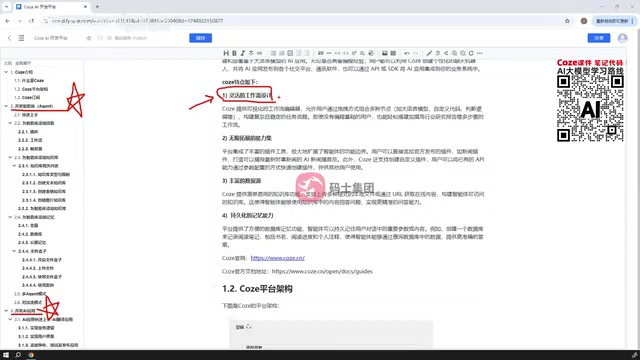
Large language models (LLMs) are the underlying engine that powers platforms like Coze. An LLM is a neural network model trained on massive amounts of text that can understand and generate natural language, with general capabilities such as conversation, writing, summarization, and code generation. Coze itself does not train models; instead, it wraps ByteDance's own or other vendors' LLMs into callable capabilities, and users "direct" the model through prompts, plugins, and workflows to complete specific tasks. Understanding this helps clarify the essence of no-code platforms: they lower the barrier to orchestration and integration, not the capability boundary of the model itself—the ceiling of application quality still depends on the chosen model's comprehension, context length, and invocation cost.
Breaking Down the Four Core Capabilities
Workflows: Making AI Execute as Users Intend
The creator emphasizes that Coze supports embedding workflows within both agents and AI applications, and a workflow can be either a chatflow or a regular workflow. Its value lies in strictly constraining AI applications to interact with LLMs according to user-defined processes to complete specific tasks. This design is similar to Dify's workflow capability and is key to implementing complex business logic.
The difference between chatflows and regular workflows deserves separate mention. A regular workflow is typically a one-way, batch-style orchestration: input enters and passes through several nodes in sequence, ultimately producing output without human interaction in between—suitable for deterministic tasks like data processing and content generation. A chatflow, by contrast, targets multi-turn interaction scenarios: it retains conversation context, can ask the user questions mid-flow and wait for answers, then branch to different nodes based on those answers, making it better suited to applications like customer service, shopping guides, and Q&A assistants that require back-and-forth communication. Coze offers both forms in agents and AI applications, and users can choose based on whether the task requires mid-flow follow-up questions.
Plugin Ecosystem: Rich Extension Capabilities
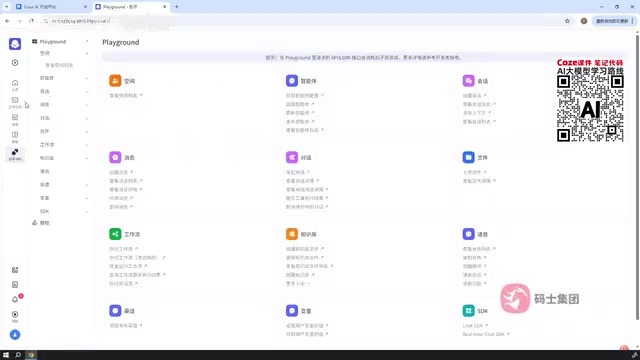
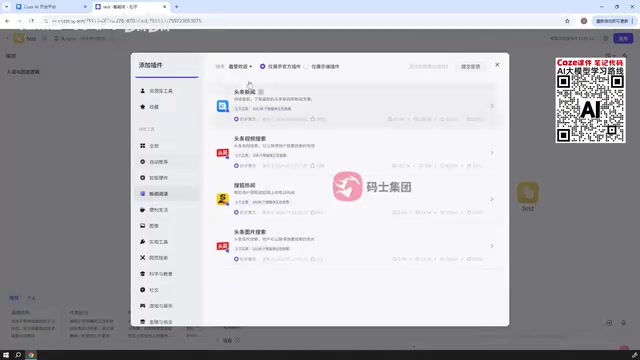
Coze integrates a large number of plugins that can be directly referenced in workflows, agents, or AI applications. Official plugins cover various types such as news, image understanding, image search, Toutiao search, and link reading—for example, the link reading plugin can take a URL and read its content or files, the image understanding plugin can take a URL to understand an image, and the Toutiao search and Toutiao news plugins are used to search for news content by specified keywords or URLs.
In practice, after entering the agent creation page in the workspace, you can see the plugin panel, which distinguishes official plugins from display-only plugins (i.e., user-created plugins) and organizes them by categories such as auto-recommended, smart hardware, convenient life, and images, with search support.
Plugins are essentially tool interfaces between the model and the outside world. An LLM's own knowledge stops at its training cutoff and it cannot directly access real-time data or perform actions; plugins use declarative parameter definitions to let the model "call" an external service when needed—such as running a search, reading a webpage, or checking the weather—and then return the result to the model to compose an answer. This corresponds to what the industry calls "tool calling/function calling." Coze pre-packages common capabilities as official plugins, so users only need to check a box and fill in parameters to mount them without writing interface code themselves—this is the key to how no-code platforms cover scenarios like search and image reading.
Knowledge Base: Rich Data Ingestion Methods
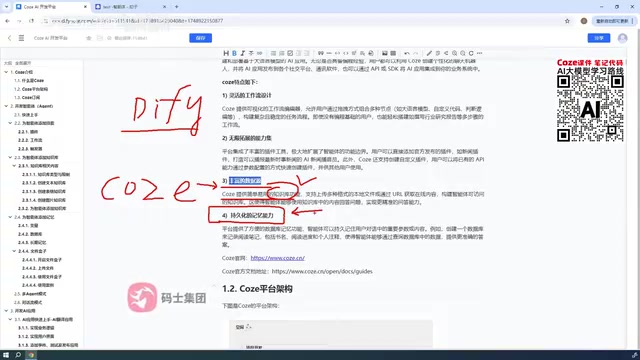
Coze provides a knowledge base feature that supports creating knowledge bases from local files, links, database tables, and other formats, with diverse data sources. The platform also offers an internal database concept—not connecting to the user's local database, but creating databases and tables within Coze for application use.
The core technology behind the knowledge base is RAG (Retrieval-Augmented Generation). Since LLMs cannot memorize an enterprise's private documents, RAG works by first splitting materials into chunks and converting them into vectors stored in an index; when a user asks a question, the most relevant chunks are retrieved and passed to the model along with the question, so answers are grounded and less prone to fabrication. Coze supports multiple data sources such as local files, links, and database tables, effectively completing the entire pipeline of chunking, vectorization, and retrieval on the user's behalf. Note that knowledge base quality largely depends on document quality and chunk granularity—messy materials or chunks that are too long or too short will affect recall accuracy.
Persistent Memory: Multi-Turn Conversations Can Be Recalled
Coze has built-in memory capabilities: after a user has multiple turns of conversation with an agent or AI application, the conversation content can be persistently saved and retrieved at a later time. The creator mentions that the platform supports setting variables to record and summarize values from conversations, enabling memory retention and recall.
How to Choose Between Coze and Dify
The most obvious difference is deployment form: Dify supports local deployment, while Coze only supports online building. For teams that want data to stay local and need deep customization, Dify is more suitable; for beginners who want out-of-the-box use and don't want to wrestle with environments, Coze's online model is faster to get started with. Functionally, both support workflow design, and Coze's plugin ecosystem and knowledge base ingestion methods are its standout features. The creator also notes in the video that the course content mainly comes from Coze's official user guide and summarizes common key points, while the official documentation provides more detailed explanations.
Getting Started Advice
Beginners can start with "Quick Start" on the official development platform, first creating a test agent to become familiar with the configuration logic of plugins, knowledge bases, and memory, then gradually try embedding workflows. Users with development experience can integrate Coze applications into their own systems via API. If local deployment is a hard requirement, they should turn to Dify.
One-line Summary
Compares Coze and Dify's deployment differences and core capabilities, and offers a beginner-friendly entry path.
Paragraph Summary
Based on a Bilibili creator's hands-on tutorial, this article introduces the positioning and capabilities of ByteDance's no-code AI application development platform Coze, and compares it with the open-source, locally deployable Dify. Coze only supports online building; its creation entry is divided into agents and AI applications, and its four core capabilities include: workflows that can be embedded in agents and applications to strictly constrain AI to execute tasks according to a set process; a rich official plugin ecosystem covering news, image understanding, image search, link reading, and more; a knowledge base supporting multiple sources such as local files, links, and database tables; and persistent memory that saves multi-turn conversation content and records and summarizes it via variables. The article points out that the most obvious difference lies in deployment form: Dify suits teams focused on data localization and deep customization, while Coze excels at out-of-the-box use, and the two are similar in workflow design capability. Finally, it offers getting-started advice: beginners should create a test agent via "Quick Start," become familiar with plugin, knowledge base, and memory configuration before trying workflows; those with development experience can integrate via API; and those with hard local deployment requirements should turn to Dify.
Related articles
 Tech Frontiers
Buoyant Open-Sources Kinference: An Inference Control Plane for vLLM on K8s
Buoyant open-sources Kinference, an inference control plane for vLLM on Kubernetes, with declarative routing, KV-cache-aware load balancing, and per-tenant metrics—claiming 95% lower median TTFT in official benchmarks.
 Tech Frontiers
The Truth Behind Anthropic's 2x R&D Speedup: A Deep Dive into the METR Report
METR's external evaluation shows Anthropic's AI testing progress over the past year roughly equals the prior two years, with R&D accelerating about 2x—and roughly 80% likely from AI assistance. The report also admits key evidence was redacted, the range spans 1.3x to 3x, and Anthropic says it hasn't doubled yet, diverging from METR's judgment.

Sugra MCP: One-Click Access to 200+ Data Sources, Connecting Mainstream AI Applications
Sugra MCP connects mainstream AI apps like Claude, ChatGPT, and Cursor through a unified MCP protocol, offering 200+ data sources and 1,600+ endpoints. Listed in Anthropic, OpenAI, and GitHub directories—integrate with one command.