Cursor Practical Guide: Core Features of the AI Programming Tool and Development Efficiency Comparison

Cursor is an AI-native programming tool that reshapes programming interaction through large models and context awareness, significantly boosting development efficiency.
Based on a Bilibili tutorial, this article systematically breaks down the AI programming tool Cursor. Cursor is not a VS Code plugin but an AI-native environment built from the ground up, integrating top models like Claude and supporting conversational programming in natural language. The article compares traditional IDEs and Cursor across six dimensions—code completion, generation, problem solving, code understanding, refactoring, and error handling—and notes that Cursor's context awareness avoids hallucinations and lets junior programmers produce near mid-level output. Interaction shifts to an AI chat window, lowering the learning curve, though prompt quality directly affects efficiency. It suits beginners, senior developers, and non-programmers, but does not replace programming fundamentals; AI-generated code still needs human review.
AI programming tools are changing the way developers write code. In a recent tutorial on Bilibili, an uploader (UP) breaks down Cursor in detail—a tool often described as an "upgraded version of VS Code"—and compares the core differences between traditional IDEs and AI-native IDEs. Based on that tutorial, this article outlines Cursor's key capabilities and use cases.
What Is Cursor: An AI-Native Programming Environment
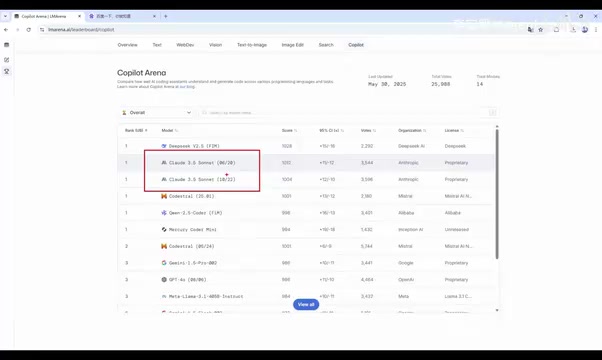
Cursor is not a simple VS Code plugin—it is a programming tool designed from the ground up for AI. In the video, the uploader emphasizes that it integrates the world's leading large language models (such as the Claude series) and can assist across the entire process of writing code, debugging, troubleshooting, and refactoring. Its positioning is similar to that of domestic tools like Tongyi Lingma, but Cursor is more advanced in model capability and context understanding.
Its core logic is this: developers describe requirements in natural language, and Cursor understands the project structure and then automatically generates code or offers suggestions. This means the programming interaction shifts from "manually typing every character" to "describing intent conversationally."
The application of large language models in programming scenarios: Large language models (LLMs) such as the Claude and GPT series are essentially probabilistic models trained on massive amounts of text that can predict the next token based on context. In programming scenarios, code itself is highly structured and constrained by syntax, so LLMs can learn patterns such as function signatures, variable naming, and common library calls, thereby generating code snippets that are syntactically correct and semantically reasonable. However, LLMs also suffer from the "hallucination" problem—they may fabricate non-existent APIs or library functions. Cursor combines models with project context (files, dependencies, symbol tables) and uses techniques such as retrieval-augmented generation (RAG) to significantly reduce the hallucination rate and make generated results more aligned with actual engineering.
Four Core Features: Why It's Worth Using
The uploader summarizes four key designs of Cursor:
AI-native design: not an add-on plugin, but built for AI at the architectural level.
Intelligent code generation: generate complete logic from a single sentence and automatically complete code based on business requirements.
Context awareness: understand project structure and variable relationships, avoiding the "hallucination" problem after long conversations. This is a key bottleneck for large language models in programming scenarios, and Cursor performs better in this regard than ordinary chat tools.
Multi-model support: switch between mainstream models such as Claude and Google's, selecting flexibly according to the task.
Context awareness and the "hallucination" problem: In LLMs, the "context window" refers to the upper limit on the number of tokens a model can process at once. Early models had small windows, so long conversations could cause them to forget earlier information, leading to generated content that was disconnected from the actual project. Cursor indexes the entire codebase, builds a symbol dependency graph, and dynamically retrieves relevant code snippets as context for each request, enabling the model to "see" the project structure, variable relationships, and call chains. This mechanism is similar to equipping the model with external memory, allowing it to maintain an understanding of the project state even in long conversations and thereby reducing "hallucinations"—that is, the model fabricating code that does not exist or does not match the project.
Traditional IDE vs Cursor: The Efficiency Gap Across Six Dimensions
The uploader compares the two across six aspects: code completion, code generation, problem solving, code understanding, refactoring and optimization, and error handling. The core differences are as follows:
| Dimension | Traditional IDE | Cursor |
|---|---|---|
| Code completion | Based on syntax analysis | Understands context and predicts intent |
| Code generation | Relies on preset templates | Generates complete logic from natural language |
| Problem solving | Consult documentation/search yourself | Built-in AI assistant answers instantly |
| Code understanding | Syntax highlighting + structural analysis | Deep explanation of code logic |
| Refactoring and optimization | Relies on developer experience | AI provides optimization plans |
| Error handling | Manual troubleshooting or search | Analyzes errors and provides fix suggestions |
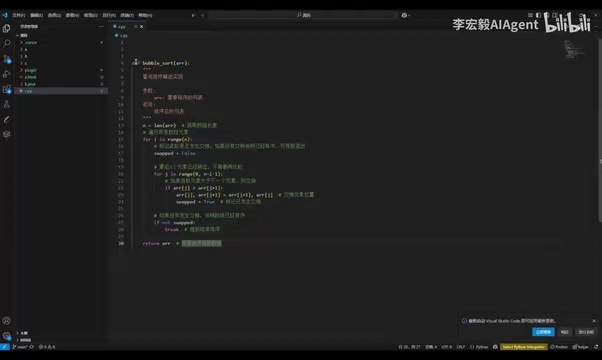
The direct result of this difference is that junior programmers can achieve output close to the level of mid-level developers with Cursor. In the video, the uploader says plainly, "A junior programmer with Cursor may become a programmer with five years of experience"—of course, this depends on understanding business requirements and being able to read the code generated by AI.
The principles of code completion in traditional IDEs: Code completion in traditional IDEs (such as VS Code and IntelliJ) is mainly based on syntax analysis, symbol tables, and static type inference. For example, it uses an abstract syntax tree (AST) to identify variables, functions, and class members available in the current scope, then sorts them alphabetically or by frequency of use. This kind of completion can only predict "syntactically legal" candidates and cannot understand developer intent. Cursor's completion is based on LLMs and can predict an entire line or block of code based on comments, function names, and contextual semantics. It is "intent-level" completion, and the two differ by a generation in both principle and effect.
Interaction Style and Learning Curve
Traditional IDEs require developers to memorize a large number of shortcuts and feature locations, resulting in high learning costs. Cursor shifts the focus of interaction to the AI chat window on the right, completing programming tasks through natural language conversation. The uploader points out that the quality of prompts directly affects efficiency, but this threshold is lower than memorizing shortcuts.

In terms of knowledge acquisition, traditional methods rely on search engines, while Cursor has built-in AI Q&A, allowing users to look up technical concepts and request code explanations at any time. For the common beginner problem of "code lighting up red" (errors), Cursor can directly analyze error messages and provide fix suggestions, shortening troubleshooting time.
Target Users: From Beginners to Senior Developers
The uploader believes Cursor is suitable for all levels:
- Beginner programmers: Use it as a learning assistant, comparing AI-written code with your own to understand more rigorous code structure.
- Experienced developers: Hand repetitive, boilerplate code to AI and focus on business logic and architecture design.
- People without a programming background: Even without knowing how to program, they can write runnable code by describing requirements in natural language, but they need basic debugging and verification skills.
It should be clear that Cursor does not replace programming fundamentals. In the tutorial, the uploader reminds viewers that developers still need to understand and control the code themselves, and AI-generated results require human review.
Summary
Cursor represents the direction of AI-native programming tools: from syntax assistance to intent understanding, and from single-point completion to full-process collaboration. For engineers who want to improve development efficiency, it is worth adding to their daily toolchain; for beginners, it lowers the barrier to entry but also imposes new requirements on code review skills.
Related articles

Is the Agent Harness Dead? Cursor's Early Engineer Breaks Down the Real Architecture of AI Coding Agents
Cursor early engineer Jediah breaks down the real architecture of the agent harness: why "the harness is dead" is only half right, how the data flywheel lets the harness obsolete itself, and how Grokbot, software factories, and primitive design open new frontiers for agents.

Python Visitor Pattern and Better Alternatives Explained
A deep dive into Python's visitor pattern and four alternatives: method pattern, pattern matching, dictionary mapping, and functools.singledispatch. Choose the best decoupling design by change frequency.

357 Days of Deep Experience: Why Omarchy Made Me Stop Distro-Hopping
A 357-day deep dive into Omarchy: 59-second install, out-of-the-box audio and GPU support, the Quattro QuickShell rewrite migration pains, and why Arch users should try it.