Cursor's Overlooked Hidden Feature: Generate Complete Functions Directly from Comments

Cursor can generate complete functions from a single natural language comment, with context-aware style matching.
Cursor offers a "comment-driven development" workflow: write a natural language comment describing your intent, and Cursor generates a complete function implementation — skipping scaffolding, variable naming, and edge-case handling. Unlike standard autocomplete, it handles entire blocks of logic. Crucially, it reads your codebase context and matches your existing coding style, making generated code drop-in ready rather than a generic template. The claimed 60% time reduction is anecdotal, and results vary by task type; the feature shines most for repetitive utility functions, while core business logic still warrants human review.
A Capability Most Developers Are Ignoring
Cursor has remained one of the hottest AI coding tools around, yet one workflow-changing feature goes largely unused by most developers: generating complete functions directly from comments. As highlighted in a YouTube share, most developers are still typing code line by line, wasting significant time every day. Cursor offers a different path: simply write a comment describing what you need, and it instantly produces a full function implementation.

This "comment-driven development" isn't an entirely new concept, but Cursor's implementation integrates it with a deeper understanding of real project context. The result is no longer a generic, context-free template — it's code that can drop directly into your existing codebase.
How It Actually Works
The core workflow is remarkably simple: write a natural language comment in your code describing the logic you want, and Cursor builds out the entire function from it.

This is fundamentally different from traditional autocomplete. Standard autocomplete fills in fragments after you've already started writing, whereas comment-driven generation leaps directly from intent to full implementation — skipping the tedious work of scaffolding structure, naming variables, and handling edge cases. For utility functions and data-processing logic that are conceptually clear but tedious to write, this approach meaningfully reduces cognitive load.
Why It's More Practical Than Regular Autocomplete
The key difference is that it handles entire blocks of logic rather than predicting the next token. When you need a function to parse a specific format, transform a data structure, or wrap a repeated operation, describing the requirement is often faster than implementing it yourself. As a bonus, the comment itself doubles as documentation, improving code readability.
From a technical standpoint, Cursor is built on large language models (LLMs) and feeds both the natural language comment and the surrounding code as a prompt to the model. Unlike pasting code into a general-purpose tool like ChatGPT, Cursor's key advantage is its deep integration into the development environment as an IDE plugin or standalone editor. It has direct access to the code surrounding your cursor, the import statements in the current file, and symbol definitions from other files in your project. This "in-place generation" mechanism gives the model richer local context, producing functions that fit your existing code structure — no manual copy-pasting required.
Context Understanding and Style Matching
What truly elevates this feature from a "toy" to a genuine productivity tool is its ability to understand your codebase's context. According to the original share, Cursor reads the context of your current project and automatically matches your coding style.
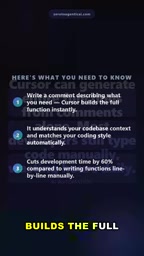
This means generated functions won't awkwardly introduce naming conventions or structural patterns that clash with the rest of your project. Instead, they aim to align with your existing habits — indentation, naming conventions, and the custom types and utility functions already defined in your project. This consistency is precisely where many general-purpose code generation tools fall short, and it's the reason developers are willing to integrate it into their daily workflow.
Cursor's context understanding relies on the codebase indexing it builds in the background. When a project is opened, Cursor vectorizes source files, converting code snippets into searchable embedding vectors. During code generation, it uses semantic search to find the most relevant snippets for the current task and includes them in the model's prompt. This draws on the Retrieval-Augmented Generation (RAG) paradigm: since a model's context window is limited and can't ingest an entire large project at once, RAG allows the system to dynamically select the most relevant fragments to supplement the prompt, maximizing the use of project information within a constrained context. This is why, even in larger codebases, Cursor-generated code can still correctly reference existing utility functions or custom types defined elsewhere in the project.
How Much of an Efficiency Gain?
The figure cited in the share is that this approach can reduce development time by approximately 60% compared to writing functions line by line.
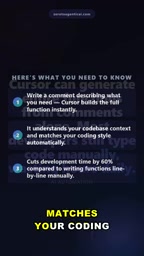
This number deserves some healthy skepticism. It comes from a single anecdotal source, not a controlled study, and the actual benefit will vary considerably depending on task type, codebase complexity, and developer experience. For standardized, highly repetitive functions, the speedup can be substantial. But for code requiring deep business logic judgment, complex state management, or performance-critical core functionality, AI-generated output still needs human review and adjustment — blindly trusting it could introduce subtle bugs.
Practical Tips
To get the most out of this feature, keep a few things in mind: write comments that are specific and explicit, including inputs, outputs, and key constraints; always read through and test the generated code before committing it; and maintain human oversight on critical logic. Treat Cursor as an accelerator, not a replacement — that's how you capture the real productivity gains.
Summary
Comment-driven function generation isn't some deeply hidden black magic, but it is a capability many developers haven't fully tapped into. Its value lies in translating described intent directly into usable code, while leveraging context understanding to maintain stylistic consistency. Paired with appropriate human review, this feature is a genuinely practical tool for speeding up everyday development.
Related articles

Random Pruning of the DPO Computation Graph: 1.4x Training Speedup and Lower Peak Memory
DPO training too slow and memory-hungry? This paper proposes a random pruning framework for the DPO computation graph, sampling independently across position, sequence, and branch dimensions; branch pruning achieves a 1.426x step-time speedup and cuts training time by about 30%, with in-depth attribution of memory and time gains.

Why Does JEPA Underperform MLM in Longitudinal EHR Representation Learning?
New study compares JEPA and MLM for longitudinal EHR representation learning on MIMIC-IV: three JEPA variants train stably without collapse but underperform MLM; target size, not heterogeneity, drives prediction error.

Transfer Learning + Visible Light Communication: A New Approach to Energy-Efficient Indoor Positioning
A study proposes a transfer learning-based visible light communication indoor positioning method, achieving 47% accuracy improvement on the BOSCH factory dataset, 67.5% model efficiency under high noise, and introducing the ME composite metric for energy-efficient positioning in energy-constrained industrial IoT scenarios.