Datasette-llm 0.1a9: Inherit the LLM Default Model Automatically

datasette-llm 0.1a9 lets Datasette Agent automatically inherit the LLM default model, eliminating explicit configuration.
Simon Willison released datasette-llm 0.1a9, whose core change is letting the plugin automatically read the default model already configured in the LLM toolchain. Previously, running Datasette Agent required manually passing the default_model parameter; now a single simplified command is enough. This is a UX optimization rather than a new feature—it removes model configuration from the Datasette Agent startup flow and converges it into unified LLM management, lowering the barrier for new users and reducing parameters that need explaining in documentation. The author also notes this is still an alpha version, configuration behavior may change, and production use should pay attention to version pinning; a bigger Datasette Agent upgrade is planned.
Simon Willison has released version 0.1a9 of the datasette-llm plugin. This release doesn't introduce new features—instead, it does something that has a bigger impact on day-to-day experience: it lets the plugin automatically read the default model already configured in the LLM toolchain. For developers already accustomed to working within the LLM ecosystem, this means one less explicit configuration step when starting Datasette Agent.
From "must specify" to "automatic inheritance"
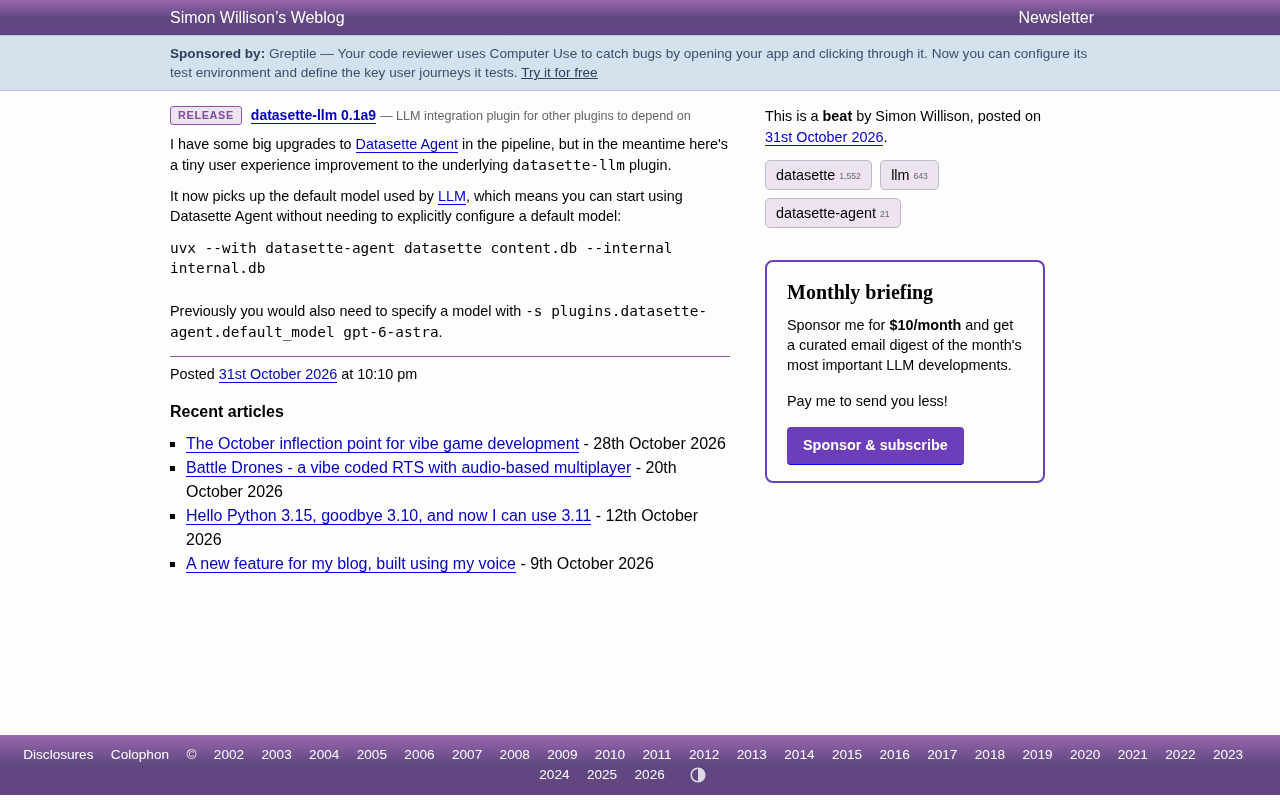
Previously, running Datasette Agent required manually passing a model parameter, such as -s plugins.datasette-agent.default_model gpt-6-astra. For those familiar with the Datasette configuration system, this syntax isn't particularly complex, but in quick trials or demo scenarios, every extra parameter adds a layer of cognitive overhead.
With 0.1a9, the plugin directly adopts LLM's default model setting. You only need to run:
uvx --with datasette-agent datasette content.db --internal internal.db
No additional model declaration is needed. This change looks small, but it removes "configuring the model" from the Datasette Agent startup flow and hands it over to the underlying LLM for unified management.
Simon Willison's LLM is a command-line tool and Python library for invoking various large models (OpenAI, Anthropic, local models, etc.) from the terminal or code, with support for extending model providers via plugins. It maintains a user-level configuration where a default model can be set; commands like llm models default are used to read and write this default value. datasette-llm, as a bridging plugin, reads this configuration to determine which model Datasette Agent uses. Understanding this helps clarify that "automatic inheritance" essentially means the Datasette side no longer maintains its own model default, but reuses the configuration state already present in the LLM toolchain.
Why this change matters
The Datasette ecosystem has always emphasized "composable plugins." The role of datasette-llm is to bridge Datasette and the LLM toolchain, and this update reinforces that bridge: LLM's default model becomes the single source of truth for the entire chain.
For users, the benefit is configuration convergence. You no longer need to repeat model names across different tools—LLM's default value naturally propagates to Datasette Agent. For plugin maintainers, this also reduces the startup parameters that need explaining in documentation, lowering the barrier to entry for new users.
In the release notes, Simon Willison mentions that a bigger upgrade for Datasette Agent is queued up. 0.1a9 is more of a groundwork experience fix—smoothing out the basic startup path first.
Datasette is an open-source data exploration and publishing tool developed by Simon Willison that turns SQLite databases into browsable, queryable web applications quickly. One of its core design principles is the plugin system: almost all features (authentication, export, visualization, AI agents, etc.) exist as independent plugins distributed under the datasette-* naming convention. This "composable" architecture means users install plugins on demand and combine capabilities, with plugins collaborating through shared configuration and agreed-upon interfaces. The configuration convergence mentioned in this article exemplifies the "single source of truth" principle under this architecture: delegating model selection to the underlying LLM toolchain avoids inconsistencies caused by each plugin defining its own defaults.
Who should upgrade
If you're already using LLM and have set a default model, this version is a nearly seamless upgrade with immediate benefits. If you previously gave up trying Datasette Agent because you had to remember extra parameters, now is the time to try again.
Note that this is still an alpha version (0.1a9), and the API and configuration behavior may continue to change. Before using in production, it's advisable to confirm your version pinning strategy.
Summary
datasette-llm 0.1a9 is not a feature release but a UX improvement that reduces friction. It makes the Datasette Agent startup command shorter and closer to "out-of-the-box," and once again reflects the design orientation of "unified default value management" in the Datasette plugin system.
Related articles

Malicious Claude Code Extension Infiltrates Cursor: Version 2.1.313 Self-Check and Cleanup Guide
A malicious Claude Code build 2.1.313 appeared in the Cursor extension marketplace for about 11 hours, affecting up to 5,000 users. StepSecurity disclosed that it stole system information, git email, and environment variable names, and attempted to implant SSH keys and reverse tunnels. This article covers the incident, malicious behavior, and complete self-check and cleanup steps.

15 Essential Prompts for Vibe Coding: Keep AI from Wrecking Your Code
Vibe Coding often tempts AI to break your code. These 15 prompts—from PRD, architecture, and database to testing and debugging—chain each output as the source of truth, turning AI coding from casual chat into a controllable engineering process.

Cursor vs Windsurf: Code Review or Direct Apply — Which Fits You Better?
Cursor shows a diff for review before changing code; Windsurf applies changes directly. We analyze how each mode affects your workflow and cover Cursor 2.0's multi-agent mode.