Dear ImGui Deep Dive: Why This Immediate Mode GUI Library Has Won Over C++ Developers

A comprehensive analysis of why Dear ImGui's immediate mode approach dominates C++ tool development.
This article provides a deep analysis of Dear ImGui, the 75K+ star C++ immediate mode GUI library. It explains how immediate mode differs from retained mode frameworks like Qt, details its minimal-dependency architecture that outputs vertex/index buffers for any graphics API, covers its extensive backend support (OpenGL, Vulkan, Metal, WebGPU), and explores its dominant role in game engines, visualization tools, and rapid prototyping.
Introduction: Why Developers Love Dear ImGui
In the world of C++ graphical interface development, Dear ImGui (commonly called imgui) has become one of the de facto standards. This open-source library, primarily developed by Omar Cornut (ocornut), has garnered over 75,100 stars on GitHub, with nearly 12,000 forks, and continues to grow by dozens of stars daily. Its tagline is concise and clear: "Bloat-free Graphical User Interface for C++ with minimal dependencies."
For game developers, graphics tool authors, and engine developers, Dear ImGui is virtually the go-to solution for building debug panels, editor tools, and real-time parameter tuning interfaces. Its success is no accident—it stems from a design philosophy fundamentally different from traditional GUI frameworks.
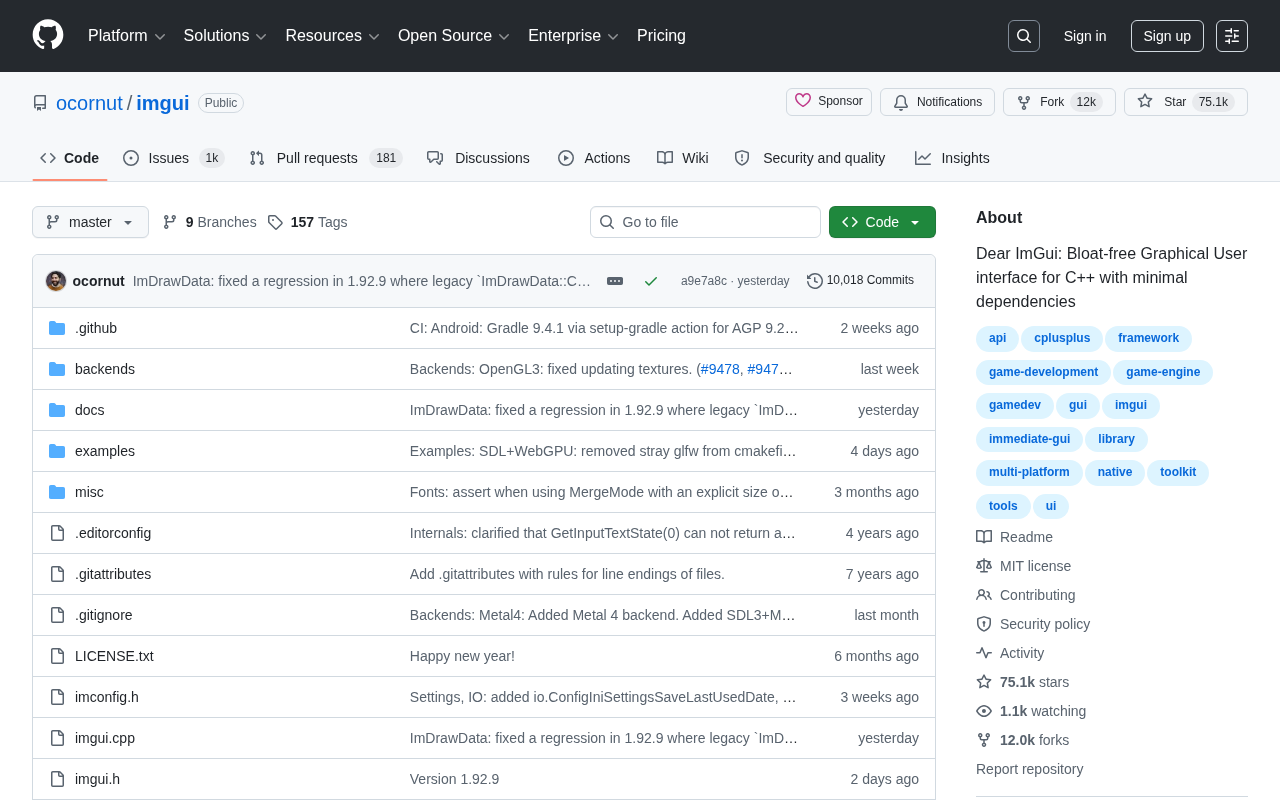
Core Design Philosophy: The Fundamental Difference Between Immediate Mode and Retained Mode GUI
What Is Immediate Mode?
Traditional GUI frameworks (like Qt and GTK) use a Retained Mode approach: developers must pre-create widget objects, maintain their state, bind event callbacks, and the interface structure persists in memory as an object tree. Qt is currently one of the most mature cross-platform C++ GUI frameworks, maintained by The Qt Company, offering a complete Signal-Slot mechanism, Model-View architecture, styling system, and internationalization support—ideal for building feature-rich end-user products. GTK is the foundational UI toolkit for the GNOME desktop environment, written in C. Both require developers to instantiate widget objects, organize them into object trees, and respond to user actions through event callbacks. The advantage of this approach is that the framework can independently manage complex features like redrawing, layout, and accessibility, but the trade-off is introducing substantial abstraction layers and framework conventions, requiring considerable code even for simple requirements.
Dear ImGui adopts an Immediate Mode architecture. The concept of immediate mode GUI can be traced back to Casey Muratori's 2005 talk, "Immediate-Mode Graphical User Interfaces." In that presentation, he systematically explained the differences between immediate and retained modes and argued for immediate mode's superiority in tool development scenarios. This philosophy profoundly influenced the later development of Dear ImGui. In immediate mode, the "Single Source of Truth" for UI state is always the application's data itself, rather than cached copies within GUI widget objects—fundamentally eliminating the bidirectional data synchronization problems common in retained mode.
Specifically, the interface isn't "created" as objects but rather "immediately described" through function calls on every frame. For example:
ImGui::Begin("Debug Window");
ImGui::Text("Hello, world %d", 123);
if (ImGui::Button("Save"))
    SaveData();
ImGui::SliderFloat("Volume", &volume, 0.0f, 1.0f);
ImGui::End();
These functions are called again every frame, and whether widgets exist and what they display is entirely determined by the current code logic. This design makes UI code tightly coupled with business logic, virtually eliminating the burden of state synchronization.
Advantages and Trade-offs of Immediate Mode
The greatest appeal of immediate mode is extremely high development efficiency. Want to add a debug button inside some function? Just one line of code—no need to declare, initialize, or register callbacks elsewhere. For rapid-iteration tool development scenarios, this is a revolutionary experience.
Of course, immediate mode has its trade-offs: since the interface is rebuilt every frame, it's less suitable for building complex end-user products with extremely large widget counts where rendering performance is critical. But for its core positioning as developer tools, this trade-off is entirely worthwhile. It's worth noting that Dear ImGui internally maintains some implicit persistent state (such as window positions, scroll offsets, tree node expand/collapse states), indexed and cached through the widget string ID system. Therefore, Dear ImGui is more accurately described as a framework that is "immediate mode at the API level, with retained mode optimizations mixed into the internal implementation." This pragmatic engineering choice allows it to maintain a clean immediate mode API while achieving acceptable runtime performance.
Technical Features: Minimal Dependencies and High Portability
Achieving "Bloat-free" Through Minimized Dependencies
Dear ImGui's "Bloat-free" claim isn't just a slogan. Its core code doesn't depend on any specific graphics API or operating system—it only requires a standard C++ environment. The library itself is solely responsible for generating vertex buffers, index buffers, and draw command lists, leaving the actual rendering work to the user's implementation.
To understand this architecture technically: the vertex buffer stores vertex positions, colors, and texture coordinates for each UI element; the index buffer defines the connection order of vertices to form triangles; the draw command list records the state information needed for each draw call, such as clip rectangles and texture IDs. This design means Dear ImGui is essentially a UI-to-triangle converter—developers simply submit these triangles to any graphics API to complete rendering, achieving complete decoupling between core logic and the rendering backend. This is the fundamental reason it can cover such a wide range of platforms with minimal code.

Extensive Rendering Backend and Platform Support
Precisely because the core is decoupled from rendering, Dear ImGui officially provides numerous ready-made "backend" bindings covering virtually all major platforms and graphics APIs:
- Graphics APIs: OpenGL, DirectX 9/10/11/12, Vulkan, Metal, WebGPU
- Platform layers: GLFW, SDL2/SDL3, Win32, GLUT
- Special environments: Emscripten (browser WebAssembly), various game engines
Vulkan is a low-overhead, cross-platform graphics and compute API released by the Khronos Group in 2016. As the successor to OpenGL, it provides finer-grained GPU control including explicit memory management, command buffer recording, and multi-threaded rendering support. Metal is Apple's low-level graphics API designed for iOS and macOS, similarly emphasizing low overhead and high performance. WebGPU is a next-generation browser graphics API being standardized by the W3C, aimed at replacing WebGL with a modern graphics programming model similar to Vulkan/Metal/DirectX 12. Dear ImGui's comprehensive support for these modern APIs means developers can seamlessly integrate it regardless of their technology stack.
The Emscripten and WebAssembly support deserves special mention: Emscripten is a toolchain that compiles C/C++ code to WebAssembly (Wasm), built on the LLVM compiler backend. WebAssembly is a binary instruction format standardized by the W3C that runs in modern browsers at near-native speed. Through Emscripten, Dear ImGui applications can be fully compiled to WebAssembly and run in browsers without any plugins. Emscripten also provides an OpenGL ES emulation layer (mapped to WebGL/WebGL2), allowing desktop-targeted rendering code to work in browser environments with almost no modifications. The Dear ImGui official repository includes online demos that can be experienced directly in browsers, built on precisely this technology.
Whether you're building Windows desktop tools, a cross-platform game engine, or want to run tools in a browser, you'll find a corresponding integration solution. This portability is one of the key reasons Dear ImGui has been so widely adopted.
Typical Use Cases: From Game Engines to Rapid Prototyping
A Debugging Powerhouse in Game and Engine Development
Dear ImGui's most classic application domain is game development. Nearly every in-house game engine integrates it to build runtime debug panels—viewing frame rates in real time, monitoring memory usage, adjusting lighting parameters, and inspecting game object states. Many well-known game studios use it in production environments. In fact, Dear ImGui's author Omar Cornut himself has deep game industry roots, having worked at renowned studios like Media Molecule (developers of LittleBigPlanet), which means Dear ImGui's design has been deeply aligned with actual game development workflows from the very beginning. During AAA game development cycles, engine teams typically need to frequently add and remove debug interfaces, and immediate mode's zero-boilerplate characteristic makes this process nearly frictionless.
Graphics Tools and Data Visualization
From 3D modeling plugins to data visualization dashboards, from machine learning experiment parameter tuners to embedded device monitoring interfaces, Dear ImGui leverages its lightweight nature and flexibility to become a powerful tool for building professional tool applications. Its built-in drawing widgets, tables, tree structures, and other components are sufficient to handle complex tool requirements.
Rapid Prototyping and Interactive Debugging
For scenarios requiring quickly building interactive interfaces to validate algorithms or ideas, Dear ImGui's immediate mode lets developers set up an interactive debug interface in minutes, greatly shortening the cycle from idea to validation. In computer vision, physics simulation, audio processing, and other research fields, developers frequently need to adjust algorithm parameters in real time and observe result changes. Dear ImGui's sliders, color pickers, curve editors, and other widgets combined with the immediate mode programming paradigm make this kind of interactive exploration extremely natural.
Ecosystem and Community: A Thriving Extension Landscape Under the MIT License
Behind 75,000+ stars is an extremely active open-source community. The project maintainers continuously update it, and the community has contributed a massive collection of extension components—node editors (imnodes, ImNodes), plotting libraries (ImPlot), file dialogs, Markdown renderers, and more.
These extensions are worth exploring further: ImPlot is one of the most popular extensions, providing feature-rich real-time data plotting capabilities supporting line charts, scatter plots, bar charts, heatmaps, and many other chart types, with performance sufficient to handle real-time updates of millions of data points. imnodes and ImNodes provide node editor frameworks, widely used in visual programming, shader graphs, blueprint systems, and similar scenarios. Additionally, ImGuizmo provides translate/rotate/scale manipulators (Gizmos) in 3D scenes, and ImGuiColorTextEdit provides a syntax-highlighted code editor widget. The awesome-imgui repository on GitHub catalogs hundreds of such extension projects. This thriving ecosystem further lowers the barrier to entry, transforming Dear ImGui from a mere GUI library into a complete infrastructure for tool development.
It's worth noting that Dear ImGui uses the permissive MIT License, allowing free use in commercial projects—an important guarantee enabling its large-scale adoption in industry. The MIT License is one of the most permissive licenses in open-source software, only requiring users to retain the original copyright notice and license statement, imposing no restrictions on use, modification, distribution, or commercialization. By comparison, the GPL license requires derivative works to also be open-sourced under GPL (the so-called copyleft property), which often creates legal barriers in commercial software. Dear ImGui's choice of the MIT License means game studios, financial institutions, hardware manufacturers, and other commercial entities can embed it in closed-source products without legal concerns. This decision significantly lowers the enterprise adoption barrier and is one of the key factors behind Dear ImGui's widespread deployment in industry.
Conclusion: Is Dear ImGui Right for Your Project?
Dear ImGui is not trying to replace general-purpose GUI frameworks like Qt. Its positioning is very clear: providing an efficient, lightweight, cross-platform interface solution for developers and technical applications.
If you're developing game engine tools, graphics applications, need debug panels, or want to quickly build interactive prototypes, Dear ImGui is almost the definitive choice. However, if you're developing complex desktop software targeting ordinary consumers with highly customized UI styling, you may need to consider traditional retained mode frameworks.
Regardless, Dear ImGui has proven the value of "less is more" in software development through its unique immediate mode philosophy and minimalist engineering design. This is the fundamental reason it has consistently dominated GitHub rankings and won the favor of developers worldwide.
Key Takeaways
Related articles

Waymo AI Team to Host AMA: Focusing on Foundation Models and Autonomous Driving Simulation
Waymo's AI technical leads are hosting an AMA on Reddit's r/MachineLearning, covering foundation models, large-scale simulation, multimodality, and end-to-end autonomous driving architectures.
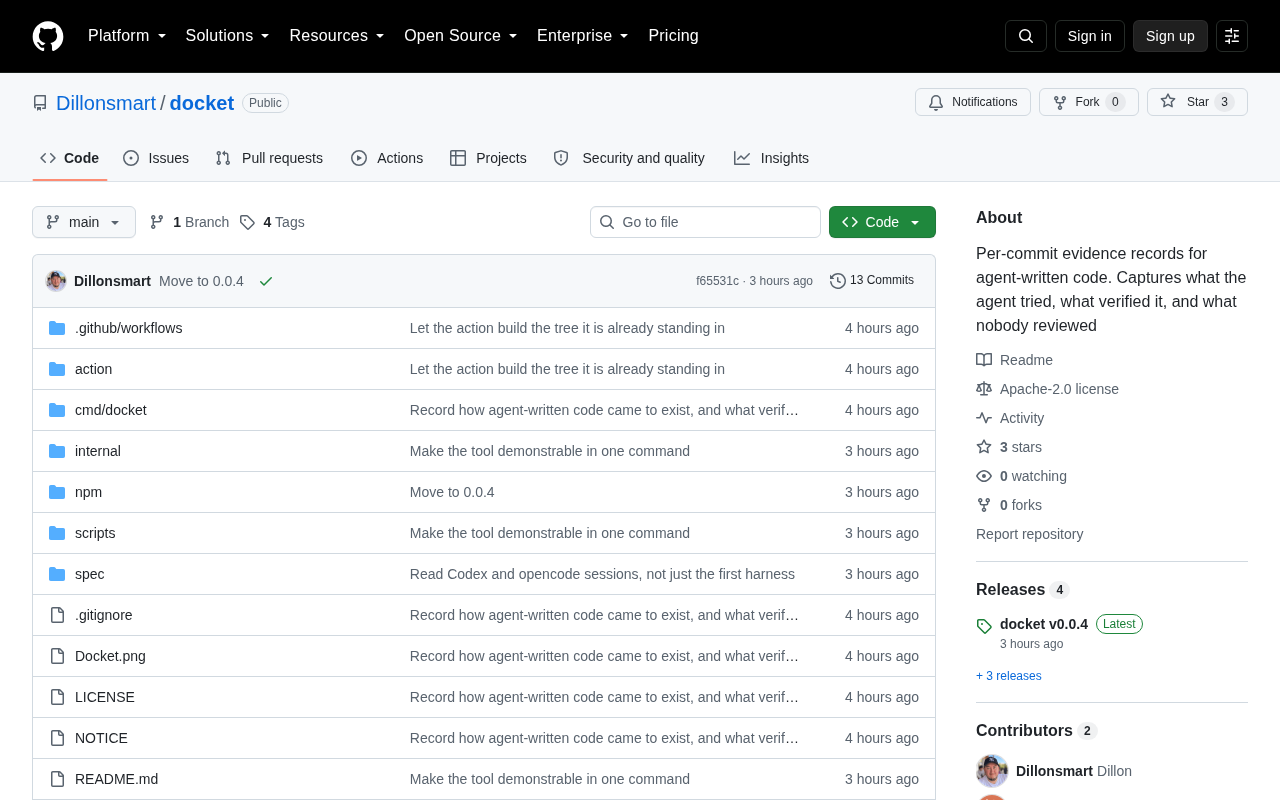
Docket: Building Per-Commit Evidence Trails for AI Agent-Generated Code
Docket builds per-commit evidence trails for AI agent-generated code, making every AI commit traceable, auditable, and verifiable — a pragmatic step in AI coding governance.
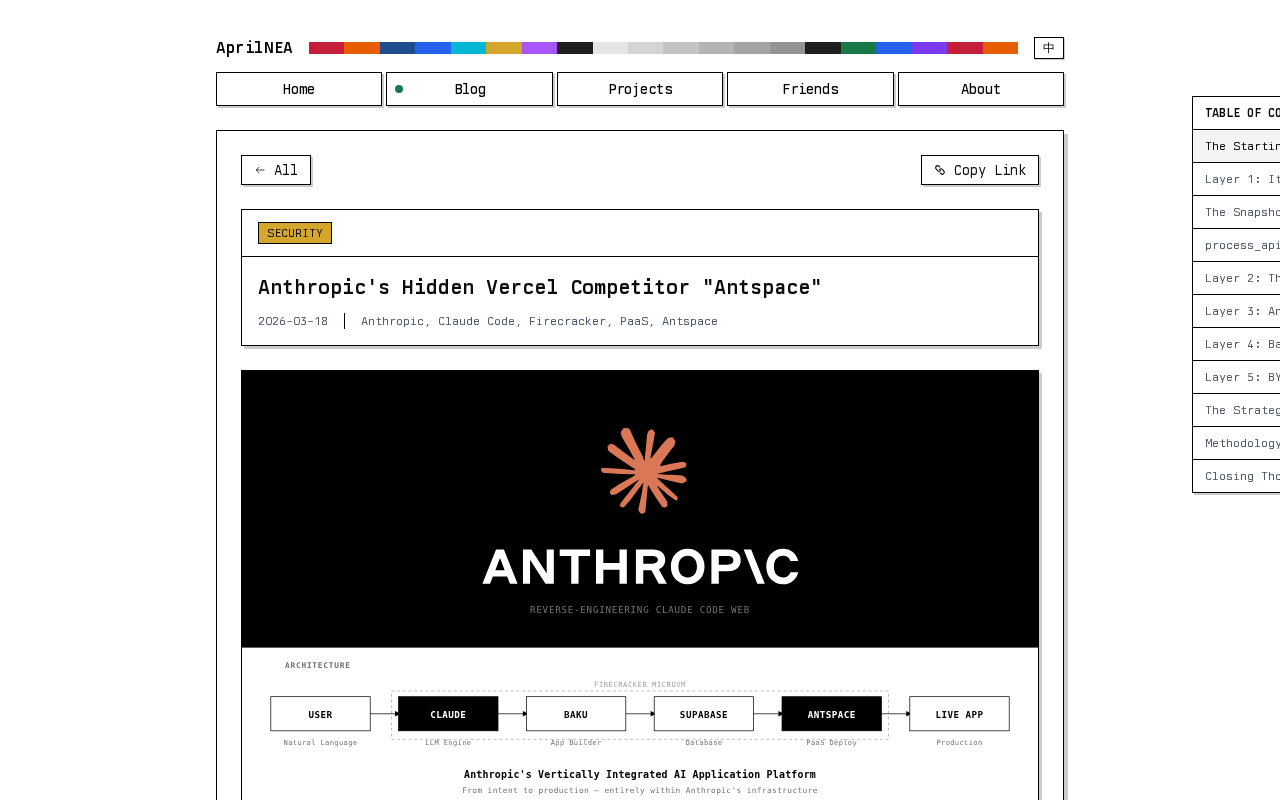
Reverse-Engineering Claude Web's Sandbox: Uncovering Anthropic's Hidden MicroVM
A reverse-engineering analysis of Claude Web's code sandbox reveals Anthropic's likely MicroVM architecture and internal "Antspace" environment, with insights for AI product security.