Deploy Dify Privately in 5 Minutes: Build a RAG Knowledge Base and AI Game Assistant Step by Step

Starting from private deployment, use Dify to build a RAG knowledge base and create a Delta AI game assistant.
A complete beginner's guide to building AI apps with Dify. It contrasts Dify and Coze on data sovereignty—Coze is cloud-hosted, Dify supports private deployment for compliance-sensitive industries. It covers Dify's visual chat assistants, Agents, and workflows, explains how RAG knowledge bases split, vectorize, and retrieve documents to give LLMs private domain knowledge without retraining, and provides a four-step roadmap to build a Delta Force game assistant.
Dify is becoming a popular choice for building AI applications with zero code, but many beginners still can't tell how it fundamentally differs from Coze, and even fewer understand what a RAG knowledge base actually solves. Based on a hands-on Bilibili tutorial, this article starts from private deployment and walks through how to connect large models with Dify, build a knowledge base, and ultimately create an AI game assistant dedicated to Delta Force.
Why Choose Dify Over Coze?
Many newcomers hesitate between Dify and Coze when first encountering AI agent platforms. The core difference lies in data sovereignty: Coze is primarily cloud-hosted, with all user data handled by the platform; Dify supports both cloud and private deployment, allowing enterprises to keep data 100% on-premises.
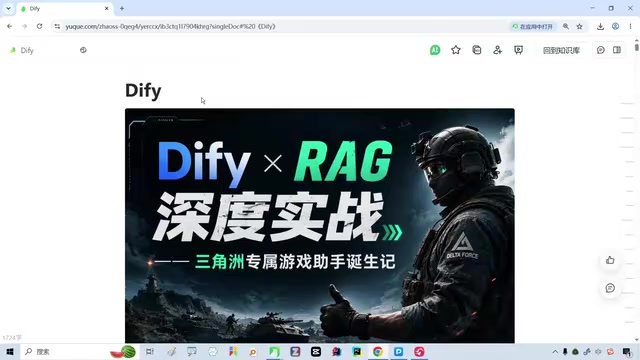
For industries with strict compliance requirements such as finance and healthcare, private deployment is almost a necessity. Even for individual developers, handing an enterprise's internal knowledge base to a cloud platform inevitably raises concerns. Dify's open-source nature makes local deployment possible, which is why it is more popular than Coze in enterprise scenarios.
What Dify Can Do: From Chat Assistants to Workflows
Dify's core capabilities cover common AI application forms: chat assistants, Agents, text generation applications, and workflow orchestration. It provides a visual interface where applications can be built by drag-and-drop without writing code.
For zero-basis users, this is crucial. If you dive straight into code frameworks like LangChain, it's easy to get stuck in syntactic details—for example, people used to Java may be confused by Python's differences, their attention diverted by the code itself while missing the overall logic of RAG. Using Dify to get the flow working first, then looking back at the code implementation, makes the learning path much smoother.
LangChain is an open-source framework written in Python/JavaScript that encapsulates large model invocation, prompt templates, tool calling, retrieval, and other capabilities into composable modules. It is extremely flexible, but requires developers to write orchestration code themselves and handle state passing and exceptions. Dify can conceptually be seen as a visual encapsulation of LangChain's capabilities: the same retrieval, tools, and branching logic, using node connections and form configurations instead of code. Once you understand this correspondence, migrating from Dify to code frameworks becomes easier—every node you drag out in the interface has a corresponding class or function in LangChain.
What a RAG Knowledge Base Actually Solves
RAG (Retrieval-Augmented Generation) is the focus of this hands-on exercise. The large model's own knowledge has a cutoff date and cannot cover specialized content in private domains. The idea of RAG is: split external documents, vectorize them, and store them in a knowledge base; when a user asks a question, first retrieve relevant fragments, then pass them along with the question to the large model to generate an answer.
The benefit is that answers are grounded in evidence, reducing fabrication, and the AI can master domain-specific knowledge without retraining the model. For scenarios like game assistants—such as weapon data, map guides, and operator skills in Delta Force—organizing the materials into a knowledge base and mounting it on Dify enables the assistant to give targeted answers.
Vectorization and vector databases are key to understanding RAG. Vectorization means using an embedding model to convert a piece of text into a set of high-dimensional floating-point numbers, where semantically similar texts are closer in vector space. Knowledge base documents are split into chunks and vectorized segment by segment, then stored in a vector database (such as Milvus, Qdrant, Weaviate; Dify has built-in support). When a user asks a question, the question is also vectorized, and the system retrieves the most relevant fragments using metrics such as cosine similarity. Chunk size directly affects results: too large introduces irrelevant information, too small loses context, and typically an overlap interval is set to preserve semantic completeness.
Key Considerations for Private Deployment
Deployment is the foundation of the entire chain. Dify supports localized deployment, keeping data within the intranet. The tutorial mentions that many students have never used Dify, don't know what an agent is, and don't understand why a RAG knowledge base exists—so the course uses interesting cases to drive learning, building intuitive understanding before hands-on practice.
When choosing private deployment, you need to consider server resources, model access methods (local models or APIs), and where knowledge base documents are stored. Keeping data local means operational responsibility also falls on you—a cost enterprise users need to evaluate in advance.
Docker Compose deployment is the mainstream path for localizing Dify. Dify officially provides a docker-compose.yaml orchestration file; a single command brings up components including the API service, Worker, Web frontend, PostgreSQL, Redis, and vector database. Before deployment, confirm server configuration—generally 2 cores and 4GB RAM minimum, with higher VRAM needed if running large models locally. There are two ways to connect models: calling cloud vendor APIs (such as OpenAI, Tongyi Qianwen) requires only an API key, low cost but data leaves the network; using local inference services like Ollama or vLLM is fully offline but requires GPU resources. This trade-off directly determines whether "data stays within the intranet" truly holds.
From Deployment to Delta AI Assistant: Hands-on Roadmap
The overall process can be summarized in four steps: complete local Dify deployment, connect a large model, create and populate a RAG knowledge base, and orchestrate a chat assistant application. The tutorial uses Delta Force as the theme, importing game-related materials into the knowledge base so the assistant can draw on them in responses.
This roadmap is friendly to zero-basis users because it grounds the abstract RAG concept in a concrete, interesting goal. Getting it running first before digging deeper is a pragmatic teaching approach for tool-based tutorials. Once you've mastered the flow, looking at implementation code in frameworks like LangChain will be far more insightful.
One-line Summary
Starting from private deployment, use Dify to build a RAG knowledge base and create a Delta AI game assistant.
Paragraph Summary
The article targets zero-basis users and outlines a complete beginner path for building AI applications with Dify. It first contrasts Dify and Coze: Coze is primarily cloud-hosted, while Dify supports private deployment, keeping data fully local, making it more favored by compliance-sensitive industries like finance and healthcare. It then introduces Dify's visual capabilities, covering chat assistants, Agents, text generation, and workflow orchestration, noting that getting the flow working before learning LangChain code is a smoother learning path. The article focuses on explaining the role of a RAG knowledge base: through document splitting, vectorization, and retrieval, the large model masters private domain knowledge without retraining. Finally, it provides a four-step hands-on roadmap—local deployment, connecting a large model, creating a knowledge base, and orchestrating a Delta Force game assistant.
Related articles

Chain of Thought Isn't Just for AI: How Humans Can Use CoT to Improve Thinking Quality
Chain of Thought isn't just a prompt trick for large models. Starting from a Hacker News discussion, this article analyzes why CoT works for human thinking too, breaks down actionable ways to transfer it, and highlights the key differences between human CoT and machine CoT.
Cloudflare Teams Up with OpenAI: Closi…
Cloudflare Teams Up with OpenAI: Closing the Loop from Vulnerability Discovery to Defense with AI
Cloudflare uses OpenAI Daybreak to investigate security vulnerabilities and generate reviewable remediation plans, while developers use Codex to boost coding efficiency and quality.

Orca Multi-Agent Orchestration in Practice: A Guide to Parallel Collaboration with Claude and Codex
Orca is Stable AI's free open-source agent workbench supporting 34 agents like Claude Code and Codex in parallel. Learn its Git worktree isolation, multi-model orchestration, and mobile management.