Devin AI Free Unlimited Use? Disposable Email Trick and Core Features Explained
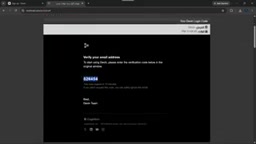
A Devin getting-started tutorial demonstrates a disposable email registration loop to exploit quotas and briefly comments on automatic authorization risks and model speed.
Based on an Arabic-speaking YouTube creator's Devin getting-started tutorial, the article highlights the key points. The core "trick" is using disposable emails to register repeatedly for new free quotas, but the article notes this is quota abuse that may lead to account risk controls, email blacklisting, and loss of project context. Devin uses fully automatic authorization by default, allowing the agent to read and modify local folders and even delete files, so working directory isolation matters. The author subjectively rates the underlying model as extremely fast and low-cost, but without benchmark support. Project management supports resuming historical tasks and specifying folders, and the interaction logic is highly similar to Cursor and Windsurf; differentiation lies mainly in autonomous execution capability, which the tutorial does not cover in depth.
Title
Devin AI Free Unlimited Use? Disposable Email Trick and Core Features Explained
Meta Description
Getting started with Devin AI from scratch: the method of repeatedly registering with disposable emails to bypass free quotas, the convenience and risks of fully automatic authorization mode, a subjective assessment of model response speed, and an analysis of project management and resuming old tasks.
Article Content
As an AI coding agent aimed at developers, Devin AI has attracted attention since its debut for its positioning of "fully automating development tasks." An Arabic-speaking YouTube creator released a from-scratch tutorial that not only demonstrated the complete registration and project workflow, but also shared a "workaround" for bypassing usage quota limits using disposable emails. The content is not especially information-dense, but for developers who want to quickly try Devin, a few details are worth highlighting separately.
Disposable email registration loop: the core "trick" of the tutorial
The most shareable part of the entire video is a set of operations the author repeatedly demonstrates: generating a one-time address through a disposable email service, completing Devin registration, logging out, and then registering again with a new email to obtain a new free usage quota. He calls this process the video's "hidden knowledge point" and states bluntly that one of the purposes of making this tutorial is to help viewers "use the app unlimited times."
Objectively speaking, this practice is a typical abuse of free quotas and very likely conflicts with the platform's terms of service. Account risk controls and email blacklisting are both possible outcomes, and re-registering means all context and history from previous projects are lost, which is not worthwhile for people actually doing development. Treating it as a one-time way to try the product is understandable, but as a long-term workflow it is completely unworkable. What is presented here is a single-source demonstration of the operation and does not represent the platform's official stance; readers need to weigh the risks themselves.
Disposable Email refers to one-time email addresses that can be generated without registration and usually remain valid for only a few minutes to a few hours. Common services include Temp-Mail, 10MinuteMail, Mailinator, and others. The principle is to provide a public inbox webpage where any email sent to that address is displayed in real time, allowing users to read verification codes or activation links without setting a password.
Platforms usually identify such emails through blacklisted domain databases, MX record characteristics, IP and device fingerprints, and other dimensions, so the effectiveness of bypassing is unstable. In addition, products like Devin often also bind phone numbers, credit cards, or device fingerprints, so simply changing the email may not continuously yield new quotas. Understanding this helps assess the actual technical feasibility of the tutorial's claim of "unlimited use."
Automatic authorization mode: convenience and risk coexist
After registration is complete, Devin requests a series of local permissions, including the ability to read and modify project folders. In the video, the author mentions that this authorization option is "fully automatic consent"—the app does not pop up a separate confirmation for each operation, and in theory it could even delete files on the device.
The benefit of this design is fewer interruptions, allowing the agent to work continuously like a real collaborator; the cost is handing a large amount of control over to the AI. For developers working in isolated environments or dedicated directories, this is not a big problem; but if it points directly at a home directory containing important materials, the risk is considerable. In the tutorial, the author only glosses over this, and this is precisely the area that most needs vigilance when using such tools.

The permission model of AI coding agents usually falls into three types: per-operation confirmation (a pop-up at every step), whitelisted directories (only specified paths may be read or written), and fully automatic mode (no further confirmation within the authorized scope). Devin takes the third route, which is directly related to its product positioning of "autonomously completing tasks"—frequent manual confirmation would interrupt long-chain task execution.
A common industry practice is to combine this with containerization or virtual machine isolation, for example running the agent in a Docker container, a separate user account, or a dedicated sandbox directory, limiting the accessible scope to the project repository. A stricter approach is to mount sensitive directories as read-only, or use git version control as a fallback to ensure any mistaken deletion can be rolled back. These mechanisms are not in the tool itself; developers need to configure them before use.
Model performance: small size, fast response
The author's evaluation of Devin's underlying model centers on one word: fast. He describes it as the fastest model he has seen in his life, with response speed reaching an indescribable degree, and also mentions that the model is cheap. From the interface he shows, the model scale is not large, but in his view it is sufficient for everyday development tasks.
It should be noted that this kind of subjective impression lacks support from benchmark tests, and "fast" means different things for different task types—code completion and refactoring an entire module are not remotely on the same level in terms of sensitivity to latency. However, for an interactive coding assistant, low latency can indeed significantly improve the user experience, and this is also where Devin differs in positioning from heavy reasoning models.

The relationship between inference latency and model size is key to understanding the author's evaluation. Large-parameter models are stronger at complex reasoning, but first-token latency and generation speed are often slower; small models, after distillation or fine-tuning for code scenarios, can achieve near-instant responses on tasks such as completion and single-file modifications.
Such performance is usually measured with two metrics, TTFT (time to first token) and tokens/second, rather than a vague "fast." For interactive programming, feedback under 1 second can significantly reduce the sense of waiting; but for tasks involving cross-file refactoring and dependency analysis, the model needs a longer chain of thought, and the speed advantage is diluted. Therefore, the impression of the "fastest model" depends heavily on the usage scenario and cannot be directly extrapolated to all development tasks.
Project management and resuming old tasks
Setting aside the registration trick, the video's introduction to the product itself is actually quite limited. The available information includes: the sidebar retains a list of historical projects, and clicking one restores the previous task so it can continue; when creating a new project, a specified folder can be selected as the working directory; the interface also provides an AI preview view where you can see the interface effects generated by the agent. The author's personal assessment is that the native interface is "much better than the preview mode."
These features are highly similar in interaction logic to other AI coding tools on the market, such as Cursor and Windsurf, and the author himself repeatedly says they are "exactly the same as other projects." In other words, Devin does not show much originality at the interaction level; its differentiation is more reflected in the agent's autonomous execution capability—and that is precisely the part this tutorial does not explore in depth.
Is it worth trying
For developers who want to try something new, Devin's registration threshold is not high, and going through the process with a disposable email can indeed show what the product looks like within a few minutes. But if the goal is to incorporate it into an actual development workflow, it is advisable to carefully evaluate three issues: authorization scope, data isolation, and account stability. The practice of exploiting quotas through repeated registration saves on subscription fees in the short term, but the long-term cost may be rework and migration overhead.
The value of this tutorial lies in providing a zero-barrier path to get started, but its demonstration of Devin's capabilities remains superficial—the truly core aspects, such as agent collaboration, task decomposition, and code review, still require deeper first-hand practice to judge.
One-line Summary
A Devin getting-started tutorial demonstrates a disposable email registration loop to exploit quotas and briefly comments on the risks of automatic authorization and model speed.
Paragraph Summary
Based on an Arabic-speaking YouTube creator's Devin getting-started tutorial, the article sorts out the noteworthy information. The core "trick" is to use disposable emails to register repeatedly in order to obtain new free quotas, but the article points out that this is quota abuse and may lead to account risk controls, email blacklisting, and loss of project context. Devin uses fully automatic authorization by default, and the agent can read and modify local folders and even delete files, so attention must be paid to working directory isolation. The author subjectively evaluates the underlying model as extremely fast in response and low in cost, but this lacks benchmark support. Project management supports resuming historical tasks and specifying folders, and the interaction logic is highly similar to tools such as Cursor and Windsurf; the differentiation lies mainly in autonomous execution capability, which is exactly what the tutorial does not cover in depth.
Related articles
 Tech Frontiers
Stylome Bot Slammed as Useless Junk: Why Do AI Detection Tools Keep Failing?
Reddit users test the Stylome AI detection bot: Gemini-rewritten text judged human-written, consistently low confidence. An analysis of AI text detection's technical dilemmas, privacy concerns, and credibility crisis in community governance.
 Tech Frontiers
When AI Becomes a Productivity Divide: Clarity or "AI Psychosis"?
A civil engineer's deep use of agentic AI boosted efficiency but bred contempt for peers who refuse to learn. Is this clarity or AI psychosis? An analysis of the cognitive and psychological challenges behind the AI productivity divide.
 Tech Frontiers
Opus 5.5 Benchmark Scores Climb, Community Says Its "Weights Are Blessed"
Reddit community discusses Opus 5.5's rising scores on the Benchmaxxing Bench, with users describing its performance as "weights are blessed." This article interprets the community reaction and cautions against conflating benchmark scores with real capability.