Dify Beginner's Guide: A Complete Breakdown of Local Deployment, Knowledge Base, and Workflows
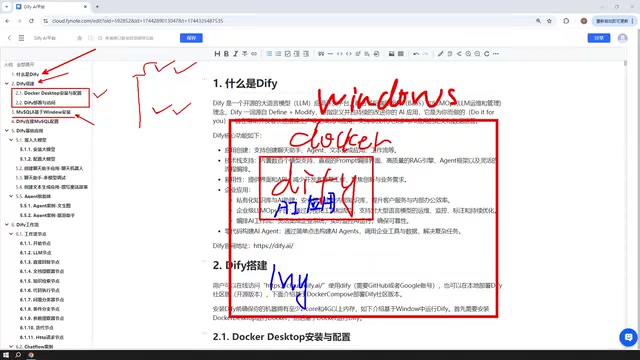
Dify beginner path: from Docker deployment to five app types and workflow publishing.
Based on the 43-part Bilibili "Dify Hands-On Diary" tutorial, this article outlines Dify's complete learning path. Dify standardizes AI apps into five types—chat assistant, text generation, Agent, ChatFlow, and WorkFlow. Deployment via Windows + Docker enables direct access to local MySQL and avoids intranet penetration; paid APIs like DeepSeek are preferred for model integration. Workflows assemble nodes into multi-step processes, and apps can be published as public sites, embedded, or called via API.
Title
Dify Beginner's Guide: A Complete Breakdown of Local Deployment, Knowledge Base, and Workflows
Meta Description
Dify beginner tutorial: based on the 43-part Bilibili video series, covering Windows Docker deployment, MySQL 8 installation and configuration, LLM integration (DeepSeekAd/Qwen), the five app types—chat assistant, text generation, Agent, ChatFlow, and WorkFlow—and the publishing process, with hands-on examples and tips to avoid common pitfalls.
Article Content
Dify is an open-source platform that helps users quickly build AI applications. Whether for personal use or enterprise-grade applications, it lets you build chat assistants, text generators, Agent intelligences, and workflows with a low barrier to entry. In the "Dify Hands-On Diary" series on Bilibili, the creator recorded the entire process from deployment to app publishing across 43 parts. Based on the core content of that tutorial, this article lays out a clear learning path to help beginners avoid common pitfalls.
Why Choose Dify: One Platform Covers Five Types of AI Apps
Dify's core value lies in standardizing and packaging the common forms of AI applications. In the video, the creator opens his self-deployed Dify interface, and when creating an app, five options appear: Chat Assistant, Text Generation, Agent, ChatFlow, and WorkFlow. The first three are basic applications, while the last two fall under the workflow category.
The difference between Chat Assistant and Text Generation lies in the interaction mode: the former supports multi-turn conversations, while the latter is suited for one-off generation of articles, documents, or novels. What makes the Agent special is its ability to call tools—for example, scraping a webpage first and then analyzing it to complete more complex instructions. ChatFlow and WorkFlow are used to orchestrate multi-step processes; the former allows users to converse with the workflow, while the latter only outputs a one-time result. The creator emphasizes that all five app types will be accompanied by examples throughout the learning process, and each node will also be demonstrated individually.
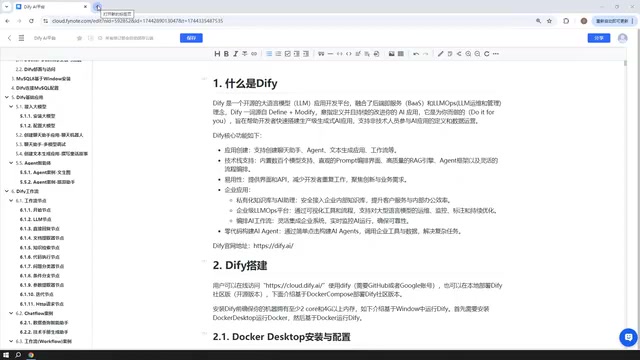
Deployment Approach: Windows + Docker Is the Best Path for Beginners
Dify offers three ways to use it: the official online version, source code deployment, and Docker deployment. The creator chose Docker deployment on Windows, because this lets Dify directly access the local MySQL and other environments, avoiding the hassle of intranet penetration required by the online version. If you just want to try it out, the official online page is almost identical to a self-hosted page, but when a local database is involved, you need to expose your local IP to the public internet, which adds complexity.
For production environments, the creator recommends deploying internally within the company, where data is controllable and calls are convenient. After deployment, Dify runs on localhost, and all subsequent applications are built on this local instance.
Background on Docker and Intranet Penetration
Docker is a containerization technology that packages an application and its dependencies into an isolated runtime environment, avoiding installation problems caused by system differences. Dify officially provides a docker-compose configuration file, so a single command can bring up components such as the web frontend, API backend, and database—this is also the main reason beginners choose Docker deployment. Intranet penetration refers to using tools such as frp, ngrok, or cpolar to map a service running on local localhost to a public address, so that external users can access it. Since home or company networks usually don't have a fixed public IP, a locally deployed Dify must rely on intranet penetration if it is to provide services externally—this is also the core difference between the online version and the self-hosted version in terms of public access.
Database Preparation: MySQL 8 Installation and Connection Configuration
To enable AI applications built in Dify to read business data, the tutorial separately covers installing MySQL 8 on Windows. The creator explains the reason: a Docker-deployed Dify needs to communicate with MySQL on Windows, and MySQL can also be placed in Docker or a VMware virtual machine, since the network is interconnected. After installation, you also need to configure the connection information in Dify—this is a prerequisite for subsequent applications to read the database.
Model Integration: Prioritize Paid APIs, with Local Models as a Supplement
In the LLM integration section, the creator gives clear advice: prioritize paid APIs such as DeepSeek, ChatGPT, or the free tokens offered by Baidu ERNIE Bot and Alibaba Qwen. Paid models deliver more stable results, and DeepSeek's pricing is extremely low—ten yuan can last a long time. The creator shows his own account, where cumulative usage has cost less than one yuan.
As for local models, Dify can integrate models deployed on the local machine through Ollama, but the creator cautions that models runnable on a personal computer usually have small parameter counts and limited effectiveness. If the machine has sufficient performance, or if the enterprise has a cluster-deployed large-parameter model (such as DeepSeek's open-source large model), then Dify can absolutely be used to build enterprise-grade applications.

Ollama and Model Parameter Scale
Ollama is a local LLM runtime tool that supports one-click download and execution of open-source models such as Llama, Qwen, and DeepSeek, and exposes them to Dify through an OpenAI-compatible API. Model effectiveness is closely tied to parameter scale: personal computers can usually only run small models with 7B to 14B parameters, with limited reasoning ability and knowledge breadth; enterprise clusters, on the other hand, can deploy 70B or even larger models, with results close to paid APIs. The creator therefore recommends that beginners prioritize paid APIs to ensure quality, and use Ollama as a supplement or offline solution once hardware conditions allow.
Workflows and Nodes: Understanding the Difference Between ChatFlow and WorkFlow
Workflows are an advanced Dify feature, and the tutorial spends a great deal of time explaining the concept of nodes. When creating a ChatFlow or WorkFlow, you need to stitch modules together into a process, and each module is a node. The creator says he will cover most of the commonly used nodes provided on the official website, with an example for each node.
The difference between the two can be summed up in one sentence: ChatFlow supports conversation with the user, while WorkFlow only produces one-time output. For users new to Dify, there's no need to memorize the concepts—the subsequent examples will help with understanding.
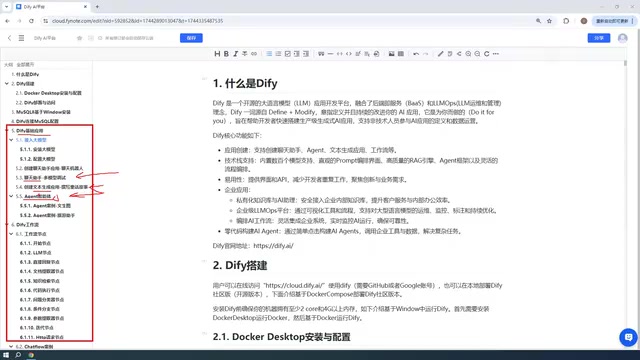
The Concept of "Nodes" in LLM Applications
In Dify workflows, a node is the smallest execution unit of process orchestration, and each node carries out a clear responsibility—for example, calling an LLM, performing conditional judgment, processing text, calling an external API, or reading and writing to a database. Nodes are connected through input and output variables, and the output of an upstream node can serve as the input of a downstream node, forming a directed acyclic graph (DAG). This design is similar in spirit to automation tools such as n8n and Zapier, but Dify's nodes are more oriented toward LLM scenarios, with built-in specialized nodes for LLM calls, knowledge base retrieval, code execution, and more. Once you understand the node mechanism, you can break complex tasks into multiple reusable steps and then assemble them into a complete process according to business logic—this is also the fundamental reason ChatFlow and WorkFlow can be extended flexibly.
App Publishing: From Local to a Public Website
Built applications are not limited to use within the Dify interface. The final part of the tutorial explains how to publish an app as a public website, generate an accessible link, or embed it in your own website or call it via API. If you want to access a locally deployed Dify from the public internet, you also need an intranet penetration tool.
Summary of the Learning Path
This 43-part tutorial progresses in the order of "get to know Dify → deploy → install the database → connect models → basic applications → workflows → publish", with hands-on examples at every stage. For beginners, it's recommended to first follow the Docker deployment to get the local environment running, then integrate a paid model API, start with the chat assistant to get familiar with the interface, and finally move on to workflow nodes. The creator repeatedly emphasizes being example-driven, which is also the most efficient way to learn a tool like Dify.
One-line Summary
Dify beginner learning path: from Docker deployment to five types of AI apps and workflow publishing.
Paragraph Summary
Based on the 43-part "Dify Hands-On Diary" tutorial on Bilibili, this article lays out a complete learning path for Dify from deployment to app publishing. Dify standardizes AI applications into five types—chat assistant, text generation, Agent, ChatFlow, and WorkFlow—covering needs from simple conversation to complex process orchestration. For deployment, Windows + Docker is recommended, making it easy to access local MySQL directly and avoiding the intranet penetration hassle of the online version; for model integration, prioritize paid APIs (DeepSeek is extremely low-cost), while local Ollama models are limited by hardware. Workflows stitch together nodes to implement multi-step processes: ChatFlow supports conversational interaction, while WorkFlow only outputs a one-time result. Apps can be published as public websites, embedded in websites, or called via API.
Related articles
The Ultimate Codex Tutorial: From Zero to Hands-On in 40 Minutes
A complete beginner's Codex tutorial: from GPT account registration and desktop installation to login error troubleshooting, permission and quota setup, and Pro membership upgrades—a step-by-step guide to getting started with an AI coding assistant, plus common fixes and practical advice.
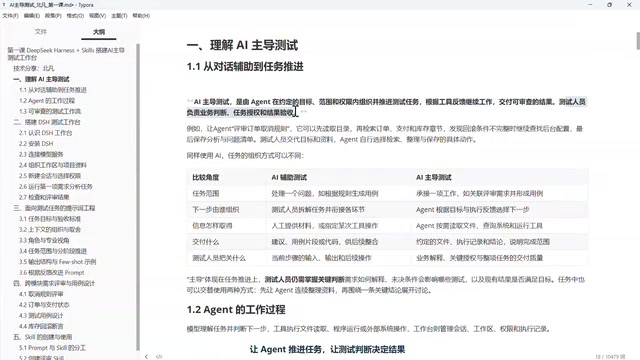
AI-Driven Testing in Practice: How Agents Are Reshaping the Testing Workflow
Starting from how Agents work, this article analyzes the practical path of AI-driven testing: how task planning, tool calling, and feedback loops reshape the testing workflow, and the boundaries and acceptance authority human testers must retain.
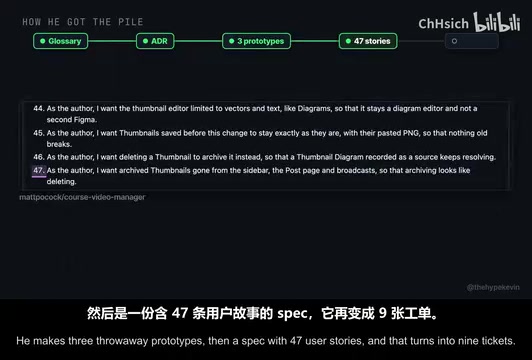
How to Review a 22,505-Line PR? Matt Pocock's Stacked PRs and Ratchet Rules
Matt Pocock split a 22,505-line agent PR into 9 stacked PRs, used a two-way/one-way door framework to isolate the DB change, and enforced ratcheted lint rules and retro.