Discord Account Hijacked and Then Banned? The Right Way to Contact Administrators
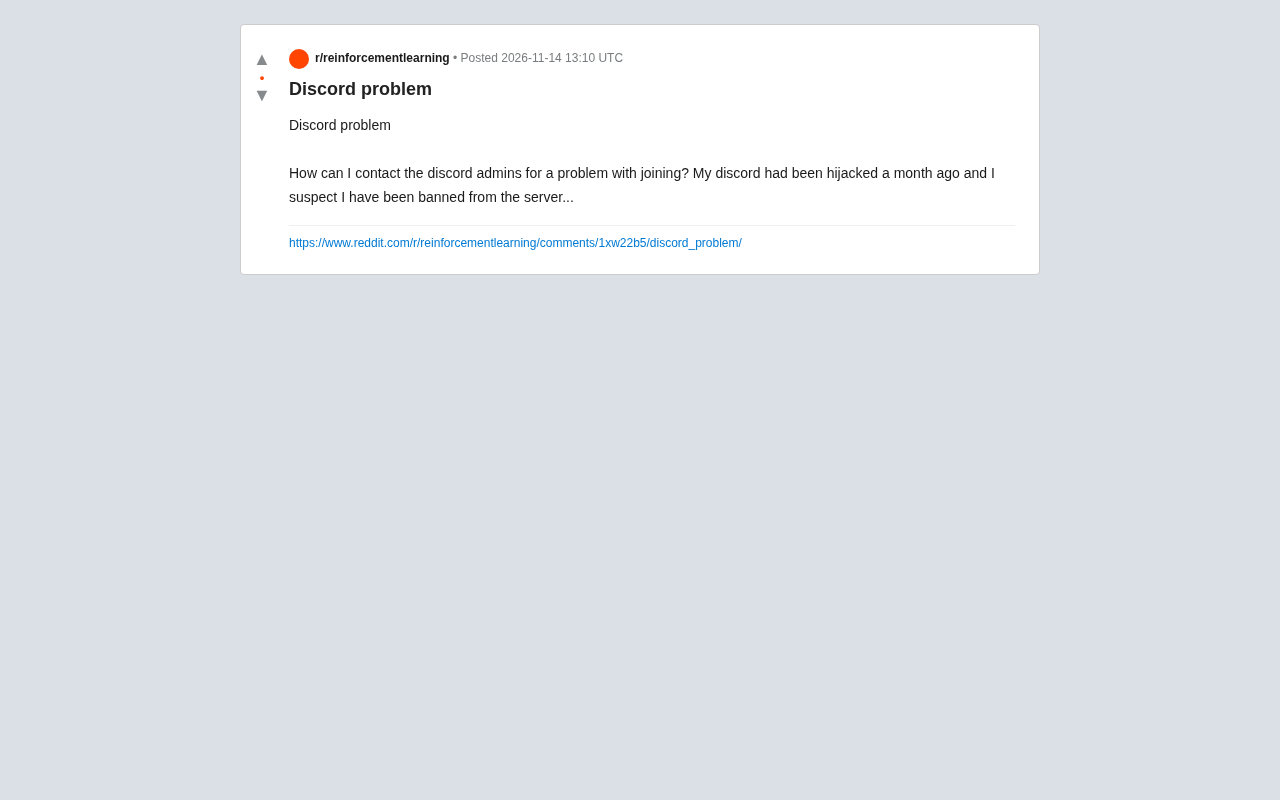
Discord account hijacked and server-banned? Separate platform and server responsibilities for appeals.
Starting from a Reddit user's help request, this article analyzes the typical dilemma of being banned from a Discord server after an account hijacking. The key point: Discord the platform only handles account-level security incidents and cannot interfere with individual server bans—server bans must be appealed to that server's management team. The article provides a self-check list covering regaining account control, enabling 2FA, and investigating related impacts, plus guidance on appealing separately through platform and server channels. It recommends concise communication with a hijacking timeline and proof of ownership, and reminds administrators to consider account theft when making ban decisions.
A Common Dilemma: Banned After Your Account Was Hijacked
I recently came across a Reddit post from a user asking for help: their Discord account had been hijacked a month earlier, and they now suspected they'd been banned from a server as a result. They wanted to know how to contact the administrator to resolve the join issue. This is actually a fairly typical scenario—after an account is stolen, attackers often use the victim's account to send spam, harass others, or violate server rules, resulting in a server ban. When the real account owner returns, they're left to deal with a mess they never created.
This problem seems simple on the surface, but it involves Discord's server management architecture, account security mechanisms, and how appeal channels work. Understanding these is key to resolving the issue efficiently.
Why You Can't Reach a "Discord Administrator"
Many users mistakenly believe that Discord has a unified team of administrators managing all servers. In reality, Discord's structure works like this: the platform is only responsible for account-level security and policy violations, while each server is independently operated by its own owners and administrators.
This means that if you're banned from a specific server, Discord's official support typically cannot unban you directly—they have no authority to interfere with individual server management decisions. You need to contact that server's management team, not Discord the company.
Of course, if the issue involves the account hijacking itself, that falls under platform-level security incidents, and Discord official support can step in. These two tracks need to be handled separately.
How to Contact at the Server Level
Every Discord server usually has reporting or appeal channels. Common approaches include: checking the server's rules channel or announcements channel, which often specify the appeal process; if the server has a public website or social media account, you can reach out through those channels; some servers provide dedicated appeal form links.
If you've already been banned and can't enter the server, you can try asking a mutual friend to relay your message, or look for the server's public invite page and community entry points.
Account Security Handling at the Platform Level
Account hijacking is a serious security issue. Discord's official support page provides a recovery process for stolen accounts, typically requiring identity verification through your linked email, and recommends immediately changing your password and enabling two-factor authentication. If you suspect that violations were recorded during the hijacking period, you can explain the situation in your support request, including a timeline and relevant evidence.
Discord's permission model is built on the "Guild" as an autonomous unit: each server has its own Owner, role system, and permission bits, and the owner can grant ban, kick, manage messages, and other permissions to any role. The platform (Discord Inc.) only has authority over accounts, API abuse, terms of service violations, and similar matters—it does not intervene in individual server membership management. This design is similar to a "landlord and tenant" relationship—the platform provides the venue and infrastructure, while server administrators set their own rules. Therefore, ban records across servers are independent of each other; one server cannot view or affect another server's ban status, and similarly, platform support cannot directly modify a server's ban list. Understanding this makes it clear why "asking Discord official to unban you" doesn't work in server ban scenarios.
Two-factor authentication (2FA) is the core defense for account security. Discord supports TOTP-based authenticator apps (such as Google Authenticator, Authy) as well as security keys. Once enabled, even if an attacker obtains your password, they cannot log in without the dynamic verification code. Note that Discord also provides "backup codes," which should be securely saved when enabling 2FA—otherwise, losing your authenticator device could lock you out of your account. Additionally, common entry points for account hijacking include: entering your token on phishing sites, authorizing malicious third-party applications, and reusing compromised passwords. After recovering your account, besides changing your password and enabling 2FA, you should also revoke all unrecognized OAuth authorizations on the "Authorized Apps" page, because once a token is leaked, changing your password does not invalidate it—this is a step many users overlook.
Self-Check List After Account Hijacking
From this help request, it's clear that many users don't know what to do after their account is hijacked. Here's a practical self-check sequence:
Step one: Regain control of your account. Reset your password via email, check for unknown logged-in devices or authorized third-party apps, and remove them all.
Step two: Enable two-factor authentication. This is the most effective way to prevent future hijacking, and Discord supports multiple authenticator apps.
Step three: Investigate related impacts. Check whether your account was used to send spam, join unfamiliar servers, or perform other actions during the hijacking period—these records may serve as evidence for your appeal.
Step four: Handle platform and server issues separately. Account security issues go through Discord official support; server ban issues go through that server's management channels. Don't mix the two lines together, or you'll likely get bounced back and forth.
Key Points for Appeal Communication
When contacting server administrators, clearly and concisely explain: when your account was hijacked, that actions during the hijacking period were not your own, and include information that proves account ownership (such as your registration email or historical interaction records). A restrained attitude and complete information are more likely to get a response from administrators than long, emotional descriptions.
The success rate of appeals largely depends on the verifiability of evidence. Before contacting server administrators, it's recommended to prepare: the last four digits of your account registration email or linked phone number, your account ID (which can be copied in settings), screenshots or timestamps of abnormal activity during the hijacking period, and any account security incident records issued by the platform (if available). The priority order for communication channels is typically: the appeal form specified in the server announcements > the server's official social media account > relay through mutual friends. Avoid bombarding administrators across multiple channels, and avoid spamming appeals in public channels—these behaviors may be seen as harassment and reduce the willingness to handle your case. If the server is large, the management team may have a dedicated ticket system, and submitting through the proper process is more effective than DMing individual administrators.
Lessons for Server Administrators
From an administrator's perspective, this case also reminds us: ban decisions should consider the possibility that an account was stolen. Some servers, when encountering abnormal behavior, first apply temporary restrictions rather than immediate permanent bans, and leave an appeal entry point. For users who proactively explain that their account was stolen, leaving some room for review both maintains community order and avoids punishing the innocent.
Summary
Being banned from a server after your Discord account is hijacked is certainly frustrating, but it's not unsolvable. The core approach is to distinguish the responsibility boundaries between the platform and the server: account security goes to Discord official support, server bans go to that server's management team, and appeals and explanations should be handled separately on each side. Strengthening your account security is the fundamental way to avoid repeating the same mistake.
Related articles

Gemini 4 Hydrogen Hands-On: Google's Fastest and Cheapest AI Model
Hands-on with Gemini 4 Hydrogen: the fastest, cheapest model in the Gemini 4 family. We break down the Carbon/Argon/Hydrogen split, API pricing traps, free-tier limits, and the cost trade-offs of four thinking levels—with a real bug-debugging demo.
Gemini 4 Hydrogen vs Sonnet Comparison Test: Uses Only 1% of Weekly Quota, Performance on Par
Hands-on test: Gemini 4 Hydrogen vs Sonnet on the same CRUD task—Hydrogen used only 1% weekly quota with comparable performance and better UI details, while Anthropic's model used 7%. Developer says daily tasks don't require expensive models.
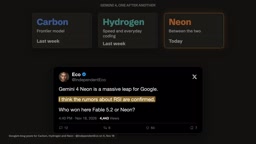
Gemini 4 Neon Released: Beats Opus 5.5 on Multiple Benchmarks, Google Returns to the Top Tier
Google DeepMind releases Gemini 4 Neon: 61 on the Artificial Analysis intelligence index (3rd) and 1st on the coding index, beating Opus 5.5 on multiple benchmarks. $3/$15 per million tokens; available in the Gemini API and AI Studio.