Gemini 4 Hydrogen Hands-On: Google's Fastest and Cheapest AI Model

Google's Gemini 4 Hydrogen targets everyday coding and agentic tasks as the fastest, cheapest model, and thinking-level choice directly drives cost and results.
Google quietly launched Gemini 4 Hydrogen, which with Carbon and Argon forms a three-tier architecture. Hydrogen is positioned as the fastest and cheapest for everyday coding and agentic workflows. It scores 51 on Artificial Analysis, edging out the larger Argon (50) and far surpassing the older Gemini 3.8 Flash (31). Thinking tokens billed as output are the main cost driver; automatic caching, batch/Flex mode, and the free tier can cut costs, but free-tier data may be used for product improvement. In testing, Hydrogen pinpointed an Express login-route 500 error's root cause in seconds. Among four thinking levels, x-high costs ~70% more and takes nearly twice as long as high yet scores the same on Terminal Bench 4.0—pick low to high by task difficulty.
Gemini 4 Hydrogen Hands-On: Google's Fastest and Cheapest AI Model
Google quietly launched a new model called Gemini 4 Hydrogen. Most people may already be using it without knowing—Google Search serves users worldwide, and this is what runs underneath. This article breaks it down across four dimensions: what it is, what it really costs, where you can use it, and how it performs in real-world testing.
What Hydrogen Is: The Three-Tier Architecture of Gemini 4
Gemini 4 currently includes three models, named after elements: Carbon, Argon, and Hydrogen.
Carbon is Google's strongest reasoning model, aimed at complex software engineering, research, and cybersecurity scenarios; Argon is a frontier model that emphasizes efficiency; Hydrogen is the fastest and cheapest of the three, purpose-built by Google for "everyday coding" and "agentic workflows."
So-called agentic workflows mean the AI doesn't just answer questions—it advances steps on its own: finding bugs, running tests, fixing them, and verifying again. To capture the division of labor in one sentence—Carbon is the senior architect who makes the plan; Hydrogen is the fast developer who executes it.
Hydrogen's context window supports feeding in an entire small codebase or a long PDF at once, and the input side supports multimodal content: text, images, audio, video, and PDFs.
Performance: Results on Independent Leaderboards
Let's start with third-party data. Artificial Analysis is an independent site that benchmarks models head-to-head using a unified test suite. On its Intelligence Index, Hydrogen scores 51, Argon scores 50 at default settings, and the older Gemini 3.8 Flash scores only 31.
Google also published results on its own Terminal Bench 4.1 (targeting real coding tasks in the terminal). In addition, Google claims a significant reduction in responses containing factual errors—that's vendor-reported data, so it's worth verifying on your own tasks.
The most direct signal for developers is this: Hydrogen slightly outperforms Google's own larger Argon model in independent rankings, yet costs far less.
Artificial Analysis Intelligence Index is a composite model-capability score maintained by the independent organization Artificial Analysis. It is not a single test but rather a weighted aggregation of normalized results from multiple standardized benchmarks (covering reasoning, knowledge, coding, math, and other dimensions), making it easy to compare across vendors and generations. What sets this leaderboard apart is that it publishes performance and cost data side by side, including average cost and time per task, so it's often used to assess "value for money" rather than raw capability ceilings. Because vendors' official benchmark runs often select favorable test conditions, the value of a third-party independent leaderboard lies in reproducing tests under uniform settings, reducing bias from selective reporting. That said, any composite index obscures differences on specific tasks, and when scores are close (like 51 vs. 50), it shouldn't be over-interpreted as an absolute ranking—you should still test on your own scenarios.
Cost: The Bill Is Mostly in Output
API pricing is billed by output. As a rough estimate, the total cost for ten thousand requests is on the order of a few dozen dollars; but there's a key trap: thinking tokens generated by the model's internal reasoning are also billed as output. If the thinking process inflates each response to thousands of tokens, the total cost multiplies. In other words, the bill comes mainly from output, not input.

There are three ways to cut costs:
- Caching: If each request carries the same system prompt, the repeated input portion is billed at a very low rate, and caching on Hydrogen is enabled automatically.
- Batch or Flex mode: For tasks that aren't time-sensitive (like batch-summarizing documents overnight), the price is cut in half.
- Free tier: Hydrogen offers a free tier in AI Studio, while Carbon and Argon do not.
For comparison, Carbon and Argon are currently priced at $2 input / $10 output, with an announced increase to $4 input / $20 output—Hydrogen's price advantage will widen further.
The Cost of the Free Tier
Google's pricing page explicitly states: on the free tier, your data may be used to improve Google products; on the paid tier, it won't. So the free tier is suitable for practice and hobby projects—don't put company code, API keys, or users' personal data into the free tier.
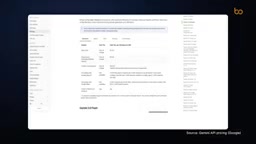
Thinking tokens are the tokens consumed by the internal reasoning content a reasoning model generates before producing its final answer. Unlike ordinary output, these tokens are usually not directly visible to users (or are shown only in collapsed form), but the API billing system counts them on the output side. The reason is that every step of reasoning the model generates to "think it through" is essentially autoregressive generation, consuming the same compute as generating the visible answer. Therefore, when the model is set to a higher thinking level (like high or x-high), the output token count for a single request can balloon from a few hundred to several thousand, and costs grow accordingly. Vendors differ slightly in how they bill thinking tokens—some list them separately as "reasoning tokens," while others fold them directly into output token pricing—but the common point is: they are not free. The key to controlling costs is choosing the right thinking level for the task's difficulty, avoiding triggering lengthy internal reasoning for simple tasks.
Caching (prompt caching) is a billing optimization mechanism for repeated input content. When multiple API requests carry the same prefix content (such as a fixed system prompt, a long document, or codebase context), the provider can cache the computed results for that portion, and subsequent requests that hit the cache are billed at a price far below normal input—often as low as one-tenth of the original price or even less. Cache validity ranges from a few minutes to several hours, depending on the provider's policy. It's especially valuable for agentic workflows: such tasks often repeatedly attach the same set of instructions and background material in every round of calls, and caching can significantly reduce input-side costs. Note that caching only optimizes input and doesn't change output-side billing logic (including thinking tokens), so it can't solve the cost problem of output inflation—the two need to be used together.
Where to Use It: Search, App, and Developer Tools
Even if you're not a developer, you're already using it: all users in Google Search have been switched to this model; it's in the Gemini App's model selector, and free users will have it automatically selected when the system judges "this prompt suits it."
Developers can call it in the Gemini API, Google AI Studio, Android Studio, and Google Antigravity. Paid AI Pro or Ultra subscribers also get access to a new orchestrator feature: Carbon plans, and Hydrogen executes and verifies results like a small agent. According to Google, this combination achieves success rates close to Carbon with lower quota consumption.
Hands-On: How to Choose the Thinking Level
In AI Studio, select Gemini 4 Hydrogen (model ID: gemini-4-hydrogen), and you can set the thinking level on the right; the default is high.
I tested it with a real piece of buggy Express API code: the login route occasionally returns a 500 error. The prompt was simple—find the bug, explain the cause, and provide the fix. The model thought first and then answered, giving a response within tens of seconds and accurately identifying the root cause: an async function that records login metrics throws a timeout error to the metrics service on every third call; this rejected Promise causes control flow to jump straight into the outer catch block, interrupting before the login-success JSON response is sent.

Hydrogen offers four thinking levels: low, medium, high, and the new x-high. Intuitively, x-high should perform best, but the data says otherwise. In Artificial Analysis's tests, high scores 51 at $0.0187 per item; x-high scores 54 but costs $0.0316, about 70% more, with time stretching from 8.4 minutes to 14.8 minutes. And on the Terminal Bench 4.0 coding test, high and x-high score the same, both 54%—the extra money and time bought no improvement. By contrast, low: just $0.0029 per item and 1.4 minutes.
When I ran the same task with x-high myself, it returned in about twelve seconds with roughly two thousand output tokens, and the result was almost the same as high.
The practical rule is simple:
- Use low or medium for simple tasks (text classification, JSON extraction)
- Use high for debugging and agentic tasks
- Only turn on x-high when you've personally tested and confirmed it helps your task
Terminal Bench is a benchmark that evaluates a model's ability to complete coding tasks in a real terminal environment. Unlike traditional coding question banks that only generate code snippets, Terminal Bench has the model operate in a simulated command-line environment: reading files, running commands, executing tests, and iteratively fixing based on error messages, ultimately judging success by whether the task is actually completed. Such tests are closer to the real shape of agentic workflows, so they're often used to measure a model's ability to "get things done," not just "write correct code." Different versions (like 4.0 and 4.1) adjust the task set and difficulty, so scores across versions shouldn't be compared directly. The article notes that high and x-high score the same on Terminal Bench 4.0, indicating that for the task types covered by this benchmark, a higher thinking budget didn't translate into a better completion rate—an important reference when evaluating the returns on thinking levels.
One-Line Summary
Hydrogen is the cheapest member of the Gemini 4 family, aimed at everyday coding and agentic tasks; ten thousand chatbot requests cost on the order of a few dozen dollars—provided you think it through before choosing a thinking level. I recommend spending twenty minutes in AI Studio running a buggy function at both high and low and comparing token counts—your bill will tell you which level is enough.
One-line Summary
Google's Gemini 4 Hydrogen targets everyday coding and agentic tasks with its fastest-and-cheapest positioning, and the choice of thinking level directly determines cost and effectiveness.
Paragraph Summary
Google quietly launched Gemini 4 Hydrogen, which together with Carbon and Argon forms the three-tier Gemini 4 architecture. Hydrogen is positioned as the fastest and cheapest, focused on everyday coding and agentic workflows. On the third-party Artificial Analysis leaderboard it scores 51, slightly above the larger Argon (50) and far above the older Gemini 3.8 Flash (31). On cost, thinking tokens being billed as output is the main driver of cost inflation; you can cut costs via automatic caching, batch/Flex mode, and the free tier—but free-tier data may be used to improve products, so it's unsuitable for sensitive data. In hands-on testing, Hydrogen accurately pinpointed the root cause of a 500 error in an Express login route within tens of seconds. Among the four thinking levels, x-high costs about 70% more than high and takes nearly twice as long, yet scores the same as high on Terminal Bench 4.0 with no extra benefit for coding tasks; choosing low through high based on task difficulty is recommended.
Related articles

Gemini 4 Hydrogen Released: A 2.5x Faster Everyday AI Model
Google releases Gemini 4 Hydrogen, claiming 2.5x the speed of Gemini 3.8 Flash, with four-tier thinking control, a million-token context, and Orchestrator multi-model collaboration. API pricing is $1.50 per million input tokens.

Gemini 4 Hydrogen vs Sonnet Comparison Test: Uses Only 1% of Weekly Quota, Performance on Par
Hands-on test: Gemini 4 Hydrogen vs Sonnet on the same CRUD task—Hydrogen used only 1% weekly quota with comparable performance and better UI details, while Anthropic's model used 7%. Developer says daily tasks don't require expensive models.
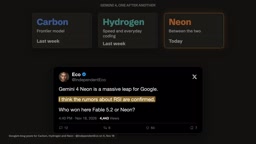
Gemini 4 Neon Released: Beats Opus 5.5 on Multiple Benchmarks, Google Returns to the Top Tier
Google DeepMind releases Gemini 4 Neon: 61 on the Artificial Analysis intelligence index (3rd) and 1st on the coding index, beating Opus 5.5 on multiple benchmarks. $3/$15 per million tokens; available in the Gemini API and AI Studio.