DistroTube on Linux Distro Selection, AUR Security Risks, and Practical Open-Source Tool Experience

DistroTube shares practical advice on distro choice, AUR security, packaging formats, and learning Linux.
Linux creator DistroTube discusses why all distros are fundamentally similar and choice should serve practical needs, shares strategies to avoid AUR malware including Chaotic AUR and AppImage/Snap/Flatpak alternatives, comments on Linux desktop market share growth driven by Windows missteps, and advises learners to embrace hands-on practice over theoretical study.
In a Q&A livestream called "Hey DT," well-known Linux content creator DistroTube (Derek) shared years of hands-on experience on topics including distro selection, AUR security risks, package management, and the open-source tool ecosystem. These insights are highly valuable for Linux desktop users, especially newcomers migrating from Windows.
All Distros Are Fundamentally the Same: Choosing the Right Tool Matters More Than Choosing a Religion
When asked about Gentoo by viewers, Derek gave a pragmatic answer: he doesn't reject any Linux distribution because "they're all pretty much the same under the hood." The real question is whether a distro fits your use case.
For source-based distributions like Gentoo, Derek's stance is clear: it's not for him. As a creator who produces video content, livestreams, and renders video every day, he can't accept his CPU being tied up by compilation tasks for extended periods. "Updates are slow, everything has to be recompiled, and my CPU needs to be working at full capacity when I'm editing and rendering video."
Source-based distributions like Gentoo differ fundamentally from binary distributions like Ubuntu and Fedora. Binary distros download pre-compiled packages that only need to be extracted and configured for installation. Source-based distros, on the other hand, start from source code and complete the entire compilation process on the user's local machine. This means users can precisely control which features each piece of software enables and which libraries it links against through USE flags (Gentoo's compile-option system), resulting in binaries optimized for specific hardware. The tradeoff is that compiling large software (like Firefox or LibreOffice) can take hours, consuming significant CPU and memory resources in the process.
However, he also emphasized that Gentoo is very valuable for specific groups: users interested in software development, Linux internals, or building their own distribution. "Playing with Gentoo helps you understand a lot of underlying stuff." This reflects a mature user's criteria — not "which is better" but "which is the right tool to get the job done."
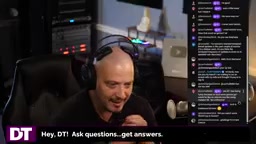
From DTOS to CachyOS: An Arch Veteran's Evolving Choices
Derek revealed that his workstation currently runs CachyOS, while his home computer has been running vanilla Arch Linux for three to four years. Interestingly, the Arch system at home originally evolved from DTOS — a custom Arch-based distribution he once maintained.
CachyOS is a performance-optimized distribution based on Arch Linux. Its core feature is packages compiled with optimizations targeting modern CPU microarchitectures (such as x86-64-v3 and x86-64-v4 instruction sets). Compared to Arch's official repository packages compiled for generic x86-64, CachyOS packages can leverage advanced instruction sets like AVX2 and AVX-512, delivering notable performance gains in compute-intensive tasks. Additionally, CachyOS defaults to the BORE scheduler (a CPU scheduling algorithm optimized for desktop interaction responsiveness) and offers multiple kernel options. For a creator like Derek who frequently renders video, these optimizations have real practical significance.
Regarding whether he'd maintain his own distro again, he was emphatic: "I learned how to create a distribution, and I made tons of tutorials about it, but I absolutely do not enjoy maintaining a distro." He made clear he doesn't want to become anyone's tech support hotline — a refreshingly honest admission in front of many viewers calling for him to revive the DTOS project.
He also discussed his reinstallation habits: he typically only formats and reinstalls when a system is broken beyond repair, or after two to three years of accumulated cruft. "Sometimes it just feels nice to wipe the slate clean and start fresh."

AUR Security Risks: How to Avoid Malware on Arch Linux
Addressing the recent high-profile AUR (Arch User Repository) malware incidents, Derek offered very practical mitigation strategies.
The AUR is Arch Linux's community-driven software repository, but it differs fundamentally from the official repos: the AUR doesn't store pre-compiled binary packages but rather PKGBUILD scripts — Bash scripts describing how to build software from source. Any user with an AUR account can upload a PKGBUILD, without the Trusted User review mechanism that governs official repositories. This means malicious users can insert arbitrary commands into PKGBUILDs that execute during the build process — stealing keys, installing backdoors, and more. Since 2024, multiple AUR packages have been discovered containing cryptocurrency mining scripts or information-stealing malware, sparking widespread community discussion about the AUR's security model.
His personal approach is to "avoid the AUR as much as possible." After checking his system, he found fewer than a dozen packages installed from the AUR, and among those were several he maintains himself, fonts (non-executable code), and a few packages whose maintainers he personally knows. "For me that's not hard, and it probably isn't hard for you either."
Recommended AUR Alternatives
His core recommended alternatives include:
- Enable Chaotic AUR: This is a repository that maintains pre-built binary versions of many popular AUR packages. It both speeds up installation (especially for compilation-heavy software like browsers) and is relatively safer. Chaotic AUR automatically pulls PKGBUILDs from popular AUR packages, compiles them in a controlled environment, and publishes pre-built binary packages. Users simply add it as a pacman repository source and can download and install packages just like official ones — no local compilation or personal PKGBUILD review needed. It's safer than using the AUR directly because the maintenance team performs basic vetting of included packages, and the build environment is controlled and traceable.
- Leverage distro-agnostic packaging formats: He has AppImage, Flatpak, and Snap all enabled. "Basically any software I want, I can find through one of these channels."
Notably, Derek shared his personal ranking of these three formats: AppImage > Snap > Flatpak. His reasoning is design-level — he loves AppImage's portability; both AppImage and Snap can run server-side and command-line software, while Flatpak is limited to desktop applications, making it "limited in scope." He also gave the example of deploying Nextcloud on an Ubuntu server via Snap being extremely simple — a single snap install nextcloud handles most of the work.
From a technical architecture perspective, these three formats indeed represent different design philosophies. AppImage uses a "one app, one file" design, bundling the application and all its dependencies into a single executable file. No installation is needed — just download, grant execute permission, and run. This makes it convenient for carrying on a USB drive or running on systems without root access. Flatpak, led by the GNOME community, uses Runtimes to share base libraries, isolates application permissions through a Bubblewrap sandbox, uses OSTree for incremental updates, and primarily targets desktop GUI applications. Snap, developed by Canonical, uses SquashFS compressed filesystems and AppArmor mandatory access control for sandboxing. Its unique aspect is support for server-side daemons and IoT device applications, enabling deployment of services like Nextcloud and databases. Derek's preference for AppImage and Snap is precisely based on this difference in functional coverage.
Where Does the AUR Truly Shine?
Derek didn't dismiss the AUR entirely. He pointed out that its unique value lies in "weird edge cases" — like a 25-to-30-year-old legacy driver that maybe only you in the entire world need, and someone else happens to have packaged it and put it in the AUR. "For most popular software, you can find it everywhere; but it's these low-level, ancient things where the AUR truly shines."
On AI Tools and Open-Source Large Language Models
As an active tech creator, Derek also discussed his use of AI tools. He mentioned frequently using Claude in his browser, and having Claude Code installed — using it not only in the terminal but also within his editor through an Emacs plugin.
Regarding open-source large language models, he previously made videos about Llama and Ollama and tried DeepSeekAd about a year ago, though he admitted he hasn't deeply explored the latest versions. When viewers asked about a Claude beta app for Linux desktop, he suggested using DistroBox to run Ubuntu-exclusive deb packages on Fedora, demonstrating the flexibility of containerization tools.
DistroBox is a lightweight container tool based on Podman or Docker, designed specifically for running other distributions' native software on any Linux distro. Unlike traditional containers, DistroBox containers are highly integrated with the host system — sharing the user's home directory, network, display server (X11/Wayland), audio system, and USB devices. GUI applications installed within the container can appear directly in the host system's application menu. This allows Fedora users to create an Ubuntu container to install deb packages, or Arch users to run software dependent on older glibc versions, without the performance overhead of a virtual machine. This approach is more reliable and isolated than manually converting package formats or using tools like alien.
Linux Desktop Share Climbing: Windows Is "Reaping What It Sowed"
Discussing the news of Linux desktop market share reaching 7%, Derek said this aligns with his observations — Linux has been steadily "climbing in steps" over the past four to five years. He attributed the cause to Windows's own problems: "When there's a very good alternative that doesn't cost an arm and a leg like a Mac, why not try Linux?"
Linux desktop share statistics primarily come from website traffic analysis services like StatCounter, which identify operating systems through browser User-Agent strings. Since 2024, Linux desktop share has consistently exceeded 4% across multiple statistical sources and continues to climb, with some regional statistics showing higher numbers. Factors driving growth include: Windows 11's hard requirements for TPM 2.0 and Secure Boot rendering large amounts of older hardware obsolete, the Steam Deck shipping with SteamOS (based on Arch Linux) improving the gaming ecosystem, the Proton compatibility layer enabling many Windows games to run on Linux, and growing user backlash against Windows's increasing ad placement and telemetry behavior.
He particularly emphasized the dramatic change in installation barriers: 20 years ago, installing Linux meant wrestling with device drivers, but today "I could literally walk my grandmother through a Linux installation over the phone." However, he remains cautious about certain videos claiming 10% share: "10% might be a stretch, but surpassing macOS isn't impossible." He analyzed the current trend as "Linux is going up, Windows is going down, and Mac is basically flat." macOS share has long been stable between 15-17%, primarily constrained by Apple's high hardware pricing strategy, meaning Linux still needs considerable time and more ecosystem maturation to overtake macOS.

Advice for Linux Learners: Hands-On Practice Is the Best Teacher
When asked how to learn programming, Derek — a 49-year-old veteran who self-taught Python, Haskell, and multiple other languages — gave a simple yet powerful answer: "If you have something you want to build, just go build it in that language. You'll be surprised what you learn by doing."
"This applies to everything in life. Want to learn how to do something? Go do it. It's not as hard as you think." This "learn by doing" philosophy runs through his answers on a series of technical questions, from init system choices (just use whatever your distro defaults to) to mirror update tools — always guided by pragmatism and "good enough is good enough."
For video editing, he explicitly recommended the open-source Kdenlive, calling it "the best free and open-source video editor on Linux," and noting it's cross-platform and available on Windows.
Conclusion
This relaxed Q&A livestream distilled the core methodology of a 20-year Linux veteran: Distros are fundamentally homogeneous under the hood, so your choice should serve practical needs; AUR security risks can be effectively mitigated through Chaotic AUR and diverse packaging formats; and the best way to learn any skill is to just start doing it. For users agonizing over "which distro is the one true path," Derek's candid attitude that "switching to any distro wouldn't change my life" may be the most valuable mindset to adopt.
Related articles

Gaussian Process Bandit Optimization: Exploration Strategies and Inference Regret Guarantees
Cumulative regret guarantees in Bayesian optimization fail to reflect final recommendation quality. This article examines a new study that provides inference regret guarantees for Gaussian process bandit optimization through exploration query strategies and fill distance analysis, validated on hyperparameter optimization and control tasks.

The Most Detailed Codex Guide on Bilibili: From Installation to Real-World Practice
The most detailed Codex guide on Bilibili: from app store installation to daily work mode configuration, with a real coffee shop project demonstrating file organization, data extraction, dashboard creation, and other practical tasks. Learn to use Plan Mode and desktop pets to leverage Codex efficiently.

Appearance Compensation in Volume Rendering: Why RGB Accuracy Cannot Guarantee Density Correctness
Volume rendering research reveals that volumetric data perfectly reproducing external RGB views may still contain density errors: appearance compensation can double central density and keep external rays unchanged even when L2 error exceeds 14.52%. Density recovery depends on appearance capacity, spatial resolution, and measurement design.