Ditch the Copilot Subscription: Three Free Local AI Coding Tools Worth Trying

Workflows HQ recommends three free local AI tools to replace a Copilot subscription, covering coding, architecture, and deployment.
The article explores whether a $240/year GitHub Copilot subscription is worth it, introducing three free local alternatives proposed by the YouTube channel Workflows HQ: Cursor can be configured with local models for offline code completion and conversational programming, combining zero cost with code privacy; Clawed 3.7 claims to handle complex multi-file logic and directly generate complete architecture code; Make handles automated testing and pull request deployment after code commits, and together the three cover the full chain from coding to shipping. The article also cautions that local solutions are constrained by VRAM and compute, that models still lag behind large cloud models in understanding context across very large codebases and in complex reasoning, and that the video lacks performance comparison data with some tool name spellings unclear — so it's best to validate with a small to medium-sized project before fully replacing your subscription.
Why You Should Care About Local AI Coding Tools
GitHub Copilot costs $20 a month, which adds up to $240 a year. For individual developers and small teams, that's no small expense. More importantly, relying on cloud services means your code gets uploaded to third-party servers, and network latency and privacy concerns are hard to avoid.
The YouTube channel Workflows HQ raised a direct question in a short video: if you're wasting $240 a year on Copilot, what free local AI tools can replace it before you renew? The channel offered three solutions covering code completion, complex logic generation, and automated deployment.
Step One: Cursor — An AI Editor That Runs Offline
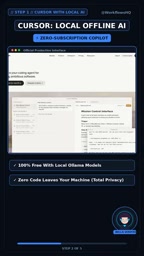
The first tool Workflows HQ recommends is Cursor. Its core advantage is that it can be configured for offline mode and run with local models, completely free.
Cursor itself is an AI code editor built on VS Code, but most people only use its cloud-based completion features. In reality, by configuring local models, you can have it handle code completion and conversational programming even with no internet connection. That means two things: zero subscription cost, and your code never leaves your machine, which significantly improves privacy.
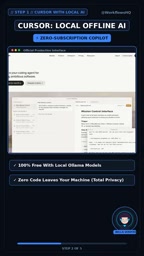
For everyday code completion, function generation, and simple refactoring tasks, local models are already up to the job. Combined with Cursor's editor experience, it can serve as a direct replacement for Copilot.
How local models run: Configuring local models in Cursor usually requires an inference framework such as Ollama, LM Studio, or llama.cpp. These tools load and run open-source models (like Code Llama, DeepSeekAd-Coder, or Qwen-Coder) on your machine, then expose them to the editor through an OpenAI-compatible API. In Cursor's settings you can enter a custom Base URL to point completions and chat requests to a local service instead of the cloud. Model files usually come in quantized versions (such as 4-bit or 8-bit) to reduce VRAM usage, but the higher the quantization, the more likely code generation accuracy will degrade. So "offline availability" isn't a simple switch — it's a whole inference environment you need to set up yourself.
Step Two: Clawed 3.7 — Handling Complex Multi-File Logic
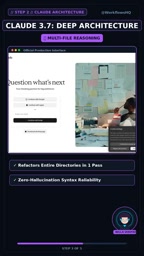
The second tool is Clawed 3.7. According to the video, when you need to handle complex multi-file logic, it can generate a complete architecture without syntax errors.
This point deserves elaboration. Multi-file refactoring and architecture-level code generation have always been weak spots for AI coding tools — single-file completion is easy, but cross-file dependencies, interface consistency, and module partitioning often require repeated manual fixes. Workflows HQ claims Clawed 3.7 stands out here, directly producing usable architecture code.
That said, this is a single-source claim, and the video provides no specific benchmarks or comparison data. If you plan to try it, I'd suggest starting with small to medium-sized projects to verify its actual performance.
The challenge of cross-file code generation: Generating multi-file architectures is difficult mainly because the model needs to grasp interface definitions, import relationships, and type constraints across multiple files simultaneously, while ensuring the whole thing still compiles after changes. A common approach is to use retrieval-augmented generation (RAG) or repository-level context indexing, feeding relevant file snippets into the model together rather than just the code near the cursor. Even then, the model may still produce inconsistent interface signatures, circular dependencies, or missing exports. So "no syntax errors" only means the code parses — it doesn't mean the logic is correct or that it passes tests. When evaluating these tools, more reliable metrics are the first-compile pass rate of generated code and the amount of manual rework required.
Step Three: Make — Automated Testing and Deployment
The third tool is Make. Its role is to automatically run tests and deploy pull requests after code is committed.
This step completes the loop from writing code to shipping it. Many developers focus on code generation but overlook that automation in the CI/CD stage also consumes a lot of time. Make's positioning is to make the post-commit workflow run automatically and reduce manual steps.
Combined, the three tools form a complete chain: Cursor handles everyday coding, Clawed 3.7 tackles complex architecture, and Make takes over testing and deployment. The video's author says the full local configuration and starter pack are available in the pinned comment.
Clarifying Make's positioning: Make is a visual automation platform that connects different services into workflows through connectors. Common uses include running tests after events on code hosting platforms, creating or updating pull requests, and sending notifications. It isn't a tool designed specifically for CI/CD. Compared with pipelines deeply integrated into code repositories like GitHub Actions or GitLab CI, Make leans more toward low-code orchestration — great for quickly stitching together commit, test, deploy, and notification steps, but less granular than native CI systems when it comes to build caching, artifact management, and permission control. Understanding this helps you judge whether it fits your project's scale.
Practical Considerations for Local AI Coding Tools
Workflows HQ's reasoning is clear: replace cloud subscriptions with local models, and cover the entire development workflow with a combination of tools. But before adopting this in practice, there are a few issues you need to weigh yourself.
Hardware requirements. Local models have VRAM and compute requirements. With insufficient hardware, generation speed drops noticeably, and the experience won't be as smooth as cloud services.
Model capability limits. Local models perform well at code completion, but they still lag behind large cloud models in understanding context across very large codebases and in complex reasoning. The actual results of Cursor's offline mode and Clawed 3.7 depend on the local model you choose.
Verifying information. This video is essentially a quick, punchy tool recommendation. It provides no performance comparison data, and the spelling of some tool names is unclear. Before investing time in configuration, I'd suggest confirming the tools' official documentation and community reviews.
Summary
If you're hesitant about the $20 monthly subscription, the trio Workflows HQ suggests is worth a try: Cursor for offline completion, Clawed 3.7 for multi-file architecture, and Make for automated test deployment. Localized solutions offer real advantages in cost and privacy, but the hardware barrier and the ceiling on model capability are limits you need to face squarely. Validating with a small project first, then deciding whether to fully replace your cloud subscription, is the safer path.
Related articles
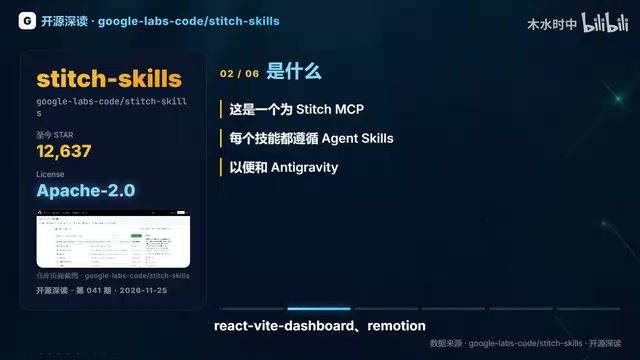
Google Stitch Skills: Connecting Coding Agents to the Design Workflow
Google Stitch Skills is an Agent Skills library following the open standard, adding a design-to-code workflow to the Stitch MCP Server. This article breaks down its three skill groups, SKILL.md directory structure, installation paths, and dependency pitfalls.

40.5-Inch Color E-Paper Art Frame: An Art Display You Charge Once a Year
The Ink Poster Tella 40.5-inch color e-paper art frame uses the E Ink Spectra 6 full-color solution: A1 format, no backlight, no noise, about one charge a year, 2,000+ licensed artworks built in, and automatic adaptation of phone photos.

Jingle Jam Memories: RT's Awkward First Encounter with Lewis
RT shares his awkward first Jingle Jam experience: unexpectedly pushed into the studio, meeting Lewis and Yogg's cast, and Toddy appearing in armor.