Google Stitch Skills: Connecting Coding Agents to the Design Workflow
Stitch Skills uses the Agent Skills standard to break design-to-code into verifiable skill plugins
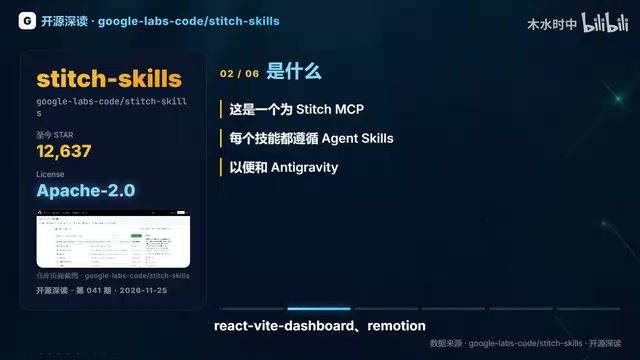
Stitch Skills is an Agent Skills library under the Google Labs Code organization, written in TypeScript, with about 12,637 stars and 1,525 forks. It is not a general-purpose code generator, but a set of skills grouped by plugin designed for the Stitch MCP Server, following the Agent Skills open standard to be compatible with coding agents like Anti-Gravity, Claude Code, and Cursor. The skills are divided into three groups—Design, Build, and Utility—covering design-to-code conversion, static HTML extraction, design system management, multi-target build adaptation, and prompt enhancement. Each skill directory consists of SKILL.md, Scripts, Resources, and Examples, separating "how to do it" from "how to verify it"; Stitch React Compliance comes with built-in design token consistency checks. The hard prerequisite for use is that the Stitch MCP Server must be running first; there are dependencies between skills; OpenCode also requires manual installation and handling naming and tool-name mapping. It is not an officially supported Google product, and the official project has not published benchmark data.
Coding agents have become quite capable at writing code, but there's still a gap between them and the design process: designs live in design tools, code lives in editors, and a human shuttles back and forth in between. A repository called Stitch Skills under the Google Labs Code organization aims to bridge exactly this broken link—it currently has about 12,637 stars and 1,525 forks, and is written in TypeScript.
It's not a code generator, but a set of skills grouped by plugin
According to a related Bilibili video, Stitch Skills has a clear official positioning: an Agent Skills library designed for the Stitch MCP Server, with each skill following the Agent Skills open standard so it's compatible with coding agents like Anti-Gravity, Claude Code, and Cursor.
The key to understanding this project lies in the word "standard." It doesn't invent a new instruction format from scratch; instead, it embeds itself into the existing Agent Skills ecosystem. This also determines its form: not an all-in-one generator that spits out a website from a single sentence, but a row of small tools that can be invoked independently, packaged in plugin groups.
Three skill groups cover the main stages from design to code
Looking at all the skill names together, what they cover is really each stage along the design-to-code chain:
- Stitch Design (design workflow): Code to Design, Generate Design, Manage Design System, Extract Design MD, Extract Static HTML, Upload to Stitch, and more.
- Stitch Build (code generation and building): skills targeting different build outputs such as React, React Native, Remotion, and Shopify.
- Stitch Utility (prompt enhancement and design specifications): tools like Exchange Prompt, Stitch MD, Stitch Loop, and Taste Design.
Design-to-code conversion, static HTML extraction, design system management, multi-target build adaptation, prompt enhancement, design specification capture—each stage is split into an independently invocable skill. This "fine-grained splitting" approach is precisely what distinguishes it from general-purpose code generation tools.
MCP (Model Context Protocol) is a protocol proposed and open-sourced by Anthropic in late 2024, designed to let AI agents connect to external tools, data sources, and services in a unified way. It decouples the "agent" from the "capability provider": the server side (MCP Server) is responsible for exposing tools and resources, while the client side (such as Claude Code or Cursor) is responsible for invoking them. The Stitch MCP Server exposes Stitch's designs, components, design systems, and other capabilities through this protocol, so that coding agents, once configured, can read and write content on the Stitch side. Understanding this is the prerequisite for understanding the whole project—the skills in Stitch Skills are essentially "manuals and verification scripts that instruct agents how to call Stitch MCP tools." Without the MCP Server, the skills have no object to operate on.
The Agent Skills open standard is a specification that defines how skill packages are organized. Its core is using SKILL.md as the entry file, describing the skill's goals, applicable scenarios, and execution steps in natural language, optionally accompanied by scripts, resources, and examples. Its design goal is to let the same skill package be reused by different coding agents without being tied to any one vendor's proprietary format. As long as Anti-Gravity, Claude Code, Cursor, and others follow the standard to read SKILL.md, they can load the same set of skills. Stitch Skills' choice to embed itself in this ecosystem rather than invent its own format means its compatibility comes from the standard itself, not from adapting to each agent individually; the cost is that the expressive power of skills is constrained by the standard, and complex logic must be pushed down into Scripts.
Skill directory structure: separating "how to do it" from "how to verify it"
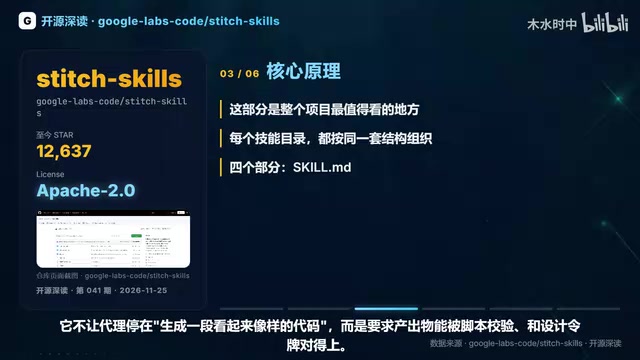
At the mechanism level is the most interesting part of the whole project. Each skill directory is organized according to the same structure: SKILL.md, Scripts, Resources, and Examples.
SKILL.md is the agent's task control entry point—only after reading it does the agent know what the skill is for and what steps to follow. The Scripts directory holds executable verification and network scripts; the Resources directory holds checklists and style guides; the Examples directory holds validated, effective reference examples.
The significance of this structure is that it separates two things: one is "how to do it," written in SKILL.md; the other is "how to confirm it was done right," which lives in Scripts and Resources.
Verification is built into the skills themselves
The usual experience of using AI to write code is this: it spits out a piece of JSX that looks decent, but you have to eyeball it yourself to check whether the components are right, whether the styles deviate from the design, and whether the colors use tokens from the design system or are just made up by the model.
The skill that best illustrates the design intent is Stitch React Compliance: it converts Stitch screens into a React component system and comes with automatic verification and design token consistency checks. In other words, verification capability is written into the skill itself rather than left to the user to check by eye afterward. This echoes the same philosophy behind the existence of the Scripts and Resources directories.
Once installed, the experience is roughly this: the agent receives a task, reads the corresponding skill's SKILL.md, executes the steps, calls scripts in Scripts midway for verification or network requests, and finally checks the output against the checklist in Resources. What you see is a process with built-in checkpoints, not a one-shot dump of code that you have to clean up yourself.
Design tokens are reusable atomic style variables in a design system—such as colors, font sizes, spacing, border radius, and shadows—typically existing as JSON or CSS custom properties. Components use tokens rather than hardcoded values to ensure global consistency when switching themes or changing brand colors. So-called "design token consistency checks" mean verifying whether the style values in generated code reference tokens already defined in the design system, rather than colors or sizes fabricated by the model. This is the most common failure point in design-to-code conversion: visually close, but the tokens are all wrong, making it unmaintainable later. Stitch React Compliance's built-in checks of this kind essentially move design system constraints from post-hoc review forward into the generation stage.
Three steps to get started and installation paths
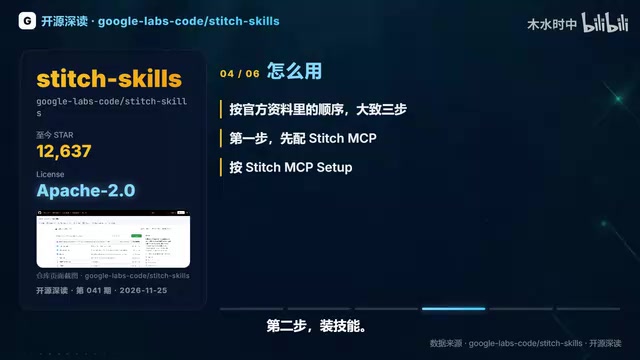
According to official materials, getting started roughly involves three steps:
- Configure Stitch MCP first: configure the server and environment variables according to the Stitch MCP Setup Instruction. This is an unavoidable prerequisite.
- Install the skills: there are three paths—via the Codex plugin marketplace; using
npx plugins add(for Claude Code and Cursor); or selectively installing with npx. - OpenCode users take the manual path: copy the skill folders into the corresponding directory and add the remote MCP entry in
opencode.json.
The OpenCode path has several additional requirements worth noting upfront: skill names must be lowercase kebab-case and match the directory name, so names with colons like stitch:xxx need to be changed first; and tool names written in skill instructions may not match OpenCode's built-in tools—for example, the docs say WebFetch, but OpenCode actually calls it something else. Neither of these is a minor issue you can fix with a quick config tweak—if the names don't match, the skill simply won't load; if the tool names don't match, the agent will get stuck halfway through execution.
Boundaries and pitfalls: things you must know before use
Before deciding whether to use it, a few boundaries need to be laid out clearly:
- There are dependencies between skills. When installing selectively, if you miss a skill that others depend on, the agent may discover something is missing halfway through—this is the most common pitfall in actual use.
- The Stitch MCP Server must be running. The skills themselves are designed around Stitch MCP; installing them in an environment without MCP configured won't work. This is a hard prerequisite, not an option.
- OpenCode does not support npx plugins or npx skills, nor is it compatible with installation via the Codex plugin marketplace—manual installation is the only way.
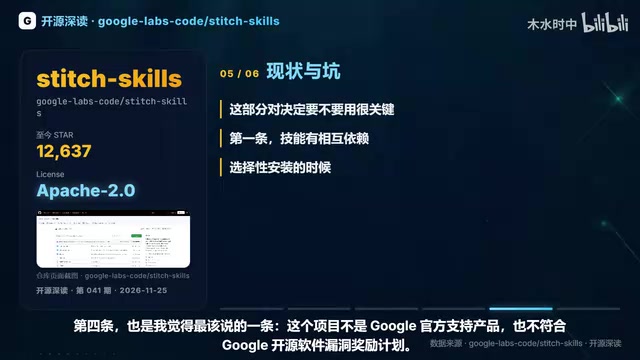
- It is not an officially supported Google product, nor does it qualify for the Google Open Source Software Vulnerability Reward Program. It sits under the Google Labs Code organization, but the official wording is clear: not an officially supported product. This matters to those who care about long-term maintenance.
One more thing to note: the official project has not published actual runtime results or benchmark data for the skills. How good the components generated by Stitch React Compliance really are can currently only be verified by users themselves; version numbers and release cadence are also not public. As for popularity, this collection did not obtain complete growth data, so we can only judge that it has accumulated a certain amount of attention—such attention more likely comes from the ecosystem appeal of Google Stitch itself and its standards-based approach to being compatible with multiple mainstream coding agents at once, but these two points are speculation; the official project has not given a reason for its popularity.
kebab-case refers to a naming style that is all lowercase with words separated by hyphens, such as stitch-react-compliance. It is often used for file directory names and identifiers because it is cross-platform safe and avoids case-sensitivity issues. Some tools use colons to denote namespaces, such as stitch:xxx, which is legal in certain agents, but OpenCode requires skill names to strictly match directory names and be kebab-case—names with colons will cause loading failures. Similarly, tool names written in skill documentation (such as WebFetch) are abstract names intended for general agents, and built-in tool naming is not uniform across agents; when porting, you need to check the mapping item by item, otherwise the agent will break at the invocation step because it can't find the tool.
Verdict: the value is in verification, not quantity
The value of this project is not "yet another code generation tool"—there are already plenty of those on the market. Its value lies in turning the Agent Skills standard into an installable, verifiable structure grouped by plugin. The existence of the Scripts and Resources directories shows the authors care about one thing: after the agent finishes, how do you confirm it did it right? How many skills there are is one matter; whether they can be verified is another—and the latter is the watershed of engineering rigor.
But it has two unavoidable prerequisites: Stitch MCP must be running first, and skill dependencies must be fully installed. This means it's not something you can just install and use—it's more like a set of workflow components for developers already in the Stitch ecosystem. As for the actual output quality of Stitch React Compliance, the official project has not published benchmarks; it's worth trying, but not recommended to plug directly into production workflows without verification.
In one sentence: if you're already using coding agents and have Stitch MCP configured, this set of skills is worth exploring; if you're not yet in the Stitch ecosystem, get the prerequisites in place first.
One-line Summary
Stitch Skills uses the Agent Skills standard to break design-to-code into verifiable skill plugins
Paragraph Summary
Stitch Skills is an Agent Skills library under the Google Labs Code organization, written in TypeScript, with about 12,637 stars and 1,525 forks. It is not a general-purpose code generator, but a set of skills grouped by plugin designed for the Stitch MCP Server, following the Agent Skills open standard to be compatible with coding agents like Anti-Gravity, Claude Code, and Cursor. The skills are divided into three groups—Design, Build, and Utility—covering design-to-code conversion, static HTML extraction, design system management, multi-target build adaptation, and prompt enhancement. Each skill directory consists of SKILL.md, Scripts, Resources, and Examples, separating "how to do it" from "how to verify it"; Stitch React Compliance comes with built-in design token consistency checks. The hard prerequisite for use is that the Stitch MCP Server must be running first; there are dependencies between skills; OpenCode also requires manual installation and handling naming and tool-name mapping. It is not an officially supported Google product, and the official project has not published benchmark data.
Related articles

40.5-Inch Color E-Paper Art Frame: An Art Display You Charge Once a Year
The Ink Poster Tella 40.5-inch color e-paper art frame uses the E Ink Spectra 6 full-color solution: A1 format, no backlight, no noise, about one charge a year, 2,000+ licensed artworks built in, and automatic adaptation of phone photos.
Jingle Jam Memories: RT's Awkward First Encounter with Lewis
RT shares his awkward first Jingle Jam experience: unexpectedly pushed into the studio, meeting Lewis and Yogg's cast, and Toddy appearing in armor.
How Cozey Turned Warehouse and Finance Staff into Software Developers
Cozey lets warehouse, finance, and support staff build and deploy apps on Vercel, boosting weekly finance reviews and replacing an $80K/year tool. Learn the non-technical developer model and AI Gateway governance practices.