Don't Hand Your Passwords to AI Agents! 1Password's Four-Step Solution Lets ChatGPT Log In Safely

AI agents storing password copies risk exposing accounts; 1Password's credential isolation lets agents log in without seeing passwords.
The article notes that handing passwords directly to AI agents leads agents to save credential copies, leaving accounts exposed long-term. U.S. banks have detected AI agent activity in customer accounts, but most institutions cannot determine whether operations were user-authorized, and Chase explicitly states never to give passwords to anyone. To address this, 1Password proposes a four-step isolation solution: the agent initiates a request, the user confirms, the password manager fills in the credentials, and the agent logs in without ever seeing the plaintext password. The core is credential isolation—the agent gains login capability rather than the password itself, so even if compromised it only obtains a one-time session. The article advises users to stop pasting passwords into AI agents and instead use the password manager's authorization flow.
AI Agent Login: The Huge Hidden Risk Behind Convenience
Handing your password directly to an AI agent like ChatGPT may expose your accounts to risk—because the agent will save a copy for next time. Even more unsettling, U.S. banks have begun detecting traces of AI agent activity in customer accounts, and most banks cannot determine whether the operations were authorized by the user. Some banking professionals describe the scenario as "horrifying."
According to analysis in a YouTube video, when users hand passwords to AI agents, the agent typically saves a copy of the credentials so it can log in automatically next time. This means the password no longer lives only in your memory or your password manager—it's scattered somewhere in the AI service.
The real alarm comes from the financial industry. U.S. banks have started monitoring AI agents operating inside customer accounts, but most institutions cannot distinguish whether this is user-authorized or the agent acting on its own. Chase's official position on this is very clear: never give your password to anyone.

This risk is not theoretical. When an AI agent logs into your bank account as you, the bank's risk-control system sees only a "legitimate" login—correct credentials, reasonable IP—but whether it's really you operating or the agent operating "on your behalf" is hard for existing systems to tell.
Credential Filling is a basic capability of password managers: when a user visits a site with saved login information, the manager automatically fills the username and password into the form and submits it, with no manual input required. The key innovation of the 1Password approach is extending this action from "triggered by the user in the browser" to "triggered by the agent after remote user authorization," while the plaintext password never leaves the password manager's encrypted vault. By contrast, credential exposure refers to any practice that lets the password appear in plaintext in chat history, configuration files, or agent memory—which amounts to handing a long-lived key to a third party that may log, cache, or steal it. The essential difference is that credential filling passes along "a single login action," whereas credential exposure passes along "an infinitely reusable identity."
The Turning Point: 1Password's Four-Step Isolation Solution
Password management tool 1Password has proposed an approach that bypasses this dilemma. According to the video, the solution has four steps:
- The agent initiates a login request: when the AI agent needs to access an account, it sends a login request to 1Password;
- The user receives an alert and confirms: a notification arrives on the user's device, and the user decides whether to approve;
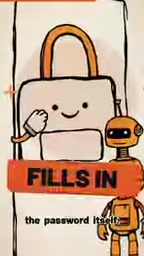
- 1Password fills in the password on the user's behalf: once confirmed, the password manager performs the credential filling itself;
- The agent gets in but never sees the password: the agent successfully logs into the target account but has no access to the plaintext password at any point.

The core of this design is credential isolation: the AI agent gains "login capability," not "the password itself." The password always stays within the password manager's security boundary, and the agent is merely "escorted" through the door with the user's authorization.

Why This Solution Deserves Attention
Under the traditional approach, users often paste account passwords directly into chat or configuration files so an AI agent can operate a service. The problem with this practice is that once a password leaves the password manager, it loses all protection—it may be recorded in chat history, cached by the agent framework, or retained in server logs.
1Password's solution separates the authorization action from the credential transfer. What the user approves is "this one login," not "handing over the password." Even if the agent is compromised or behaves abnormally, the attacker gets only a one-time login session, not a master password that can be reused long-term.
Interestingly, this mechanism relies on protocol coordination between the agent and the password manager. It is not yet clear how open the solution is to third-party AI agents and whether it supports all major banks and websites. But the direction is clear: the era of handing passwords to AI agents should end, and letting the password manager sign on behalf is the more sensible architecture.
One-time Session and Master Password belong to different tiers in the security model. The master password is the root identity credential; once leaked, an attacker can log in long-term from multiple locations and may laterally modify account settings. A one-time session is typically a short-lived token issued by the server, which expires and is often bound to a device or IP. The reason the 1Password solution reduces risk is precisely that it downgrades the asset available to the agent from a "root credential" to a "short-lived session." Even if the agent framework is compromised, the attacker gets only a quickly expiring "temporary access card," not a reusable "master key." Understanding this tier difference is the key yardstick for judging the security of various AI agent login solutions.
What Users Should Do Now
For users already using AI agents to operate sensitive accounts, the video's advice is straightforward: stop giving passwords directly to AI agents. If an agent needs to log in, it should go through the password manager's authorization flow rather than pasting credentials into a chat.
The banks' stance is equally clear—institutions like Chase repeatedly emphasize not revealing passwords to anyone. As AI agents increasingly appear in financial scenarios, users need to realize that the agent's "convenience" rests on the premise of credential exposure—and that premise is now being challenged by new tool designs.
The video ends with an interactive question: if your AI agent knows your password, type "keys" in the comments. This seemingly light question points to a security paradigm shift that is already underway.
Related articles

Deleted Reddit Post Sparks Debate Over AI Content Moderation
A Reddit post removed with only a 'Removed by Reddit' notice highlights AI content moderation's transparency gaps, misjudgment risks, and appeal challenges for platforms and creators.

DSH + Ollama Local LLM Deployment in Practice: Free Chat with Da Fei Yu
Bilibili creator tests DSH + Ollama local LLM deployment end to end: Ollama install, Xunlei-accelerated downloads, ModelScope GGUF model import, DSH custom API address setup, and a comparison of Qwen 3.5 4B, 8B, Gemma, and other models on 8GB VRAM, with advice on choosing local deployment vs. API calls.

Tested: A $899 Mac Mini vs. a $200/Month AI Subscription
Real-world test of whether an M4 Mac mini can replace a $200 AI subscription: 16GB can't fit large models, and both speed and quality fall short—but privacy, no caps, and near-zero running costs make it an ideal host for an always-on agent. Includes buying advice per configuration and money-saving strategies.