Fake Claude Code Extension Leaks Cursor Keys — Users Should Check Immediately

A fake Claude Code extension exposed a Cursor vendor key leak, potentially giving unauthorized access to user chat histories.
A fake "Claude Code" extension was listed in Cursor's extension marketplace for about 11 hours before removal, but investigations revealed the issue went far beyond the malicious extension itself. The leak traced back to a third-party vendor partnered with Cursor, whose access keys leaked from the vendor side and were used to operate the fake extension. The key could access chat sessions and history of users without privacy mode enabled, meaning developers who pasted private keys, API keys, or database connection strings into conversations may have exposed sensitive information. The article recommends that users who used Cursor between 2025 and 2026 and left sensitive credentials in chats immediately rotate all related keys, check privacy mode settings, and remind peers about supply chain security risks.
Last month, a fake "Claude Code" extension quietly appeared in Cursor's extension marketplace and was successfully listed. Fortunately, officials spotted the anomaly and took it down in about 11 hours. But follow-up investigations revealed the problem went far beyond a single malicious extension — the leaked key may have accessed some users' chat histories.
Event Recap: An 11-Hour Takedown and a Two-Week Investigation
According to disclosures from a YouTube channel, the fake extension was quickly noticed by officials after going live in the Cursor extension marketplace and was removed within about 11 hours. On the surface, that response time isn't bad, but the real risk lies in the source of the key used behind the extension.
After about two weeks of investigation, Cursor confirmed the leak did not originate from its own systems being directly compromised, but from one of its third-party vendors. Cursor had provided access keys to that vendor, and the keys leaked from the vendor side, ultimately being used to operate the fake extension.

This chain shows that even when a platform's own security measures are solid, weak links in the supply chain can still become the entry point. For developer tools that rely on third-party services, vendor key management matters no less than protecting one's own systems.
Supply Chain Attack refers to attackers not targeting the victim organization directly, but entering through trusted third-party vendors, open-source components, or service providers to infiltrate the target. In this incident, Cursor issued access keys to a partner vendor; the keys leaked from the vendor side and were then used to operate a fake extension — a textbook supply chain attack path. The insidious nature of such attacks is that the victim platform's own defenses may be fully intact, yet any failure in the chain of trust can propagate risk. For developer tools, third parties often handle telemetry, code analysis, model hosting, and more, so the granularity of key permissions and the ability to detect leaks directly determine the platform's downstream risk exposure.
What the Key Could Do: Chat History Exposure Risk
The leaked key was no ordinary credential. According to analysis, once used, the key could access users' chat sessions and history in Cursor — provided the user had not enabled privacy mode.

This means that if you have ever pasted private keys, API keys, database connection strings, or other sensitive information into Cursor conversations, that content may have been read by unauthorized parties. For developers, chat windows are often used as a temporary notepad — a habit that amplified the risk in this incident.
Privacy Mode in AI coding tools typically refers to settings that prevent user conversation data from being persistently stored, used for model training, or accessed by third parties. When enabled, chat records often exist only during the session or are desensitized; when disabled, full conversations may be retained long-term to support history queries, context continuation, and other features. This is precisely why the risk was amplified in this incident: users without privacy mode enabled may have had their complete conversation histories — containing pasted sensitive information — read by whoever held the leaked key. Developers should understand that privacy mode is not a "safety switch" that's on by default, but a data retention policy choice that requires active configuration, and its state directly affects the actual exposure surface in the event of a data breach.
Who Needs to Check: Time Window and Recommended Actions
According to the source, users who used Cursor between 2025 and 2026 and typed or pasted private keys or other sensitive information into chats may be at risk.

The following actions are recommended:
- Immediately rotate all private keys and API keys that appeared in Cursor chats, including credentials for cloud services, code repositories, databases, etc.
- Check Cursor's privacy mode settings to confirm whether it is enabled; users who have not enabled it should first assess whether their chat histories contain sensitive content.
- Inform colleagues or friends who use Cursor, especially developers who habitually paste configuration information directly into AI conversations.
Credential Rotation refers to the security practice of regularly — or after a suspected leak — replacing keys, tokens, passwords, and other authentication credentials. The recommendation to immediately rotate all private keys and API keys that appeared in Cursor chats is based on the logic that once a key may have been read by unauthorized parties, any continued use of that key carries the risk of misuse, and rotation invalidates the old key, cutting off the attacker's access path. For cloud service, code repository, and database credentials, rotation typically involves three steps: generating a new key in the service provider's console, updating all configurations that depend on the key, and then revoking the old key. Cultivating the habits of regular rotation and least-privilege authorization can significantly reduce the actual damage from a single leak.
Supply Chain Security: A Timely Reminder
The core lesson of this incident is not about a single extension's malicious behavior, but about the delay in the platform's awareness of downstream risk after keys leaked from a vendor. Cursor's 11-hour takedown deserves credit, but the two-week investigation period shows that discovering and characterizing supply chain attacks is often more complex than the surface response suggests.
For developer tools, beyond timely credential rotation, users should also develop the habit of not leaving long-lived keys in AI conversations. Treating sensitive information as "temporary input" is a dangerous default behavior — and this incident proves exactly that.
Related articles

Multi-Agent Collaborative Development: Task Card-Driven Practices for Medium-to-Large AI Projects
A Bilibili creator shares a task card-driven, PM-orchestrated multi-Agent collaboration model with local-first repository state, so any Agent tool can take over a project anytime.

Cursor vs Copilot vs Claude Code: How Laravel Developers Should Choose
Compare Cursor, GitHub Copilot, and Claude Code for Laravel development: an AI-first editor, a plugin for existing editors, and a terminal agent for multi-file tasks and testing — plus workflow-based recommendations.
AgentScope Java Edition: A Practical Guide to Enterprise-Level Agent Frameworks
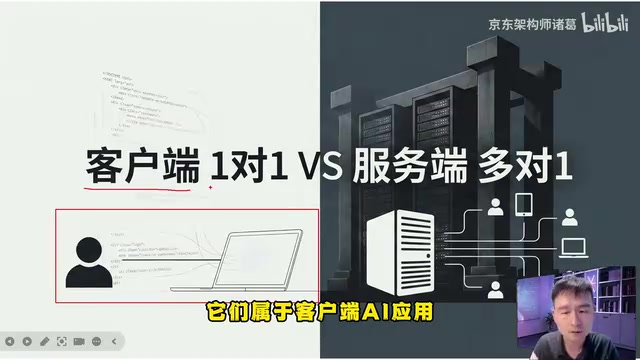
An in-depth analysis of Alibaba's AgentScope Java enterprise agent framework: contrasting client-side AI and server-side AI, explaining Java's natural advantages in high concurrency and distributed state management, and outlining a complete learning path from core principles to multi-agent collaboration.