Firefox Gets a Major Visual Overhaul: Rounded Tabs, New Themes, and Compact Mode

Firefox launches a cross-platform visual redesign with rounded tabs, new themes, and Compact Mode.
Mozilla has given Firefox a full visual overhaul across desktop and mobile, introducing bubble-style rounded tabs, a softer address bar, refreshed color schemes, updated icons, and new themes. The update also officially restores Compact Mode, helping users maximize screen real estate. Focused purely on aesthetics and customizability, the redesign leaves core functionality untouched — lowering the barrier for new users while keeping things familiar for veterans.
Firefox Gets a Fresh New Look
Mozilla has rolled out a sweeping visual redesign of Firefox, covering both desktop and mobile, with the goal of making the veteran browser look more modern and polished. The next time you launch it, you'll notice things have gotten a lot more "rounded" — and a splash of color has been added to the mix.
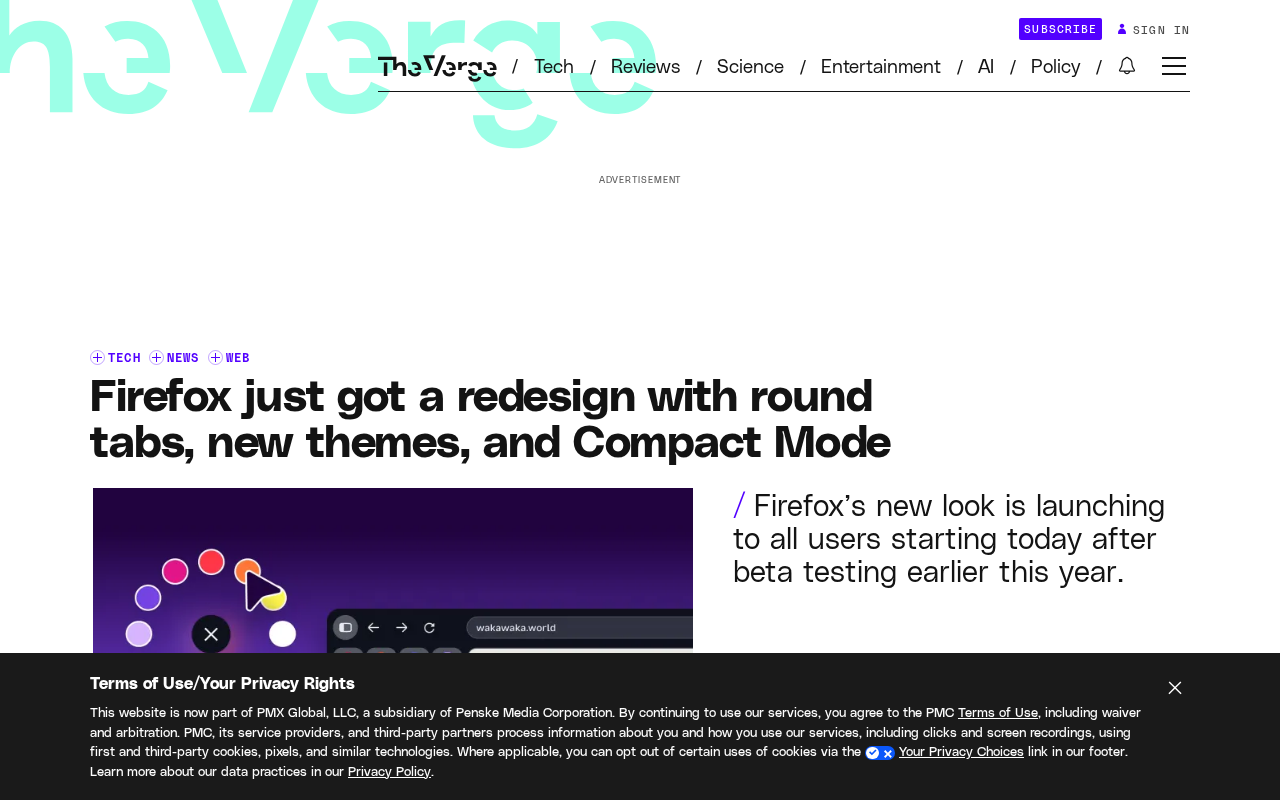
According to the official announcement, the core changes are visual: bubble-like tabs, a more rounded address bar, and a refreshed set of colors, icons, and themes. For long-time Firefox users, this is the most noticeable cosmetic update in recent memory.
Three Highlights of the New Design
Rounded Tabs and Address Bar
The most striking change is the shift from traditional square-edged tabs to a "bubble-style" rounded design, complemented by a similarly softened address bar. The overall look feels more cohesive and approachable. This design language aligns with the broader trend toward rounded corners in mainstream browsers and operating systems, fitting comfortably with contemporary user aesthetics.
New Themes and Color Schemes
The update also brings refreshed color palettes, updated icons, and a collection of new themes. These "pops of color" add a layer of personality to the interface while keeping things clean. Users can switch between themes to make the browser feel more like their own.
Compact Mode
For users who prioritize information density and want to make the most of limited screen space, Compact Mode is a practical addition. By tightening the spacing between UI elements, it frees up more of the screen for actual web content — especially useful for small-screen laptops or heavy multi-tab users.
Compact Mode isn't a new concept in browser design — it's a setting that has existed in various forms for a long time. Even back in the Netscape days, Firefox's predecessor, interface density was something users could adjust. Notably, Firefox removed Compact Mode in the Firefox 89 redesign (codenamed "Proton"), triggering significant backlash from the community. Mozilla eventually brought it back as a hidden option (requiring manual activation via about:config). Officially restoring it in this update is a direct response to that user feedback. For power users who regularly keep dozens of tabs open at once, every saved pixel translates to more visible web content.
A Simultaneous Desktop and Mobile Update
Notably, this redesign isn't limited to the desktop — it rolls out to all users across both desktop and mobile platforms. A consistent visual language across devices helps users transition smoothly between them, and reflects Mozilla's commitment to a unified product identity.
Why Firefox Is Redesigning Now
The browser market is fiercely competitive, with Chrome, Edge, and Safari all continuously refining their interfaces. For Firefox, refreshing its visual identity while maintaining functional stability is key to retaining existing users and attracting new ones. The combination of rounded corners, new themes, and Compact Mode serves both casual users who care about aesthetics and power users who prioritize efficiency.
At its core, this redesign is an iteration focused on "improving appearance and customizability without touching the core experience." Long-time users won't have their workflows disrupted; new users may find the more modern first impression lowers the barrier to giving Firefox a try.
Firefox's market share trajectory is important context for understanding the motivation behind this redesign. According to third-party analytics firms like StatCounter, Firefox's global desktop browser market share has steadily declined from a peak of around 30% in 2009 to approximately 3% by 2024, while Chromium-based browsers (including Chrome, Edge, Brave, and others) collectively account for over 70%. Against this backdrop, Firefox's core competitive advantages have increasingly narrowed to differentiators like privacy protection, open-source transparency, and customization freedom. While a visual refresh won't directly shift market share, it reduces the chance of potential users being put off at first glance — and signals to existing users that the product is still being actively developed. That's meaningful for sustaining community confidence.
Wrap-Up
Firefox's interface redesign is a pragmatic modernization — rounded tabs, refreshed colors, and Compact Mode together create a cleaner, more flexible browsing experience. While the changes are primarily visual, for a browser that must continuously hold its own against dominant competitors, keeping the interface feeling fresh has real value.
Related articles

Gaussian Process Bandit Optimization: Exploration Strategies and Inference Regret Guarantees
Cumulative regret guarantees in Bayesian optimization fail to reflect final recommendation quality. This article examines a new study that provides inference regret guarantees for Gaussian process bandit optimization through exploration query strategies and fill distance analysis, validated on hyperparameter optimization and control tasks.

The Most Detailed Codex Guide on Bilibili: From Installation to Real-World Practice
The most detailed Codex guide on Bilibili: from app store installation to daily work mode configuration, with a real coffee shop project demonstrating file organization, data extraction, dashboard creation, and other practical tasks. Learn to use Plan Mode and desktop pets to leverage Codex efficiently.

Appearance Compensation in Volume Rendering: Why RGB Accuracy Cannot Guarantee Density Correctness
Volume rendering research reveals that volumetric data perfectly reproducing external RGB views may still contain density errors: appearance compensation can double central density and keep external rays unchanged even when L2 error exceeds 14.52%. Density recovery depends on appearance capacity, spatial resolution, and measurement design.