Formesign: A Lightweight Way to Add Legal E-Signatures to Google Forms
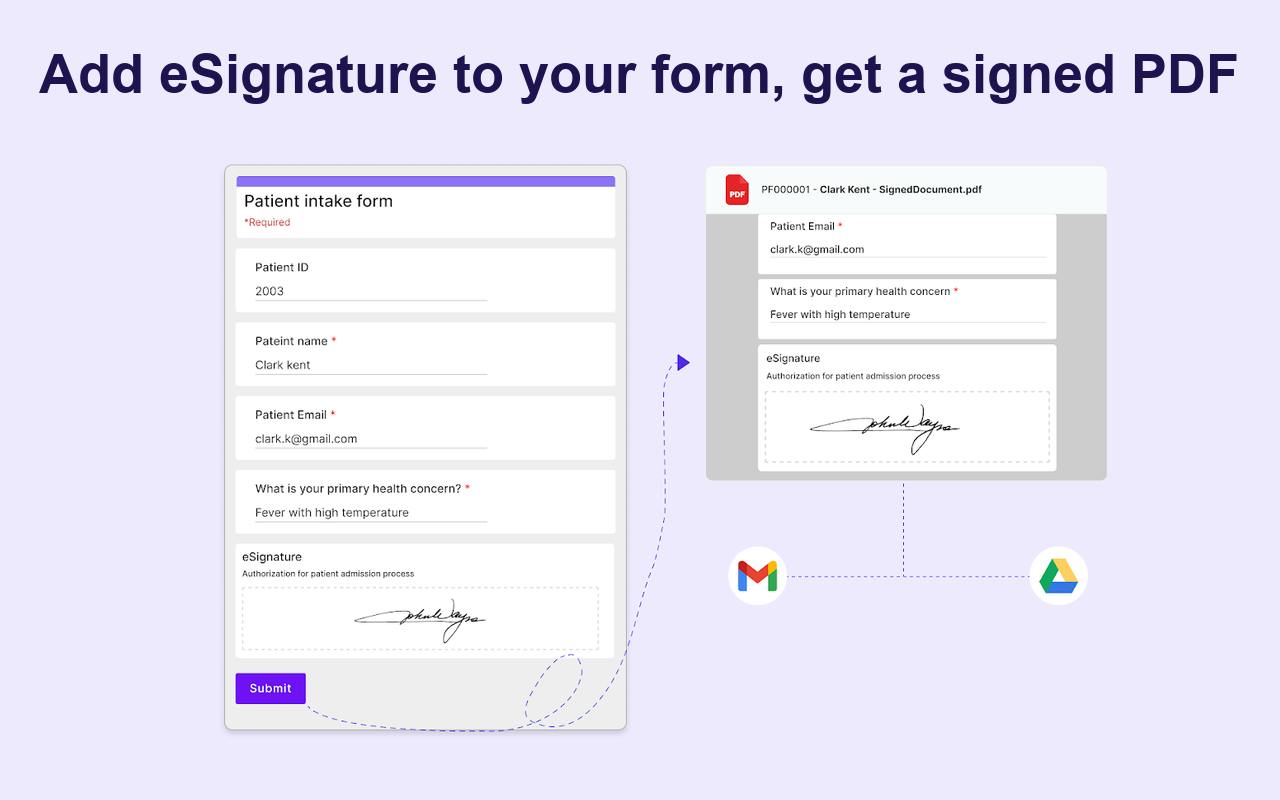
Formesign layers e-signature capability onto Google Forms, filling a compliance gap for small teams.
Google Forms lacks signature functionality, making it unsuitable for legally binding scenarios like employee onboarding, lease agreements, and parental consent forms. Formesign steps in as an enhancement layer rather than a replacement, letting users keep their existing Google Forms workflows while gaining multi-device signing, automatic post-signing PDF delivery, audit copies saved to Google Drive, and continued data sync to Google Sheets. This "parasitic enhancement" strategy lowers adoption barriers, targeting SMBs, HR teams, educational institutions, and small service providers with compliance needs but limited budgets. The key long-term risk: if Google natively adds signing features, Formesign's survival space could shrink rapidly.
When Google Forms Meets the Need for E-Signatures
Google Forms has long been the default tool for countless teams to collect user data — it's free, easy to use, and integrates seamlessly with the Google ecosystem. Yet it has one long-overlooked but critical weakness: it can't collect signatures.
For scenarios that require compliance confirmation — such as employee onboarding documents, lease agreements, parental consent forms, and terms-of-service acknowledgments — simply collecting text responses isn't enough. Organizations typically need a legally binding signed document, and Google Forms is completely powerless in this regard. Formesign, which recently launched on Product Hunt, targets exactly this pain point. It earned 77 upvotes and ranked 15th on the day's leaderboard.

Formesign's Core Features and the Complete Signing Loop
Formesign's core positioning is crystal clear: add electronic signature (eSignature) capability to the Google Forms you've already built. It doesn't ask you to abandon your existing forms and migrate to a new platform — instead, it acts as an enhancement layer on top of Google Forms.
This "don't reinvent the wheel" product philosophy is commendable. Many teams have accumulated mature form templates and workflows in Google Forms. Migrating entirely to a professional e-signature platform like DocuSign or PandaDoc just for signature functionality comes with significant migration costs and a steep learning curve. Formesign embeds itself into users' existing habits, dramatically lowering the barrier to adoption.
A Complete Signing Workflow
According to official documentation, Formesign provides a complete electronic signature workflow:
- Multi-device signing: Users can sign on a phone, tablet, or computer without device restrictions;
- Automatic PDF delivery: Once signed, all relevant parties receive the executed PDF via email;
- Audit retention: An audit-ready copy is automatically saved to Google Drive;
- Data sync: Form responses continue syncing to Google Sheets, keeping your existing data analysis workflows intact.
The core value of this workflow lies in "legal validity" and "audit trail." For an electronic signature to have genuine legal binding force, you need more than just the signature itself — you also need a complete record of operations (timestamps, signer identity, document version, etc.) as an evidentiary chain. The "audit-ready copy" that Formesign emphasizes is designed precisely to meet these compliance requirements.
Target Users and Typical Use Cases
Formesign is categorized under Productivity, SaaS, and Legal — three domains that precisely outline its target audience.
For small and medium-sized businesses and freelancers, purchasing a full enterprise-grade e-signature system like DocuSign is often not cost-effective. Yet these teams constantly face scenarios that require signature confirmation. Lightweight tools like Formesign fill the gap between "Google Forms is good enough but lacks signatures" and "professional signing platforms are overkill."
Typical use cases include:
- HR management: Onboarding forms, non-disclosure agreements (NDAs), employee handbook acknowledgments;
- Educational institutions: Parental consent forms, activity registration with liability waivers;
- Small service providers: Service agreement signing, quote confirmations, terms acceptance;
- Nonprofits: Volunteer agreements, donation confirmation documents.
Product Strategy: The Opportunities and Risks of Parasitic Enhancement
The emergence of Formesign fundamentally reflects a "parasitic enhancement" product strategy — rather than competing head-on with giants, it identifies functional gaps in mature platforms and fills them with a focused, specialized tool. This model is increasingly common in the SaaS space, with third-party enhancement tools built around ecosystems like Notion, Slack, and Google Workspace proliferating rapidly.
The advantage of this strategy is low customer acquisition costs and a clear entry point. But the risks are equally apparent: the moment Google natively adds signature functionality, tools like this face rapid margin compression. For Formesign to thrive long-term, it needs to continuously build its moat around compliance depth, audit capabilities, and cross-platform integrations — rather than simply remaining at the level of "adding a signature field to a form."
Conclusion: A Lightweight Signing Solution Worth Trying for Small Teams
Formesign addresses a genuine user pain point with a tightly focused feature: adding legally valid e-signatures to Google Forms. It preserves the familiar Google Forms + Sheets workflow while completing the loop with e-signatures, automatic PDF distribution, and audit retention.
For small and medium-sized teams with limited budgets but real compliance signing needs, Formesign is a lightweight solution worth trying. Its long-term value will depend on whether it can build sufficient depth in the dimensions of e-signature compliance and security.
Related articles
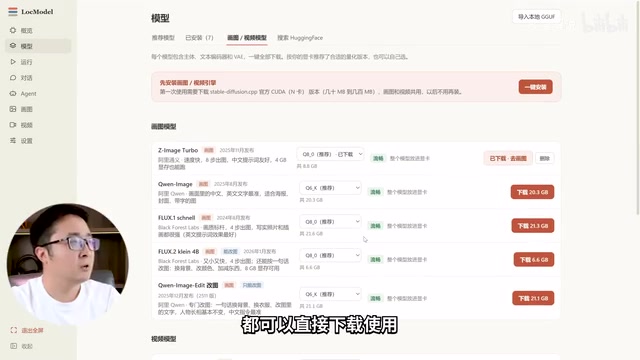
LocModel: The Local AI Deployment Powerhouse — Run Open-Source Models and AI Generation with One Click
LocModel is a local AI deployment tool that auto-adapts to hardware, downloads open-source models with one click, and supports image/video generation, uncensored LLMs, and Agents — completely free.

Antigravity CLI: Free Access to Top Gemini and Claude Models in the Terminal
Antigravity CLI (agy) claims to offer free access to top models like Gemini 3.1 Flash and Claude Sonnet in the VS Code terminal, with installation in seconds. This article breaks down its workflow, the value of in-terminal model calls, and the security and sustainability questions behind the free claim.

Chatbots vs. AI Agents: Key Differences and How to Choose
Chatbot vs. AI agent: how do they differ? We break down the three dimensions—tools, memory, workflow—compare four real scenarios, and offer risk-control advice and selection criteria.