Free and Open Source! A Small Tool That Automatically Monitors DeepSeek's Official Pricing
Bilibili creator launches a DeepSeek API price-drop alert tool with scheduled checks and WorkBuddy integration.
The article introduces a small desktop tool by Bilibili creator "Jiuhe" that automatically queries DeepSeek's official per-million-token input and output prices, popping up a system notification only when prices drop and staying silent otherwise. It has a built-in crawler, runs in theory on Mac but without scheduled checks, and the installer is about 10MB with a wizard that completes in seconds and self-deletes (latest version 0.9.6). Users can set checks once a day, N times a day, or on a schedule. It also integrates with WorkBuddy, auto-querying when conversations mention "DeepSeek price drop" or "price." The project is semi-open-source with the installer and some code on GitHub, currently supports only DeepSeek, and suits cost-sensitive API users.
Title
Free and Open Source! A Small Tool That Automatically Monitors DeepSeek's Official Pricing
Meta Description
Bilibili creator Jiuhe releases a free, semi-open-source desktop tool that automatically checks DeepSeekAd's official per-million-token input and output prices, pops up a system notification when prices drop, supports scheduled checks and WorkBuddy integration, with installation and configuration tutorial included.
Article Content
For developers who frequently call the DeepSeek API, official price adjustments directly affect project costs. Manually checking the pricing page is both tedious and easy to miss a price-drop window. Bilibili creator "Jiuhe" has released a small desktop tool specifically designed to automatically query DeepSeek's official per-million-token input and output prices and proactively pop up a notification when prices drop.
Core Feature: Only Alerts on Price Drops, No Daily Interruption
According to the creator, the tool's core logic is to trigger a system popup only when a price decrease is detected, remaining completely silent when there is no price drop. The popup shows whether the price has dropped and by how much; if not manually closed, it stays on the desktop. This design avoids the disturbance of frequent notifications and is suitable for developers who need to track API costs over the long term.
The tool has a built-in crawler, so in theory it can also run on Mac, but the creator notes that scheduled checks are not available on Mac. The latest version is 0.9.6, which the creator mentions in the video happens to match his own birthday.
DeepSeek API billing is measured in "per million tokens," where tokens are the basic unit of text processed by the model: one Chinese character roughly corresponds to 1–2 tokens, and an English word usually corresponds to about 1 token. API calls distinguish between input tokens (the prompt content sent to the model) and output tokens (the reply generated by the model), and the two unit prices are usually different—output is generally more expensive than input. That's why the tool monitors both the input and output dimensions separately; a price-drop alert is only meaningful this way—developers need to estimate costs based on their own business's input/output ratio rather than looking at a single price figure.
Installation and Configuration: Done in Under Ten Minutes
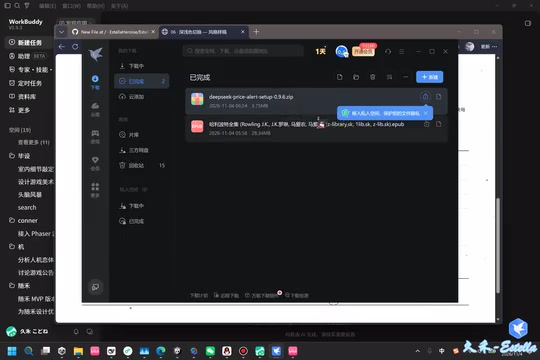
The download process is fairly straightforward: follow the link in the video comments to the creator's profile page, enter the "price drop alert" entry, and click the GitHub repository address to download. The entire archive is about 10MB; after extracting, double-click to run "Install Bot," and the browser will pop up an installation wizard.
The installation wizard offers multiple options, with "automatic popup" selected by default. The creator recommends also checking WorkBuddy's skill to ensure a complete line of defense—"you need both."
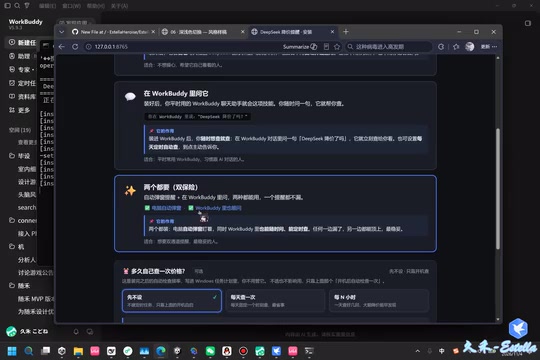
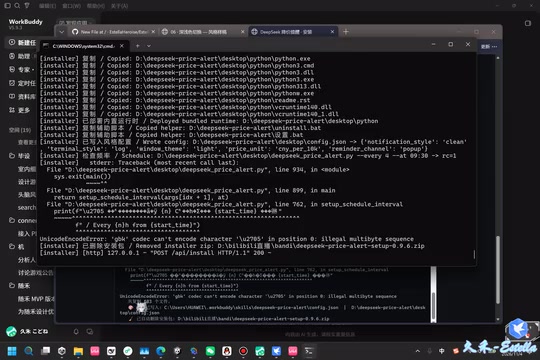
The installation takes only a few seconds, and the installer is automatically deleted when complete. The creator specifically notes that if you deliberately cancel the deletion, the installer will be retained; if installation runs into problems, just re-download and reinstall. Uninstallation is likewise done through the uninstaller in the installation directory.
Scheduling Strategy and WorkBuddy Integration
The tool lets users customize the check frequency: once a day, N times a day, or a specific time interval. This flexibility allows users to adjust the monitoring intensity according to their sensitivity to price fluctuations.
More noteworthy is the WorkBuddy integration. After the user selects any skill in WorkBuddy, as long as the conversation involves keywords related to "DeepSeek price drop" and "price," the tool will automatically execute the query and return whether the price has currently dropped. In the demo, the creator mentions that the response speed is average, but the feature itself works.
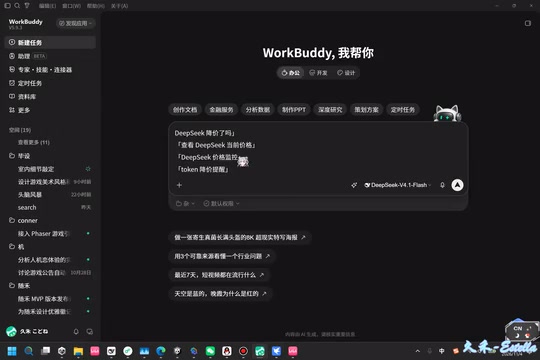
WorkBuddy is a desktop AI assistant tool the creator previously developed, which supports extending functionality through skills (skill plugins). The integration mechanism here is not that the tool directly calls WorkBuddy's interface; rather, after the user triggers a skill in WorkBuddy, that skill recognizes keywords in the conversation, hands them off to the price-drop query tool for execution, and then returns the result to the conversation. This keyword-triggered design is simple to implement and requires no complex integration, but it also means queries don't run in real time in the background—response speed is affected by the conversation flow, making it suitable for occasional manual queries rather than high-frequency monitoring.
Semi-Open-Source Model and Usage Recommendations
The creator describes the project as "semi-open-source": the GitHub repository provides the installer and some of the code, but not the full source code. For privacy-conscious users, the built-in crawler means the tool actively visits DeepSeek's official page to obtain data, so it's recommended to use it on a trusted network.
In terms of practical value, this tool solves a specific pain point: API price changes lack a proactive notification channel. For individual developers and small teams relying on the DeepSeek API, price-drop alerts can help them promptly adjust model-calling strategies or re-evaluate cost budgets. However, the tool currently has rather limited functionality—it only targets DeepSeek, and features are restricted on Mac. It would be more useful in the future if it could be extended to multi-platform price monitoring.
At the end of the video, the creator says "that's roughly how it is" and encourages users to explore and change the time window settings themselves. Overall, this is a lightweight, free, and highly targeted auxiliary tool that's worth trying for cost-sensitive DeepSeek API users.
"Semi-open-source" is fairly common in individual developer projects: the repository publishes the installer and some code, but the core logic or packaging configuration is not open. The advantage of this model is that users can directly use the finished product, lowering the barrier to entry; the cost is that they cannot audit the full implementation and find it difficult to modify or do secondary development themselves. Since the tool's built-in crawler actively visits DeepSeek's official pricing page, users should watch out for whether its request frequency triggers the site's access limits, as well as the risk of data exposure when running on an untrusted network; for privacy-sensitive scenarios, consider running it in an isolated environment or virtual machine.
One-line Summary
Bilibili creator launches a DeepSeek API price-drop popup alert tool with scheduled checks and WorkBuddy integration.
Paragraph Summary
This article introduces a small desktop tool developed by Bilibili creator "Jiuhe" for automatically querying DeepSeek's official per-million-token input and output prices. It pops up a system notification only when a price drop is detected and stays completely silent otherwise. The tool has a built-in crawler; it can theoretically run on Mac but cannot do scheduled checks there. The installer is about 10MB; after extracting, run the installation wizard, which completes in seconds and auto-deletes the installer. The latest version is 0.9.6. Users can customize checks to once a day, N times a day, or on a schedule. The tool also integrates with WorkBuddy, automatically querying when the conversation involves keywords like "DeepSeek price drop" and "price." The project is semi-open-source, with the installer and some code available on GitHub, and currently only supports DeepSeek—suitable for cost-sensitive API users.
Related articles
Gemini 4 Hydrogen Hands-On: Google's Fastest and Cheapest AI Model
Hands-on with Gemini 4 Hydrogen: the fastest, cheapest model in the Gemini 4 family. We break down the Carbon/Argon/Hydrogen split, API pricing traps, free-tier limits, and the cost trade-offs of four thinking levels—with a real bug-debugging demo.
Gemini 4 Hydrogen vs Sonnet Comparison Test: Uses Only 1% of Weekly Quota, Performance on Par
Hands-on test: Gemini 4 Hydrogen vs Sonnet on the same CRUD task—Hydrogen used only 1% weekly quota with comparable performance and better UI details, while Anthropic's model used 7%. Developer says daily tasks don't require expensive models.
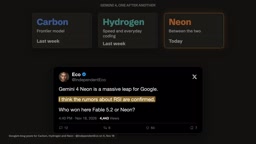
Gemini 4 Neon Released: Beats Opus 5.5 on Multiple Benchmarks, Google Returns to the Top Tier
Google DeepMind releases Gemini 4 Neon: 61 on the Artificial Analysis intelligence index (3rd) and 1st on the coding index, beating Opus 5.5 on multiple benchmarks. $3/$15 per million tokens; available in the Gemini API and AI Studio.