Getting Started with Claude Code: A Beginner's Guide to AI-Powered Coding
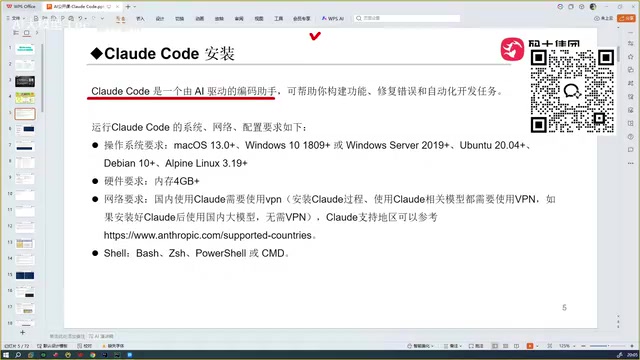
Claude Code uses local Agent mode to read entire projects and auto-debug, making it the top-rated AI coding tool in hands-on tests.
Claude Code is Anthropic's locally-run AI coding agent. Unlike conversational tools like DeepSeek or ChatGPT, it uses Agent mode to traverse your entire codebase as context, then autonomously generates, executes, captures errors, and iterates until the code is correct. The article traces the evolution from Copilot's autocomplete to Cursor and TRAE's automated coding, then concludes — after testing all major tools — that Claude Code delivers the strongest overall experience, driven by its powerful Sonnet model. TRAE remains popular for Chinese users due to its free domestic tier, and Codex with GPT-5 is competitive, but Claude Code is considered a full tier above the rest.
What Is Claude Code: A Locally-Run AI Coding Assistant
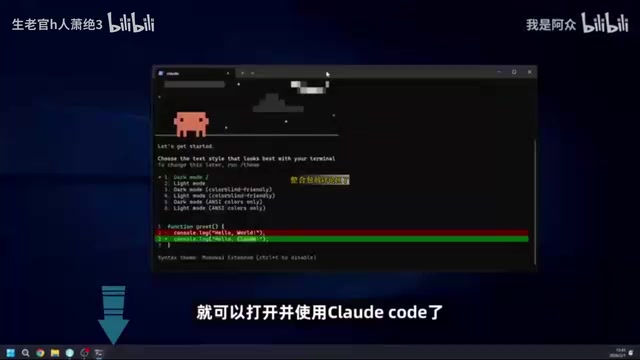
Claude Code is an AI coding assistant whose standout feature is that it runs entirely locally — no need to log into any website. Once installed on your machine, you can call it directly from your development environment to work on projects.
It does have some OS requirements, but virtually all mainstream systems are supported. For beginners just getting into AI-assisted programming, this "install and go" approach lowers the barrier to entry significantly — no more tedious copying and pasting between a browser and your editor.
How It Differs from Chat-Based Coding with DeepSeek or ChatGPT
Many people are used to opening DeepSeek or ChatGPT and coding through conversation — but this approach has obvious limitations. The model can only give you a code snippet; you have to bring it back to your project, run it, test it, and if it breaks, go back and continue the conversation. After several back-and-forth rounds, you might finally get something that works.
The more critical issue is context. Conversational AI cannot read through your entire project. If your codebase spans hundreds of files, the model has no visibility into them — you have to manually tell it what exists and what's missing.
Claude Code works completely differently. According to hands-on demonstrations, it can:
- Read through the entire project and pass all of it as context to the underlying model
- Generate code that aligns with your actual business logic, based on that complete context
- Automatically debug and fix errors, ultimately delivering a correct, working version of the code
In other words, it's a tool that leans much closer to "automated development" than a code Q&A bot. That's the core reason it spread so quickly — it's genuinely capable, and word of mouth travels fast.
A note on "context": Context is the key concept for understanding the generational gap between AI coding tools. Large language models have a "context window" — a maximum amount of text they can process in one pass. In conversational AI, each message typically only includes whatever snippet the user pastes in; the model never sees the rest of the project. Claude Code, by contrast, operates in Agentic mode: it automatically traverses the local file system, aggregates relevant file contents, feeds them into the model, and then autonomously executes a series of actions based on the output — writing files, running commands, capturing errors, and fixing them. This forms a "plan → execute → observe → correct" loop that runs until the task is complete. This autonomous execution loop is what fundamentally distinguishes it from simple chat-based coding, and why the industry classifies it as an "AI Coding Agent" rather than an "AI Coding Assistant."
The Evolution of AI Coding Tools: From Copilot to Claude Code
Claude Code isn't the first AI coding tool. Looking back at the lineage of these tools makes its place in the landscape much clearer.
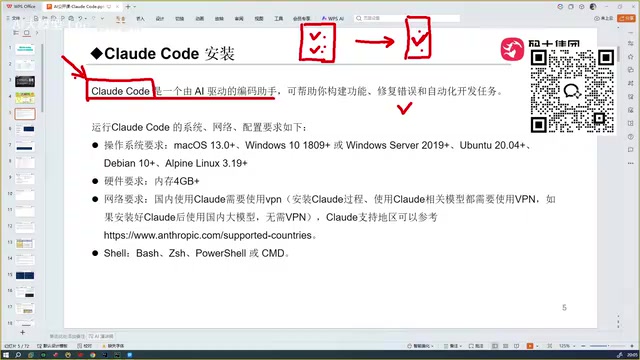
The Early Days of Autocomplete: Copilot
The first tool that felt truly "disruptive" to developers was GitHub Copilot (which originated from the OpenAI ecosystem), offering automatic code completion that genuinely impressed people at the time.
Background: GitHub Copilot launched in 2021, initially powered by OpenAI's Codex model (a GPT derivative trained specifically on code), later upgraded to the GPT-4 series. It integrates into editors like VS Code as a plugin, and its core capability is predicting and completing code lines in real time based on your cursor position and existing code — essentially "intelligent autocomplete at the code level." Copilot's limitation is that it's reactive — it only provides suggestions when you type, and doesn't proactively understand the broader intent of your project, break down tasks, or execute commands. This is fundamentally different from the "actively plan and execute" paradigm represented by tools like Cursor and Claude Code. Copilot's historical significance lies in validating the commercial viability of AI-assisted programming, laying the groundwork for the entire sector's explosion.
Moving Toward Automated Coding: Cursor and TRAE
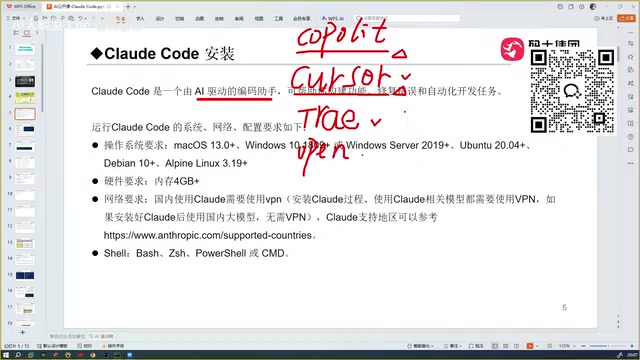
Next came Cursor, widely regarded as another "explosive" leap in experience. It goes well beyond simple completion and can handle automated coding — its capabilities are genuinely comparable to Claude Code today.
After that came TRAE, available in both international and domestic (Chinese) versions. For users in China, the domestic version is the recommended choice, since the international version is paid — and so is Cursor. TRAE is localized for Chinese users and handles Chinese-language semantics quite well. Before discovering Claude Code, the author considered TRAE the most complete coding tool available.
OpenCode: Relatively Hard to Use
OpenCode also gets a mention — while it's covered in some tutorials, the consensus is that it's the least user-friendly of all the coding tools discussed and isn't particularly recommended for beginners.
Why Claude Code Comes Out on Top
After hands-on testing of Copilot, Cursor, TRAE, OpenCode, and domestic Chinese models like Qianwen and GLM, the conclusion is clear: Claude Code is the best tool of the bunch.
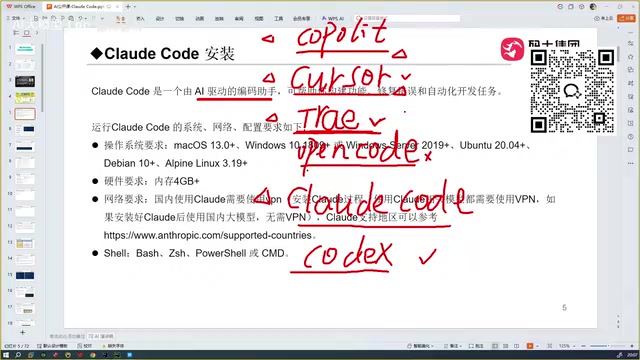
The core reasoning is straightforward: the capability of any AI coding assistant ultimately comes down to the underlying model powering it. Claude Code is backed by the Sonnet model (with even more powerful options available), which gives it a distinct edge in code quality.
Here's a quick comparison of the key tools:
- TRAE: Great for Chinese users — it's free domestically and handles Chinese well — but its code accuracy starts to slip in more technically complex scenarios.
- Codex: When configured with OpenAI's GPT-5, its coding ability is said to rival Claude Code, and its strength is acknowledged — though personally used less frequently.
- Claude Code: The strongest overall experience. It's been described as something that gives professional developers "a deep sense of unease" — it's a full level above TRAE.
It's worth noting that these assessments reflect one individual's real-world experience. Model capabilities and tool ecosystems evolve rapidly, so any actual tool selection should take into account your specific project needs and budget.
A note on Sonnet: Sonnet is one of Anthropic's (the company behind the Claude model family) tier names. Anthropic currently classifies Claude models into three tiers: Haiku (lightweight and fast), Sonnet (balanced, strong overall capability), and Opus (most powerful but slower). Claude Code defaults to the Sonnet tier, though users can manually switch to a higher-tier model. Anthropic has consistently ranked among the top performers on code generation and long-context understanding benchmarks, which is the underlying reason Claude Code has earned recognition from so many developers in practice. It's also worth noting that Claude Code is a tooling layer — the model itself is served via Anthropic's API, so usage typically requires an API Key and is billed per token. This differs from the subscription-free domestic version of TRAE, a cost consideration worth factoring into any decision.
Where Should Beginners Start
For everyday users, Claude Code's value lies in upgrading the "copy-paste and debug in circles" experience of conversational coding into an integrated workflow: read the whole project, generate code, and auto-correct — all in one loop.
Getting started isn't complicated: verify system compatibility, install locally, invoke it from your development environment, and learn by working through concrete examples.
The real learning curve isn't installation — it's understanding how Claude Code works. Handing it your entire project as context, and letting the AI operate with complete information, is exactly what sets it apart from conversational AI. That's the key insight.
Related articles
Using Claude Code for Free in China: A Complete Guide to Connecting Free Domestic Models
A step-by-step guide for China-based users to run Claude Code for free by connecting Meituan's open-source LongCat model API — no paid subscription needed.

14K Stars Open-Source Desktop App cc-haha: 5 AI Agents That Divide and Conquer on Their Own
cc-haha, the open-source Claude Code desktop app with 14K Stars, adds Agent Teams: 5 AI agents autonomously divide tasks, with a 99% cache hit rate on 40M tokens.
ComfyUI Video Workflow Showdown: MiniMax H3 vs LTX 2.5 Ripple
Compare MiniMax H3 Viggle-Animate vs LTX 2.5 Ripple in ComfyUI: motion transfer vs video editing, RTX 3060 6GB benchmarks, and how to choose the right workflow.