Using Claude Code for Free in China: A Complete Guide to Connecting Free Domestic Models
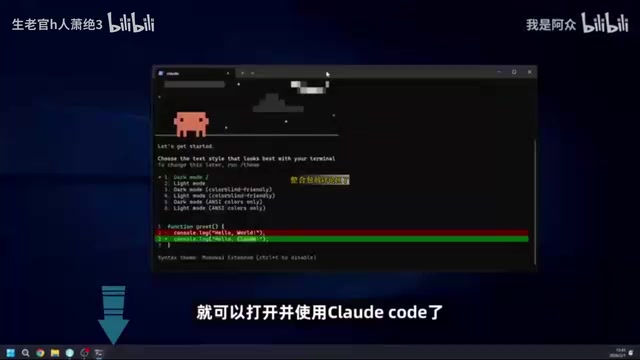
Connect Meituan's free LongCat API to Claude Code for zero-cost AI Agent development in China.
This guide walks China-based users through a free, zero-cost way to use Claude Code — Anthropic's terminal-based AI Agent tool — by replacing the official paid backend with Meituan's open-source LongCat Flash Thinking model. It covers both CLI and IDE plugin installation methods, then details how to configure the API key and edit two config files (settings.json and .claude.json) to bypass official authentication. LongCat offers 500K free Tokens daily (upgradable to 5M), 560B parameters, and deep reasoning suited for Agent tasks. A practical demo shows how to use "reverse questioning" to build a to-do web app end-to-end.
Claude Code is currently one of the most talked-about AI Agent tools available. It goes far beyond writing code — it can generate copy, control your computer, and handle all kinds of tedious daily tasks. But for users in China, two barriers often get in the way: a complicated setup process and the fact that the official model requires a paid subscription. This guide is based on a hands-on tutorial by Bilibili creator "阿仲" and lays out a complete, zero-cost solution for using Claude Code in China — accessible even to complete beginners.
Two Ways to Install Claude Code
Claude Code is essentially an AI Agent that runs in your terminal. There are two main approaches to installing it.
The first is the most direct and technical: the command-line (CLI) method. On Windows, search for and open a PowerShell window, paste in the official installation command, and wait a moment for it to complete. However, you won't be able to use it right away — the system's environment variables don't yet include the path to Claude Code. Open the Environment Variables settings, add Claude Code's installation directory to the Path entry under user variables, then restart PowerShell. You're good to go.
The second method is more beginner-friendly: install it as a plugin through a programming IDE. All AI coding tools built on VS Code — whether Cursor internationally, or domestic options like TreeCoder and CodeBuddy — let you search for and install Claude Code directly from the plugin marketplace. Once installed, you can launch it right inside the editor.
On a technical level, Claude Code is a Node.js-based command-line tool distributed as an npm package (@anthropic-ai/claude-code). It works by running an AI Agent loop in your local terminal: receive a user instruction → call a large model API to generate an action plan → execute local file reads/writes, terminal commands, and code modifications → feed the results back to the model for the next decision. This "perceive-think-act" loop is what sets it apart from ordinary chat-based AI — it can genuinely complete complex, multi-step tasks. Because it's fundamentally just an API client, you can replace the backend model with any third-party service that's compatible with the OpenAI API format, simply by editing a config file.
The Critical Step: Configuring a Domestic Model API
Installation is only the first step. What really determines whether you can use Claude Code for free is configuring the API endpoint and key for a large language model.
If you have an official Claude account with a paid subscription, you just log in and authorize through the web prompt. But for most users in China, an official subscription isn't practical. Fortunately, a number of domestic large models already support Claude Code — and one standout option is LongCat Flash Thinking (referred to as "LongCat" in the original video), an open-source model released by Meituan.
Its biggest advantage is that it's free — every user receives a generous daily Token quota. Compared to other domestic models that require a paid subscription to use with Claude Code, this is a significant draw.

On the performance side, the model has 560 billion parameters and is purpose-built for AI Agent workflows and deep reasoning. This matters a lot for Claude Code: the tool isn't just for chatting — it's actively editing code and running terminal commands. Ordinary models tend to dive in impulsively and introduce a pile of bugs. LongCat's built-in deep reasoning mode means it first breaks down complex logic before generating any code.
Understanding Token quotas is key to grasping why this free approach works. A Token is the basic unit models use to process text — roughly 1.5 Chinese characters or 4 English characters per Token. Both input (including conversation history) and output consume Tokens. In Agent scenarios like Claude Code, where the model repeatedly reads file contents and logs action history, a single task can easily consume tens of thousands of Tokens — far more than a typical chat session. A daily free quota of 500,000 Tokens is quite comfortable for light, everyday use, though large-scale refactoring of a big codebase might require applying for a higher limit.
Step-by-Step Setup: From Registration to Running It
The actual setup involves a few distinct steps — just follow along.
Getting Your API Key and Free Credits
Open the LongCat API platform, register and log in. You'll see that the platform grants 500,000 free Tokens, and this quota refreshes every day — use it up today and it resets tomorrow. If you need more, click to apply for additional credits, fill in your industry and use case, and you can quickly get 5 million Tokens.
Next, click the API Key menu on the left, create a new key, and copy it somewhere safe. Then open the API documentation page — the official docs already lay out the configuration for connecting to Claude Code clearly. The core is a single configuration block.
Editing the Config Files
Open the Claude Code configuration directory on your computer — the .claude folder inside the folder named after your username. Edit settings.json inside it, paste in the configuration you copied from the docs, replace the key placeholder with the API key you just copied, and update the model name to match the LongCat model name.

There's one easily overlooked but critical config step: find the .claude.json file in your home directory and add a new configuration entry at the end of the file. This tells Claude Code to skip Anthropic's official login authentication. Without this, it will keep prompting you to log into an official Claude account and the whole process gets stuck.
Once configuration is complete, create a new project directory on your desktop, switch to it in PowerShell, and launch Claude Code with the claude command. You'll now be chatting with the LongCat model. Interestingly, if you ask it who it is, it will say it's the official Claude model — but under the hood it's LongCat. You can verify this by checking the API platform dashboard and seeing Token consumption being recorded there.
The "skip official login" entry you add to
.claude.jsonessentially switches Claude Code into a "custom API provider" mode. By default, Claude Code runs an OAuth flow to verify an official Anthropic account before allowing any API calls. When a custombaseURL(i.e., a third-party model endpoint) is specified in the config, the client will still attempt the official login flow and refuse to continue if it fails — unless you also declare the bypass. This field is typically"bypassAuth": trueor a similar boolean, but check the official LongCat documentation for the exact field name. Note that all authentication and usage control then shifts entirely to the third-party platform's API Key mechanism, so keep your key secure and avoid leaking it.
Hands-On: Building a Small Tool
Now that everything's running, what can you actually do with it? The most common and satisfying use case is having it build a small utility for you.
The video demonstrates building a to-do list web app. Here's a useful trick worth borrowing: don't dump all your requirements up front. Instead, let the model ask you questions first. After some thinking, it will ask which core features you want (with space-bar multi-select), then follow up about data storage, visual style, and advanced features. If the listed options don't cover what you need, you can add your own. Once requirements are confirmed, it handles development automatically — and a fully functional to-do webpage is ready in no time.
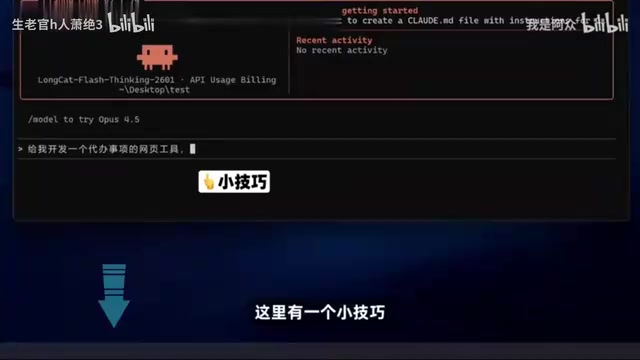
This "reverse questioning" approach is very beginner-friendly — it prevents rework caused by vague descriptions and helps people who aren't familiar with product design articulate complete requirements.
A Quick Note: Deep Thinking in the Web Interface
Beyond integrating with Claude Code, you can also use LongCat's Flash Thinking model directly on the LongCat website, where the deep thinking capability is more visually apparent. With deep thinking mode enabled, the model simultaneously runs 8 independent "thinkers" in parallel, then aggregates all 8 reasoning streams into a comprehensive, thorough answer — ideal for breaking down complex problems.
Wrap-Up
The core logic of this whole approach is straightforward: replace Claude's official paid service with a free domestic model API to use Claude Code at zero cost. Install, configure the API, skip the official login, verify it works — four steps and you're up and running. For users in China who want to try out AI Agents without paying for a subscription, this is an extremely low-barrier path. One caveat: third-party integration solutions like this depend on the platform's free tier policies and model compatibility, so always refer to official documentation before getting started.
Related articles
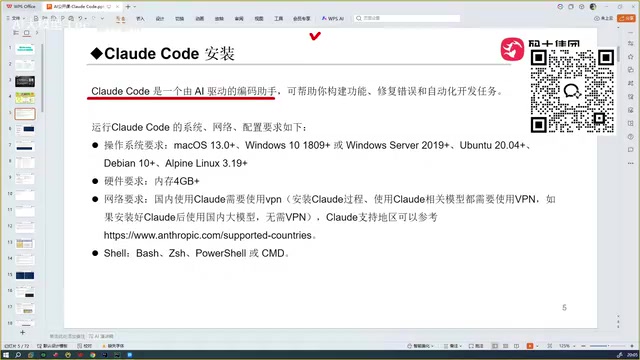
Getting Started with Claude Code: A Beginner's Guide to AI-Powered Coding
Claude Code is a locally-run AI coding agent that reads your entire project and auto-debugs code. Compare it with Copilot, Cursor, TRAE, and Codex to see why it leads the pack.

14K Stars Open-Source Desktop App cc-haha: 5 AI Agents That Divide and Conquer on Their Own
cc-haha, the open-source Claude Code desktop app with 14K Stars, adds Agent Teams: 5 AI agents autonomously divide tasks, with a 99% cache hit rate on 40M tokens.
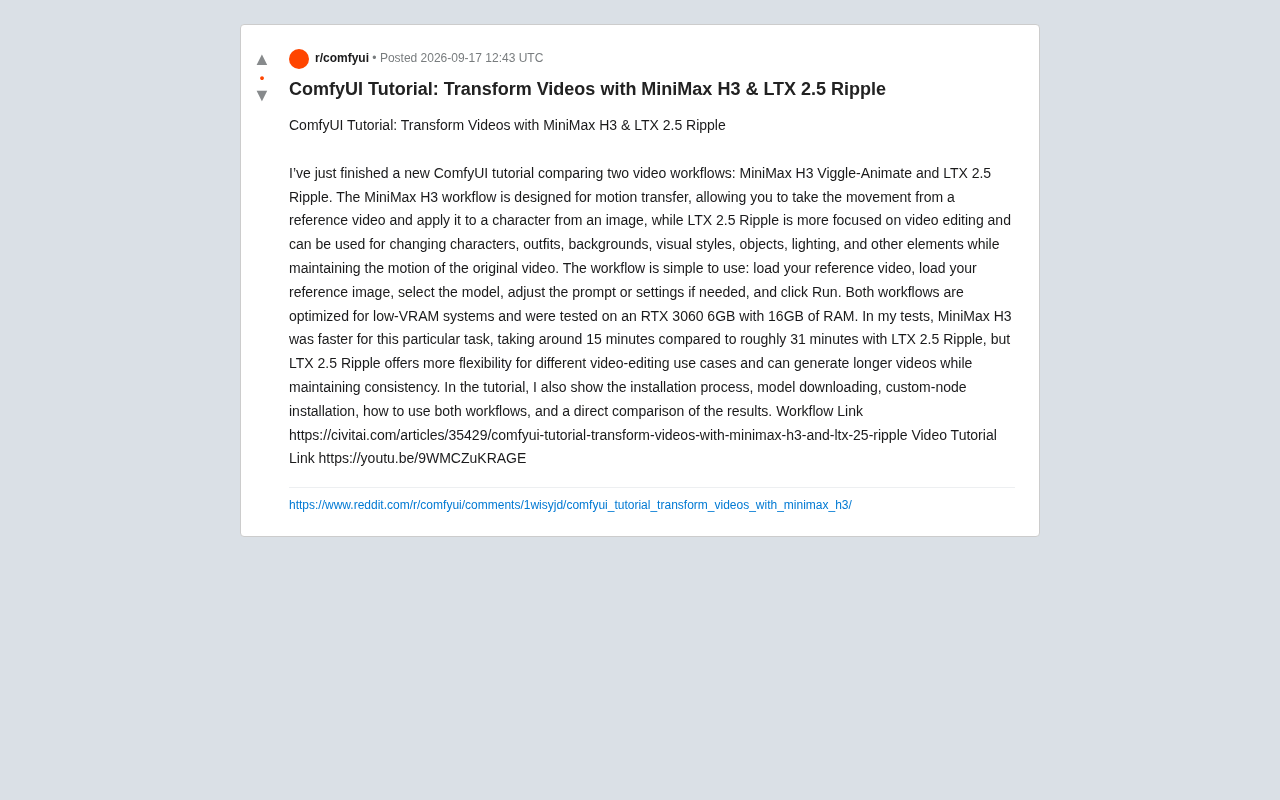
ComfyUI Video Workflow Showdown: MiniMax H3 vs LTX 2.5 Ripple
Compare MiniMax H3 Viggle-Animate vs LTX 2.5 Ripple in ComfyUI: motion transfer vs video editing, RTX 3060 6GB benchmarks, and how to choose the right workflow.