Getting Started with Claude Code: An AI Coding Assistant That Actually Touches Your Code

Claude Code is an AI coding assistant that reads, edits, and runs code in your actual project — not just chat.
Claude Code by Anthropic is more than a chatbot — it's an AI assistant that works directly inside your project, reading files, modifying code, and running commands autonomously. This article compares it to standard AI tools like ChatGPT across five dimensions: interaction model, context awareness, execution, memory, and tool calling, helping developers decide if it's worth adopting.
Recently, Claude Code from Anthropic has been gaining rapid traction in the developer community. As an AI coding assistant that can directly "get its hands dirty" on your machine, it's fundamentally different from the web-based chat tools we're used to — like ChatGPT or DeepSeek. Based on hands-on testing, this article gives you a quick look at what Claude Code actually is and why it deserves a developer's attention.
What Exactly Is Claude Code
Claude Code is an AI coding assistant — but its defining characteristic is that it doesn't just chat, it takes action.
You simply tell it what you want in plain, natural language, and it understands your project and handles the rest: reading code, creating files, modifying logic, running commands, even executing tests. This is a significant departure from traditional "Q&A-style" AI interactions.
Here's a useful analogy: using a typical AI chatbot is like calling a remote consultant on the phone — knowledgeable, sure, but you have to clearly explain the problem and then manually implement the answer yourself. Claude Code is more like having an assistant sitting right next to you — one who can browse your folders and edit your code directly, with no back-and-forth relay required.
Five Dimensions: Claude Code vs. Ordinary AI Chat
To get a concrete sense of what makes Claude Code powerful, here's a comparison across five dimensions against standard web-based AI tools.
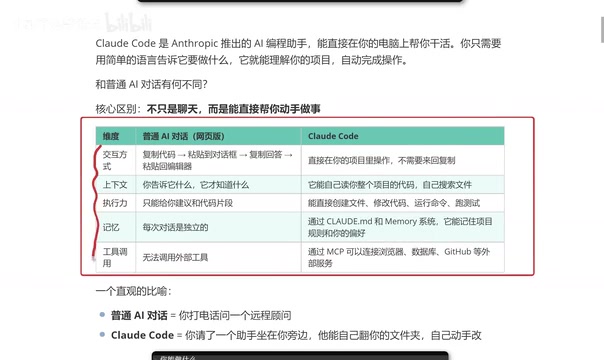
Interaction Model
When using ChatGPT or DeepSeek, the typical workflow looks like: copy code → paste into chat → copy the response → paste back into your editor. Claude Code operates directly inside your project, eliminating that tedious copy-paste cycle entirely.
Context Awareness
Ordinary AI only knows what you explicitly tell it — context is entirely manual. Claude Code can automatically read your entire project's codebase and proactively search for relevant files, which makes it especially powerful when dealing with complex, multi-file projects.
Execution Capability
Most AI tools can only produce code snippets. When faced with a real-world project consisting of many files and intricate logic, they struggle to deliver complete, working solutions.
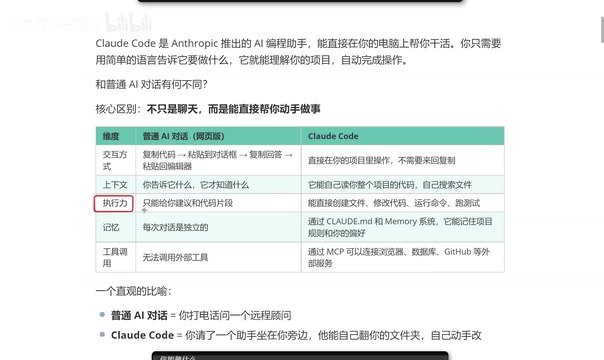
Claude Code, by contrast, can create files, modify code, run commands, and execute tests — delivering true end-to-end results.
Memory and Tool Calling
Memory: Remembering Your Project Rules and Preferences
A persistent pain point with ordinary AI chat is that closing a window and starting a new conversation wipes out all prior context. Claude Code uses configuration files to remember your project conventions and personal coding preferences, even preserving your coding style across sessions. The more you use it, the better it "gets" you.
Tool Calling: Connecting to the Outside World
Web-based AI tools typically can't call external services. Even when plugin support is available, setup tends to be cumbersome — and some features require paid upgrades.
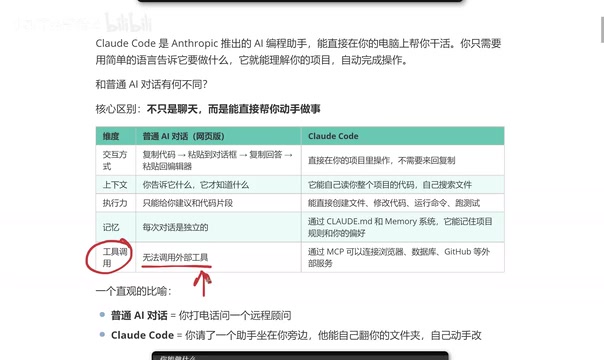
Claude Code uses MCP (Model Context Protocol) to connect relatively smoothly to external services like browsers, databases, and GitHub, significantly expanding what it can do.
What Claude Code Can Actually Do
During hands-on testing, when asked "what can you do?", Claude Code provided a comprehensive list of capabilities:
- Code tasks: Read, edit, and create files; search through codebases; refactor code; add comments and documentation
- Project management: Git operations, task list management, and support for long-running background tasks

- Information retrieval: Scrape and analyze web pages, perform web searches, fetch real-time data
- Other capabilities: Scheduled reminders, creating dedicated agents to handle complex tasks, and more
For developers, this combination of capabilities is genuinely practical.
Claude Code vs. Cursor: Should You Switch?
Many developers are asking: I've been using Cursor — should I move to Claude Code?
Based on real-world feedback, whichever tool fits your workflow is the right choice. That said, some frontend developers who made the switch to Claude Code noted two key impressions:
First, token usage is more efficient, resulting in lower overall costs in practice.
Second, output quality feels more aligned with expectations. Everything Cursor can do, Claude Code can handle as well — and in certain scenarios, the results are noticeably more satisfying.
Ultimately, this comes down to personal workflow preference, and your mileage may vary depending on your specific situation.
Wrap-Up
Claude Code represents the evolution of AI coding tools from "Q&A consultant" to "hands-on assistant." Across all five dimensions — interaction model, context awareness, execution capability, memory, and tool calling — it meaningfully outpaces traditional AI chat tools. If you're a developer looking to boost productivity, it's well worth installing and putting through its paces on a real project.
Related articles

Alibaba Launches Happy Shrimp: AI-Powered One-Click Complete Song Generation
Alibaba launches Happy Shrimp, an AI music generation tool that creates complete songs with lyrics, melody, arrangement, and vocals from natural language descriptions. In-depth analysis of its core features, differentiation from competitors like Suno, and industry impact.
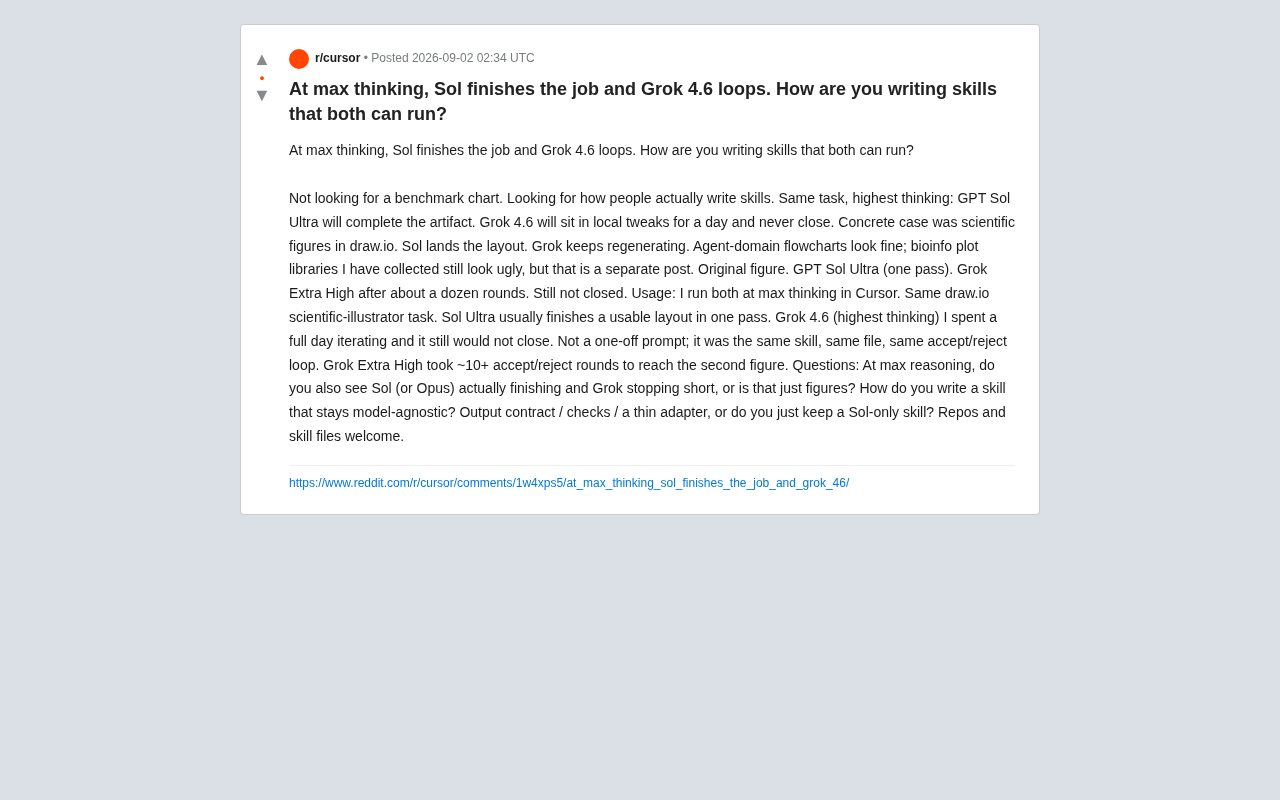
GPT Sol Ultra vs Grok 4.6: Real-World Task Completion Benchmark in Reasoning Mode
Developer benchmark reveals GPT Sol Ultra completes draw.io scientific diagrams in one iteration while Grok 4.6 fails to converge despite maximum reasoning mode, exposing that reasoning depth ≠ task delivery capability.
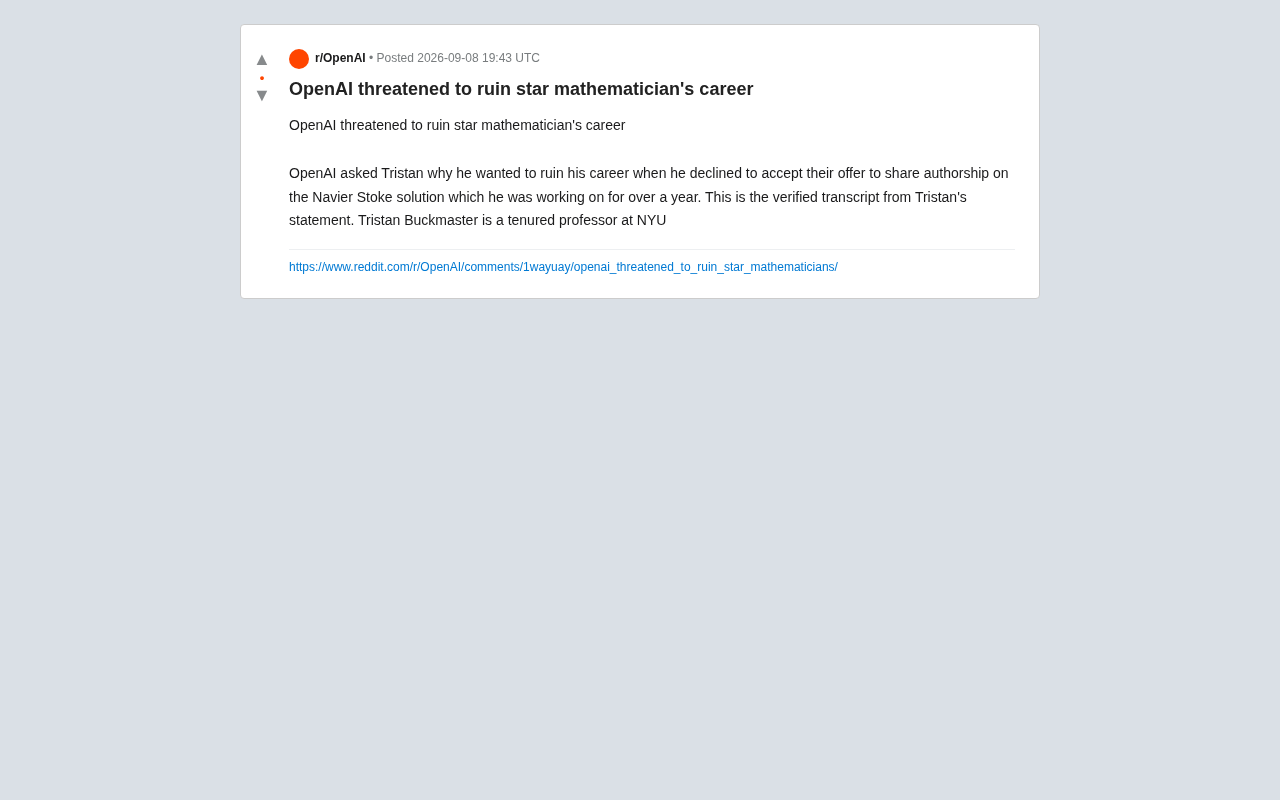
OpenAI Authorship Dispute: The Battle Over Academic Boundaries in the AI Era
OpenAI disputes authorship with mathematician Tristan Buckmaster over Navier-Stokes research, raising ethical questions about AI involvement in science.