Getting Started with Claude Code: An AI Coding Partner Built for Agents, Not Chat

Claude Code is an AI Agent that autonomously executes engineering tasks inside your local project — not a chat-based code generator.
This introductory article in the Claude Code tutorial series helps readers build the right mental model from the start. The core message: Claude Code is an Agent tool, not a Chat tool. It reads local project files, runs Shell commands, executes tests, and self-corrects based on results — forming a complete working loop rather than just generating text. A comparison with the Claude web interface across four dimensions (interaction, file access, execution, and context awareness) makes the distinction concrete. The series targets independent developers, maintenance engineers, and tech leads who have basic programming skills and are willing to understand the code rather than fully delegating engineering judgment to AI.
Claude Code: Built to Work, Not to Chat
Claude Code is Anthropic's AI-powered coding collaboration tool built for developers. The first step to understanding it is letting go of the idea that it's a "chatbot that writes code." It's not designed to generate a few snippets inside a chat window — it's designed to execute high-privilege, context-aware engineering tasks directly inside your local codebase.
In practical terms, Claude Code can read your project files, run tests, and modify code based on the results. It works inside a real engineering environment, not a conversation box. That distinction may seem subtle, but it shapes the entire way you use the tool — it's not a code generator, it's an AI coding partner that understands your project, grasps context, and respects constraints.
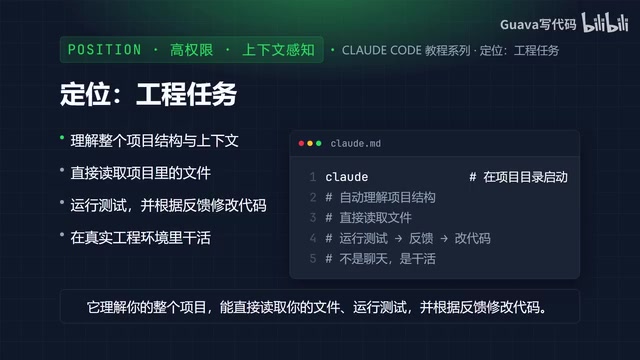
There's one core concept that runs through this entire tutorial series, and it's worth committing to memory: Claude Code is an Agent tool, not a Chat tool. Being an agent means it can autonomously execute tasks — given a goal you define, it can invoke tools, manipulate files, and verify results, forming a complete working loop rather than passively answering questions.
Agent is one of the defining concepts in modern AI, and it's fundamentally different from traditional question-and-answer language models. In a standard Chat setup, the model responds to a single input, outputs text, and the interaction ends. In an Agent setup, the model is given a set of tools — reading and writing files, executing terminal commands, calling external APIs — and can decide what action to take next based on what those tools return. This creates a loop: perceive → decide → act → feedback. The loop continues until the goal is reached. Claude Code is a direct implementation of this architecture: it treats your local codebase as its operating environment, uses the file system and Shell as its core tools, and upgrades "write me some code" into "get this done inside your project." Understanding the autonomous nature of agents also helps you set the right expectations — it will take initiative, so when giving it instructions, you need to define boundaries and goals more clearly than you would in a casual chat.
Who This Tutorial Series Is For
This series has a learning curve, but it's not steep. If you've learned at least one programming language — JavaScript, Python, Java, Go, or anything else — can read basic syntax, understand functions, conditionals, and loops, and have built simple projects or practice exercises, you have everything you need to follow along.
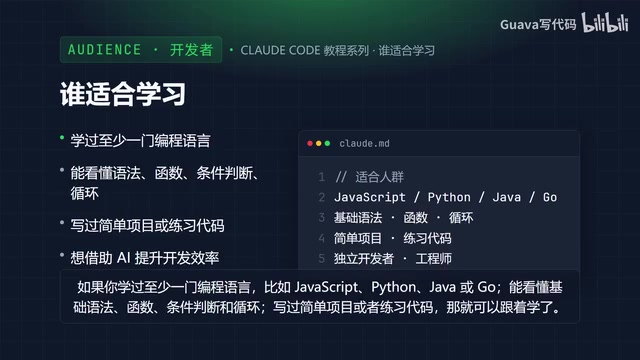
In terms of audience profiles, this series is a strong fit for:
- Independent developers who want to significantly boost their productivity with AI;
- Engineers maintaining long-lived projects, where Claude Code's awareness of project structure and history is especially valuable;
- Tech leads and core team members who need to evaluate how AI tools can realistically integrate into real-world engineering workflows.
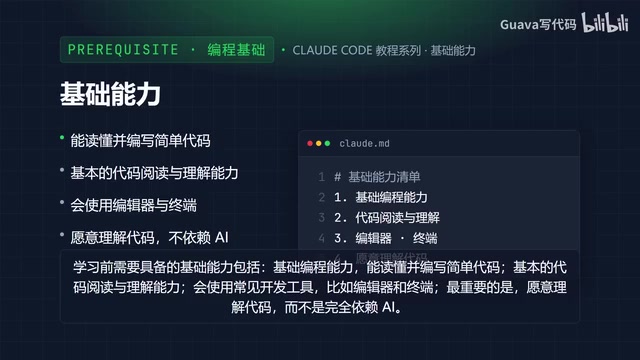
Three foundational skills are assumed: basic programming ability (you can read and write simple code), the ability to read and understand existing code, and familiarity with common development tools like editors and terminals.
The most important thing to emphasize is mindset: be willing to understand the code, rather than outsourcing everything to AI. Claude Code is a partner, not a replacement. Handing off all engineering judgment to it will quietly introduce problems in complex situations.
Core Differences Between Claude Code and the Claude Web Interface
A common question from first-time users is: if the Claude web interface can already write code, why bother with Claude Code? The two differ fundamentally across four dimensions.
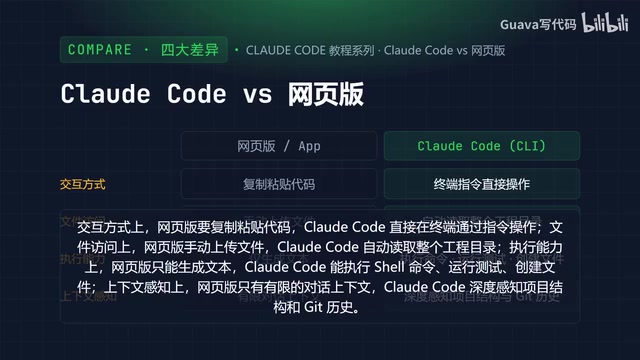
| Dimension | Claude Web Interface | Claude Code |
|---|---|---|
| Interaction | Manually copy and paste code | Issue instructions directly in the terminal |
| File Access | Manually upload files | Automatically reads the entire project directory |
| Execution | Generates text only | Runs Shell commands, executes tests, creates files |
| Context Awareness | Limited to conversation history | Deep awareness of project structure and Git history |
This table makes the contrast clear. The web interface remains fundamentally a text-based back-and-forth: it can't touch your file system, and it can't verify whether the code it generates actually runs. Claude Code connects the full chain — from understanding requirements, to modifying code, to running verification.
This is the Agent-versus-Chat distinction made concrete. When a tool can read your entire project, execute commands, and self-correct based on test results, it's no longer playing the role of an advisor — it's an executor. For developers, that means you can hand off repetitive, context-heavy engineering tasks for it to handle end-to-end, while you focus your energy on architecture decisions and high-judgment calls.
The "Git history awareness" mentioned in the table deserves a bit more explanation. Git is the most widely used version control system today, and it records the content, timestamp, and author of every commit in a codebase. Claude Code's ability to read this history means it doesn't just see what the code looks like right now — it understands how the code got there. Why was a particular function designed this way? What problem did a certain patch fix? This is especially critical for maintenance-heavy projects: in a codebase with hundreds of commits, the intent behind a change is often harder to recover than the code itself, and context awareness fills exactly that gap. If your project isn't already using Git for version control, it's worth setting that up before bringing Claude Code into the workflow.
Wrap-Up and What's Next
In this installment, we've established a foundational understanding of Claude Code. The single most important takeaway is this: it's an Agent, not a Chat. It doesn't converse in a dialog box — it actually gets things done inside your project.
With that framing in place, everything that follows — installation, configuration, and hands-on usage — will make more sense. You're not dealing with a smarter chat window. You're working with an engineering collaborator that can read and write files, execute commands, and maintain deep awareness of your project's context. In the next installment, we'll move into the practical side and walk through how to install Claude Code.
Related articles

Amphibious Transforming Drone: Beyond 100x Power Savings, What Are the Real Needs?
Is the amphibious transforming drone just a gimmick? Starting from the 100x power difference of the M4 Morphobot, explore real application scenarios and thesis topic ideas, analyzing boundary conditions where pure drones and pure ground robots both fail.

Warhound Raises $200 Million: Genetically Engineered "War Dogs" Paired with Anduril Gear
Warhound raises $200M, backed by Ben Lamm and Palmer Luckey, to genetically engineer dogs for military and law enforcement use and equip them with Anduril gear. This article analyzes its technology direction, funding logic, and ethical controversy.

Claude API Comes to Google Cloud: IAM Integration and SDK Access Guide
Anthropic hosts the full Claude API on Google Cloud with IAM-controlled permissions and unified billing. This guide covers the Vertex AI and Anthropic-hosted entry points, IAM role configuration, and SDK access.