Getting Started with Claude Code: An AI Coding Tool Anyone Can Use, Even Beginners

A beginner-friendly guide to Claude Code, the AI coding tool anyone can start using.
Claude Code is an AI-assisted coding tool that emphasizes natural language interaction and lets even beginners turn ideas into programs. This article explores its positioning, learning path, and practical advice for developers looking to get started with AI programming.
Why Claude Code Deserves Your Attention
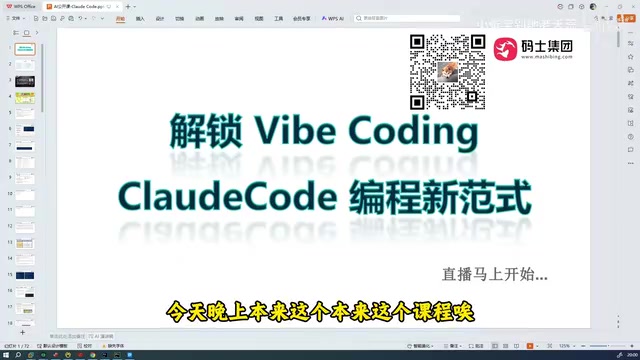
At a time when AI coding tools are emerging one after another, Claude Code is gradually becoming a hot topic in developer circles. Based on observations from tech livestreams, even in a live session with nearly 200 developers, those who have actually used Claude Code remain a small minority—most people have only "heard of it" but never actually tried it. This phenomenon reveals two things: Claude Code's visibility is rising rapidly, but its actual adoption rate still has considerable room to grow.
It's worth emphasizing that Claude Code is not some "mysterious and hard-to-grasp" tool. As industry insiders put it, it is "the closest thing to programmers, especially beginner developers"—it requires no deep technical background and can be used right out of the box. This low barrier to entry is precisely the core value that sets it apart from traditional development tools.
The Positioning and Essence of Claude Code
It's an AI-Assisted Coding Tool
Claude Code essentially falls into the category of AI-assisted coding tools. Unlike traditional code completion plugins, it places greater emphasis on completing development tasks through natural language interaction. Developers can describe their requirements in a way that resembles a "conversation," letting the AI understand their intent and generate, modify, or even debug code. This shift in interaction paradigm means the focus of programming is gradually migrating from "memorizing syntax" to "expressing intent."
For beginners, this is especially crucial. In the past, getting started with programming required crossing multiple thresholds—syntax, environment configuration, debugging, and more. The introduction of AI coding tools allows beginners to experience the satisfaction of "turning ideas into programs" at a much earlier stage, effectively flattening the steep learning curve.
Availability in Local Environments
Learners commonly care about one practical question: Can Claude Code run in a local environment? This touches on a key aspect of AI coding tools becoming truly useful—the degree to which the tool integrates with the local development workflow directly determines its usability in real projects. An AI tool that can seamlessly connect to a local codebase and understand project context is far more productive than isolated cloud-based Q&A.

Thoughts on the Path of Learning AI Programming
From a Single Tool to a Complete System
Simply mastering a single tool is not enough to build a complete development capability. Learning around Claude Code often requires a supporting knowledge system as a foundation. A relatively complete AI programming learning path typically includes: fundamental language basics (such as Java for beginners), an introductory AI course, and hands-on code with project notes. Related introductory AI courses can run over 200 hours, which shows that the depth of investment required for systematic learning is not to be underestimated.

This suggests a pragmatic judgment: AI coding tools are accelerators, not replacements. They can significantly boost efficiency and lower the barrier to entry, but understanding the underlying principles remains the foundation for building complex systems and troubleshooting difficult problems. Truly effective developers are often those who can skillfully wield AI tools while also possessing a solid foundation.
The Broader Space of Large Model Application Development
You may not have noticed, but learning Claude Code is often just an entry point. Behind it lies the much broader field of large model application development—including large model project practice, application architecture design, and more. Mastering AI coding tools is, in effect, a doorway into the large model application development ecosystem. For developers hoping to secure a place amid the AI wave, starting with tool usage and gradually diving deeper into application development is a relatively clear growth path.
Practical Advice for Developers
Use It First, Master It Later
When facing tools like Claude Code, the easiest trap to fall into is "over-preparation"—always feeling you must fully grasp the principles before daring to start. The reality is quite the opposite: these tools are designed precisely to let people "just use them." I recommend starting with a real small project—whether it's script automation or a simple feature implementation—and experiencing firsthand the efficiency gains that AI-assisted coding brings.
Set Rational Expectations for Usage
At the same time, you need to maintain a clear-eyed view of AI coding tools. They won't turn a complete beginner into a senior engineer overnight, nor can they replace deep thinking about business logic. Positioning them as "efficient collaborative partners" and leveraging the respective strengths of human and machine in a collaborative workflow is the sustainable way to use them.
Conclusion
Claude Code represents the direction in which AI coding tools are evolving—from "assisted completion" to "intent-based collaboration." Its low barrier to entry allows even complete beginners to benefit quickly, but truly unlocking its potential still requires the accompaniment of systematic knowledge accumulation and continuous hands-on practice. For developers in this era of rapid AI iteration, embracing such tools early and honing their skills through real-world practice may be the most pragmatic way to keep pace with change.
Related articles

Can 'Your Mother' Make Us Forget Marvel's Blade Disaster?
Marvel's Blade reboot starring Mahershala Ali collapsed due to mismanagement. We explore why its failure may not be the worst outcome — and what 'Your Mother' has to do with it.
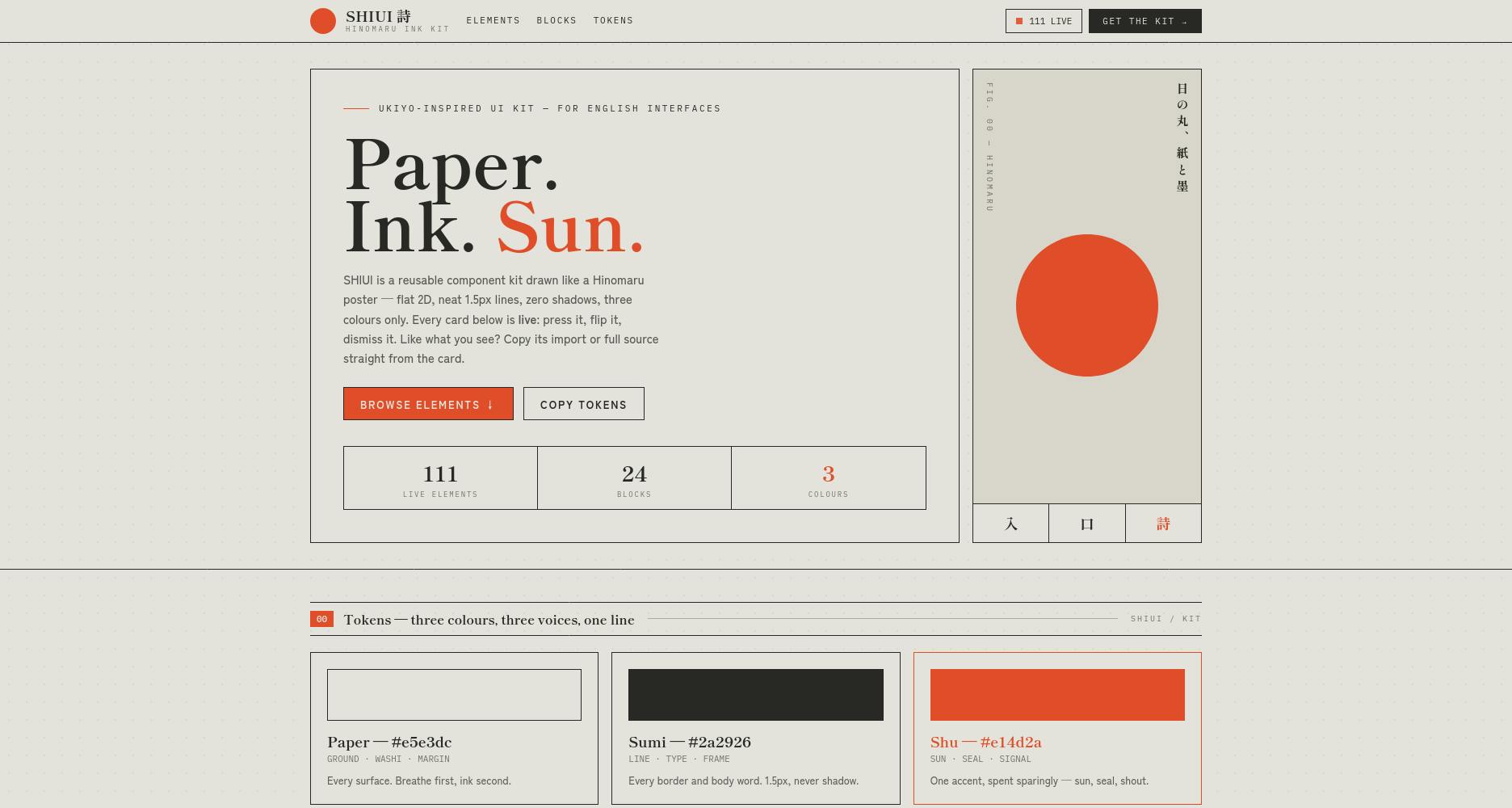
SHIUI: A Minimalist Ink-Wash UI Kit Inspired by Japanese Hinomaru Aesthetics
SHIUI is a flat ink-wash Web UI kit inspired by Japanese Hinomaru poster aesthetics, built around paper, sumi ink, and vermilion with zero shadows. A design breakdown.

Kirokune: An iPhone Work Incident Logger That Requires No Account
Kirokune is an iPhone app for logging workplace incidents — no account required. Combines text, audio, and photos in a timeline. Ranked #9 on Product Hunt with 86 votes.