Getting Started with Claude Code: Environment Setup, Switching to Chinese Models, and Git Workflow Explained

A hands-on Claude Code guide covering setup, Chinese model switching, and conversational Git workflows.
This guide walks developers through getting started with Claude Code: installing the CLI, using CC Switch to switch to Chinese LLMs like DeepSeek, and managing code through conversational Git workflows. It also covers multi-branch development, automated bug fixing, and the internal/external command systems.
From Command-Line Tool to Engineering Collaborator
Claude Code's popularity needs no further introduction, and more and more developers are integrating it into their daily workflows. Yet many still perceive it merely as a "command-line chat tool that can write code"—an understanding that significantly underestimates its current capabilities.
According to a hands-on tutorial shared by a Bilibili content creator, the initial version of Claude Code only offered a command-line interface, with its main functions being analyzing project code, understanding file relationships, and offering modification suggestions. Through continuous iteration, today's Claude Code has undergone a qualitative transformation—evolving from an assistive tool for programming scenarios into a genuine development collaborator.
This transformation manifests across three dimensions:
- Enhanced context awareness: Previously it could only understand a single file; now it can directly analyze an entire project structure and answer complex questions about code architecture and module relationships.
- Engineering-oriented focus: No longer limited to writing code, it now supports automated testing, SDD (Spec-Driven Development) implementation, and customizing Skills to accumulate team expertise.
- Multi-role collaboration: Through multi-Agent orchestration, it can simultaneously drive multiple roles such as product, development, testing, and operations, covering the complete software development lifecycle.
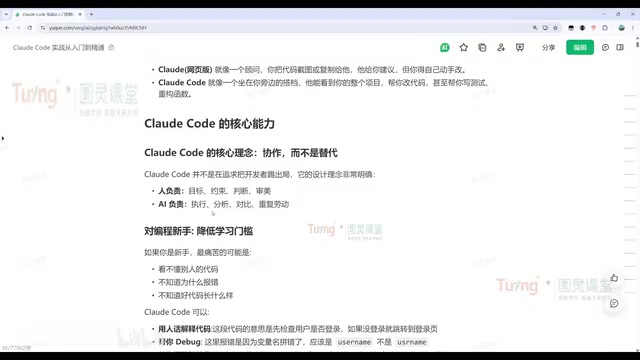
In other words, the developer's core work is shifting toward "setting goals, defining constraints, making judgments, and controlling aesthetics," while repetitive labor such as execution, analysis, comparison, and fixing is increasingly being handed over to AI.
What Real Pain Points Does Claude Code Solve
For different types of developers, Claude Code brings value with different emphases.
Programming Beginners: Quickly Understanding Unfamiliar Codebases
The most common challenge for beginners is being unable to understand complex open-source project code and being at a loss when facing production errors. Claude Code can not only explain obscure code line by line, but also uncover legacy bugs, locate performance bottlenecks, and proactively fix them—dramatically lowering the barrier to understanding unfamiliar codebases.
Independent Developers: Completing the Full-Stack Development Chain Solo
In the past, the time cost of full-stack front-end and back-end development was extremely high. With Claude Code's multi-Agent orchestration capabilities, a single person can efficiently complete the entire chain from requirements to implementation, while automatically generating test cases and refactoring messy code.
Team Collaboration: Unifying Standards and Improving Overall Efficiency
The pain points in team scenarios are even more pronounced: inconsistent code styles, slow onboarding for newcomers, and time-consuming code reviews. Claude Code can unify development standards through the CLAUDE.md configuration file, use Skills to accumulate architecture documentation and compliance check logic, and even build dedicated Skills to analyze Issues and perform Code Reviews. Work that previously required numerous automated build plugins can now all be front-loaded and automated.
Environment Setup: CLI Installation and Switching to Chinese Models
Claude Code currently comes in three main forms: the Web version, the CLI command-line version, and plugin versions integrated into VS Code and PyCharm/IDEA. For daily development, editor plugins are more efficient, but mastering the basic CLI commands remains necessary.
CLI Installation Steps
Installation itself requires just a single command. For Mac, Linux, and WSL environments, use the corresponding Shell installation script; for Windows, use the irm command. After installation, run claude -v to check the version number and confirm success (the tutorial demonstrates version 2.1.207).
Note: Installing via NPM requires configuring a Node.js environment in advance (the tutorial uses Node version 22.2.0). For first-time installation, the official one-click script is recommended over NPM for better stability. If you encounter network issues, you can switch to a domestic mirror source to speed up the download.
Using CC Switch to Switch to Chinese LLMs
Due to network reasons, accessing Claude Code's official models within China poses challenges. The tutorial recommends using the open-source tool CC Switch (recommended version 3.16.x) to quickly switch to Chinese LLMs, supporting mainstream models such as DeepSeek V4, Kimi, and Tongyi Qianwen.
The configuration process is as follows:
- Download CC Switch (the portable version is recommended for Windows; note the difference between ARM and AMD64 architectures)
- Open the interface, click "+" to add a model, select DeepSeek or similar, and enter the API key
- Enable the corresponding model and check "Local Routing" in the settings
- Restart Claude Code for the changes to take effect
After switching, enter the slash command /model in the conversation to confirm the model currently in use. There is no fundamental difference in the user experience between Chinese models and the official models—only a slight gap in effectiveness—but they win on stable access.
Git Workflow: Managing Code Like a Conversation
One of Claude Code's most practical capabilities is making Git operations as simple as everyday conversation. Developers don't need to memorize tedious Git commands—they just describe their needs in natural language.
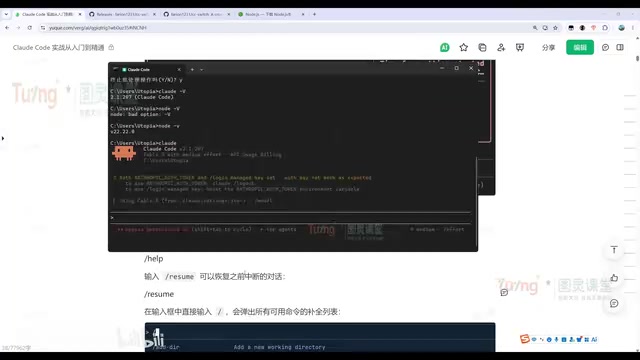
Conversational Basic Git Operations
Through natural language conversation, you can have Claude Code complete the entire Git chain: creating a project, creating a new branch, pulling a remote repository, moving files, and committing and pushing code. The tutorial demonstrates a complete scenario—having it create a personal tech blog project and then automatically invoke Git commands to push it to GitHub. Throughout the process, the author "never changed a single line of code, nor manually typed a single Git command."
Multi-Branch Management and Automated Bug Fixing
More advanced usage is reflected in multi-branch development and automated bug fixing. The author demonstrated the following workflow:
- Create a
devbranch and implement three different sorting algorithms within it - Claude Code automatically completes the coding and then runs tests (all 12 tests pass)
- Automatically commit and push to the corresponding branch
In the bug-fixing stage, Claude Code supports two modes: one is where the developer points out a known issue and lets it locate and fix it; the other is where it autonomously scans the project, discovers potential problems, and outputs an Issue document. After having it scan the code, the author had it automatically identify multiple categories of defects such as "correctness issues, mismatches between documentation and implementation, and design portability issues," then closed the loop with a single command: Fix all issues referencing issue.md, then commit and push.

Claude Code's Standard Problem-Handling Workflow
Whether making feature modifications or fixing bugs, Claude Code follows a standard workflow: locate relevant files → understand the context and root cause → present the modification plan → wait for user approval → execute. If tests exist in the project, it will also automatically run tests to verify the fix. Users can approve modifications one by one or choose to accept all of them.
Two Command Systems: Internal and External
Claude Code's commands fall into two categories, used for different scenarios.
External Commands (Executed Directly in the Terminal)
claude -p: Headless mode, executes a prompt once, e.g.,claude -p "analyze the project structure of the test directory"outputs the result directly to the console without entering the chat windowclaude -c/--continue: Resume the previous conversation—the most frequently used in daily workclaude -r/--resume: View the conversation history list and choose one to resumeclaude commit: Invoke Git commands to commit code
Internal Slash Commands (Used Within the Chat Window)
/help: Query all available commands/clear: Clear the current conversation history and start a fresh session/model: Switch or view the model currently in use/login,/resume, etc.
It's worth noting that there's no need to memorize these commands—simply ask in conversational form, "Which command should I use to resume a conversation?" and Claude Code will provide an accurate answer. This itself demonstrates its role as an intelligent collaborator.
Summary
Claude Code has evolved from a mere programming assistant into a full-process development collaborator covering code analysis, multi-Agent collaboration, Git engineering, automated testing, and fixing. For developers in China, switching to Chinese LLMs such as DeepSeek via CC Switch is a pragmatic solution for bypassing network restrictions. Mastering its modification workflow and internal/external command systems is a crucial first step from beginner to proficient. Following up with enterprise-grade project practice (such as Java admin management systems, Python intelligent customer service, etc.) is the true litmus test for validating AI-powered engineering programming capabilities.
Related articles

Alibaba Launches Happy Shrimp: AI-Powered One-Click Complete Song Generation
Alibaba launches Happy Shrimp, an AI music generation tool that creates complete songs with lyrics, melody, arrangement, and vocals from natural language descriptions. In-depth analysis of its core features, differentiation from competitors like Suno, and industry impact.
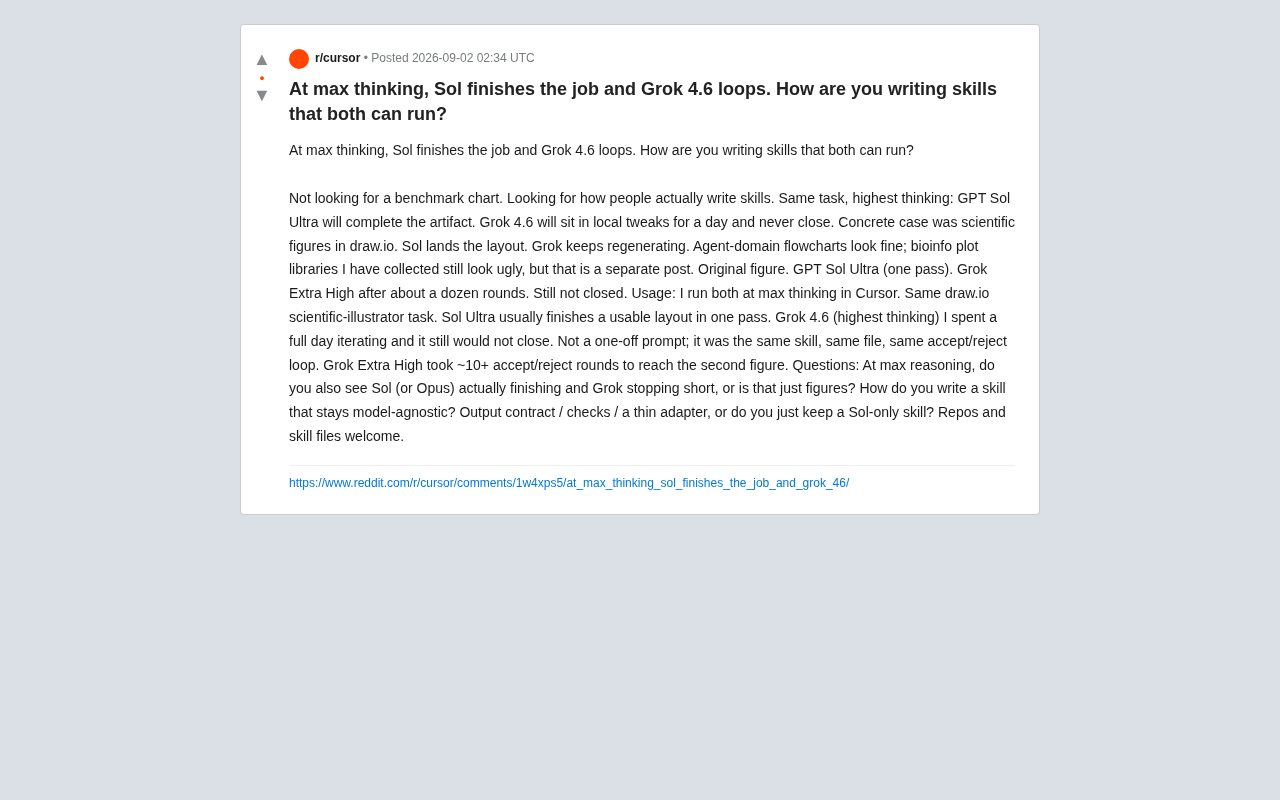
GPT Sol Ultra vs Grok 4.6: Real-World Task Completion Benchmark in Reasoning Mode
Developer benchmark reveals GPT Sol Ultra completes draw.io scientific diagrams in one iteration while Grok 4.6 fails to converge despite maximum reasoning mode, exposing that reasoning depth ≠ task delivery capability.
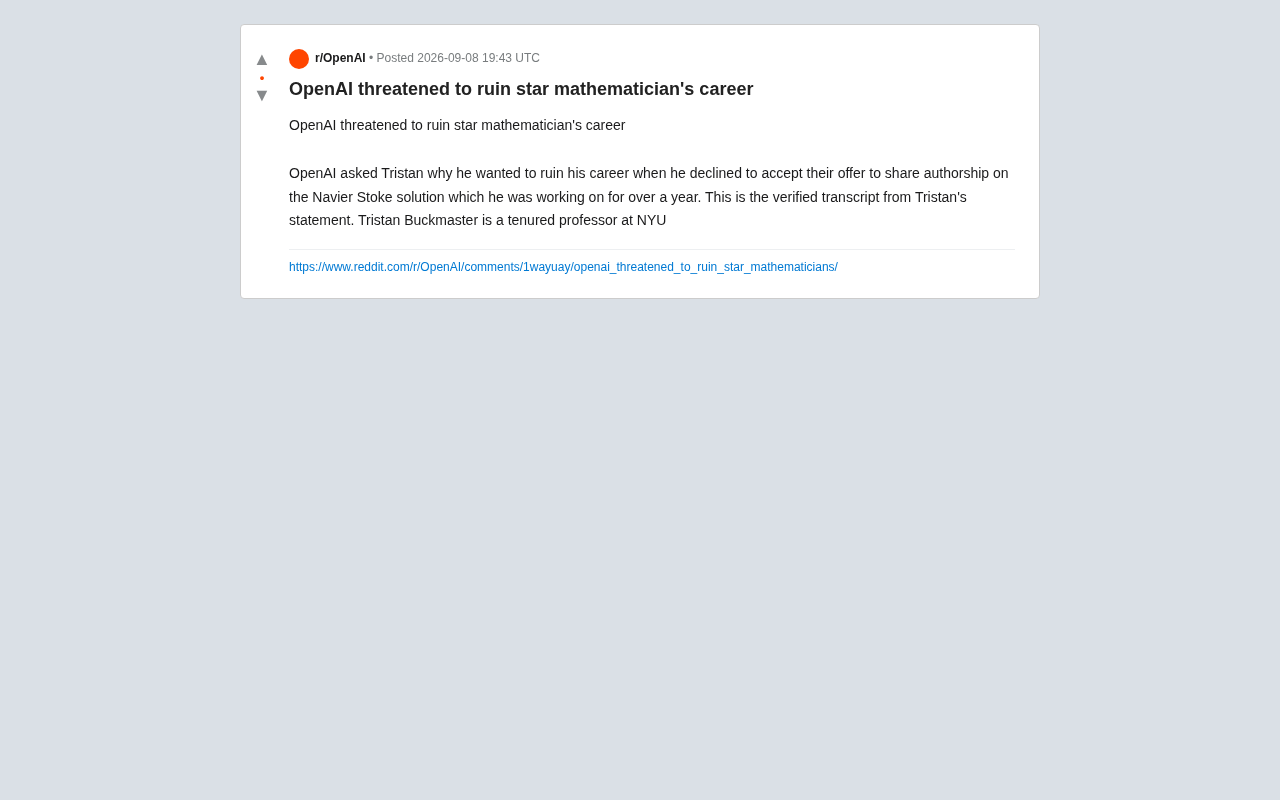
OpenAI Authorship Dispute: The Battle Over Academic Boundaries in the AI Era
OpenAI disputes authorship with mathematician Tristan Buckmaster over Navier-Stokes research, raising ethical questions about AI involvement in science.