Getting Started with Claude Code: From Environment Setup to Multi-File Project Development
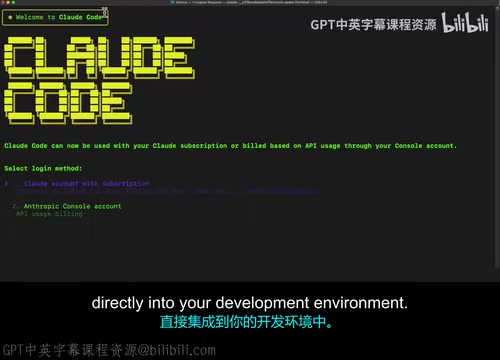
freeCodeCamp launches a Claude Code course teaching developers to embed AI into testing, architecture, and security workflows.
freeCodeCamp has published a Claude Code Beginner's Tutorial developed by Jeremy Morgan, systematically introducing how to integrate Anthropic's AI coding tool into real development workflows. The course starts with environment setup and progresses through application scaffolding, complex multi-file project management, and professional engineering practices including testing standards, deep architectural reviews, and security audits. Unlike other AI completion tools, Claude Code is positioned as an AI collaborator that understands entire project structures. Designed for beginners, the course centers on building a structured, professional methodology for developers who want to deeply embed AI across their entire development process.
Why Learn Claude Code
Claude Code is Anthropic's AI coding tool designed to integrate directly into your development environment. Unlike traditional code completion plugins, it's positioned more as an AI collaborator that understands your entire project structure and helps tackle complex engineering tasks. freeCodeCamp recently published a Claude Code Beginner's Tutorial built around this tool, guiding learners from scratch through its core capabilities. Developed by Jeremy Morgan from CodeCloud, the course covers everything from initial setup to managing complex multi-file projects.
For developers, the real value of Claude Code isn't just writing a few lines of code — it's about genuinely embedding AI into your everyday development workflow. That means scaffolding applications, enforcing testing standards, and conducting deep architectural reviews and security audits. This "engineering-first" approach is the key message the course wants to convey.
Core Skills the Course Covers
The course is designed to give learners a structured, professional methodology — not a scattered collection of tricks. Its learning path is clearly progressive: start by solving environment setup, then gradually move into real-world multi-file project management.
Starting with Environment Setup
Every AI coding tool begins with the same first hurdle: getting your environment configured. The course takes initial setup as its starting point, ensuring learners can correctly integrate Claude Code into their development environment. This step may seem basic, but it's the foundation that all advanced features depend on.
Scaffolding Applications and Managing Multi-File Projects
The course places heavy emphasis on the ability to scaffold applications. Modern projects are made up of large numbers of interrelated files, and whether an AI tool can understand cross-file context directly determines how useful it is in real engineering scenarios. The tutorial pays special attention to managing complex multi-file projects — which is one of Claude Code's key advantages over ordinary completion tools.
The term "scaffold" originates from construction and in software development refers to the process of rapidly generating a project's skeleton code — including directory structures, configuration files, base modules, and other boilerplate. Traditional scaffolding tools (like Create React App or Rails Generator) can only output fixed templates, whereas AI-driven scaffolding can dynamically adjust structure based on project requirements. When handling multi-file projects, Claude Code relies on its contextual understanding of the entire codebase: it doesn't just read individual files — it tracks inter-module dependencies and identifies interface contracts, allowing it to account for the impact on other files when modifying any single one. This "project-level awareness" is the core difference that sets it apart from line-by-line completion tools like GitHub Copilot.
Bringing Professional Engineering Standards into the AI Workflow
One of the course's highlights is incorporating professional engineering disciplines — testing standards, architectural reviews, and security audits — into the AI-assisted workflow.
Enforcing Testing Standards
The tutorial covers how to enforce testing standards. This means AI isn't just helping you produce code quickly — it also follows established testing requirements throughout the generation process, keeping code quality under control. For developers used to the "write features first, add tests later" approach, this represents a more robust way of working.
Architectural Reviews and Security Audits
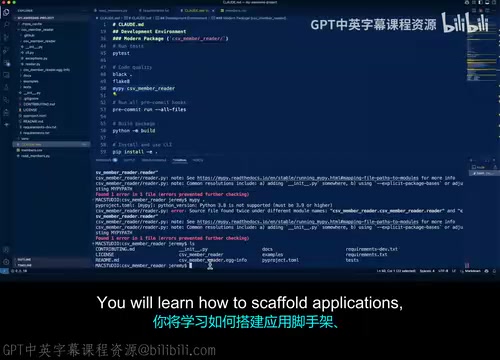
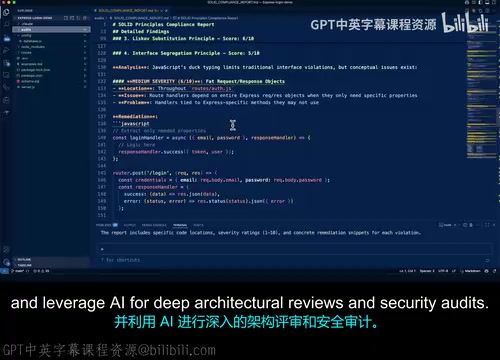
The course also covers using AI to conduct deep architectural reviews and security audits. This reflects Claude Code's value for intermediate to advanced use cases: AI can not only write code, but can also examine a project from a "reviewer's perspective" — assessing whether the project structure is sound and identifying potential security vulnerabilities. Delegating work that traditionally relied on senior engineers' experience to AI assistance can significantly reduce a team's review costs.
Deep architectural reviews typically focus on whether module boundaries are well-defined, whether dependency relationships form circular references, and whether interface designs follow the single responsibility principle. Security audits focus on identifying common vulnerability patterns such as SQL injection, improper access control, and plaintext storage of sensitive data. In traditional teams, both types of work usually require senior engineers to spend hours or even days on manual review. The advantage of AI-assisted auditing lies in speed and coverage: it can scan an entire codebase in minutes and flag code snippets that match known risk patterns for developers to prioritize. It's worth noting that AI audits are better at catching "pattern-level" issues — for deeper defects in business logic, human judgment is still essential.
Who Is This Course For
From its positioning, this is a beginner-level course — but its ambitions go beyond just "getting started." It aims to establish a professional methodology from the very beginning, rather than leaving learners stuck at the stage of scattered experimentation.
If you're a developer just getting started with AI coding tools and want a systematic understanding of Claude Code's full capabilities, or if you're already using other AI-assisted tools but want to embed AI more deeply into engineering activities like testing, architecture, and security — this course from freeCodeCamp, developed by Jeremy Morgan, is well worth your time.
Summary
The core idea of this course can be summed up as: treat Claude Code as an AI collaborator with engineering discipline, not just a code generator. From environment setup and application scaffolding, to multi-file management, testing standards, architectural reviews, and security audits, it offers a complete path from "knowing how to use it" to "using it well." For developers who want to genuinely integrate AI into their development workflow, this kind of structured learning approach delivers far more long-term value than picking up fragmented tips.
Related articles

CSS Anchor Positioning: A New UI Positioning Approach Without JavaScript
A deep dive into CSS Anchor Positioning: from anchor-name and position-anchor to the anchor() function, position-area shorthand, position-try-fallbacks, anchor-size, and upcoming anchor queries.

New AI Chart Interaction: Continuous Follow-up Questions and Visualization in Conversation
Explore a new AI interaction method for continuously generating charts in conversation. Use the /visualize command to ask follow-up questions and visualize answers in the same chat window, improving data analysis efficiency.

Cursor Merges Into X Subscription: Paid Plans Share Unified Usage Pool, Grok Model Coding Usage Doubled
Cursor joins The X Subscription with a unified usage pool and doubled Grok coding quota. Third-party models shift to API pricing. Existing users can keep or migrate plans.