Getting Started with Codex: A Beginner's Guide to AI Agentic Coding Tools

A beginner's guide to mastering Codex and Claude Code AI agentic coding tools from scratch.
This guide explains how AI agentic coding tools like Codex and Claude Code differ from traditional LLM chat interfaces, offering autonomous code execution rather than passive suggestions. It covers why these two tools lead the market, why non-programmers should learn them, and how to overcome the real barrier to entry: environment setup rather than technical complexity.
From Large Language Models to Agents: A Major Paradigm Shift in Programming
When we talk about AI-assisted programming, many people still think of it as "chatting with a large language model" — opening a chat window, typing a question, getting a code snippet, then manually copying and pasting it into their project. While this interaction is certainly efficient, it's fundamentally still "Q&A," not "collaboration."
What's truly transforming the industry are AI Agentic Coding Tools — products like Codex and Claude Code that have been getting a lot of attention lately. Here's a helpful analogy: if large language models (like GPT and Claude) are a "brain" that can only think, then Codex and Claude Code are that brain equipped with "hands, feet, and tools." They don't just give you suggestions — they can actually read your codebase, modify files, run commands, debug programs, and complete an entire development workflow.
It's worth explaining the technical meaning of "Agent" here. An AI agent is a core concept in artificial intelligence, referring to an autonomous system that can perceive its environment, make decisions, and take actions to achieve specific goals. Unlike traditional LLM inference, agents possess three key capabilities: environment perception (reading file systems, understanding project structure), planning and reasoning (breaking complex tasks into executable steps), and tool invocation (executing shell commands, calling APIs, modifying files). This concept originated from distributed AI research, and in recent years, as LLM capabilities have improved, agent architectures have moved from academic theory to engineering practice — with programming being one of the most mature application scenarios.
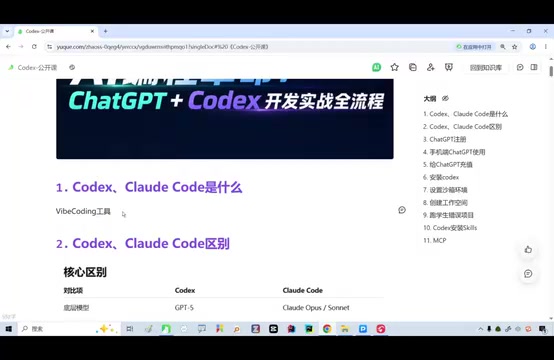
This distinction is crucial. Traditional LLM tools are passive information providers, while agentic tools are active task executors. For developers, this means the workflow shifts from "I write, AI helps me think" to "I direct, AI helps me do."
Why Start with Codex and Claude Code
There's no shortage of AI coding tools on the market — from Cursor to Trae, each has its fans. But in this presentation, the instructor deliberately chose only Codex and Claude Code for comparison, with a straightforward rationale: among the current developer community, these two have the highest adoption rates and are the most representative "first-tier" tools.
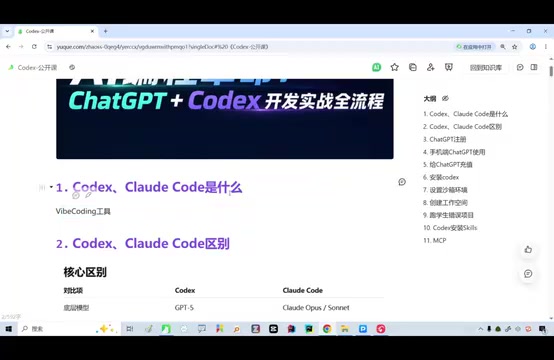
From a technical architecture perspective, Codex (from OpenAI) and Claude Code (from Anthropic) are both command-line AI coding assistants, but their underlying designs differ. Codex is built on the GPT model series and uses OpenAI's Function Calling mechanism to enable tool use; Claude Code is built on the Claude model and leverages Anthropic's proprietary "Tool Use" protocol. Both support executing code in sandboxed environments, reading and writing files, and running tests, but they have different strengths in context window size, code comprehension depth, and multi-step reasoning capabilities. Which one to choose often depends on specific project needs and personal usage preferences.
In other words, if you want to get started with AI agentic programming, these two offer the best return on investment. They represent the mainstream form of command-line AI coding assistants — running directly in your terminal, deeply integrated into your project directory, capable of understanding your entire code context and performing actual operations.
To understand what makes these "command-line" tools unique, compare them with IDE plugin tools (like GitHub Copilot). The latter primarily provides inline code completion — essentially a "typing accelerator." The command-line agent's workflow is: first, scan the current project directory structure and key files to build a complete code context; then receive the user's natural language instructions and convert them into a concrete action plan; next, execute step by step through system commands (like git, npm, pip, etc.) and file operation APIs; finally, present the results to the user for confirmation. This means it can handle cross-file refactoring, automated test writing, complex bug fixes, and other compound tasks that require a holistic view.
You might not have noticed, but the instructor candidly acknowledged a reality: foreign models are currently somewhat ahead of domestic ones. This is why many Chinese developers choose to use ChatGPT (GPT series models) to power these tools. However, he also offered a longer-term perspective — this gap will eventually close, and at that point, the core criteria for choosing tools will return to "which is cheaper and easier to use" rather than "which is more powerful." This is a pragmatic and clear-eyed industry prediction.
AI Coding Tools Are for Everyone: No Longer Just for Programmers
The most core and paradigm-challenging viewpoint from this presentation is: Everyone needs to learn these tools, regardless of whether you can code.
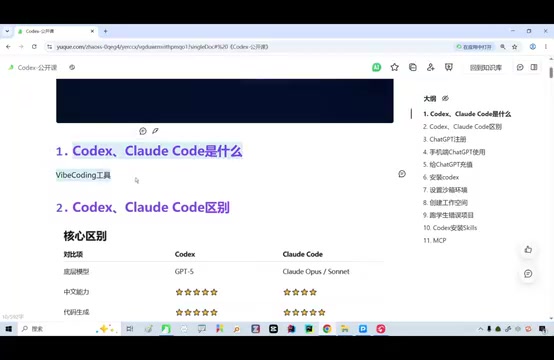
The instructor explicitly stated that even if you can't write Java, can't code in Python, and know nothing about LLM underlying code, it doesn't affect your ability to use Codex or Claude Code at all. Because the agentic tool itself handles the "writing code" part — what users need to do is more about "expressing requirements" and "accepting deliverables."
This reflects a profound capability shift in the AI era: The barrier to programming is moving from "syntax ability" to "expression ability" and "problem decomposition ability."
This kind of capability shift isn't unprecedented in computing history. From assembly language to high-level languages, from code writing to visual drag-and-drop programming, every increase in abstraction level has lowered the syntax barrier to programming. AI agentic programming represents yet another leap: users only need to describe "what they want" in natural language, not "how to implement it." This corresponds to the classic comparison between "declarative programming" and "imperative programming" in software engineering — SQL is a typical declarative language where you tell the database "what data I want" rather than "how to get it." Now, AI agents are extending this declarative thinking to the entire software development domain, essentially transferring the cognitive burden of implementation details from humans to AI systems.
For non-technical professionals, this is a rare window of opportunity — you don't need to spend years learning programming languages to accomplish things with AI agents that previously required an engineer.
For professional developers, these tools are efficiency multipliers. They hand off repetitive, mechanical coding labor to AI, letting humans focus on architecture design, logical judgment, and creative decision-making.
The Real Barrier to Getting Started with Codex: Not Technology, but Environment Setup
Interestingly, the instructor pointed out that the reason many people "want to use it but never have" often isn't because the tool is too difficult, but because they get stuck at the very first steps:
- Account login: How to register and verify the relevant accounts
- Download and installation: The CLI tool installation process isn't intuitive enough
- Configuring GPT: How to connect ChatGPT / GPT models to the tool

This actually highlights the biggest obstacle to AI coding tool adoption today — it's not the usage barrier, but the startup barrier. Many beginners give up at the environment setup stage, thus missing out on the entire value these tools provide.
This problem has a deep industry context. According to GitHub's 2024 Developer Survey, over 40% of developers said that when trying new tools, the biggest obstacle is initial setup rather than the tool's inherent complexity. For AI coding tools, this problem is especially pronounced — involving API key management (obtaining and securely storing keys from the OpenAI or Anthropic platform), network proxy configuration (domestic users may need additional network environment settings), Node.js/Python runtime version compatibility (different versions may cause dependency conflicts), and multiple other steps. Any error in any step can discourage beginners. This is why Docker-based deployments, one-click installation scripts, and other "reduce startup friction" solutions are getting increasing attention from tool developers.
This is also why "step-by-step beginner tutorials" have a market: what truly needs to be explained clearly are precisely those seemingly simple steps that easily discourage newcomers.
Getting Started Tips for Complete Beginners
If you're a complete newcomer, here's the recommended progression:
- Get the environment setup done first: Prioritize solving the three major roadblocks — account, installation, and model integration. Once you're past this step, everything else flows smoothly. Specifically, you'll need to install the Node.js runtime environment (LTS version recommended), then globally install the corresponding CLI tool via npm, and finally configure your API key environment variables.
- Start with conversational use: Even if you're not working on complex projects yet, using AI to help you research information or explain code is an excellent way to get started. The core of this stage is developing a "conversational sense" for collaborating with AI — learning how to clearly describe problems and provide sufficient context.
- Prioritize hands-on practice: The instructor emphasized that after the lesson, "you'll have absolutely no problem practicing on your own." The learning curve for AI tools is more about "using them" than "understanding them." Start with a small project — for example, have AI help you build a simple personal website or automation script, and experience how the agent works through practice.
Conclusion: AI Agentic Programming Is a Skill Everyone Should Master
The core message of this presentation is simple but powerful: AI agentic coding tools have evolved from "advanced toys for programmers" to "fundamental skills for every professional." As the current first-tier products, Codex and Claude Code are worth everyone's time to understand and get hands-on with.
Technology will iterate, models will change, and the gap between domestic and foreign solutions will eventually narrow. But the mindset and operational habits of "using AI agents to complete real work" will be a core competitive advantage for years to come. Rather than watching from the sidelines, take the first step of setting up your environment now.
Related articles

Three AI Researchers Debate: How Far Are We from Recursive Self-Improvement?
Three AI researchers including former OpenAI co-founder John Schulman debate recursive self-improvement and intelligence explosion, dissecting continual learning, distillation, RL success, and ASI timelines.

AI Recursive Self-Improvement (RSI): How Far Are We from the Real Thing?
How close is RSI (Recursive Self-Improvement) to reality? We analyze Acer AI's RSI Agent, a Shotcut watermark task, OS World 20 results, and OpenAI's automated researcher goal.

AI Coding Platforms Are Exploding in Popularity: Can Non-Technical People Really Build Money-Making Products?
An AI coding competition unexpectedly drew 1,000+ signups, sparking debate on whether non-technical people can build profitable products with AI. We break down the opportunities and the hype.