Getting Started with Local AI Agents: How to Choose Models and Tools

Integrated GPU plus 32GB memory is enough to run models locally and build agents; the key is model selection, tool division of labor, and tuning.
The article addresses three questions from a Reddit user: on a Ryzen AI 9 HX 470 with Radeon 890M integrated GPU and 32GB unified memory, which local models to learn, what tools to run them with, and how to transition from chat to agents. The author notes that 7B–14B quantized models are a realistic choice, coding and tool calling have different model requirements, and quantization raises format error rates in tool calling. At the tool level, Ollama suits scripting and APIs, LM Studio suits graphical comparison, and llama.cpp suits fine control—use them by stage rather than exclusively. For agents, start by hand-writing a tool-calling loop in Python to understand failure modes, then bring in n8n or LangGraph. On AMD platforms, focus on ROCm/Vulkan backend compatibility and explicitly set GPU offload layers.
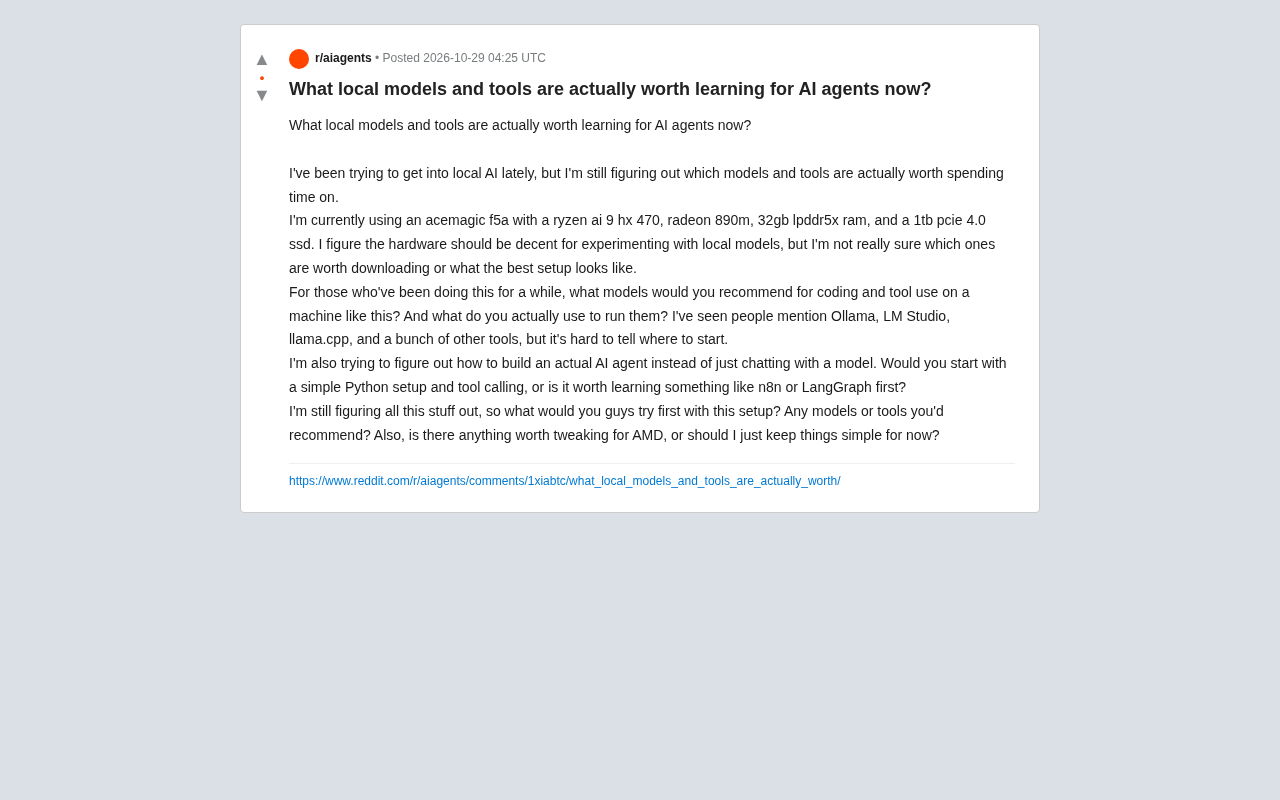
Running large models locally and building agents no longer requires high-end hardware. A user on Reddit shared their setup—a Ryzen AI 9 HX 470 processor, Radeon 890M integrated GPU, 32GB LPDDR5X memory, and a 1TB PCIe 4.0 SSD—and raised three questions: Which local models are worth learning? What tools should I use to run them? How do I move from chat to a real AI agent?
This hardware is a typical "integrated GPU + large memory" combination. There's no discrete graphics card, but the unified memory architecture is quite friendly for loading models. Below, drawing on common community experience, we break down model selection, runtime tools, and the path to building agents.
How to Pick Local Models: Look at the Task First, Then the Size
The core trade-off with local models is "capability vs. VRAM/memory footprint." On integrated GPU platforms, models in the 7B–14B parameter range are the more realistic choice. While 30B+ models can run, speed drops noticeably.
Coding and tool calling are two different needs. Coding tasks value long context and code completion quality; the Coder versions of the Qwen series and DeepSeekAd's code models are frequently mentioned in the community. Tool calling depends more on a model's ability to follow function signatures; among small-parameter models, the tool-calling versions of the Qwen and Llama series are common starting points.
Note that quantized versions (e.g., 4-bit, 5-bit) can greatly reduce memory usage, but on tasks like tool calling that require strict output formats, quantization may increase the format error rate. It's advisable to compare the actual performance of different quantization levels on the same task rather than looking only at parameter size.
What is model quantization
Quantization is the process of compressing model weights from 16-bit floating point (FP16) to lower precision, such as 4-bit or 5-bit integers. Common formats include GGUF, AWQ, and GPTQ. Its value lies in reducing the memory footprint of the same model to about a quarter of the original, allowing a 32GB integrated GPU platform to load 14B-level models. The cost is a loss of numerical precision. This loss is often imperceptible in ordinary conversation, but on tasks requiring strict output formats (such as JSON parameters or function calls), it may manifest as increased error rates—missing brackets, misspelled field names, and so on. Therefore, lower quantization levels aren't always better. A common practice is to prioritize 5-bit or Q5 versions as a compromise between quality and size, reserving 4-bit for scenarios with lower precision requirements.
Runtime Tools: Ollama, LM Studio, and llama.cpp Each Have Their Role
The three tools mentioned in the original post actually serve different purposes—there's no need to agonize over "which one to choose." Use them by stage.
- Ollama: Command-line first. Pulling models and starting services is done with a single command, and it comes with an API interface, making it suitable for scripting and automation. It's the easiest way to quickly verify "can this model work?"
- LM Studio: Graphical interface. Model browsing, downloading, and parameter tuning are all done in one window. It's suitable for those who don't want to touch the command line and convenient for comparing outputs from different models.
- llama.cpp: The underlying inference engine; Ollama and LM Studio are often built on it. Using it directly means fine-grained control over quantization, thread count, and GPU offloading strategy, but the learning curve is steeper.
For this AMD integrated GPU platform, community experience suggests: first confirm whether the tool supports the ROCm or Vulkan backend. Ollama and LM Studio's support for AMD is continuously improving, but compatibility varies significantly across versions. If something won't run, check the backend configuration first rather than suspecting the hardware.
What are ROCm and Vulkan
ROCm is AMD's open-source computing platform, roughly analogous to NVIDIA's CUDA, responsible for enabling inference frameworks to call AMD GPUs for parallel computing. Vulkan is a cross-vendor graphics and compute API; through its compute extensions, inference engines can also run on AMD integrated GPUs. The difference: ROCm performs better on supported discrete graphics cards but has narrower support for integrated GPUs and operating systems, with strict version matching requirements. The Vulkan backend has broader compatibility and usually works on integrated GPUs, though peak performance is slightly lower. This is why, on AMD integrated GPU platforms, when something won't run or speed is abnormal, the first step should be to confirm which backend path the inference tool is using and whether the driver version matches that backend.
From Chat to Agent: Start with Python or Go Straight to a Framework?
This is the most valuable question in the original post. The essential difference between chat and agents is the tool-calling loop: the model outputs a structured instruction → the program executes the tool → the result is passed back to the model → the model continues to decide.
The recommended path is to first hand-write a minimal loop in Python. Using Ollama's API or an OpenAI-compatible interface, define one or two tools (e.g., read a file, perform a calculation) and let the model decide when to call them. This process gives you an intuitive understanding of agent failure modes—the model doesn't call tools, calls with wrong parameters, gets stuck in loops—things that framework documentation won't spell out.
After writing it once by hand, then evaluate n8n or LangGraph. n8n leans toward workflow orchestration, suitable for integrating agents into existing automation processes; LangGraph leans toward state-machine-style multi-step reasoning, suitable for complex tasks requiring branching and fallback. Skipping the hand-written stage and going straight to a framework makes it easy to be unsure, when problems arise, whether it's the model or the orchestration logic.
How tool calling (Function Calling) works
Tool calling isn't the model actually executing code. Instead, the model outputs a structured JSON based on pre-provided tool descriptions (name, parameter structure, purpose description), declaring "which tool I want to call and with what parameters." The host program parses this JSON, actually executes the function, then stitches the return value as a new message back into the context and hands it to the model, which decides the next step accordingly. Thus, agent reliability depends on two things: whether the model can stably produce JSON conforming to the schema, and whether the program can properly handle missing parameters, call failures, and repeated calls. Small-parameter models tend to confuse similar tools when given long tool lists. In practice, limit the number of tools exposed simultaneously and write specific parameter descriptions.
What to Tune on AMD Platforms?
The original post finally asks, "Does AMD need special tuning?" The key on integrated GPU platforms is memory bandwidth and VRAM allocation—under unified memory architecture, the amount of VRAM allocated to the GPU directly affects the size of models that can be loaded.
A few practical points worth noting: confirm that driver and inference backend versions match; explicitly set the number of GPU offload layers in the tool rather than leaving it entirely to auto-detection; if speed is unsatisfactory, first reduce model size or quantization level, then consider switching tools. For the beginner stage, keeping it simple and getting a complete pipeline running is more valuable than chasing maximum throughput.
Unified memory architecture and GPU offload layers
Traditional discrete GPU platforms have dedicated VRAM; if the model doesn't fit, it simply fails. Integrated GPUs share the same physical memory as the CPU under a unified memory architecture, allowing dynamic partitioning of the portion used by the GPU, so a machine with 32GB of memory can theoretically load larger models. However, shared memory bandwidth is far lower than dedicated VRAM, and the larger the model, the more noticeable the drop in tokens generated per second. "GPU offload layers" refers to how many layers of the Transformer are placed on the GPU for computation, with the rest remaining on the CPU. Auto-detection is often too conservative or too aggressive; manual settings can more accurately match actual available VRAM. If set too high and VRAM is insufficient, inference falls back to the CPU and slows dramatically; if set too low, integrated GPU compute power is wasted.
FAQ
Q: How large a model can 32GB of memory run? A: Quantized versions of 7B–14B are a comfortable range, depending on the quantization level and context length.
Q: Can I build agents without a discrete GPU? A: Yes. The bottleneck for agents is usually the tool-calling logic and the model's ability to follow instructions, not just compute power.
Q: Can Ollama and LM Studio be used at the same time? A: Yes, both provide local service interfaces; just switch based on the scenario.
One-line Summary
Integrated GPU plus 32GB of memory is enough to run models locally and build agents; the key lies in model selection, tool division of labor, and tuning paths.
Paragraph Summary
The article revolves around three questions raised by a Reddit user: on a platform with Ryzen AI 9 HX 470 and Radeon 890M integrated GPU plus 32GB unified memory, which local models to learn, what tools to use to run them, and how to transition from chat to agents. The author points out that 7B–14B quantized models are a realistic choice, coding and tool calling have different requirements for model capabilities, and quantization increases the format error rate of tool calling. At the tool level, Ollama suits scripting and APIs, LM Studio suits graphical comparison, and llama.cpp suits fine-grained control; the three are used by stage rather than being mutually exclusive. For the agent part, it's recommended to first hand-write a tool-calling loop in Python to understand failure modes, then introduce n8n or LangGraph. On AMD platforms, focus on confirming ROCm/Vulkan backend compatibility and explicitly setting the number of GPU offload layers.
Related articles
Ollama+RAG Local Knowledge Base Setup: A Step-by-Step AnythingLLM Tutorial
Based on a Bilibili tutorial, this guide details building a local RAG knowledge base with Ollama + AnythingLLM: from general LLM knowledge limits and RAG principles to document upload, vector storage, and verification.
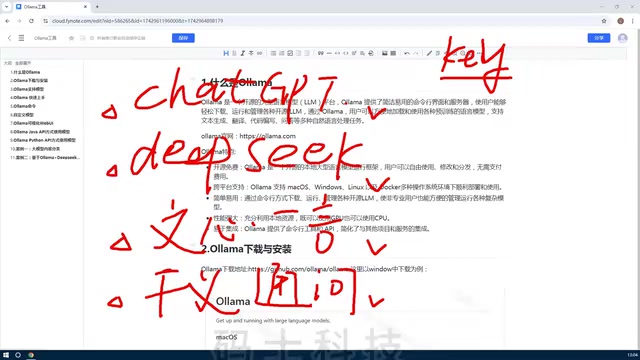
The Ultimate Ollama Tutorial: A Beginner's Guide to Running Large Models Locally for Free
Ollama is an open-source local large model management tool supporting free download and deployment of models like DeepSeek, with command-line and Web UI, cross-platform, automatic GPU/CPU scheduling — ideal for AI beginners and private deployment.
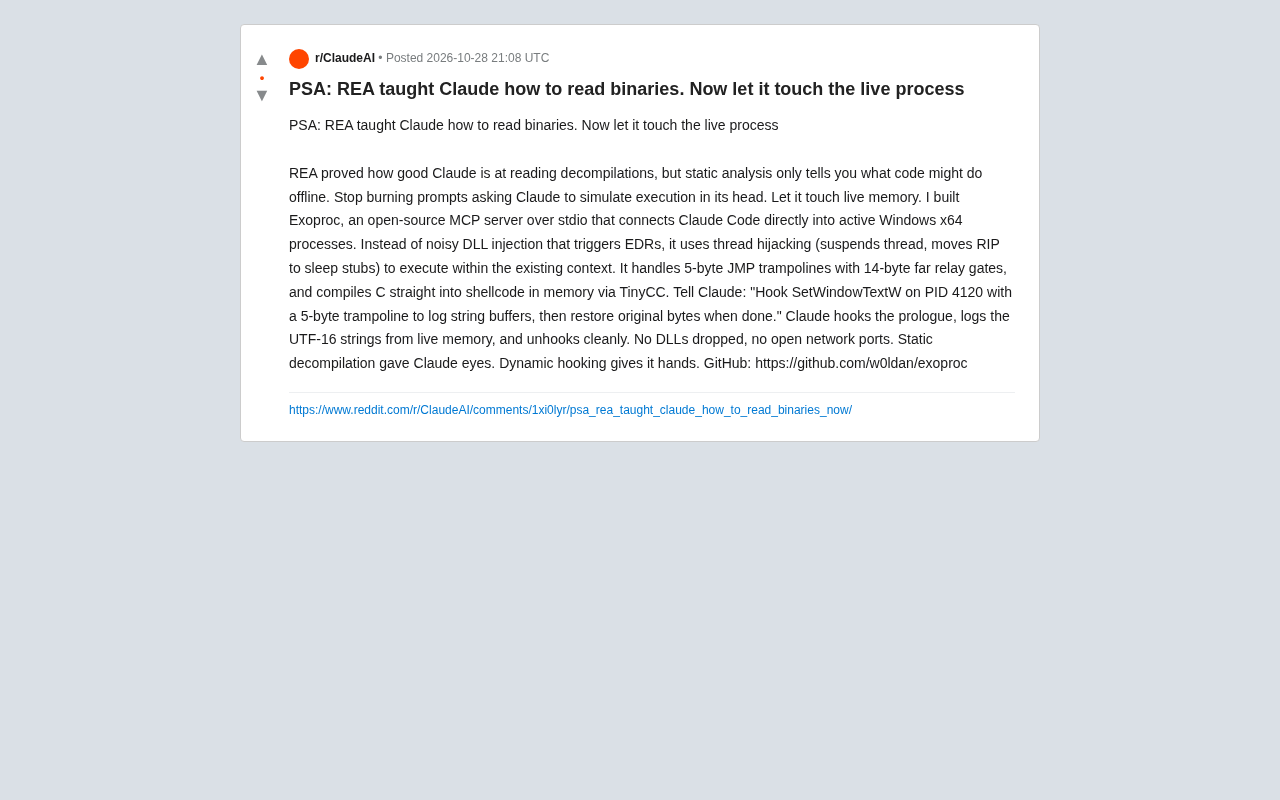
Giving Claude "Hands": Exoproc Open-Source MCP Server Enables Live Process Hooking
Exoproc is an open-source MCP server enabling Claude Code to hook live Windows x64 processes via thread hijacking, bypassing EDR for dynamic analysis. Static decompilation gave Claude eyes; dynamic hooking gives it hands.