Getting Started with OpenClaw: Multi-Channel AI Agent Gateway and Automated Workflow Guide
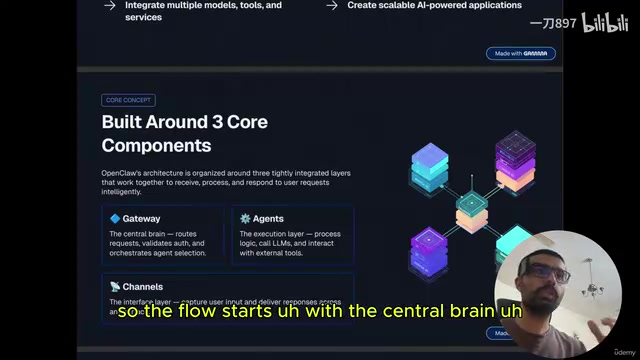
OpenClaw is a self-hostable AI agent gateway that orchestrates multi-platform workflows via a gateway-agent-channel architecture.
OpenClaw is an open-source, self-hostable AI agent gateway and orchestration platform. It unifies fragmented messaging channels (WhatsApp, Telegram, Discord, Slack) and multiple AI models (local Ollama or cloud-based OpenAI, Anthropic, Gemini) into one orchestrable system. Its architecture has three components: the gateway for intelligent routing and load balancing, agents as reusable execution units supporting RAG and MCP, and channels as the multi-platform user access layer. Tool integrations let agents operate external services like Gmail and databases, while built-in long- and short-term memory ensures cross-session contextual continuity.
OpenClaw is quickly becoming one of the most talked-about open-source projects in the AI agent space. It's a self-hostable gateway that connects multiple messaging platforms — WhatsApp, Discord, Slack, Telegram, and more — serving as the "central nervous system" for AI assistants. This tutorial breaks down OpenClaw's core architecture and how it works, helping developers understand how to use it to orchestrate multiple AI agents and build scalable automated workflows.
What Is OpenClaw
Simply put, OpenClaw is an AI agent gateway and orchestration platform. It's a multi-channel gateway designed for AI agents, and it runs on any operating system — macOS, Linux, or Windows.
It empowers developers and users to create a personal AI assistant accessible from various messaging platforms. Think of it as a combination of an "API gateway" and the "brain of AI automation."
What OpenClaw can do: build and manage AI agents, integrate multiple models (supporting open-source local models via Ollama as well as cloud-based LLMs like Anthropic, OpenAI, and Google Gemini via API), and build scalable AI applications on top of all that. This model-agnostic design lets it flexibly adapt to different cost and privacy requirements.
Ollama is a tool for running open-source large language models locally on your own device. It supports popular open-source models like Llama, Mistral, and Gemma, allowing users to perform inference without sending data to the cloud. It dramatically lowers the barrier to local LLM deployment — you can run a full language model on a laptop with just a few commands. OpenClaw's Ollama integration means the entire AI agent system can operate completely offline, with data never leaving your local environment — a major advantage for privacy-sensitive individuals or enterprises. By contrast, services like OpenAI, Anthropic (Claude), and Google Gemini provide cloud-based APIs with stronger inference capabilities, but data passes through third-party servers, requiring a trade-off between capability and privacy.
Three Core Components: Gateway, Agents, and Channels
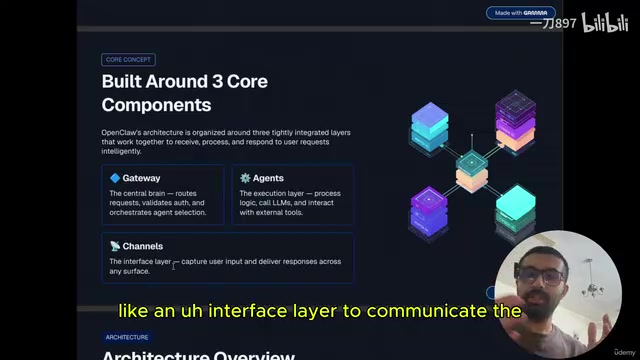
OpenClaw is built around three core components: the Gateway, Agents, and Channels.
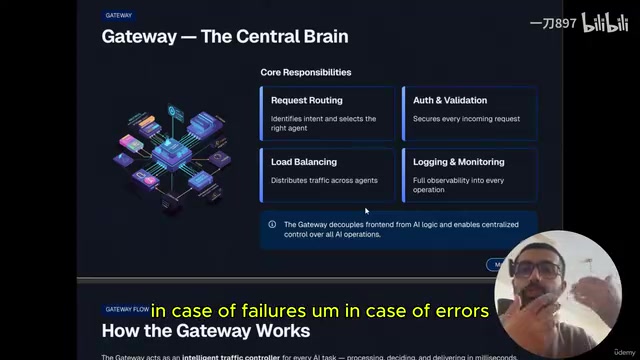
The Gateway is the central brain of the entire system — and OpenClaw's most critical feature. All processes start from this central brain. It handles routing user requests, performing validation and authentication, and intelligently deciding which agent to hand off a request to. The gateway is organized in different layers, each with its own responsibilities.
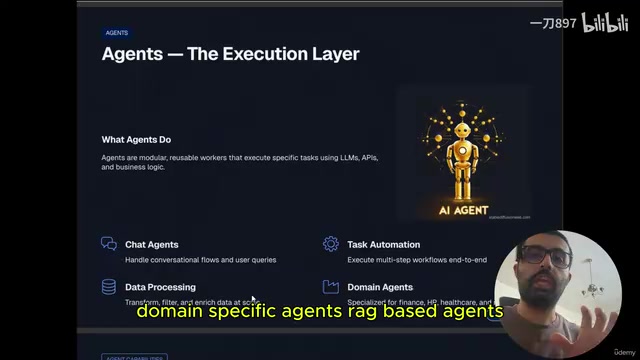
Agents are reusable execution units that carry out specific tasks using LLMs, API calls, and the business logic you write. There are many types of agents: chat agents, task automation agents, data processing agents, domain-specific agents, RAG-based agents, and custom MCP agents. These agents are the building blocks of automated workflows — you can use them to decide which manual processes are worth automating.
Channels are the interface layer — the entry points that capture user input and forward it to the gateway. They present the entire processing flow through a unified interface. Channels can be Telegram, WhatsApp, Discord, Slack, and others, connecting to the system via WebSockets, HTTP requests, REST APIs, and more.
RAG (Retrieval-Augmented Generation) is a technical architecture that combines information retrieval with the generative capabilities of large language models. The core idea: before the model generates a response, it first retrieves relevant content snippets from an external knowledge base (such as documents or databases), then passes those snippets as context to the model alongside the query. This grounds the model's answers in the most up-to-date, accurate private data — rather than relying solely on knowledge frozen into its parameters at training time. This is especially valuable in enterprise settings, where internal documents, product manuals, and customer data can't be pre-trained into a model. RAG provides a low-cost "plug-in knowledge base" solution. The RAG agents in OpenClaw use exactly this mechanism, enabling AI assistants to answer specialized questions based on local or private data sources — without fine-tuning the underlying model.
How the Gateway Works
The gateway is essentially an AI orchestrator that routes different requests to various nodes — agents, CLIs, web controls, IO nodes, and more. Each node has its own responsibility.
The gateway's core responsibilities include:
- Request routing: Identifying intent and selecting the right agent
- Authentication and validation: Ensuring requests are legitimate
- Load balancing: Distributing traffic across multiple agents
- Logging and monitoring: Recording requests to facilitate analysis when failures or errors occur
The gateway's workflow can be broken down into six steps: receive, identify, select, forward, collect, and return. It acts like an intelligent traffic dispatcher.
For example: when you send a message from WhatsApp or Telegram saying "I want to send 10 emails to a marketing company," the gateway receives the request from the channel, understands the intent and context, selects the appropriate agent (such as an email marketing agent), forwards the request to it, and finally collects the results and returns them to the user.
Tools and Memory: Making Agents More Powerful
Beyond the three core components, OpenClaw relies on Tools to extend the capabilities of large language models. You may have heard of function calling, tool calling, MCP, and similar concepts. Tools aren't complicated — they're simply the external capabilities you connect to an AI agent, such as integrations with Google Drive, Gmail, local MCP servers, local databases, email systems, and other third-party resources. Tools allow LLMs to break free from the limitation of "only being able to chat" and actually operate real-world services.
Another key element is the memory mechanism. OpenClaw supports both long-term and short-term memory, allowing agents to remember context and conversation history. This means that when you open your OpenClaw instance the next day, it can still recall the context from the day before, enabling truly coherent and intelligent workflows.
MCP (Model Context Protocol) is an open protocol introduced by Anthropic in late 2024, designed to standardize how large language models connect with external tools and data sources. Think of it as the "USB interface" of the AI world — with a unified protocol standard, developers no longer need to write custom integration code for every tool, and AI agents can interact with file systems, databases, API services, and other resources in a consistent way. The "custom MCP agents" mentioned in OpenClaw are built on this protocol, enabling agents to connect to MCP-compliant tool servers in a plug-and-play fashion. Compared to traditional function calling, MCP offers stronger tool discovery capabilities and more standardized context passing — and is rapidly becoming the go-to interoperability standard in the AI agent ecosystem.
Why It's Worth Paying Attention To
OpenClaw's value lies in consolidating fragmented AI capabilities into a single orchestrable system. Its three components — gateway, agents, and channels — each have clearly defined roles: the gateway handles intelligent routing and governance, agents handle specific task execution, and channels manage multi-platform access.
With it, developers can: create AI automation workflows, automate manual processes, integrate custom agents built with prompt engineering and fine-tuning, connect to the most advanced LLMs as the "brain" of their agents, and leverage memory capabilities to maintain contextual continuity.
For developers looking to build personal AI assistants or enterprise-grade automation systems, OpenClaw provides a clear architectural paradigm. As a next step, try installing OpenClaw on your own instance and experience these AI agent workflows in action through channels like Telegram, Slack, or Discord.
Related articles
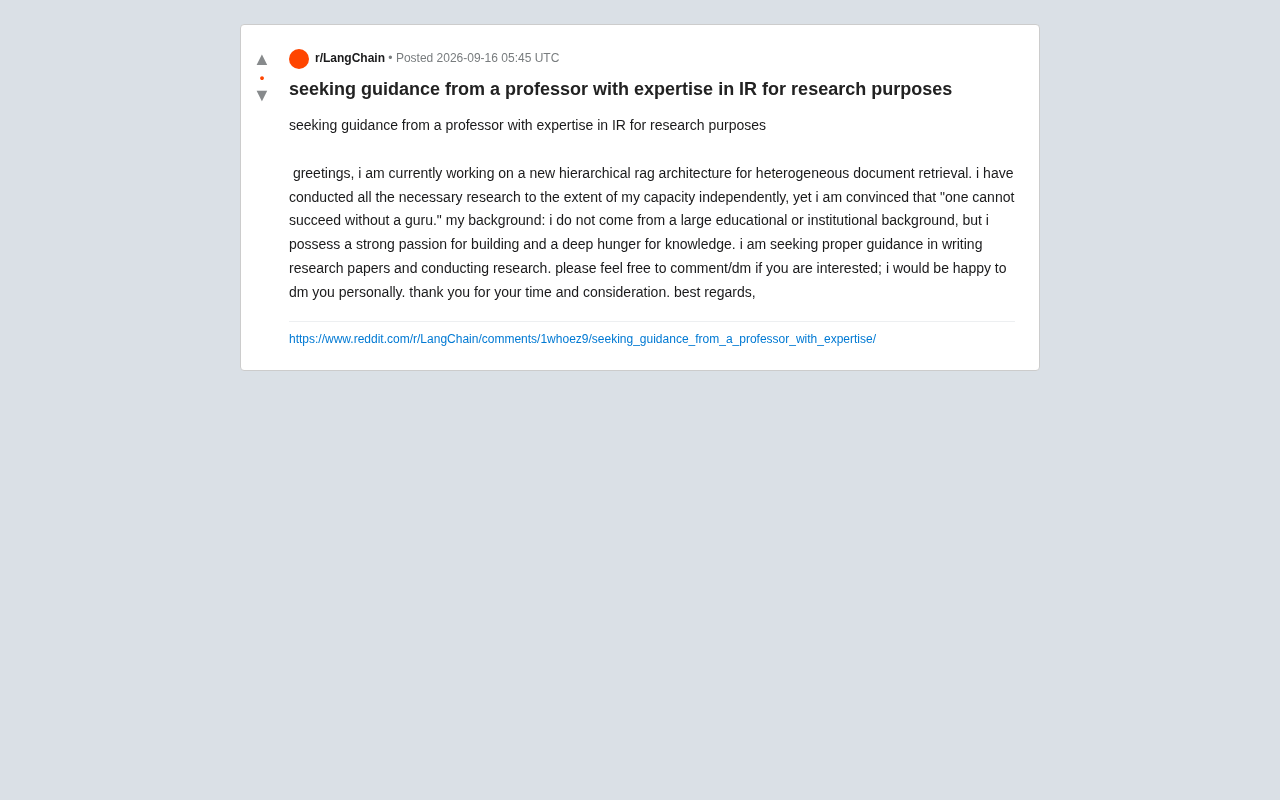
Hierarchical RAG Architecture Research: How Independent Developers Can Break Into Academic Research
An indie developer on Reddit seeks IR professor guidance for hierarchical RAG research. This article explores the technical background and practical advice for independent AI researchers facing academic barriers.
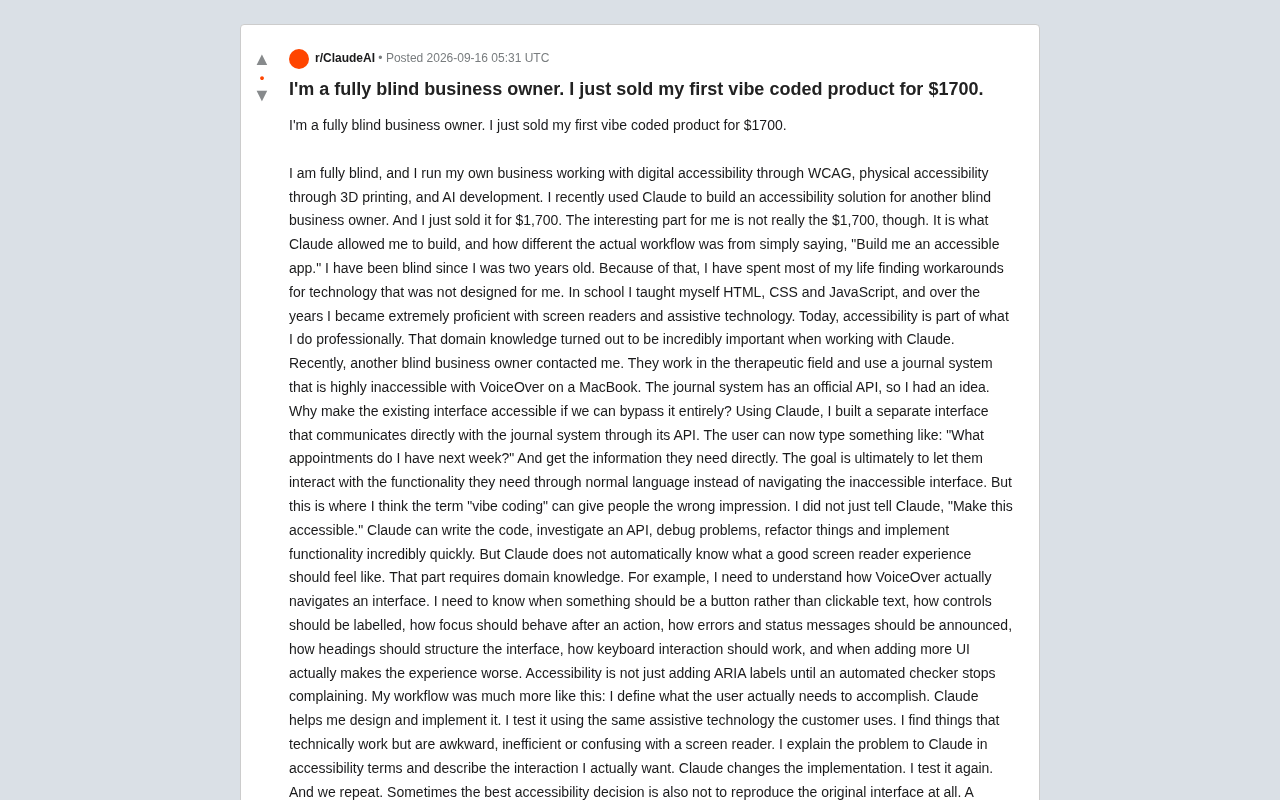
Blind Entrepreneur Uses Claude to Build Accessible Product, Sells It for $1,700
A blind entrepreneur used Claude to build an accessible tool for a blind client and sold it for $1,700 — revealing why domain knowledge, not just AI, makes products truly usable.
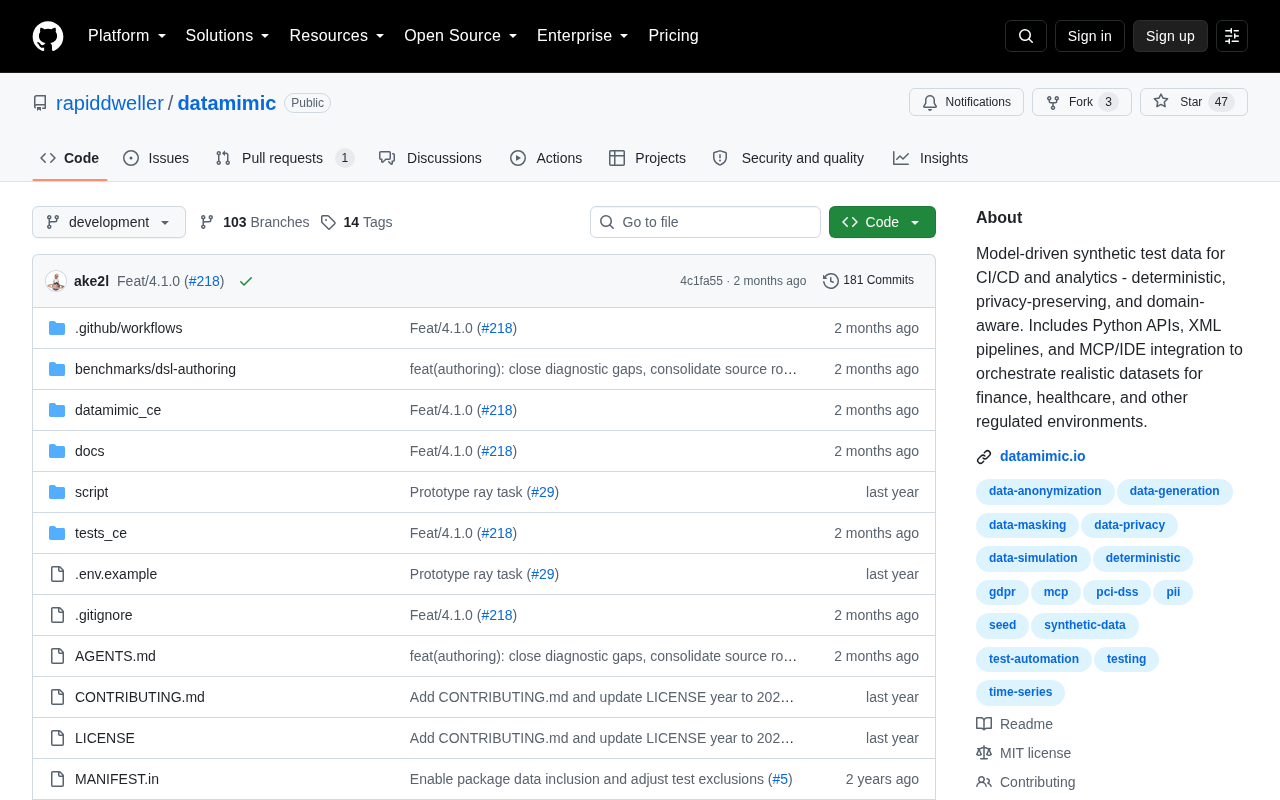
Datamimic: Giving AI Coding Assistants a Controlled Test Data World
Datamimic is an open-source tool arguing against letting AI coding agents fabricate test data. This article examines the reliability risks of AI-generated test data and the value of controlled test data for development quality.