Getting Started with Tencent WorkBuddy: The AI Office Assistant That Actually Operates Your Computer
Tencent WorkBuddy is an AI agent that operates your PC to complete real tasks, not just give advice.
WorkBuddy is Tencent's AI agent desktop tool, positioned as an all-scenario workplace AI assistant. Unlike conventional Q&A tools like ChatGPT or Doubao, it doesn't just offer suggestions — it directly reads and writes local files (Word, Excel, PDF) on your computer and autonomously plans and executes complex multi-step tasks. Its four core capabilities cover local file operations, scheduled background automation, remote control via WeChat, and connecting to external systems like Tencent Docs and WeCom via MCP. It requires no complex network setup and is free to use, making it especially accessible for users in China.
If you're looking for an AI productivity tool that's genuinely useful for workplace professionals in China, WorkBuddy — Tencent's AI agent desktop application — deserves a spot on your list. It's not just another chatbot. It's an AI assistant that can truly "roll up its sleeves" and get things done on your computer. This guide walks you through what WorkBuddy is, what it can do, and how it fundamentally differs from ordinary AI tools.
What WorkBuddy Is: An AI Brain with Hands That Can Operate Your PC
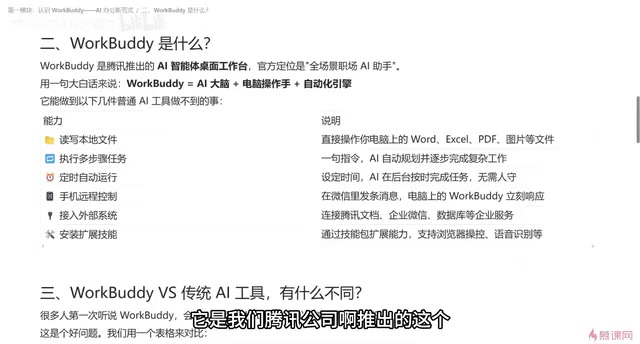
WorkBuddy is an AI agent desktop tool developed by Tencent, officially positioned as an "all-scenario workplace AI assistant." That description is a bit abstract, so let's break it down: think of it as an AI brain paired with a set of hands that can operate your computer, plus an automation engine built in.
The AI brain understands your requests and plans how to carry them out. The "hands" actually execute tasks on your computer — reading files, writing files, working with Word, Excel, PDF, images, and more. The automation engine lets recurring workflows run on a schedule, such as automatically compiling and delivering a weekly report to you every week.
If you've used tools like Codex or Claude-based products before, what WorkBuddy does will feel familiar. One of its key advantages is a low barrier to entry: no complex network setup or phone verification is required to use it for free — a significant plus for users in China.
WorkBuddy belongs to the category of "AI Agents," which is one of the core development directions in AI right now. Unlike large language models that only handle single-turn Q&A, AI agents have a complete "perceive → plan → execute → feedback" loop: they can receive a task, autonomously break it into steps, invoke external tools (such as the file system, browser, or APIs) to complete each sub-step, and dynamically adjust subsequent actions based on intermediate results. In short, traditional AI tells you "how to do it"; an AI agent actually gets it done. International counterparts include Anthropic's Claude Computer Use and Microsoft's Copilot Actions. WorkBuddy is where this technology trend meets the realities of workplace use cases in China.
An HR Scenario: Ordinary AI Just Talks — WorkBuddy Acts
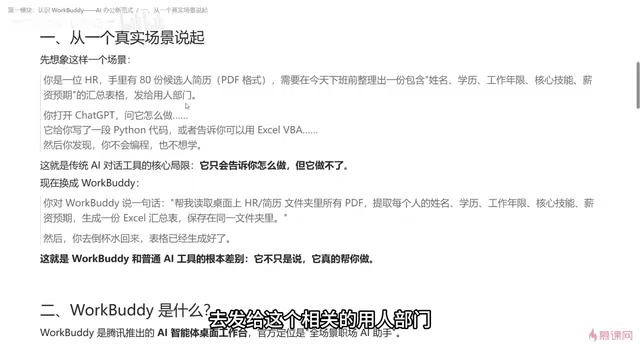
One real-world scenario makes the difference crystal clear. Imagine an HR professional with 80 candidate résumés who needs to compile them into a single spreadsheet — with fields for name, education, years of experience, core skills, and salary expectations — before the end of the workday, so the hiring team can start screening.
If you turn to a conventional AI tool like ChatGPT, Doubao, or Tongyi Qianwen and ask "how do I do this," it will most likely generate a Python script or tell you "you can accomplish this with a certain tool." You'd then have to follow its instructions and execute every step yourself on your computer. It can tell you how to do something, but it can't actually do it for you.
With WorkBuddy, you simply give the command: "Read all the candidate résumé PDFs in a specific folder, extract the name, education, years of experience, core skills, and salary expectations, generate a summary spreadsheet, and save it to the designated folder." Once WorkBuddy understands the task, it goes directly to work on your computer — reading the data and generating the file. All you need to do is grab a cup of water, wait for it to finish, and then verify the results.
That's the core difference: ordinary AI can only tell you what to do. WorkBuddy has a brain and the hands and feet to actually make it happen.
WorkBuddy's Four Core Capabilities
Based on what the product offers, WorkBuddy's capabilities fall into a few key areas.
Working with Local Files and Multi-Step Tasks
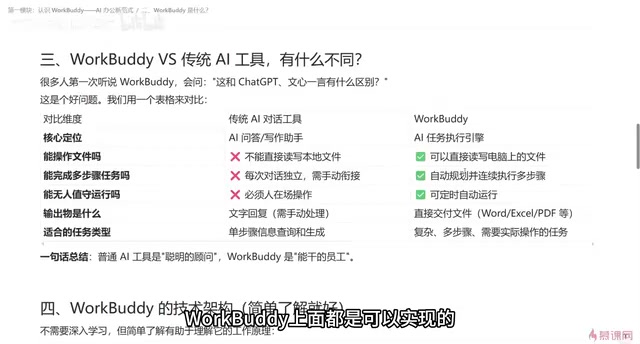
It can read local files and work with Word, Excel, PDF, and image formats, automatically planning a path forward and completing complex work step by step. If it discovers a problem with its plan partway through, it can redesign the approach. This "break into steps → execute → self-correct" capability is simply beyond what single-turn Q&A tools can offer.
Scheduled Tasks That Run Automatically
Through scheduled tasks, WorkBuddy can handle work in the background even when you're not watching. As long as WorkBuddy is running on your computer, it will execute automatically at the times you set — for example, regularly generating and sending a weekly report.
Remote Control from Your Phone
Using the WorkBuddy mini program or WeChat client, you can control it remotely. Send a command in WeChat, and as long as the desktop app is running, it will carry out a series of operations on your computer — with results that can stay on your PC or be sent to your phone.
Connecting to External Systems and Expanding Skills
WorkBuddy can connect to external systems via MCP — for example, searching data in Tencent Docs, connecting to WeCom (企业微信), or even linking to a database. It can also install skill packages to extend its capabilities, such as browsing data and taking screenshots in a browser, or transcribing a voice recording into a structured summary.
What is MCP? MCP (Model Context Protocol) is an open protocol proposed by Anthropic in late 2024, designed to give AI models a standardized way to connect to external data sources and tools. Think of it as a "USB port" for the AI world — once a system implements the MCP protocol, an AI can plug in and use that system's data or functionality on demand, without requiring custom integration work for each tool. WorkBuddy's support for MCP means it can connect to Tencent Docs, WeCom, databases, and other external systems — so its capability boundaries can expand alongside the ecosystem rather than being locked into a fixed set of preset features. This kind of extensible architecture is one of the key traits that sets AI agents apart from traditional plugin-based tools.
How WorkBuddy Compares to Traditional AI Tools
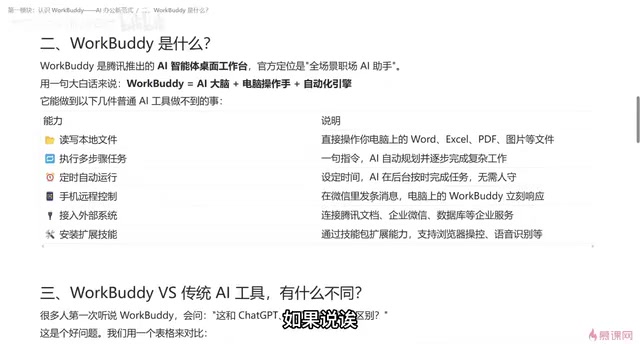
Put WorkBuddy side-by-side with traditional AI chat tools across a few dimensions and the differences become immediately clear.
| Dimension | Traditional AI Chat Tools | WorkBuddy |
|---|---|---|
| Core role | Smart consultant | Capable employee |
| File operations | Cannot read/write local files | Can read and write local files |
| Multi-step tasks | One question at a time; hard to maintain continuity | Automatically plans and executes step by step |
| Unattended operation | Requires a person at the device to send commands | Supports scheduled background tasks |
| Output | Primarily text responses | Delivers finished files: Word, Excel, PDF, etc. |
| Best for | Single-step information queries | Complex, multi-step tasks |
One-sentence summary: a traditional AI is a brilliant consultant who can answer your questions; WorkBuddy takes it a step further — it's a hands-on employee who can actually get the work done. Whatever you can do on your computer, WorkBuddy can largely do for you.
When Should You Use WorkBuddy?
The decision criterion is actually straightforward: if your task is simply looking something up or getting a quick answer, a standard AI tool is perfectly sufficient. But if the task involves batch-processing local files, multi-step operations, generating finished deliverable documents, or running automatically without anyone watching — that's exactly where WorkBuddy shines.
From a workplace efficiency standpoint, AI agents like this are reshaping how office work gets done — shifting the model from "manually researching and compiling documents" to "issuing a command and reviewing the results." Understanding and making good use of these tools has real, tangible value for boosting productivity.
Related articles
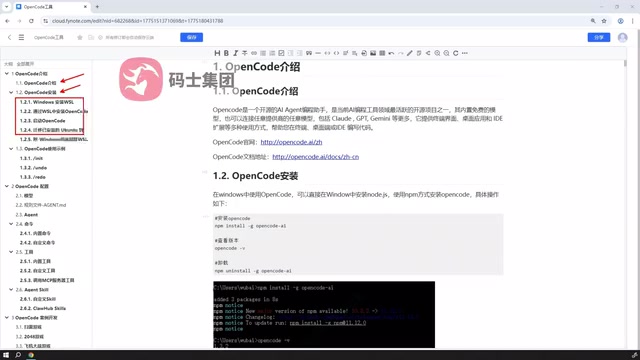
OpenCode Complete Guide: Installation, Configuration & Practical Usage
A complete guide to OpenCode, an open-source AI coding tool: desktop and WSL installation, model and rule configuration, agent types, custom commands, MCP integration, and Agent SQL reuse.
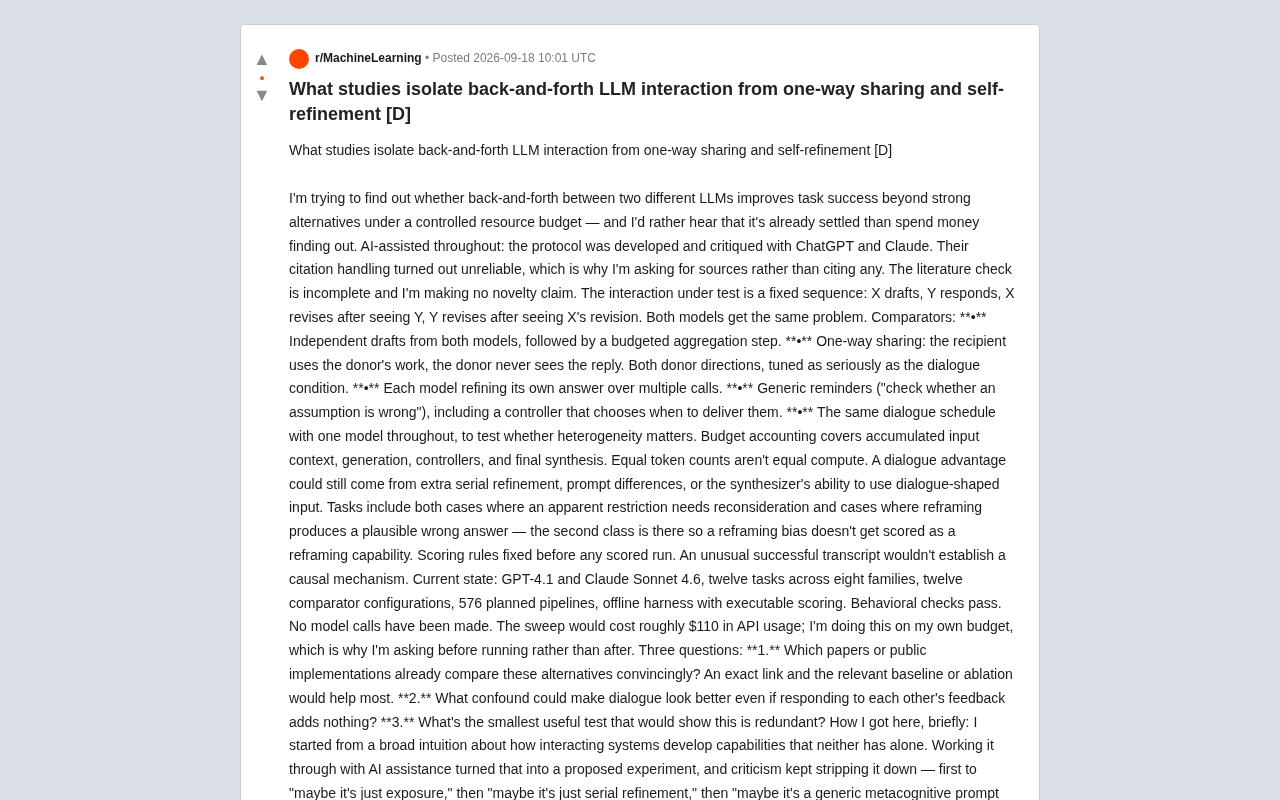
Can Multi-LLM Dialogue Really Improve Task Performance? Lessons from a Rigorous Experimental Design
A researcher designed rigorous controlled experiments to isolate whether multi-LLM back-and-forth dialogue genuinely outperforms simpler baselines like self-refinement and one-way sharing.
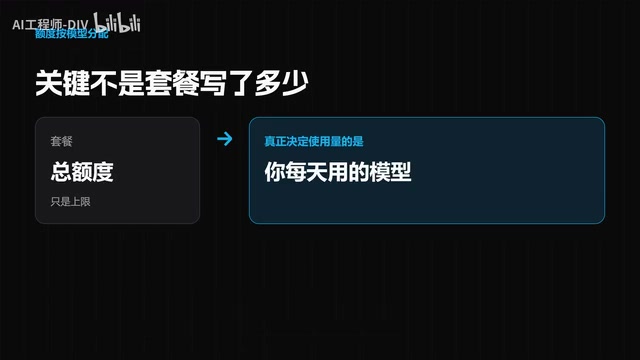
Which $10 AI Coding Plan Should You Choose? Go vs. Code Credit Breakdown
After DeepSeek's price hike, should you pick Go or Code for your $10 AI coding plan? We break down credit allocations for Mimo, Qwen, DeepSeek V4, Kimi, and more.