Getting Started with WorkBuddy: How Tencent's AI Agent Is Reshaping Workplace Productivity
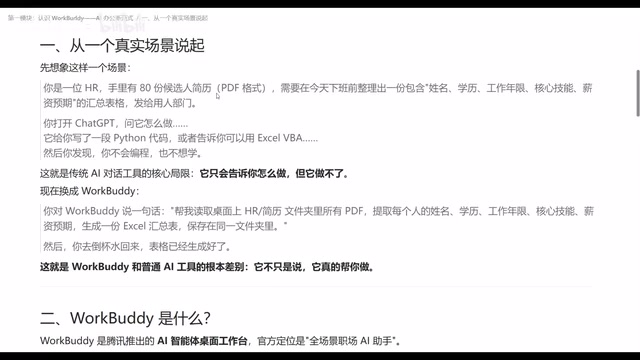
Tencent's WorkBuddy is an AI agent that reads/writes local files and executes complex tasks autonomously — bridging conversational and executive AI.
WorkBuddy is Tencent's AI agent desktop tool, positioned as an all-scenario workplace assistant. Unlike conversational AI tools such as ChatGPT or Doubao that can only "talk," WorkBuddy reads and writes local files (Word, PDF, Excel), autonomously breaks down and executes multi-step tasks, and runs unattended via scheduled jobs. It also supports remote control via WeChat, integrates with external systems like Tencent Docs and WeCom through MCP, and can be enhanced with skill packages — making it a genuinely executive AI for office workers.
If you had to pick one AI tool that every Chinese office worker should learn, Tencent's WorkBuddy would likely make the shortlist. Many have dubbed it the "domestic alternative to Codex" — its biggest selling points being that it's free, requires no complex network setup, and doesn't need phone number verification to get started. This article will walk you through what WorkBuddy actually is from the ground up, how it fundamentally differs from ordinary AI tools, and which scenarios where it can genuinely boost your productivity.
What Problem Does WorkBuddy Actually Solve?
The traditional AI-assisted workflow is essentially still stuck in the "manually look things up, organize documents" phase. You search, copy, paste, and format — step by step. WorkBuddy changes this flow entirely. You simply give it an instruction, and it automatically gathers information, executes operations, and generates the documents you need. All you have to do is verify that the final output meets your expectations.
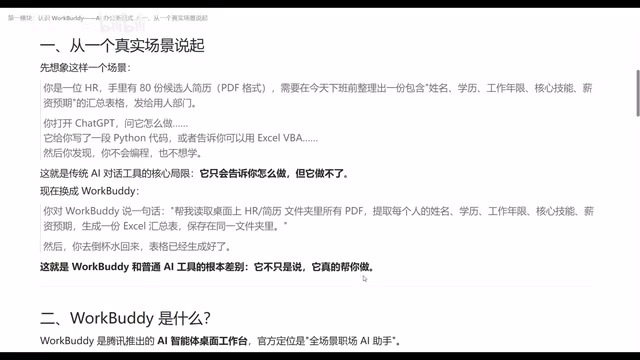
Here's a concrete example: an HR professional has 80 candidate resumes on hand and needs to compile a spreadsheet before end of day — capturing name, education, years of experience, core skills, and salary expectations — to hand off to the hiring department for screening.
If you used a traditional AI tool like ChatGPT, Doubao, or Tongyi Qianwen, they'd most likely generate a Python script for you, or tell you "you can use such-and-such tool to accomplish this" — but you'd still need to execute every step yourself on your computer. These tools can tell you what to do, but they can't do it. WorkBuddy is different. Just tell it: "Read all candidate resume PDFs in a specific directory, extract name, education, years of experience, core skills, and salary expectations, generate an Excel summary and save it to a designated folder" — and it will understand the requirement, read your local data, and automatically generate the file. By the time you've poured yourself a glass of water and come back, the spreadsheet is already sitting in the folder.
Its Role: AI Brain + Operator + Automation Engine
WorkBuddy is an AI agent desktop tool launched by Tencent, officially positioned as an "all-scenario workplace AI assistant." That description is a bit abstract, so let's break it down: it's essentially an AI brain, combined with a pair of hands that can operate your computer, plus an automation engine.
The AI brain plans how to fulfill a requirement; the operator hands ensure those plans actually get executed on your machine; and the automation engine locks in a series of actions as scheduled tasks — for example, automatically compiling a weekly report and delivering it to you every week. This combination means WorkBuddy isn't just a consultant offering advice on paper — it's an employee who can actually get the work done.
Specifically, it can: read and write local files (Word, PDF, images, etc.), execute complex multi-step tasks, run automatically in the background via scheduled tasks, and autonomously plan an execution path and work through it step by step. If you're familiar with tools like OpenClaude, WorkBuddy's capabilities will feel immediately recognizable.
What Is an AI Agent?
The "AI Agent" mentioned here is a key concept that distinguishes it from ordinary AI chat models. Traditional AI models (like ChatGPT or Doubao) are essentially "stateless Q&A machines" — each conversation is independent, and they cannot proactively execute operations. An AI Agent, by contrast, has the ability to autonomously plan, execute tasks in steps, perceive environmental feedback, and dynamically adjust its strategy. It doesn't just answer "what should I do" — it actually does it. WorkBuddy is a locally deployed AI Agent whose operating permissions act directly on your computer's file system — this is the most fundamental architectural difference between it and cloud-based conversational AI tools. OpenAI's Codex, Anthropic's Claude Computer Use, and Microsoft's Copilot Actions are all exploring similar directions.
Remote Control and External System Integration
WorkBuddy's capabilities can be extended even further. Through a WeChat Mini Program or the WeChat client on your phone, you can control it remotely — as long as WorkBuddy is running on your computer, you can send it a command via WeChat, and it will execute the operation on your machine and return the results either to your computer or directly to your phone.
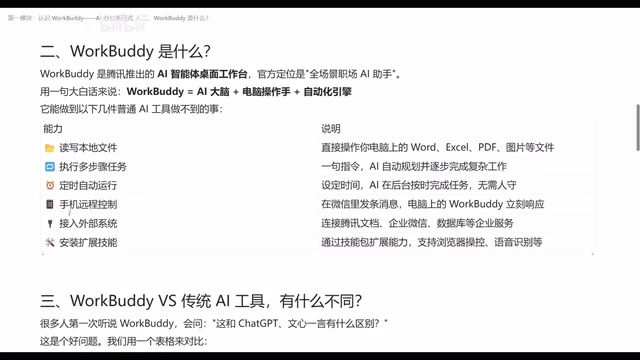
Going further, it supports integration with external systems. You can have it search data in Tencent Docs, connect to WeCom (Enterprise WeChat), or even interface with a database. This capability is implemented via MCP (Model Context Protocol) — once external data sources are connected to WorkBuddy, the range of tasks it can handle expands significantly.
WorkBuddy also supports installing extension skills. Through a library of skill packages, you can enhance its capabilities — for example, enabling it to browse data in a browser and take screenshots, or automatically turning a voice recording into a structured summary. All of this can be achieved through extensions.
What Is MCP?
MCP (Model Context Protocol) is an open standard proposed by AI company Anthropic that defines how AI models connect to external data sources and tools. Think of it as the "USB port" of the AI world — as long as an external system implements this protocol, an AI can read its data or invoke its functions in a unified way, without needing custom integration logic built for each individual system. By supporting MCP, WorkBuddy makes it possible to connect to Tencent Docs, WeCom, or proprietary databases — essentially expanding the AI's "awareness" from local files to the broader data ecosystem inside and outside the enterprise.
Core Differences Between WorkBuddy and Traditional AI Tools
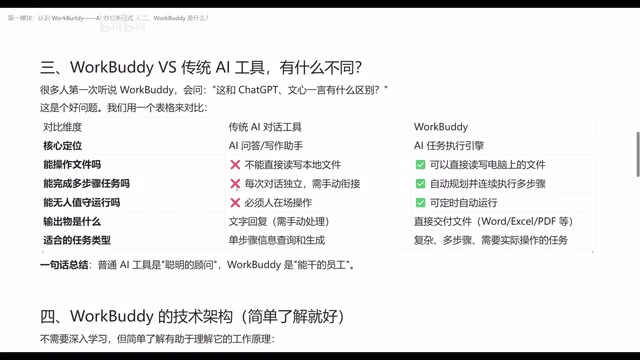
Comparing WorkBuddy side by side with traditional AI chat tools, the differences show up across several dimensions:
Core Role
Traditional AI chat tools are fundamentally "question-and-answer" interfaces — they're smart consultants that can refine your input and provide feedback, but they cannot operate on local files. WorkBuddy, on the other hand, is a "capable employee" — it can both read and write files on your computer, and it can plan autonomously and execute in steps.
Task Capability
Traditional tools excel at single-step information retrieval and responses; task types are relatively straightforward. WorkBuddy can understand requirements, break them into steps, and complete complex tasks — and if it discovers a flaw in its plan mid-execution, it can redesign its approach on the fly.
Unattended Operation
Traditional AI tools require you to be at your computer or phone to issue commands. WorkBuddy's scheduled task feature allows it to automatically complete work even when you're away — as long as the computer stays on.
Output
Traditional tools typically return results as text. WorkBuddy can deliver finished file products directly — Word, Excel, PDF, or various format conversions. In short: whatever you can do on your computer, WorkBuddy can essentially do it too.
Final Thoughts
WorkBuddy represents a shift from "conversational AI" to "executive AI." Ordinary AI tools are like smart consultants who can tell you the answer. WorkBuddy takes that consultant and gives it hands and feet — it can actually operate your computer and work toward a goal step by step. For office workers who regularly deal with large volumes of document organization, data aggregation, and scheduled reporting, this ability to both say and do is genuinely worth the time investment to learn.
Related articles
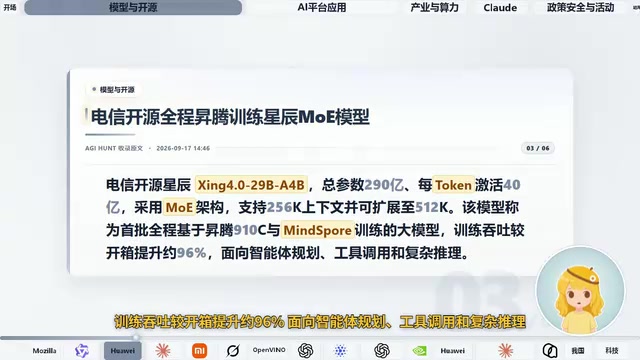
AI Daily Briefing: Qwen3-Omni Full-Modality Model Launches, Huawei Ascend 960 and Grok's New Model Surface
AI Daily: Qwen3-Omni Flash launches with full-modality support and 93% cost cuts; Huawei unveils million-processor AI architecture; Ascend 960 rumored; Grok spotted on GCP; N8N hits CVSS 10 vulnerability.
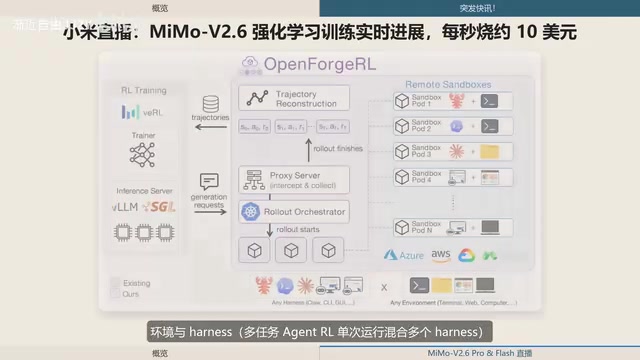
Xiaomi MiMo-V2.6 Live Training: ¥8.55M Spent in One and a Half Days, ~$10 per Second
Xiaomi's MiMo team live-streams MiMo V2.6 Pro/Flash RL training, spending ¥8.55M (~$1.28M) in 1.5 days — ~$10/sec. Covers compute scaling, open-source plans, and DeepSWE benchmarks.
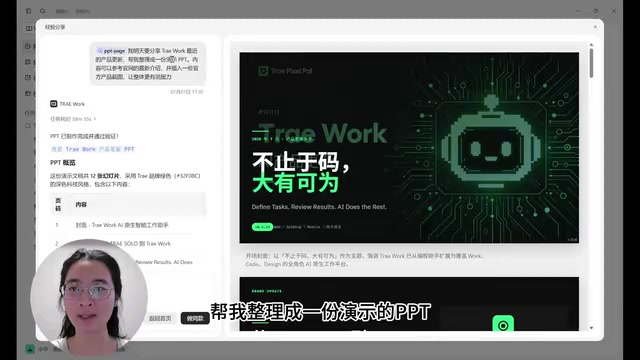
ByteDance Trae Work Getting Started Guide: 11 Use Cases Explained
A hands-on guide to ByteDance's Trae Work AI agent — covering Work, Code, and Design sections across 11 use cases including PPT generation, data analysis, coding, and more.