GitHub Copilot vs Cursor: An Enterprise Guide to Choosing an AI Coding Assistant
Compare GitHub Copilot and Cursor: choose based on integration needs and AI-native experience, and pilot first.
Based on about six months of dual-tool experience, the article compares GitHub Copilot and Cursor across integration, workflow fit, and adoption cost. Copilot's strength is integration into existing GitHub workflows without switching editors, but quality varies and advanced features depend on subscription tier. Cursor is an AI-native editor strong at cross-file tasks and large refactors, but switching editors may disrupt workflows and requires compatibility checks. The author recommends a pilot comparing code quality, productivity, review time, security controls, and total cost.
When enterprise teams choose an AI coding assistant, GitHub Copilot and Cursor are two popular options. Based on roughly six months of experience using both tools, one developer offers a detailed comparison across integration capabilities, workflow fit, and team adoption costs.
GitHub Copilot: Integration First, Lowest Adoption Friction
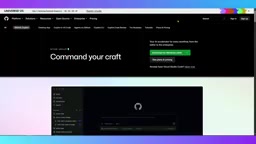
According to the video's author, GitHub Copilot's biggest advantage is integration. It runs in mainstream development environments and fits naturally into existing GitHub workflows—code completion, function explanation, and test generation all work without requiring teams to switch editors.
For enterprises, centralized management, policy control, and integration with existing development tools can significantly lower the barrier to adoption. But the author also notes that Copilot's suggestion quality can fluctuate, and advanced features or higher usage quotas may depend on the subscription tier; teams need to assess whether its capabilities justify the cost of rolling it out to all developers.

Code completion is the most basic and most commonly used capability of an AI coding assistant: based on the current file context and cursor position, it predicts and suggests the next code snippet in real time, and developers can accept it by pressing Tab. Function explanation lets developers select a piece of code and have the AI explain its logic in natural language, which is especially useful when reading legacy code or unfamiliar modules. Test generation means the AI automatically produces unit test skeletons or complete cases based on a function's signature and implementation, significantly reducing the time spent writing boilerplate tests. Together, these three features form the core value of an integrated assistant in daily development—they are embedded in the existing editor and do not change developers' habits.
Cursor: AI-Native Editing, Strong at Multi-File Tasks
Cursor takes a different path: it is an AI-native editor built around understanding the codebase. The author particularly appreciates its ability to work across multiple files—it can answer project-level questions and help implement changes through a more AI-driven workflow. This is especially useful for large refactors and exploring unfamiliar tasks.
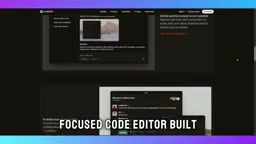
The trade-off is that switching editors may disrupt existing workflows. Teams need to evaluate compatibility with preferred extensions, toolchains, and security requirements.
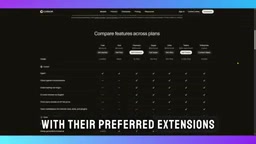
AI-native editors are development environments designed from the ground up with large language models as core interaction components, rather than traditional editors with AI plugins bolted on. These tools typically use the entire codebase as context, allowing users to describe requirements in natural language and have the AI retrieve relevant files, plan changes, and directly edit multiple files. Cross-file understanding relies on indexing or vectorized retrieval of the project, enabling the AI to answer global questions such as "where is this function called" and "which modules will be affected if I change this interface." Large-scale refactoring is a typical scenario for this capability: renaming interfaces, migrating frameworks, or splitting modules often involves dozens of files, and AI-native editors can generate consistent changes in bulk, but human review is still needed to ensure semantic correctness.
Selection Advice: Pilot First, Then Decide
The author's judgment is clear: if an organization seeks broad adoption, minimal disruption, and deep reliance on GitHub workflows, GitHub Copilot is the safer starting point; if developers want a more AI-native editing experience and frequently handle complex multi-file changes, Cursor may be more suitable.
Before making a final decision, the author recommends running a pilot with both tools and comparing them across five dimensions: code quality, developer productivity, review time, security controls, and total cost. His conclusion: Copilot is a safe starting point for teams with existing enterprise workflows, while Cursor is better suited to teams ready to embrace AI-first development.
This judgment aligns with the industry's general understanding of the two types of tools: integrated assistants lower adoption friction, while native editors trade that for deeper AI collaboration capabilities.
One-line Summary
Comparing GitHub Copilot and Cursor: choose based on integration needs and AI-native experience, and run a pilot first.
Paragraph Summary
Based on roughly six months of experience using both tools, the article compares GitHub Copilot and Cursor across integration capabilities, workflow fit, and team adoption costs. Copilot's core strength is integration—it fits into existing GitHub workflows without requiring an editor switch, lowering the enterprise adoption barrier, but suggestion quality can fluctuate and advanced features depend on subscription tier, so the cost for all developers needs assessment. Cursor is an AI-native editor built around understanding the codebase, excelling at cross-file tasks and large refactors, but switching editors may disrupt existing workflows and requires evaluating extension, toolchain, and security compatibility. The author recommends running a pilot first and comparing the two across five dimensions—code quality, developer productivity, review time, security controls, and total cost—before deciding.
Related articles
 Tech Frontiers
Stylome Bot Slammed as Useless Junk: Why Do AI Detection Tools Keep Failing?
Reddit users test the Stylome AI detection bot: Gemini-rewritten text judged human-written, consistently low confidence. An analysis of AI text detection's technical dilemmas, privacy concerns, and credibility crisis in community governance.
 Tech Frontiers
When AI Becomes a Productivity Divide: Clarity or "AI Psychosis"?
A civil engineer's deep use of agentic AI boosted efficiency but bred contempt for peers who refuse to learn. Is this clarity or AI psychosis? An analysis of the cognitive and psychological challenges behind the AI productivity divide.
 Tech Frontiers
Opus 5.5 Benchmark Scores Climb, Community Says Its "Weights Are Blessed"
Reddit community discusses Opus 5.5's rising scores on the Benchmaxxing Bench, with users describing its performance as "weights are blessed." This article interprets the community reaction and cautions against conflating benchmark scores with real capability.