Give Your AI Agent Its First Tool: A Calendar Query Walkthrough

Giving an Agent a tool only requires a Python function with a decorator and a docstring.
Using short video tutorial Ep 16 as an example, the article explains how to let an AI Agent read your calendar. The core idea: a tool is just a Python function with a function tool decorator — no complex protocols needed. The model understands a tool's purpose through its docstring, so description quality determines call accuracy. Usage takes two steps: pass the tool into the tools list, then ask a question; the Agent autonomously decides whether to call get_events and answers based on results. The tutorial recommends using demo data to verify the question—call—answer chain before connecting a real calendar, avoiding mixing debugging and permission issues. The same pattern applies to email, spreadsheets, and any capability wrappable as a function.
AI Agents sound mysterious, but the first step to getting them to "do things" is actually quite plain: give them a tool. A recent short video tutorial (Ep 16) demonstrated how to let an Agent read your calendar. The whole process can be explained in under a minute, but the design thinking behind it deserves a closer look.
The Essence of a Tool: A Python Function with a Decorator
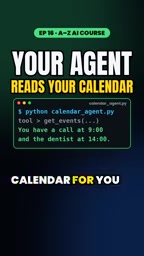
The tutorial gives a very direct definition: a tool is just a Python function, plus a function tool decorator. No complex protocols, no additional service framework required.
This definition reveals a fact that many tutorials overlook: the capability boundary of an Agent essentially depends on how many functions you're willing to write for it. The decorator is responsible for "registering" the function with the model. What the model sees is a callable tool, not a piece of code.
The "function tool decorator" mentioned in the article is one implementation of the function calling mechanism. Current mainstream LLM APIs (such as OpenAI and Anthropic) all support having the model output structured function call requests: you tell the model the names, descriptions, and parameter schemas of available tools via parameters, and the model returns a structured result like "I want to call a certain function with these parameters" when needed. Your code then actually executes the function and passes the result back to the model to continue generating. The decorator's job is precisely to automatically extract this metadata from the Python function's signature and docstring, generating the tool description the model needs and saving you the trouble of hand-writing JSON schemas. Understanding this layer makes it clear: the model itself doesn't execute code — it only "decides what to call," and the actual execution happens in your process.
The Docstring Is the Agent's User Manual
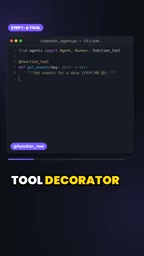
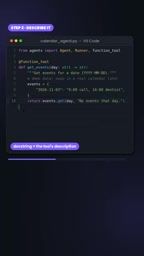
Once the function is written, how does the Agent know what it does? The answer is the docstring. The tutorial emphasizes that the docstring tells the Agent what this tool does.
This point is easily underestimated in real-world development. The model doesn't read your implementation logic — it only reads your description of the tool. If the description is vague, the model may call it when it shouldn't, or fail to call it when it should. Writing a good docstring is equivalent to writing the only product documentation the Agent will ever read.
The docstring is critical because it gets serialized into the tool description sent to the model, typically including the function's purpose as well as parameter types and meanings. The model sees this description in every round of conversation and uses it to judge whether the current question requires a tool call and what values to fill in for each parameter. Common failure modes in practice include: overly vague descriptions causing the model to mistakenly call tools on unrelated questions; missing parameter descriptions causing the model to fabricate parameter values; and highly similar descriptions across multiple tools causing the model to pick the wrong one. Therefore, docstrings should clearly state "when to use it," "what format the input is," and "what it returns." When necessary, include example values in the description — this is more effective than clever function naming.
Demo Data First, Swap in Real Data Later
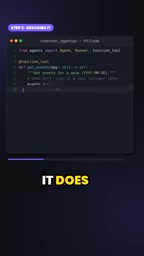
The calendar data in the video is for demonstration, and the tutorial explicitly states: get the flow working first, then swap in your real calendar.
This order is worth adopting. First use fake data to verify whether the "question—call—answer" chain is working smoothly, then connect to real data sources. This avoids mixing debugging issues with data permission issues. Connecting a real calendar involves authentication, permissions, time zones, and a pile of other chores — handling these after the chain is verified is more efficient.
Pass the Tool into the List, Then Ask Like You're Chatting
Using it takes only two steps: pass the tool into the tools list, then ask a question.
What happens next is completed autonomously by the Agent: it determines that it needs to call get_events (the function name in the example), reads the returned results, and then answers you in natural language. The tutorial specifically mentions that the same pattern applies to email, spreadsheets, and virtually anything you can write as a function.
This means the Agent development paradigm can be summarized in one sentence: you're responsible for encapsulating capabilities as functions, and the model is responsible for deciding when to call them. The calendar is just the first example — what comes next depends on your needs.
The "pass into the tools list and then ask" described here is backed by a multi-round loop: after the user asks a question, the model may first return a tool call request rather than a final answer; your program executes the corresponding function, appends the return value as a tool result message to the conversation history, and requests the model again; the model then decides based on the result whether to continue calling other tools or to give a natural language answer. This "model requests—program executes—result returned" loop may repeat multiple times until the model outputs the final answer. Understanding this loop helps with troubleshooting: if the Agent doesn't call the tool, it's usually a problem with the tool description or the wording of the question; if the answer is wrong after calling, check whether the data format returned by the function is model-friendly.
What's Next in the Series
The tutorial previews Ep 17: an Agent that can help you draft email replies. If you follow along in order, going from reading calendars to writing emails is a gradual path from "reading information" to "generating content." For those who want to systematically build Agent capabilities, learning in order is more worthwhile than skipping around.
A Few Practical Reminders
- Name tools plainly: A name like
get_eventsis immediately understandable to the model and more reliable than abstract naming. - Write clear input and output in the docstring: The model relies on it to figure out how to fill in parameters.
- Use demo data to get the chain working first: Connecting real data is a later step.
- Start with one tool: Once the pattern works, extending to email and spreadsheets is just copying the same structure.
Giving an Agent tools has a lower barrier than you'd imagine. One function, one line of decorator, one docstring — and the model goes from "chatting" to "getting things done."
One-line Summary
Giving an Agent a tool only requires a Python function with a decorator and a docstring.
Paragraph Summary
Using short video tutorial Ep 16 as an example, the article explains how to let an AI Agent read your calendar. The core idea is: a tool is essentially just a Python function with a function tool decorator — no complex protocols or service frameworks needed. The model understands a tool's purpose through its docstring, so description quality directly determines call accuracy; the model doesn't read implementation code, only your description of the tool. Using it takes only two steps: pass the tool into the tools list, then ask a question like you're chatting — the Agent autonomously decides whether to call get_events and answers based on the returned results. The tutorial recommends first using demo data to get the "question—call—answer" chain working, then connecting a real calendar to avoid mixing debugging issues with permission issues. The same pattern can be reused for email, spreadsheets, and any capability that can be encapsulated as a function. The next episode in the series will demonstrate an Agent that drafts email replies.
Related articles
 Tech Frontiers
MuJoCo: An Analysis of DeepMind's Open-Source General-Purpose Physics Simulator
An in-depth analysis of Google DeepMind's open-source physics simulator MuJoCo: high-performance C++ kernel, MJCF modeling format, contact solving principles, MJX GPU acceleration, and robot reinforcement learning use cases.
 Tech Frontiers
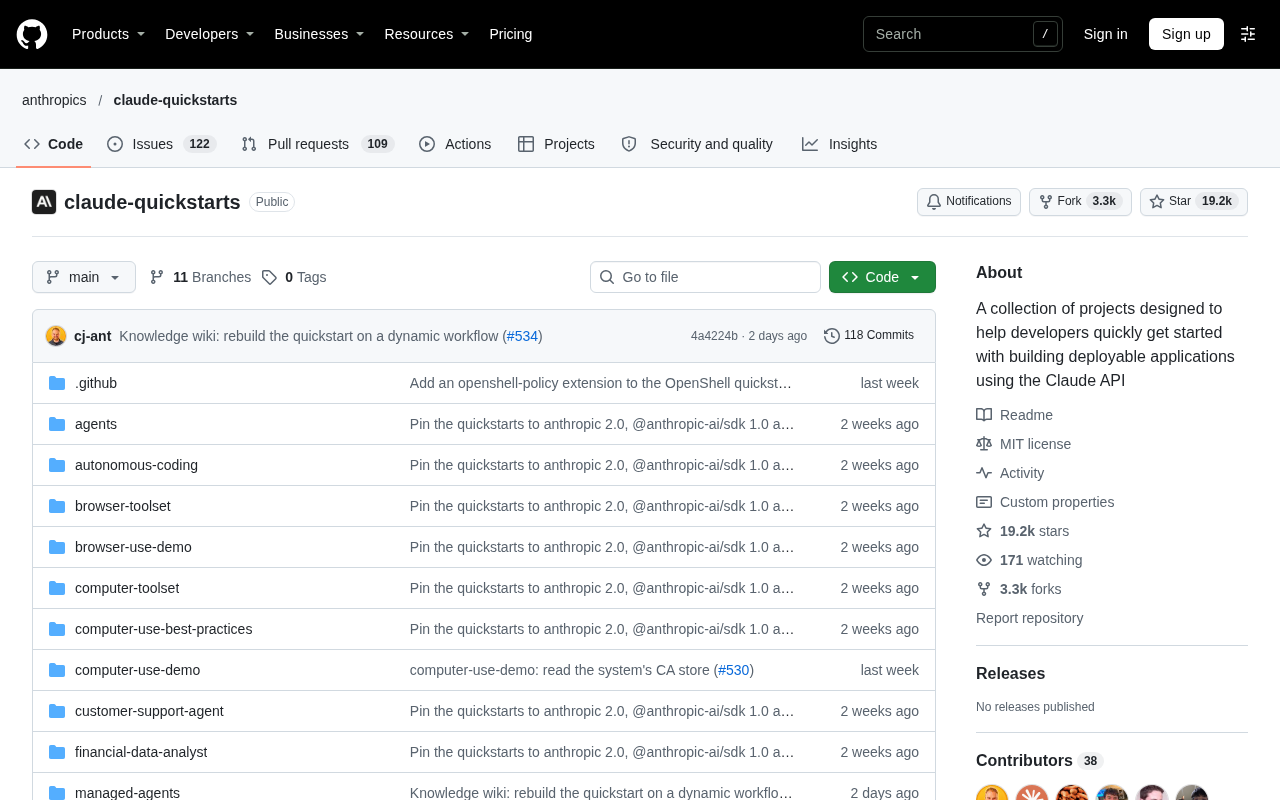
Claude API Quick Start: The Official Quickstarts Project Collection
Anthropic's official claude-quickstarts project collection helps developers quickly build deployable apps with the Claude API. Nearly 20k stars, Python-based, great for beginners and prototyping.
 Tech Frontiers
AI Agents Connecting Directly to APIs: Which Calls Can Be Safely Allowed?
AI agents can call any API, but the real challenge is deciding which calls can be safely allowed. This article analyzes allowance decisions from three dimensions—intent matching, least privilege, and controllable impact—and argues that the control layer should sit outside the agent, combined with audit traceability to build a trustworthy API call governance mechanism.