Google's Three Free AI Coding Tools: AI Studio, Gemini CLI, and Antigravity

Google opens three free AI coding tools covering model validation, terminal automation, and multi-agent collaboration.
Google has launched three free AI coding tools: Google AI Studio, Gemini CLI, and Google Antigravity, corresponding to model capability validation, terminal script automation, and multi-agent code collaboration. AI Studio is free in all available countries and lets you test Gemini models and get an API Key; Gemini CLI offers up to 1,000 free requests per day after logging in with a Google account and supports terminal and shell script calls; Antigravity is an agent-first code editor that is free for individual plans during the public preview but has a weekly limit. The three can be combined to form a complete chain from prototype validation to daily coding, but the free tiers are subject to quotas and preview status, making them suitable for low-cost trial and error by individual developers, while enterprise scaling still requires paid plans.
Google has laid out a strategy for AI coding tools: from a model testing platform to a terminal CLI to a multi-agent code editor, all three are open for free. For developers, this covers almost the entire chain from prototype validation to daily coding.
According to a YouTube channel, the three tools are Google AI Studio, Gemini CLI, and Google Antigravity (referred to in the video as Anti-Gravity). Each addresses a different part of the workflow but shares the same foundation—the Gemini model family.
Google AI Studio: A Model Testing Ground for Try-Before-You-Buy
AI Studio's positioning is "test Gemini models and get an API key." Google states officially that the tool is free to use in all available countries. This means developers can test the capability boundaries of different Gemini versions conversationally without committing to a paid plan: run a code generation task, do a long-context comprehension test, validate a multimodal input, and then decide whether to integrate it into a production environment.
From a workflow perspective, AI Studio's real value lies in "lowering the cost of trial and error." In a traditional process, evaluating a model often requires setting up an environment, writing invocation code, and handling authentication. AI Studio compresses these preliminary steps into a web-based conversation. For developers who need to quickly determine whether a model is up to a task, this is far more efficient than reading documentation. The breadth of the free policy is also worth noting—the official wording is "every available country," not a limited-time trial.
An API Key is a credential string used to call Gemini model services. After obtaining an API Key, developers can call the model via HTTP requests in their own applications, scripts, or third-party tools without logging into the web interface. API Keys provided by AI Studio are associated with a Google Cloud project, making it easier to migrate to a paid tier or production environment later, while also supporting quota management and permission control. Understanding this helps grasp AI Studio's role as a bridge between prototype validation and formal integration.
Gemini CLI: 1,000 Free Requests per Day in the Terminal
The second tool puts Gemini directly into the terminal. After logging in with a Google account, users get up to 1,000 free model requests per day. The video specifically emphasizes that it works directly in the terminal and shell scripts.
This feature is significant for engineers who are comfortable with the command line. It means you can call the model without leaving your working environment: write a shell script to batch-process files, insert a code review into a CI pipeline, or quickly generate a command—all within the same terminal session. A daily quota of 1,000 requests is quite generous for individual developers, enough to support daily scripted calls and small-scale automation.
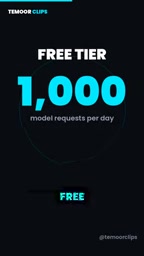
Note that the free quota resets daily. The specific model versions and rate limits are not specified in the source material, so it's advisable to check the official documentation for details before actual use.
A CLI (command-line interface) is a way of interacting with a computer through text commands, commonly found in developers' terminal environments. Gemini CLI packages model calls into a command-line tool, enabling it to be embedded in shell scripts and automation workflows—for example, automatically performing code reviews in CI (continuous integration) pipelines. Compared with graphical interfaces, CLIs are better suited to batch processing and repeatable tasks, which is why they are more valuable to engineers who are comfortable with the command line.
Antigravity: An Agent-First Code Editor
The third tool is Google Antigravity, described as an "agent-first code editor" whose core capability is coordinating multiple AI agents working together within a codebase. The individual plan is free during the public preview, but has a weekly usage limit.
The "agent-first" positioning deserves elaboration. Traditional AI coding assistants mostly focus on autocompletion or single-turn dialogue, whereas Antigravity's approach is to organize multiple agents and have them divide up different tasks in a codebase. This architecture is closer to an "AI team" than an "AI assistant," with potential for scenarios such as refactoring complex projects, generating tests, and making cross-file modifications. The combination of free access during the public preview plus a weekly quota indicates the product is still being refined—suitable for early adoption but not recommended as the sole production tool.
In the context of AI coding, an "agent" refers to a program that can perceive its environment, plan autonomously, and execute multi-step operations, rather than merely responding to a single input. Multi-agent collaboration lets multiple agents divide up different tasks—for example, one responsible for refactoring, one for generating tests, and one for cross-file modifications—sharing codebase state through some coordination mechanism. This architecture is closer to an "AI team" and has potential advantages for collaborative development on complex projects, but it also brings challenges in task allocation and result merging.
How to Choose Among the Three Tools
The three tools actually have a clear hierarchy: AI Studio handles model capability validation, Gemini CLI handles terminal automation, and Antigravity handles agent-based code collaboration. A typical usage path is: first confirm Gemini's performance on a specific task in AI Studio, then script the validated invocation logic with Gemini CLI, and finally explore multi-agent collaboration for larger-scale code work in Antigravity.
The cost of free is quotas and preview status. AI Studio has the most lenient usage scope, Gemini CLI has a clear daily request cap, and Antigravity is limited by both the preview period and a weekly quota. For individual developers and small teams, the appeal of this combination is zero-cost startup; for enterprise users, the free tier is better suited to evaluation and pilot projects, and scaling up still requires considering paid plans.
Google's intent in opening all three tools for free simultaneously is not hard to understand: let developers form habits within the Gemini ecosystem first, then gradually convert them into paying users. For people who write code, this is at least a low-cost opportunity for trial and error.
One-line Summary
Google has opened three free AI coding tools covering model validation, terminal automation, and multi-agent collaboration.
Paragraph Summary
Google has launched three free AI coding tools: Google AI Studio, Gemini CLI, and Google Antigravity, corresponding to three levels—model capability validation, terminal script automation, and multi-agent code collaboration. AI Studio is free in all available countries and lets you test Gemini models and get an API Key; Gemini CLI, after logging in with a Google account, offers up to 1,000 free requests per day and supports terminal and shell script calls; Antigravity is an agent-first code editor that is free for individual plans during the public preview but has a weekly limit. The three can be used together to form a complete chain from prototype validation to daily coding, but the free tiers are subject to quotas and preview status, making them suitable for low-cost trial and error by individual developers, while enterprise scaling still requires paid plans.
Related articles

Random Pruning of the DPO Computation Graph: 1.4x Training Speedup and Lower Peak Memory
DPO training too slow and memory-hungry? This paper proposes a random pruning framework for the DPO computation graph, sampling independently across position, sequence, and branch dimensions; branch pruning achieves a 1.426x step-time speedup and cuts training time by about 30%, with in-depth attribution of memory and time gains.

Why Does JEPA Underperform MLM in Longitudinal EHR Representation Learning?
New study compares JEPA and MLM for longitudinal EHR representation learning on MIMIC-IV: three JEPA variants train stably without collapse but underperform MLM; target size, not heterogeneity, drives prediction error.

Transfer Learning + Visible Light Communication: A New Approach to Energy-Efficient Indoor Positioning
A study proposes a transfer learning-based visible light communication indoor positioning method, achieving 47% accuracy improvement on the BOSCH factory dataset, 67.5% model efficiency under high noise, and introducing the ME composite metric for energy-efficient positioning in energy-constrained industrial IoT scenarios.