Googlebook First Look: Great Hardware, Software Holds It Back

Lenovo Google Book 15 has top-tier hardware, but the OS and cross-device features still feel half-finished.
After two weeks with the Lenovo Google Book 15, the reviewer finds the hardware impeccable—2.8K OLED, magnesium alloy body, 9-10 hours of battery life, and full ports—but Google Book OS still feels half-finished. Desktop Chrome and window management are mature, yet Android apps don't reflow on resize, Photoshop and Excel only run reduced tablet versions, and the app gap mirrors the original 2011 Chromebook. Cross-device features require Android 17 and basic bugs are frequent. Gemini and AI widgets are interesting but lack a killer use case. Only a few users who could already live with a Chromebook should buy it.
Title
Googlebook First Look: Great Hardware, Software Holds It Back
Meta Description
Lenovo Google Book 15 review: excellent build, screen, and battery life, but Google Book OS has a weak app ecosystem, buggy cross-device features, and no killer AI use case. Only a few heavy Android users should consider it as a daily driver.
Article Content
Google wants to build "the perfect laptop for Android users," and that goal sounds reasonable enough. But after using the Lenovo Google Book 15 for two weeks, one YouTube reviewer came to a rather conflicted conclusion: the hardware is top-tier, but the system feels half-finished. Even more pointedly, he said some of the machine's most basic problems are "strikingly similar" to the situation of the original Chromebook back in early 2011—and yet its price already lines up with some quite good competitors in the macOS and Windows camps.
Getting Started: Ten-Minute Migration, Smooth Experience
The setup process was a rare bright spot in this review. After scanning a QR code on the phone, the Google Book automatically synced the account, Wi-Fi passwords, and other data, taking about 10 minutes in total, most of which was spent choosing which apps to copy over from the phone. For Pixel users, there is almost no learning curve once you reach the desktop: a top status bar, a bottom taskbar, and a centered G icon launcher, with an overall structure highly similar to macOS and a visual style that follows Material 3 Expressive's animation-rich, wallpaper-derived color scheme.
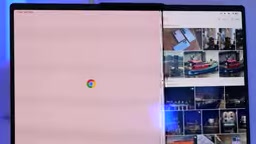
Window management is more mature than expected. Double-click and edge-snap gestures from Windows and macOS are both present; the icon menu can enable multiple instances, full screen, or two-app split screen; and switching between multiple desktops and touchpad gestures is all there. Keyboard, touchpad, and mouse customization is extensive, supporting corner shortcuts, key combos, key remapping, and reverse scrolling.
App Ecosystem: Still a Blank Beyond Chrome
Google Book OS is essentially the successor to Chrome OS, so desktop Chrome runs well and extensions are all there. Core apps like Gmail, Calendar, and YouTube exist as small WebView windows, and users can also just use the web versions directly in the browser. Android apps of course run, and most common apps adapt between tablet and phone layouts based on window size.
The problem lies outside "most." The Android version of Slack is basically unusable on non-phone devices, and its PWA version hasn't been adapted for Google Book yet. Some chat apps retain phone-side logic—for example, the Enter key inserts a newline by default instead of sending. This Intel version also can't run heavier games like Genshin Impact.
The more fundamental flaw: content in Chrome and WebView apps reflows when the window is resized, but Android apps currently don't. The reviewer put it bluntly—"Windows solved this problem in the '90s."
Productivity is more nuanced. The Adobe suite is absent; Premiere is said to be on the way, and CapCut Pad is only a lightweight substitute; Photoshop's version is noticeably far from the desktop version, with an interface clearly designed for touch rather than keyboard and mouse. The tablet versions of Word and Excel can handle daily writing and simple spreadsheets, but advanced features like citation management and macros are entirely missing. Google labels desktop apps in the Play Store with tiers (from "optimized for Googlebook" to "web version recommended"), which the reviewer sees as more about managing expectations.

For gaming, most titles in Google Play run properly, but some apps labeled "desktop optimized" still pop up 3:4 portrait windows—Monument Valley is an example. AAA titles rely on Nvidia GeForce Now cloud gaming, with a one-year service bundled in; it performs well in practice, but it's ultimately a supplement rather than a core selling point. Built-in Linux support has also been weakened: by default there is only a terminal GUI, the launcher doesn't support Linux apps, there's no GPU acceleration, and USB passthrough is limited.
PWA (Progressive Web App) is a form between a web page and a native app: it uses Service Workers for offline caching and background sync, can be installed to the desktop or taskbar, and has its own window and icon, but is still rendered by the browser engine underneath. Compared with Android apps, PWAs naturally reflow layouts with window size and are more power-efficient, which is why they are seen as an important supplement to the Chrome OS ecosystem. However, PWA capabilities are constrained by the browser sandbox, cannot deeply call system interfaces, and require separate adaptation by developers. The article's mention that Slack's PWA version hasn't yet been adapted for Google Book shows that the maturity of this form still depends on developer investment.
WebView is a component in the Android system used to embed web content within apps; it is based on Chromium but updated independently of the Chrome browser. Many Android apps (including Google's own apps like Gmail and Calendar) are actually implemented by wrapping the web version in WebView, so they behave close to web pages in small windows. But the scaling behavior of WebView apps is controlled by the host app, unlike Chrome tabs which reflow automatically—this also explains the difference between "WebView apps reflow content when resized" and native Android apps not reflowing.
AI and Cross-Device: Good Ideas, Not Mature Enough
Google's differentiation cards are ecosystem and AI. One interesting new feature is generating custom Android widgets by describing them in natural language; the limitations are that you can't use personal photos as backgrounds and can't directly change system settings, but it's quite useful for any scenario that displays device or Google account information.
Gemini can be invoked by shaking the mouse pointer and clicking the status bar icon. The reviewer's assessment is "moderately useful"—after all, there are already far too many entry points to summon Gemini on phones and in Chrome, so this hardly counts as a revolutionary feature. Rambler combines natural language and speech-to-text, automatically correcting filler words, and works in the text input flow of any app—that is genuinely impressive. As for GQ, which claims to proactively find information and help you jump across apps, it never popped up once in a week, possibly because support is limited to a few Google apps.
The Files app has built-in on-device AI to generate document and image descriptions and can group by description; Google Drive and phone files are mounted directly in local storage and support drag-and-drop.
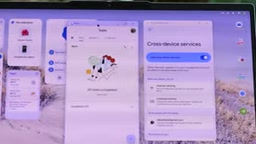
Cross-device features were the biggest disappointment of this review. Reviewers at other outlets even got stuck at the setup stage and couldn't complete it; although this article's author was generally successful, the phone-side setup crashed once midway and required manually granting permissions in settings. More critically, these cross-device features require Android 17, which immediately excludes the vast majority of devices in the ecosystem—Android 16 and below can only use basic features like automatic hotspot.
App streaming was terrible at first: poor image quality, crashes caused by scroll-wheel mice, and the phone randomly disconnecting even with a good Wi-Fi signal. A recent Google Play services update fixed these issues; it's now basically usable but still not perfect. The "Continue Activity" feature works properly in Docs and Sheets, but is basically nowhere to be seen in other apps. Notification sync is easy to miss—phone notifications only get a small phone icon next to them, and WhatsApp has shown duplicate notifications on both ends. Unlocking the laptop with a phone or watch—something Chrome OS has had for years—is ironically not supported on Google Book.
Android 17 is Google's next-generation mobile operating system version, which at the time of review was still in developer preview or not yet widely rolled out. Cross-device features (such as app streaming, continue activity, and notification sync) rely on new low-level APIs added in Android 17 to achieve state synchronization and task migration between devices, so older devices cannot use them. This means Google Book's ecosystem selling point can only cover a very small number of phone users who have already upgraded to Android 17 at launch, creating an obvious gap with the positioning of "the perfect laptop for Android users."
Stability: Basic Bugs Drag Down the Overall Impression
System-level problems encountered during the review include: inability to connect to Wi-Fi after waking from sleep (100% reproducible, requires a reboot to fix, and the author was even using Google's own Nest Pro router); the clipboard silently failing beyond about 8,000 characters, sometimes directly causing the interface to crash back to the login screen; and when switching tasks between WhatsApp and Chrome, the window system automatically hides the inactive app.
Hardware: Lenovo Delivers a Perfect Score
The Lenovo Google Book 15 is the largest of the first batch of models. A magnesium alloy body with polycarbonate and carbon fiber bottom shell, soft-touch coating on both sides—light but not cheap. That "light bar" is both a brand identifier and a battery indicator and Gemini voice feedback light.
The 2.8K OLED screen looks excellent, and 500 nits of brightness is sufficient; the speakers are better than many laptops at the same price; key travel and the touchpad are beyond reproach. Ports include dual Thunderbolt 4 (one on each side), a 10Gbps USB-A, a 3.5mm headphone jack, and HDMI 2.1. Inside is Intel's latest-generation Core Ultra 5 325, eight cores, no full Arc GPU, paired with 16GB of memory and 512GB of storage—sufficient but not outstanding. Fingerprint unlock is reliable, occasionally a bit slow. The camera is usable, but the author advises against using it for photos. The physical privacy switch is a plus.
In terms of performance, there was no stuttering at all over more than a week of use; the fan occasionally spins up, and overall it's quiet. The 70Wh battery measured about 9-10 hours, close to a full workday, which is quite impressive for such a light body. A 65W charger is included, supporting Android's 80% charge limit protection, but there's no quick toggle, and patch-style apps made for Pixel phones don't work on Google Book either.
Thunderbolt 4 is a high-speed interface standard led by Intel, based on the USB-C physical form, providing 40Gbps bandwidth, capable of simultaneously transmitting data, video signals (supporting dual 4K or single 8K displays), and up to 100W of power delivery, and is compatible with USB4 and DisplayPort. The Google Book 15 in the article has one Thunderbolt 4 port on each side, meaning users can simultaneously connect an external monitor, charge, and connect high-speed storage—expansion close to the level of high-end Windows ultrabooks.
Who Should Buy This Machine
The reviewer's conclusion is not gentle: only a very small number of people are suited to using it as a daily driver—namely those who could already meet their daily needs with a Chromebook. The hardware itself is impeccable; the problems are all in the software: the system still needs a few months of polish, cross-device features are buggy; Gemini integration and background AI features are interesting but not yet killer apps; and both the cross-device and AI cards fail to fill that app gap that is almost as wide as in the Chrome OS era—Photoshop and Excel can only run stripped-down versions on hardware capable of running the full versions.
Google has promised 10 years of updates and made clear that Google Book OS is the successor to Chrome OS. But the reviewer offered a meaningful reminder: this is Google, the company that did Stadia, Google Glass, and Google Reader. Time can solve technical problems; the question is whether this project has time.
Today's Google Book is essentially a lightweight machine used much like a Chromebook, just with more visual polish, AI, cross-device features, and more premium hardware. Whether it can become a truly competitive third major desktop operating system remains to be seen.
One-line Summary
Lenovo Google Book 15 has top-tier hardware, but its system ecosystem and cross-device features still feel half-finished—suitable only for existing Chromebook users.
Paragraph Summary
After using the Lenovo Google Book 15 for two weeks, the reviewer concluded that this device, billed as "the perfect laptop for Android users," has impeccable hardware—2.8K OLED, magnesium alloy body, 9-10 hours of battery life, and a full set of ports—but the Google Book OS software experience still feels half-finished. Desktop Chrome and window management are mature, yet Android apps don't support window-resize reflow, Photoshop and Excel can only run feature-reduced tablet versions, and the app gap is strikingly similar to the original 2011 Chromebook. Cross-device features require Android 17, excluding the vast majority of devices, and basic bugs abound, such as setup crashes, missed notifications, and Wi-Fi wake failures. Gemini integration and AI widgets are interesting but lack a killer scenario. Conclusion: for now, it's only suitable for the very few users who could already meet their needs with a Chromebook, and the system still needs months of polish.
Related articles

AI Reverse-Engineers Monitor Firmware in 15 Minutes — Has the Hacking Barrier Been Flattened?
A security researcher used AI to reverse-engineer Dell monitor firmware in 15 minutes—entropy analysis, key extraction, MD5 verification—revealing encryption design flaws.

Mistral Voxtral 3: Real-Time Voice at 4 Cents per Minute, Challenging OpenAI
Mistral Voxtral 3 cuts real-time voice agent costs to 4 cents per minute, bundling three speech recognition models, a speech generation model, and a real-time voice toolkit, supporting 50+ languages and self-hosting. This article analyzes its pricing structure, sub-second response performance, and its strategic divergence from OpenAI and Gemini on data privacy versus out-of-the-box convenience.

WebMCP: Every Website as Its Own MCP Server, So AI Agents No Longer Rely on Screenshots
WebMCP lets websites expose tools via the document.modelcontext API, becoming directly callable MCP servers. This article explains its architecture, the Claude Code remote-debugging demo, Chrome's current support stage, and its impact on the agent ecosystem.