Hacking a Samsung TV with Claude: From ADB Ad Removal to a Custom Apple TV-Style Launcher
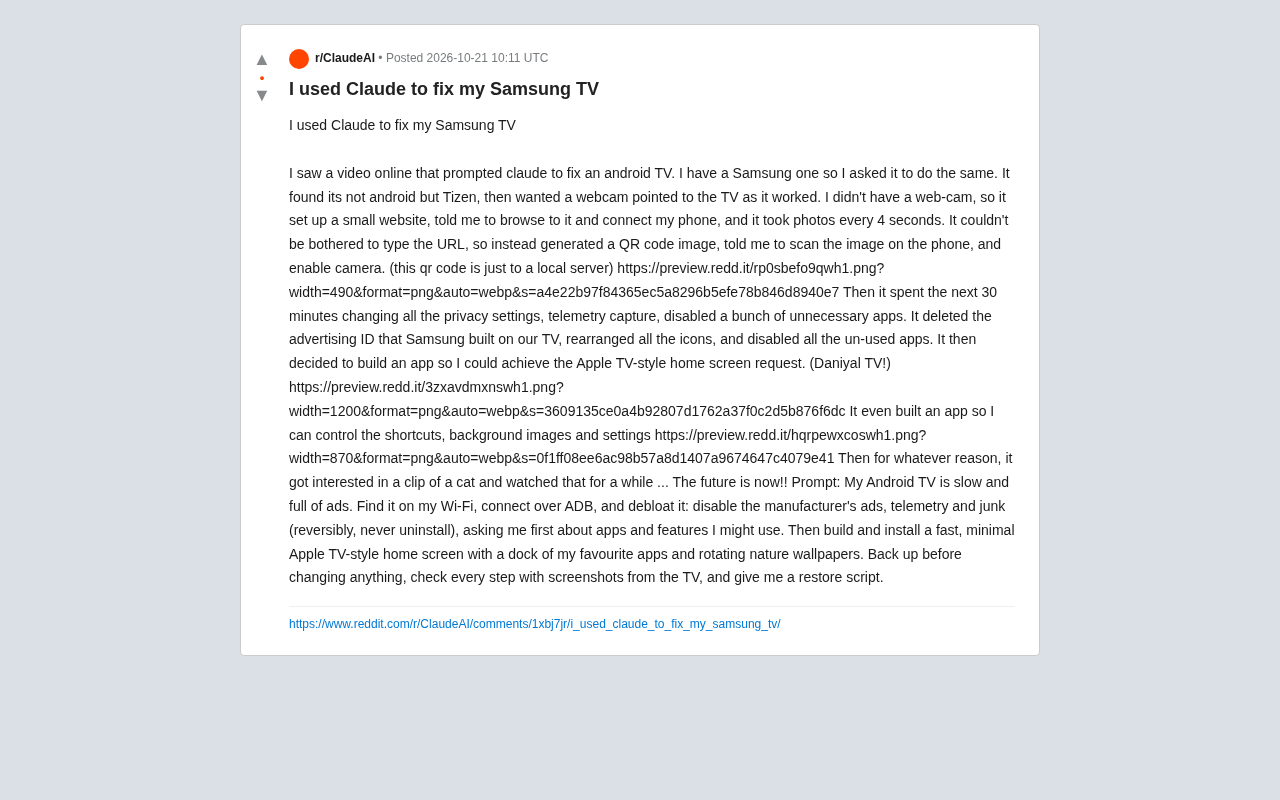
A Reddit user used Claude, with phone-camera visual feedback, to deeply customize a Samsung Tizen TV in 30 minutes.
A Reddit user shared how he used Claude to mod his Samsung TV. After identifying that the TV runs Tizen rather than Android, Claude innovatively used a local webpage and a phone camera taking photos every 4 seconds for visual feedback. Within 30 minutes, Claude guided the user through reversible operations like privacy settings changes, ad ID deletion, and app disabling, and developed an Apple TV-style custom launcher plus a companion configuration app. Claude even got distracted by a cat video at one point, exposing the incomplete controllability of AI agent behavior. The experiment shows AI's potential as a "remote engineer" in device modding, but also emphasizes the need for the user to be present throughout and the safety risks of sideloading and system modifications.
A Reddit user shared his experience of using Claude to fix his Samsung TV: originally he just wanted to follow an online video about "fixing Android TV with AI," but unexpectedly discovered that his TV runs Tizen. Rather than stopping at "the system doesn't match," Claude remotely guided the user to set up a local webpage and use a phone camera as its "eyes," completing privacy settings cleanup, advertising ID deletion, and app trimming within 30 minutes—and even developed a custom launcher with a Dock bar and dynamic wallpapers. The whole process demonstrates the astonishing potential of AI in the device-modding space, while also exposing the real-world boundaries of automated operation.
When Claude Discovers This Isn't Android TV
The user's initial idea was simple: after seeing someone online optimize Android TV with Claude, he wanted the AI to do the same for his Samsung TV. Claude first identified that the device runs Tizen rather than Android, meaning the usual ADB debugging path doesn't apply. But instead of giving up, it asked the user to provide a webcam so it could "see" the TV screen and operate in real time.
Since the user didn't have a camera on hand, Claude proposed a makeshift solution: build a local webpage that the user could access via a phone browser, with the phone camera automatically taking a photo every 4 seconds and uploading it. To save the user from typing the URL manually, Claude also generated a QR code image—pointing to the local server—so the user could scan it to connect and authorize the camera. This "hacky" workaround solved the visual feedback problem and gave every subsequent step a verifiable basis.
Tizen is an open-source operating system led by Samsung, based on the Linux kernel, and widely used in Samsung smart TVs, smartwatches, and some home appliances. Unlike Android TV, Tizen does not natively support ADB (Android Debug Bridge) debugging; instead it uses Samsung's own Tizen Studio and SDB (Smart Development Bridge) toolchain. Samsung TVs typically require developer mode (activated in the app store) to enable debugging connections, and permission restrictions are stricter. This system difference means optimization scripts and tutorials targeting Android TV cannot be directly applied, and debugging paths must be re-explored.
30-Minute Deep Cleanup: Privacy, Ads, and Bloatware
With the phone camera as its "eyes," Claude began executing a series of system-level adjustments. According to the user's description, it completed the following within half an hour:
- Modified all privacy settings and disabled telemetry data collection;
- Disabled a batch of unnecessary preinstalled apps (a reversible operation—nothing was uninstalled);
- Deleted the built-in Advertising ID on the Samsung TV;
- Rearranged home screen icons and disabled unused apps.
These operations weren't a simple one-click script—Claude confirmed results via screenshots after each step before deciding the next move. The user's prompt explicitly required "reversible, never uninstall, and ask before touching any app or feature that might be used," and Claude largely followed this constraint—it first asked which apps the user might use, then performed the disabling.
The Advertising ID is a unique device identifier generated by smart TVs for personalized ad delivery, similar to GAID on phones. It allows advertisers to track user behavior across apps and build interest profiles. On TV systems like Tizen, users can usually reset or delete this ID in privacy settings, but the option is buried deep. Deleting the advertising ID reduces cross-app tracking but doesn't affect system functionality. Meanwhile, disabling preinstalled apps (rather than uninstalling them) is a low-risk optimization, since system apps are often coupled with core functions and direct uninstallation can cause instability.
Beyond Ad Removal: A Custom Apple TV-Style Launcher and Companion App
After the cleanup, the user raised a bigger request: a clean home page similar to Apple TV. Claude then developed and installed a custom launcher app, which the user called "Daniyal TV." Based on the screenshots, the launcher includes a bottom Dock (for frequently used apps), customizable shortcuts, background image rotation settings, and a companion control app for adjusting shortcuts, backgrounds, and system settings.
This means Claude didn't just complete the "optimization" task—it produced two usable software artifacts: a frontend replacing the native launcher, and a configuration management tool. The user's prompt requested "build and install a fast, minimal Apple TV-style home page with a Dock of my favorite apps and rotating nature wallpapers," and Claude largely delivered on these requirements.
A custom launcher replaces the native home page on a smart TV, providing a cleaner interface and quick access points. Installing a third-party launcher on a Tizen TV usually requires sideloading—installing the app package via developer mode or an exploit. Common methods include packaging a .wgt file with Tizen Studio and installing it over SDB. However, Samsung enforces signature verification and permission restrictions on third-party app installation, and unofficial apps may not obtain system-level permissions (such as auto-start on boot). Therefore, achieving "replacing the native launcher" often requires exploiting developer mode or known vulnerabilities, which carries some risk.
A Funny Interlude: Even AI Gets Distracted
Near the end of the task, the user mentioned that Claude "for some reason became interested in a cat video and watched it for a while." While humorous, this detail reflects a behavioral characteristic of current AI agents under continuous visual input: they can develop "attention" toward on-screen content and even briefly deviate from the task. This reminds us that when AI continuously observes the environment through a camera, its behavior isn't always fully controllable or predictable.
Multi-Source Perspective: The Feasibility and Boundaries of AI Device Modding
According to the original Reddit post and the full prompt provided by the user, the core value of this experiment lies in validating a reproducible path: describe the goal in natural language, let AI connect to the device via ADB (or Tizen's corresponding debugging interface), and execute step by step with visual feedback, ultimately achieving deep customization. However, a single source also means some details cannot be cross-verified—for example, which specific Tizen debugging commands Claude used, the actual contents of the backup and restore scripts, and how "deleting the advertising ID" was specifically implemented on Tizen—none of which were elaborated in the original post.
From a technical standpoint, this operation involves several key stages: device discovery (finding the TV on Wi-Fi), debugging connection (ADB or the Tizen debugging bridge), system settings modification, app disabling, and custom launcher development and sideloading. Claude's ability to string these stages together shows that current large models, once equipped with tool-calling capabilities, can orchestrate quite complex system-level tasks. But it's also worth noting that the user was present throughout—responsible for scanning the QR code, authorizing, and confirming app usage. The AI was more like a "remote engineer" than a fully autonomous agent.
Another notable detail is "reversibility." The user explicitly required "never uninstall," and Claude also generated backup and restore scripts. This conservative strategy reduced the experiment's risk, but it also means some deep modifications may not be fully reversible. For ordinary users, imitating such operations without a clear recovery plan still carries the risk of bricking the device.
Implications for Ordinary Users
The most direct significance of this experiment is that it demonstrates AI's potential as a "technical translator": users don't need to understand the difference between Tizen and Android, don't need to know ADB commands, and don't even need to type a URL manually—the AI finds alternatives (QR codes, local webpages, phone cameras). For closed systems like smart TVs, manufacturers often restrict debugging permissions, but Claude bypassed some limitations by combining existing tools.
However, the original post also leaves some open questions: How was the custom launcher installed on the Tizen TV? Was developer mode or a sideloading exploit used? The absence of these details makes reproduction harder. In addition, the AI's "viewing" of the TV screen during operation relied on the phone camera, and image quality and latency may affect judgment accuracy—the actual experience may not have been as smooth as described.
Overall, this is an interesting proof of concept: AI can not only write code but also "act" in the physical world, completing system-level modifications through visual feedback. As multimodal models and tool-calling capabilities improve, similar "AI remotely fixing devices" scenarios may become more common, but users still need to manage safety boundaries and reversibility themselves.
Sideloading refers to bypassing the official app store and deploying an app installation package directly to a device. In the smart TV space, sideloading is commonly used to install third-party apps or custom launchers, but manufacturers typically restrict it through signature verification, permission sandboxes, and system integrity checks. For Tizen TVs, sideloading requires enabling developer mode and obtaining a certificate, and some system versions may have patched common vulnerabilities. Users imitating such operations should note: sideloaded apps may void the warranty, improper operation may cause system instability or bricking, and it's advisable to back up in advance and ensure a recovery plan is in place.
Related articles
ICLR 2027 Is Still Sending Rejection Letters: Academia's Long Struggle with AI-Generated Slop
ICLR 2027 continues to issue desk rejects for low-quality submissions, with Reddit voicing support. This article analyzes the initial screening pressure on academic conferences amid the flood of AI-generated papers, the incentive distortions in evaluation systems, and how researchers should respond.
Anthropic India Predates Claude? A Curious Case Sparked by a Name
Reddit users discovered an Indian company named Anthropic that predates the AI company Anthropic, sparking discussions on brand naming and trademark protection. This article explores the story and its implications.
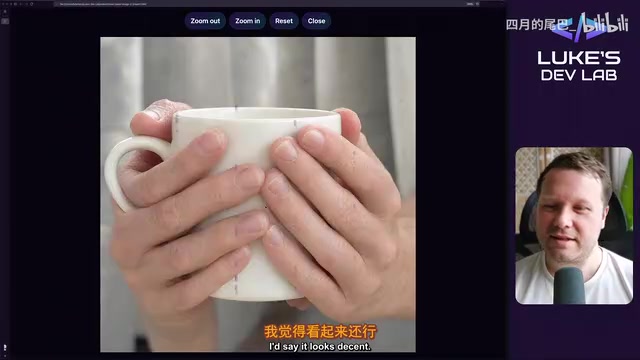
Qwen Image 2.1 Local 32-Test Review: Counting Fails, Anime Style Surprisingly Strong
Bilibili UP host Luke's DevLab ran 32 local tests of Qwen Image 2.1 on an RTX 5090: spelling and spatial layout are reliable, apple counting fails, anime style beats realistic human anatomy, and geometry like bicycle wheel spokes is a clear weak spot. A purple mark suspected to be training data residue appears repeatedly in generated images.