Hallmark: A Design Skill That Frees AI-Generated UIs from Templates
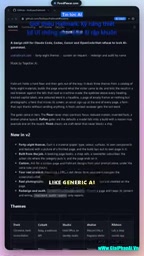
Hallmark constrains AI coding tools with design skills, improving AI-generated interfaces via 48 themes and browser self-checking.
The article introduces Hallmark, a project that is not a new AI model but a design skill injected into AI coding tools like Claude Code and Cursor, using preset design rules to constrain AI-generated interfaces and avoid uniform styles. Hallmark offers 48 customizable themes for clear visual direction and automatically checks poor interfaces in a real browser, forming a feedback loop. It received 1,600 community upvotes, showing template-style AI interfaces are a common pain point. It is obtained by commenting, and actual results still need verification.
Web interfaces generated by AI coding assistants tend to look uniform and aesthetically crude—a pain point nearly every developer who has used Cursor or cloud code tools has experienced. A project called Hallmark, introduced on YouTube, attempts to solve this with a set of "design skills"—not a new AI model, but a set of design specifications and validation mechanisms injected into AI coding tools, with the goal of making AI output interfaces that "look like a human made them."
What Exactly Is Hallmark
According to the video, Hallmark is a design skill for cloud code and Cursor. A "skill" can be understood as a pre-packaged design knowledge bundle for the AI: when you invoke Hallmark in these tools, the AI no longer improvises its own aesthetics but follows a set of explicitly defined design rules to generate interfaces.
This is a different approach from "switching to a stronger model." No matter how capable the model, without design constraints its output still tends to fall into clichés. Hallmark's value lies in pulling design taste out of the model's black box and turning it into a reusable skill asset.
Positioning of Claude Code and Cursor: The "cloud code" mentioned in the article likely refers to Claude Code, the command-line coding agent released by Anthropic, which together with Cursor represents two forms of AI coding tools. Cursor is a graphical editor built on VS Code, where AI intervenes through sidebar chat, inline completions, and Agent mode; Claude Code runs in the terminal, reading and writing files, executing commands, and running tests via natural language instructions. What both share is support for mounting external "skills/rules" as Markdown files or configuration, thereby changing model behavior without modifying the model itself—which is precisely the premise that allows Hallmark to be distributed as a "design skill."
What a "design skill" encapsulation means: A skill is typically a set of prompt packages with trigger conditions and operational instructions, optionally bundled with templates, examples, and validation scripts. When handling interface tasks, the AI reads these rules and treats them as hard constraints to follow. Compared to repeatedly pasting design preferences in every conversation, the benefit of skills is centralized rule maintenance, cross-project reuse, and the ability to form a closed loop with automated checks—rather than remaining at the level of vague instructions like "please make it look nice."
Two Core Capabilities: A Theme Library and Real-Browser Self-Checking
The video reveals two key features of Hallmark: 48 customizable themes, and the ability to automatically check for "junk interfaces" in a real browser.
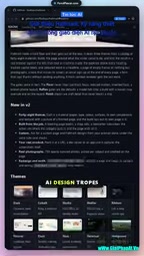
The first addresses the problem of monotonous style. 48 themes mean the AI has clear visual directions to choose from across different projects, rather than generating the same card layouts and gradient buttons every time.
The second is more noteworthy. "Self-checking in a real browser" means the generated result is tested in a real rendering environment rather than judged solely from code text. Interface problems—misalignment, overflow, insufficient contrast—often only surface in the browser. This feedback loop gives the AI a basis for self-correction.
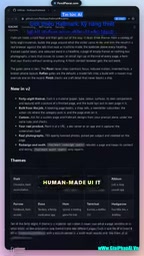
Technical implications of real-browser self-checking: AI coding assistants typically can only "see" code text and cannot perceive the actual rendered result of a page, making it hard for them to discover issues like misalignment, text overflow, insufficient color contrast, or broken responsive breakpoints on their own. Real-browser self-checking generally relies on headless browser tools like Playwright or Puppeteer: launching a browser to load the page, taking screenshots and capturing the DOM and computed styles, then sending the screenshots or structured data back to the model for judgment, iterating as needed. Deeper evaluation can also incorporate quantitative metrics such as Lighthouse audits and WCAG contrast algorithms (e.g., calculating whether the relative luminance ratio between foreground and background reaches 4.5:1), turning "ugly or not" into automatically executable rules. However, such checks depend on the model's multimodal understanding, and the accuracy and false-positive rate of screenshot interpretation still need real-world validation.
Why This Direction Is Worth Noticing
The bottleneck of AI-generated UI has long ceased to be "can it write it" and is now "does it look good." Correct code with mediocre visuals is the most common output state of current AI coding tools. The significance of design skills like Hallmark is that they break "aesthetics" down into executable, verifiable engineering steps: themes provide direction, and browser self-checking provides quality feedback.
For developers, the practical benefit is reduced time spent repeatedly tweaking styles; for the AI tool ecosystem, it suggests a path—beyond competing on models, one can also compete on capability encapsulation beyond the prompt layer.
Community Response and How to Get It
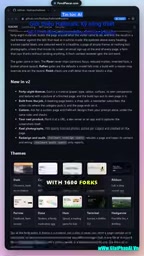
The video mentions that the project "exploded" in the community, garnering 1,600 upvotes. That magnitude shows that "AI interfaces are too ugly" is a widely shared sentiment rather than a niche complaint.
Getting it is straightforward: reply "Hallmark" in the comments to receive the repository link. The video creator uses this approach to drive engagement, which also reflects that the project is currently spreading mainly through community channels rather than an official product launch.
It should be noted that the source material itself has limited information; Hallmark's actual effectiveness, the specific coverage of the 48 themes, and the criteria for browser self-checking all still need to be verified after obtaining the repository. For developers fed up with template-style AI interfaces, this is still a low-cost direction worth trying.
One-line Summary
Hallmark constrains AI coding tools with design skills, improving AI-generated interfaces through 48 themes and browser self-checking.
Paragraph Summary
The article introduces a project called Hallmark—not a new AI model, but a design skill injected into AI coding tools such as Claude Code and Cursor, using preset design specifications to constrain AI-generated interfaces and prevent the uniformity that results from free improvisation. Hallmark has two core capabilities: 48 customizable themes that provide clear visual direction for different projects, and automatic checking for poor-quality interfaces in a real browser, forming a feedback loop from generation to validation. The project received 1,600 upvotes in the community, showing that template-style AI interfaces are a widespread pain point. It is obtained by commenting, and the author also cautions that actual effectiveness and theme coverage still need to be verified after obtaining the repository.
Related articles
Daybreak Red Deployment Guide: A Reference Architecture for Supervised Security Investigation
A breakdown of the Daybreak Red reference architecture: security control design, deployment configuration process, and runtime monitoring for supervised security investigation.
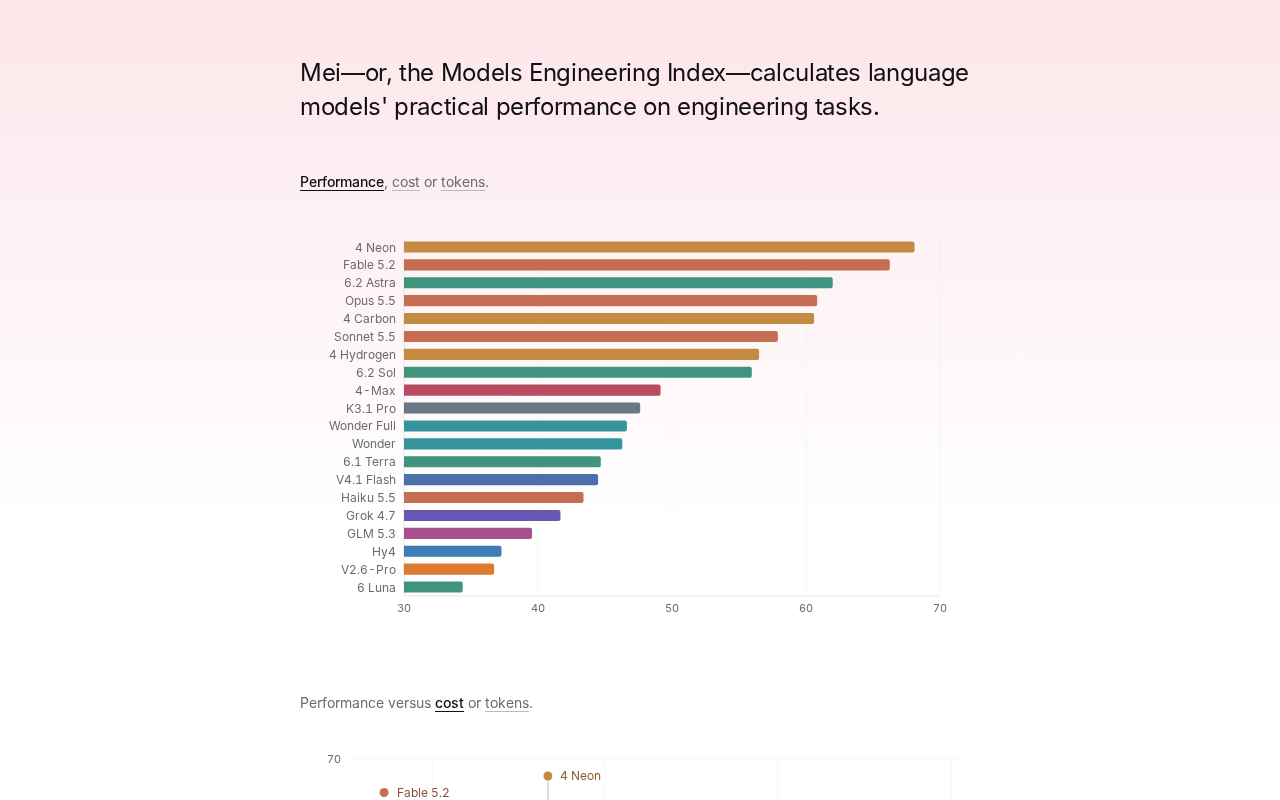
Gemini 4 Neon Tops the Models Engineering Index
Gemini 4 Neon tops the Models Engineering Index, sparking Hacker News debate over ranking credibility and evaluation methods. Here's what it means for developers.

Apple's Self-Developed AI Agent: An Agent That Can Operate Your Mac Is Coming
Apple is reportedly developing an AI agent that can operate a Mac, targeting Meta Muse, Claude, OpenAI Dots, and others. This article analyzes Apple's system-level advantages, the competitive landscape, and likely rollout paths in the agent race.