Hands-On Dify Local Deployment: Building an Enterprise Agent with Docker + Ollama
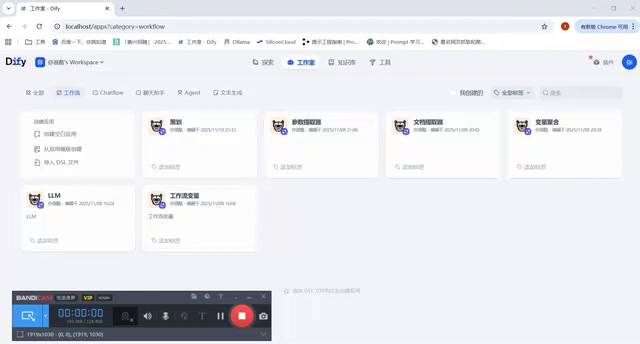
A course path and core capabilities for building a local business agent with Docker, Ollama, and Dify.
This article introduces a Bilibili course on local Dify deployment. Dify is a visual platform integrating LLM calls, prompt engineering, RAG retrieval, and tool calling, enabling developers without an algorithm background to build business agents. Local deployment relies on Docker for containerized Dify services and Ollama for local LLMs, letting the system run offline or with data kept on-premises. The course covers workflow design, variable management, LLM node configuration, and RAG, and explains both cloud and local model paths so enterprises can balance data sensitivity and cost.
Why Enterprise Agents Need Dify
Enterprises that want to connect their business knowledge, internal processes, and customer service to large models need far more than a chat window. They need a system that can orchestrate workflows, manage variables, and mount knowledge bases. Dify is a platform built for exactly these needs: it integrates LLM invocation, prompt engineering, RAG retrieval, and tool calling into a single visual interface, enabling developers without an algorithm background to build usable business agents.
According to the opening of this Bilibili course, the entire series is built around local deployment of Dify, with the goal of walking through everything from environment setup to full feature implementation. The course explicitly states that it covers Dify applications, Docker usage, local LLM deployment with Ollama, and two paths: connecting to cloud-based LLMs and building local LLMs.
The Three-Piece Set for Local Deployment: Docker, Ollama, and Dify
Local Dify deployment inevitably involves two pieces of infrastructure: a container runtime and a model runtime. The course positions Docker as a prerequisite for deploying Dify—because Dify itself is delivered in containerized form, and without Docker you cannot bring up the services locally.
Ollama takes on the role of the local LLM. As the course puts it, "if you're deploying Dify locally, you need a local LLM," so Ollama is used to deploy models, allowing the whole system to run even when offline or when data must not leave the internal network. This combination is especially critical for data-sensitive enterprises: business data, knowledge base documents, and inference processes all stay on their own machines.
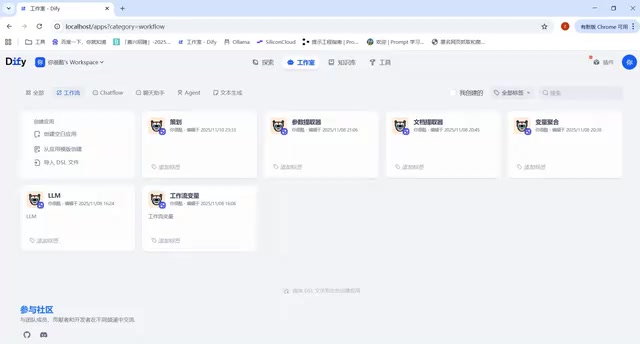
Containerized deployment refers to packaging an application and its dependencies into a standardized image that runs consistently in any container-capable environment. Docker is the most mainstream container runtime today: it defines an application's filesystem and startup commands through an Image, and isolates processes and resources through a Container. Dify officially distributes its deployment configuration via Docker Compose, so a single command brings up components including the API service, web frontend, database, vector store, and cache. The advantage of this approach is environment consistency—behavior is identical on developer machines and servers, upgrades and rollbacks only require swapping image tags, and data volumes can be mapped to the host for persistence.
Ollama is a local LLM runtime and management tool that provides a command line and an HTTP API. It can automatically download model weights, load them into memory or VRAM, and expose an OpenAI-compatible interface. It has built-in model quantization—compressing weights from 16-bit floating point to lower-precision formats such as 4-bit or 8-bit integers—which greatly reduces VRAM usage with almost no loss in quality, enabling consumer-grade GPUs or even pure CPU setups to run models in the 7B to 14B parameter range. Dify can connect to Ollama as a model provider by configuring its service address, completing inference without calling external APIs.
Core Capabilities Covered by the Course
The course content extends from basic environment setup to feature implementation, targeting people who "want to get started with Dify or want to learn this tool." According to the course introduction, the core modules include:
- Workflow design: breaking multi-step business logic into visual nodes that chain together model calls and data processing;
- Variable management: passing context between nodes so the agent remembers conversation state and business parameters;
- LLM node configuration: controlling model selection, prompts, and output formats;
- RAG principles and techniques: turning enterprise documents into retrievable knowledge sources so model answers are grounded.
These capabilities correspond precisely to the key leap for enterprise agents from "can chat" to "can get work done." Workflows determine how complex a task the agent can execute, while RAG determines the professionalism and accuracy of its answers.
RAG (Retrieval-Augmented Generation) works in the following basic flow: enterprise documents are split into text chunks, each chunk is converted into a vector by an embedding model and stored in a vector database; when a user asks a question, the question is also converted into a vector, the most relevant chunks are retrieved by similarity, and those chunks are then inserted as context into the prompt for the LLM to generate an answer. Dify's knowledge base module encapsulates this pipeline, supporting document upload, automatic chunking, embedding, and retrieval testing. Chunk size, chunk overlap length, number of retrieved chunks, and similarity threshold all significantly affect final answer quality—which is why the same document can produce noticeably different results under different configurations.
Dual Paths: Cloud and Local
The course specifically emphasizes that it will clearly explain both paths: how to connect to cloud-based LLMs and how to build local LLMs. This design is practically meaningful—cloud models are powerful and maintenance-free, suitable for quick validation; local models offer data control and no invocation cost, suitable for long-term operation and sensitive business. Enterprises often need to weigh the two, or even mix them within the same Dify instance: simple tasks go to a small local model, while complex reasoning goes to a large cloud model.
Who Should Learn It, and What to Watch Out For
This course targets developers, operations staff, and technical product leads who want to hands-on build business AI. Its value lies in connecting Dify, Docker, and Ollama into one executable path, rather than teaching isolated interface operations of a single tool.
One caveat: local deployment has real hardware requirements, and the larger the model, the more VRAM and memory it consumes; RAG quality also depends heavily on document chunking and retrieval configuration—simply mounting a knowledge base does not automatically make answers accurate. As an introductory guide, the course can help you get the process working end to end, but真正 landing it in business scenarios requires tuning against your own data.
One-line Summary
A course path and core capabilities for building a local business agent with Docker, Ollama, and Dify.
Paragraph Summary
This article introduces a Bilibili course centered on local Dify deployment. Dify is a visual platform integrating LLM invocation, prompt engineering, RAG retrieval, and tool calling, enabling developers without an algorithm background to build business agents. Local deployment relies on two pieces of infrastructure: Docker brings up Dify services in containers, and Ollama runs local LLMs, allowing the system to operate offline or when data must not leave the internal network. The course covers four major modules—workflow design, variable management, LLM node configuration, and RAG principles—and explains both cloud connection and local building paths, helping enterprises weigh data sensitivity and cost, or even mix them within one system. The article also notes that local deployment is limited by VRAM and memory, and that RAG quality depends on document chunking and retrieval configuration.
Related articles

Cerebras CS-4 Stuns with Launch: The 4-Trillion-Transistor Wafer Monster That Crushes GPUs in Inference Speed
Cerebras CS-4 wafer-scale engine launched: 4 trillion transistors, 900,000 AI cores, inference an order of magnitude faster than GPUs. Modular power rack plus compute backpack design, 3D vertical stacking, and half-millimeter power delivery—online in minutes.

Apple's M6 Chip Lands in iMac: A Week in Review of Performance Upgrades and AI Controversy
Apple launches new iMac and MacBook Pro with M6 chip, N1 wireless chip brings speed gains; OpenAI claims three major discoveries but faces academic skepticism; data centers become a U.S. midterm election issue; Anduril teams up with Qualcomm for all-American laptops.

AI Cracks the Quasi-Riemann Hypothesis? A Mathematician's Account of a Stunning Moment
Number theorist Alex recounts on Lex Fridman's podcast the shocking experience of AI proving the quasi-Riemann hypothesis, plus Fermat's Last Theorem formalization and Navier-Stokes within a month, explaining the signal-processing intuition behind the Riemann hypothesis and the boundaries of AI breakthroughs in mathematics.