How Can an Obsidian Vault Sync with a Server-Side AI Agent?

Use file-level sync plus an independent workspace instead of immature Headless Sync to let server-side AI safely access an Obsidian Vault.
The article responds to a user's need to let AI agents on a Linux server access an Obsidian Vault on a Mac. It concludes that Obsidian Headless Sync is not a mature, officially supported server-side solution for production. A more reliable path is to treat the Vault as ordinary files and sync selected subfolders with Git or Syncthing, while isolating the agent's write scope with filesystem permissions, keeping decoupled backups (restic/borg), and managing concurrent edits via file locks, operation logs, and time windows. The recommended architecture has three layers: sync layer, agent workspace, and backup and monitoring.
Background: When Local Notes Meet Cloud AI
A user (Marco) raised a highly representative question: he wants to use Obsidian with Obsidian Sync on his Mac while allowing AI agents (Hermes and Jarvis) running on a Linux server to access and operate on the contents of the Vault—even when the Mac is powered off, so that automated workflows can still run. The core requirements include:
- Syncing selected Vault folders to the server
- Returning the agent's output without conflicts or data loss
- Handling write permissions, backups, and scenarios where the user and the agent edit simultaneously
- Determining whether Obsidian Headless Sync is the right technical approach
This question touches on a fundamental tension between local-first knowledge management tools and cloud automation. Obsidian is built on local files, while server-side agents require continuous, reliable file access. The design of the synchronization layer between the two directly determines the stability of the entire solution.
Options: From Headless Sync to File-Level Sync
Is Obsidian Headless Sync Feasible?
Obsidian's official Sync service is primarily aimed at desktop and mobile clients, and its Headless mode is not an officially publicly supported server-side solution. Although reverse-engineered or unofficial Headless clients exist in the community, they lack official documentation and stability guarantees, making them risky for production environments that need to run long term.
Therefore, if the goal is "the agent can still work after the Mac is shut down," relying directly on a Headless workaround for Obsidian Sync is not ideal. A more robust approach is to treat the Vault as a collection of ordinary files and synchronize at the filesystem level.
File-Level Sync: Git and Syncthing
Git is a familiar choice for developers: initialize the Vault as a Git repository, clone it on the server and pull periodically, and after the agent makes changes, commit and push back to the remote. The advantages are a clear version history and traceable conflicts; the disadvantages are clumsy handling of binary attachments and the possibility that automatic commits generate a lot of noise.
Syncthing, by contrast, provides peer-to-peer continuous file synchronization and is suitable for scenarios requiring near-real-time updates. It can bidirectionally sync selected folders between a Mac and a Linux server without relying on a central server. However, Syncthing's conflict resolution mechanism is based on file versions, so when the user and the agent edit the same file simultaneously, conflict copies may still be produced.
Syncthing's conflict resolution mechanism deserves further explanation: when two devices modify the same file simultaneously, Syncthing does not automatically merge the contents; instead, it renames one version to filename.sync-conflict-<date>-<time>-<device>.ext and keeps both files. This means conflicts are not silently discarded, but manual intervention is required to clean them up. For agent scenarios, the benefit of this mechanism is that data is not lost; the downside is that conflict files gradually accumulate, so it is advisable to pair it with periodic scanning and alerting scripts.
Another consideration for Git in Vault scenarios is line endings and binary files. Obsidian's Markdown files are usually UTF-8, but attachments (images, PDFs) are binary, and Git by default stores every version in full, causing the repository to balloon quickly. You can mark attachments as binary via .gitattributes and consider using Git LFS, or exclude the attachments directory from Git management and sync it separately with Syncthing.
Key Design: Permissions, Backups, and Concurrent Editing
Write Permissions and Isolation
Letting the agent write directly to the main Vault carries risks. A safer approach is to assign the agent a separate subfolder (such as Agent_Workspace) and limit its write scope. On the server side, filesystem permissions (such as Linux's chmod and chown) can ensure that the agent process can only write to that directory.
When implementing process-level write restrictions on Linux, in addition to the traditional chmod/chown, you can also consider using ACLs (setfacl) to grant permissions separately to the agent process without changing the directory's default owner. A stricter isolation approach is to run the agent in a container or systemd service, exposing only the Agent_Workspace directory via ReadWritePaths or a bind mount, so that even if the agent process is induced to perform unauthorized writes, it cannot touch other parts of the Vault. This "minimal visibility" principle is more reliable than mere file permissions because it also restricts the read scope.
Backup Strategy
Regardless of which sync method is used, an independent backup channel should be maintained. For example, use restic or borg on the server to take periodic snapshots of the Vault, decoupled from the sync mechanism. This way, even if the sync logic causes conflicts or accidental deletions, you can quickly roll back.
Both restic and borg are deduplicating, encrypted incremental backup tools, suitable for scenarios like the Vault that contain many small files and frequent modifications. restic supports pushing snapshots to S3-compatible object storage or an SFTP remote, while borg typically requires a writable SSH target. Both support retention policies (such as keeping daily snapshots for the last 7 days and weekly snapshots for 4 weeks) and reclaim space via prune. The key design point is that backups must be decoupled from the sync channel: if backups also depend on the same Syncthing instance or the same disk, then errors in the sync logic (such as propagation of accidental deletions) will simultaneously damage the backups. Ideally, the backup target should be independent storage that the agent process cannot write to.
Handling Concurrent Editing
Simultaneous editing of the same file by the user and the agent is the main source of conflicts. Feasible mitigation measures include:
- File locks: The agent acquires a lock file before writing and releases it when done; the user side prompts read-only when a lock is detected.
- Operation log: All agent modifications are appended to a change log rather than directly overwriting the original text, with the user merging periodically.
- Time windows: Agree that the agent runs automated tasks only during specific time periods, avoiding the user's active editing hours.
These mechanisms cannot completely eliminate conflicts, but they can reduce the probability of conflicts to a manageable level and ensure that every conflict is traceable.
Recommended Architecture: Layered Sync and Clear Boundaries
Overall, a workable architecture consists of three layers:
- Sync layer: Use Syncthing or Git to sync selected subfolders of the Vault between the Mac and the Linux server. Syncthing suits near-real-time needs, while Git suits scenarios requiring version traceability.
- Agent workspace: On the server side, designate a separate directory for the agent; the agent only reads and writes within that directory, and its output is returned via the sync layer. The user's main notes area is read-only or invisible to the agent.
- Backup and monitoring: Independent backups on the server side, plus logging of sync conflicts and agent operations.
As for Obsidian Headless Sync, it is currently more suitable for experimental exploration than for production dependency. For Marco's requirement—the agent continuing to work after the Mac is shut down—the combination of file-level sync plus an independent workspace is more reliable than relying on undocumented features of the official Sync.
Conclusion
Opening an Obsidian Vault to server-side AI agents is essentially about establishing a controllable synchronization boundary between local-first tools and cloud automation. Headless Sync is not a mature answer; file-level sync (Git/Syncthing), restricted write directories, independent backups, and concurrency control mechanisms together form the more pragmatic path today. As AI agents increasingly intervene in personal knowledge bases, the design of such sync architectures will become increasingly important.
One-line Summary
Use file-level sync plus an independent workspace instead of immature Headless Sync to let server-side AI safely access an Obsidian Vault.
Paragraph Summary
The article responds to a user's need to let AI agents running on a Linux server access an Obsidian Vault on a Mac. The core conclusion is that Obsidian Headless Sync is not an officially supported, mature server-side solution and should not be relied on in production. A more reliable path is to treat the Vault as a collection of ordinary files and sync selected subfolders at the filesystem level using Git or Syncthing. To prevent conflicts and data loss, the article recommends designating an independent write directory for the agent and restricting its scope with filesystem permissions, while maintaining an independent backup channel (such as restic/borg) decoupled from the sync mechanism, and managing concurrent editing by the user and the agent through file locks, operation logs, and time windows. The final recommendation is a layered architecture: sync layer, agent workspace, and backup and monitoring.
Related articles
Getting Started with Gemini 4 Argonne: A Hands-On Guide from Building Sites to Agents
Complete Gemini 4 Argonne tutorial: build a calorie tracker app with one prompt in Google AI Studio, review 10-page technical documents with long context, develop a browser game as a coding Agent in Anti-Gravity, plus API Key setup, pricing, and subscription requirements.
Cursor vs. Claude Code vs. Copilot: A Scenario-Based Selection Guide
Cursor, Claude Code, or GitHub Copilot? A scenario-based guide covering daily coding, large refactors and long tasks, and teams locked into existing IDEs—plus common pitfalls and combined-use advice.
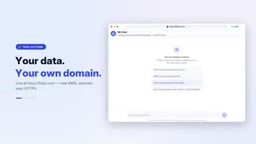
DB Chat: Conversing with PostgreSQL in Natural Language, with AI Auto-Generating SQL
dbchat lets users converse with a PostgreSQL database in natural language, with an AI agent auto-generating SQL and returning live results. This article analyzes its MCP Server + Next.js + AWS full-stack architecture and anti-hallucination guardrail design.