How Lean Startup Teams Use AI Employees Day to Day: A Practical Guide
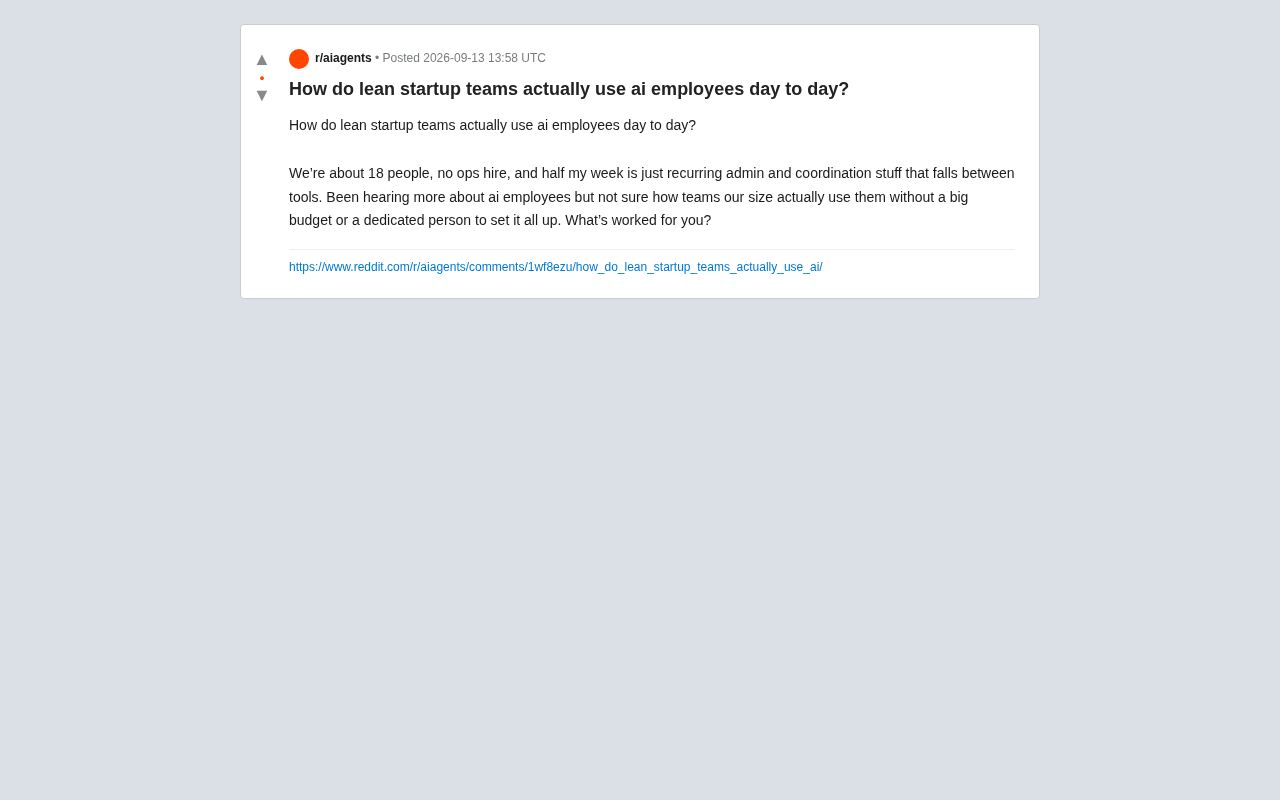
How an 18-person lean team can use AI employees to reclaim founder time from cross-tool admin overhead.
This article examines a real challenge faced by an 18-person startup: no dedicated ops hire, with founders losing half their week to repetitive coordination across SaaS tools. It clarifies what "AI employees" actually means — semi-autonomous agents or automated workflows — and identifies three practical use cases: scheduling, information consolidation, and process handoffs. For lean teams with limited budgets and no one to maintain systems, the guidance is to start with a single high-frequency pain point, choose natively integrated solutions, and measure ROI in founder time recovered. The key barrier to adoption isn't technical capability — it's the organizational constraint of who configures and maintains the system.
A Real Pain Point: The Admin Quagmire in an 18-Person Team
A Reddit user posed a question that many small teams are quietly wrestling with: their company has around 18 people, no dedicated ops hire, and the founders spend half their week buried in repetitive administrative tasks and cross-tool coordination — the kind of work that falls through the cracks between SaaS tools.
His core question was specific: without a large budget or a dedicated person to build and maintain systems, how can a team their size actually put "AI employees" to real use?
This question is worth unpacking because it exposes a critical gap in how AI is being adopted today. The tools are getting more powerful, but what small teams often lack isn't capability — it's the realistic constraint of who configures and who maintains these systems.
What "AI Employees" Actually Means
Before diving into specific use cases, it's worth clarifying the term. "AI employees" here doesn't refer to science-fiction-style general intelligence. It means AI agents or automated workflows that can semi-autonomously handle a specific category of job responsibilities. What distinguishes them from simple chatbots is their ability to run continuously and execute actions across multiple tools.
For lean teams, the highest-value use cases for AI employees tend to be tasks that are high-frequency, clearly rule-based, yet too mundane to justify a dedicated hire. The "recurring admin and coordination" the original poster described is a textbook example.
Three Job Functions That Are Easiest to Automate
- Scheduling and coordination: setting up meetings, managing cross-timezone calendars, resolving scheduling conflicts, and automatically following up on unanswered emails.
- Information consolidation: aggregating information scattered across Slack, email, and documents into daily or weekly digests, then syncing them into project management tools.
- Process handoffs: when one tool triggers an event (e.g., a customer fills out a form), automatically firing downstream actions — creating a card, notifying the owner, updating the CRM.
The core difference between an AI agent and traditional automation tools (like Zapier or Make) comes down to the level of decision-making. Traditional automation relies on strict "if A then B" rules — when it encounters a situation that wasn't pre-configured, it either fails or silently skips it. AI agents, by contrast, can understand context within a certain range, handle ambiguous inputs, and choose the next action autonomously. Common AI employee products on the market today include: LLM-based task agents (such as Lindy and Relay.app), AI layers built on top of existing tools like Notion or Linear, and low-code platforms that let users describe workflows in plain language. For lean teams, understanding this distinction is critical — it determines whether you're "configuring rules" or "defining responsibilities." The latter is much closer to actually training an employee.
Real Constraints for Small Teams — and How to Handle Them
The original poster's two genuine concerns were budget and setup cost. These are exactly the barriers lean teams need to face head-on when adopting AI employees.
On budget: an 18-person team has no need to purchase expensive enterprise-level solutions upfront. The more pragmatic path is to start with a single pain point — solve the one thing that eats the most time — validate it with a low-cost tool, then expand gradually. ROI should be measured in "founder time recovered," not feature checklists.
On setup cost: this is a more hidden trap than budget. Many AI tools claim to be plug-and-play, but actually getting a cross-tool workflow running smoothly often requires someone who understands the process, handles edge cases, and continuously fine-tunes the system. For teams without a dedicated ops person, the recommendation is:
- Prioritize solutions that natively integrate with your existing tool stack — avoid building complex custom pipelines.
- Treat "configuring an AI employee" as a clearly scoped, time-boxed project, not an open-ended side commitment.
- Start with low-risk, read-only or notification-only tasks; only grant write permissions after reliability is confirmed.
The "gaps between tools" problem has a technical name: integration fragmentation. When a team simultaneously uses Slack, Gmail, Notion, HubSpot, Calendly, and other SaaS tools, data and actions often can't flow automatically — someone has to manually ferry information between tools and trigger the next step by hand. This is the primary source of administrative burden for an 18-person team. There are three mainstream technical approaches to solving this: (1) use a middleware automation platform (Zapier, Make) to connect various tool APIs; (2) adopt an AI agent platform with native integration capabilities, where the platform maintains the connectors; (3) designate one "hub tool" in your stack (like Notion or Linear) and funnel as much data as possible into it, reducing the number of cross-tool coordination scenarios. For small teams without a dedicated ops person, options two and three typically carry lower ongoing maintenance costs.
The Mental Shift: From "Tool" to "Employee"
What actually makes AI employees work isn't picking the right product — it's whether the team is willing to "onboard" them like a new colleague: defining clear boundaries, providing explicit operating guidelines, and keeping human review checkpoints in the loop.
For lean teams, the value of AI employees isn't about replacing people. It's about freeing founders and core team members from the busywork stuck in the gaps between tools, so limited human capacity can stay focused on work that genuinely requires judgment. If the original poster is losing half his week to administrative tasks, recovering even 30% of that time through AI employees would represent meaningful leverage for an 18-person organization.
Final Thoughts
This Reddit question reflects a situation shared by countless early-stage teams: they're not short on interest in AI — they're short on low-barrier, repeatable paths to actually deploying it. Unfortunately, the original post hadn't yet collected specific community responses at the time of writing, so this article is more of an analytical framework built around the question itself, rather than a validated list of best practices.
For teams still on the fence, the most reliable advice remains: identify the single most painful recurring task in your week, hand it off to AI at the lowest possible cost, and then decide whether to invest further.
Related articles

LLM Application Development: A High-Paying Career Guide for Ordinary People
LLM application development offers fresh graduates up to 35K/month, with SP offers reaching 600K. This article explains the core skills, how to break in, and how ordinary people can seize AI opportunities through learning by doing.

Say Goodbye to AI Influencer Faces: A Complete Guide to Creating Visual Assets for AI Comic Dramas from Scratch
Bilibili creator shares a full workflow for zero-basics AI comic drama visual assets: use Doubao Work skills with script-first, visual references, and real-person texture to escape AI influencer faces, then lock character and scene consistency with asset sheet layouts, weapon detail images, scene nine-grids, and cinematic color palettes.

The AI Production Pipeline Behind Great Videos: From Research to Agent Validation
AI video production isn't just a model race. This article breaks down a transferable four-step pipeline: researching professional workflows, organizing a skill checklist, configuring agents, and experimental validation—and explains how general-purpose LLMs like DeepSeek can replace paid tools to run the entire process.