How People Use VMs to Repeatedly Register for Trae Free Credits — and Why It's Risky
How VM-based Trae credit farming works — and why the risks outweigh the rewards.
A tutorial circulating on Bilibili claims you can get unlimited free Trae credits by using VMware virtual machines to spoof device fingerprints and bulk-register accounts. This article explains the technical logic — Trae limits accounts per device via hardware ID detection, while VMs generate unique virtual hardware identifiers to appear as new devices — and focuses on the international version, which offers more generous free credits. However, the method risks account bans for ToS violations, exposes users to shady third-party email bundles, and delivers diminishing returns as ByteDance actively tightens its free-tier policies. The article recommends legitimate alternatives: use free credits for tool evaluation, pay for high-frequency use, and optimize prompts to reduce token consumption.
A tutorial has been circulating on Bilibili that claims you can get "unlimited refills" of free credits for ByteDance's AI coding tool Trae by using virtual machines to repeatedly register new accounts. This article breaks down the technical logic behind the method and objectively analyzes the compliance and security risks involved, so readers can make an informed judgment.
Trae's Free Credit System and the "Refill" Idea
Trae is an AI coding assistant developed by ByteDance that offers a certain amount of free Token credits. According to the tutorial's author, Trae comes in two versions — a China domestic version (Trae CN) and an international version — with significantly different credit policies. The domestic version offers fewer credits, while the international version is accessible from mainland China without a VPN and provides relatively more generous free credits.
The core logic of the "refill" trick is this: Trae limits the number of accounts that can be logged in per device, reportedly capping it at three accounts per machine, and the system detects hardware identifiers such as MAC addresses. The tutorial proposes using virtual machines to "clone" multiple "independent computers," thereby bypassing device detection and repeatedly registering new accounts to obtain fresh free credits.
It's worth noting that the tutorial author also acknowledged that the credit policy is subject to change — "ByteDance used to be generous with three credits, now it's only one" — indicating that the platform is continuously tightening its free-tier strategy.
What is a Token? A Token is the basic unit that large language models use to process text. When reading input and generating output, models split text into tokens for computation — in Chinese, each character typically corresponds to roughly 1–2 tokens; in English, about 4 characters equal 1 token. Platforms measure usage by token consumption rather than conversation turns, which means the longer the prompt, the more context, and the more powerful the model, the faster credits are consumed. Premium models like GPT-4o and Gemini Ultra have significantly higher per-token pricing than lightweight models — which is why the tutorial specifically warns that "tokens burn fast" when switching to more capable international models, where free credits can run out after just a few exchanges.
Step-by-Step Breakdown of the Method
The tutorial outlines roughly the following workflow:
Step 1: Set Up a Virtual Machine Environment
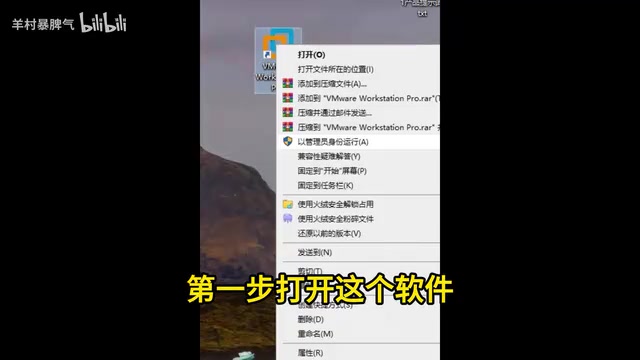
Download and install VMware Workstation (the tutorial mistakenly called it "Penware"), which essentially simulates a fully independent computer inside your existing machine and can be cloned repeatedly. After installation, right-click and select "Run as Administrator." Once open, it presents an operating system environment identical to your host machine.
How Virtual Machines Work The core principle of a virtual machine (VM) is that it uses a software layer to simulate a complete hardware environment, allowing one or more isolated "guest" systems to run inside a host operating system. VMware Workstation generates independent virtual network adapters with their own MAC addresses, virtual disk serial numbers, and other hardware identifiers for each VM — all completely different from the host machine and randomized with each clone. This is precisely what makes the platform's device fingerprinting "believe" the VM is a brand-new physical device, bypassing the per-device account limit. That said, modern platform fingerprinting doesn't rely solely on MAC addresses — it may also combine browser fingerprints, IP addresses, behavioral signals, and other multi-dimensional indicators. Whether the VM approach will reliably work over time remains uncertain.
Step 2: Register an International Version Account
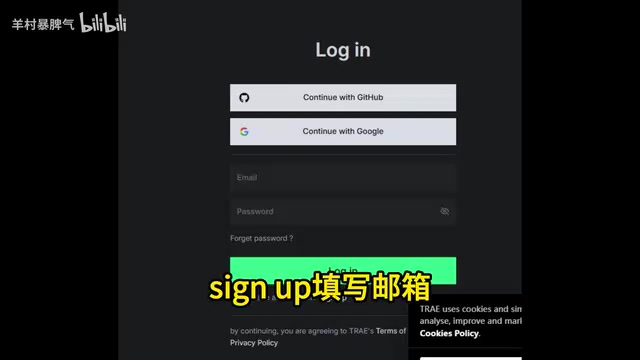
Open the Trae international version website in the VM's browser (making sure to avoid the domestic version). Click Sign Up, fill in your email and a password, then check your inbox for the verification code to complete registration. The tutorial author specifically emphasizes enabling Privacy Mode after registration to prevent the platform from collecting usage data.
Step 3: Log In to the Desktop Client
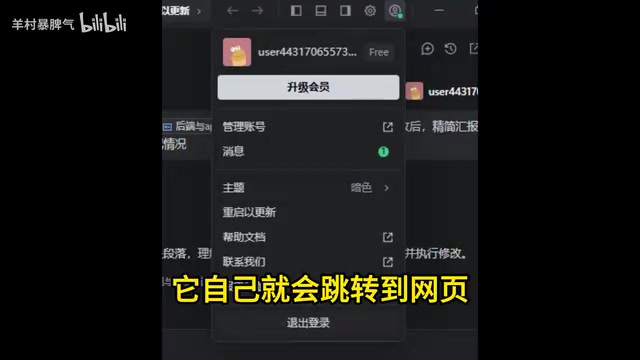
Open the Trae desktop app and click Login — it will automatically redirect to a browser page. Click the green Login button to complete authorization.
Step 4: Choose a Model and Usage Mode
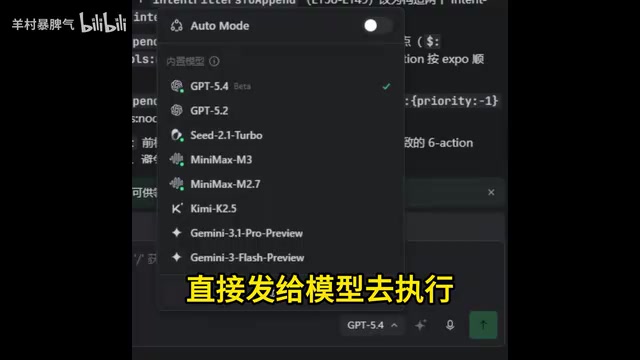
After logging in, you can select a model from the bottom of the chat window. International models including GPT and Gemini are available, but the tutorial author warns that these models "burn tokens fast" and recommends refining your prompts before sending. For everyday use, Auto mode is sufficient.
Once all three accounts on a single VM have run out of credits, you clone the VM image to create a new "device" and register fresh accounts — repeating the cycle indefinitely, in theory.
Risks and Compliance Warnings
While this method is technically feasible, it comes with several significant risks that readers should carefully consider.
Risk of violating Terms of Service. Spoofing device identifiers and bulk-registering accounts to circumvent credit limits typically violates platform user agreements. If detected, accounts may be permanently banned, and any time or data invested will be lost. The tutorial itself reveals that the platform is actively fighting back through hardware fingerprinting and progressively tightening free-tier access.
Information security concerns. The tutorial mentions searching for "packaged account bundles including unlimited registration emails" — these third-party bulk email packages and toolkits of unknown origin may carry hidden risks. Users bear full responsibility for any potential privacy breaches or security consequences.
Poor return on investment. The overhead of repeatedly configuring VMs, cloning images, and re-registering accounts is far from trivial — and free credits keep shrinking. For developers with real productivity needs, it's far more practical to evaluate paid plans or consider alternative mature tools rather than spending significant effort gaming the system.
A More Sustainable Approach
The free credits offered by AI coding tools are fundamentally a customer acquisition strategy for vendors. As cost pressures grow, tightening is the inevitable trend. Rather than relying on unstable and risky "refill" schemes, a more sustainable approach is to use official free credits to evaluate tools and determine fit, subscribe to legitimate paid plans for high-frequency use cases, and reduce token consumption through better prompt engineering and context reuse. This keeps you on the right side of platform rules while ensuring a stable, reliable workflow.
This article provides an objective technical explanation of a method circulating online and does not constitute any endorsement or usage recommendation. Please comply with the relevant platform Terms of Service and use AI tools responsibly and within the rules.
Related articles
Andrew Ng on Agentic AI: Cutting Through the Hype to Find Real Value in Agent Development
Andrew Ng's Agentic AI course intro: separating hype from real value, exploring agent workflows in customer service, research, law, and healthcare, and why evals and error analysis define expert-level agent development.
The Netflix Microservices Myth: An Architecture Migration Misunderstood by an Entire Industry
The real story behind Netflix's cloud migration and microservices transformation — and why the entire industry copied the solution while missing the actual problem.

Java 27 Deep Dive: How Default Changes Are Quietly Reshaping Production Environments
Java 27 has just 9 JEPs but changes key defaults: compact object headers on by default, G1 as unconditional default GC, Flight Recorder redaction, and built-in post-quantum TLS 1.3.