How Should LLMs Observe Computers? Exploring Visual Interaction Between AI and Operating Systems
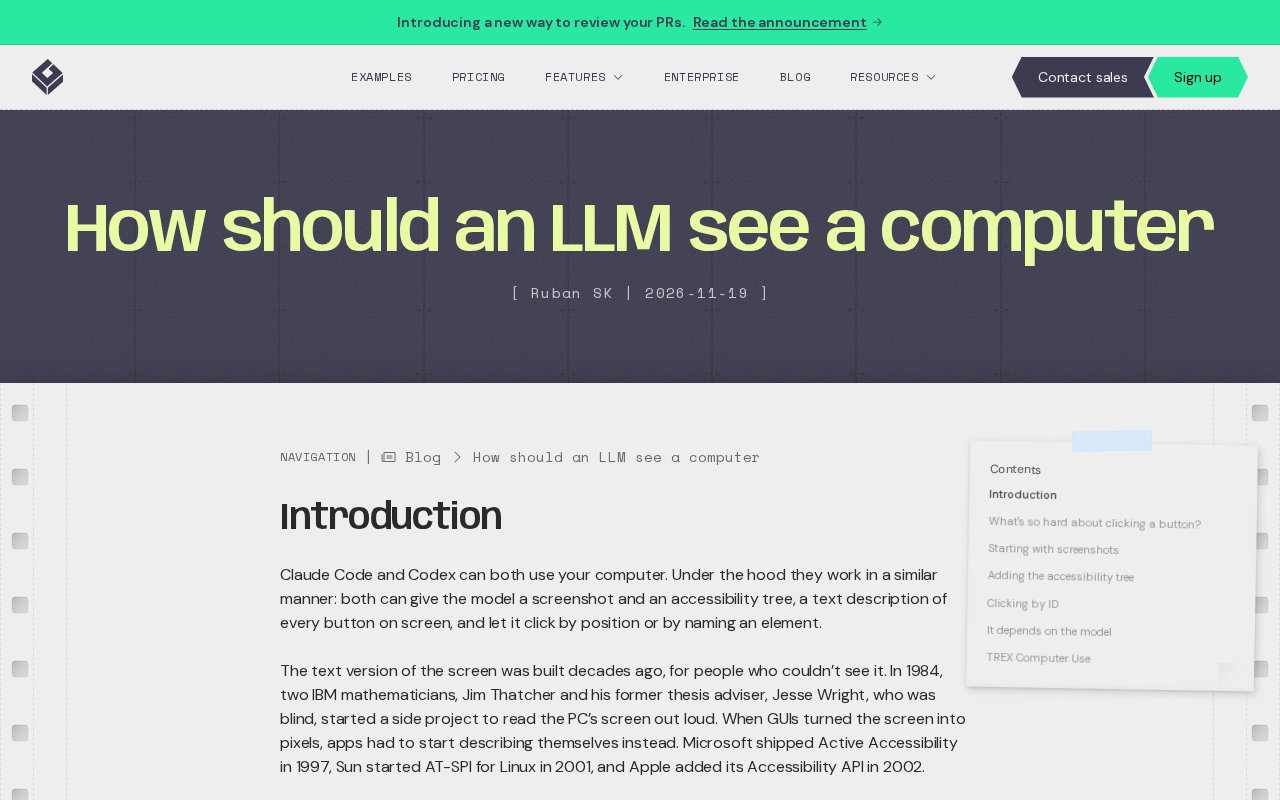
How should LLMs 'see' the screen when operating computers? Pure vision may not be optimal; structured representations and tool calling are worth exploring.
The article discusses the core AI Agent design question of how LLMs should perceive screen content when operating computers. Traditional GUI automation relies on screenshots and coordinate clicks, but LLMs are better at text and structured data, so pure vision may not be optimal. It outlines possible directions: structured representations such as accessibility trees or DOM, hybrid screenshot-plus-text input, and function-call-based system operation. Given limited source information, the question remains conceptual with no clear answer yet.
When large language models begin operating computers, in what way should they "see" screen content? This question sparked discussion on Hacker News. Although the post itself had only a brief title and 7 comments, it touches on a core and still-unresolved design challenge in the current AI Agent field.
Core Question: What Does an LLM Need to "See"?
Traditionally, GUI automation relies on screenshots and coordinate clicks, but this approach is not efficient for LLMs. LLMs excel at processing text and structured data, not pixel grids. Therefore, how to transform the computer's interface state into a form that LLMs can understand becomes key. The implicit consensus in the discussion is that a pure visual approach (relying only on screenshots) may not be the optimal solution.
Accessibility Tree is a structured representation provided by operating systems and browsers for assistive technologies (such as screen readers). It extracts roles, names, states (such as whether something is clickable), and hierarchical relationships from underlying UI controls (buttons, input fields, menus, etc.), describing the interface in a tree structure. It is similar to the DOM but closer to the semantic model of native applications and operating systems. When an LLM reads the accessibility tree, it can directly obtain the semantic labels and interaction capabilities of elements without needing to understand pixel colors and spatial positions. This greatly reduces the burden of visual reasoning and also makes it easier to generate stable element selectors.
The limitations of coordinate clicking lie in the fact that the LLM needs to infer the precise position of the target element from a screenshot, which depends on visual grounding capability and is easily affected by resolution, scaling, and dynamic layout; moreover, coordinates under different screen sizes are not generalizable. In contrast, structured representations provide stable reference paths (such as "window/button[name=Submit]"), allowing the model to output semantic-based selections rather than pixel coordinates, with higher reliability and debuggability.
Possible Directions
From the limited information, several approaches can be inferred:
- Structured representation: Map UI elements into a tree structure (such as an accessibility tree or DOM), allowing the LLM to read the roles, names, and attributes of elements.
- Hybrid input: Combine screenshots with textual descriptions so the model obtains both visual layout and semantic information.
- Tool calling: Let the LLM operate the system through function calls rather than directly "looking" at the screen.
Each of these approaches has advantages and disadvantages, but in the absence of more details, the discussion remains mostly at the conceptual level.
Tool calling (Function Calling / Tool Use) refers to letting the LLM operate the computer through predefined function interfaces, such as calling tools like "click element (id)," "input text (id, text)," and "scroll (direction)," rather than directly generating mouse coordinates or keyboard events. The model outputs structured tool-call parameters, which are executed by the runtime environment and return results (such as the new interface state or operation success/failure). This approach transforms "looking at the screen" into a loop of "reading state + calling tools," making the Agent's behavior more controllable and auditable, and also facilitating error recovery.
Hybrid input approaches usually provide both screenshots and an accessibility tree (or DOM) to the model: screenshots preserve visual layout and icon information, while structured text provides precise semantics and a list of interactive elements. The model can cross-validate the two, falling back to vision when structured information is missing, or relying on text when vision is ambiguous. This multimodal fusion is widely adopted in Web Agent and desktop Agent research to balance robustness and information completeness.
Conclusion
Because the original material provides only a title and very few comment details, this article cannot delve into specific technical implementations or case studies. This question deserves continued attention from AI researchers and product designers, but for now it is more of an open discussion starting point than an issue with a clear answer.
One-line Summary
How should LLMs "see" the screen when operating computers? Pure vision may not be optimal; structured representations and tool calling are worth exploring.
Paragraph Summary
The article centers on the core design question in the AI Agent field: "How should LLMs perceive screen content when operating computers?" Traditional GUI automation relies on screenshots and coordinate clicks, but LLMs are better at processing text and structured data, so a pure visual approach may not be the optimal solution. The article outlines several possible directions: mapping UI elements into structured representations such as accessibility trees or DOM; hybrid input combining screenshots with textual descriptions; and letting LLMs operate the system through function calls rather than directly "looking" at the screen. Because the original discussion provides limited information, the article notes that this question remains at the conceptual level with no clear answer yet, but it deserves continued attention from researchers and product designers.
Related articles
Microsoft Research: Cultural Alignment Evaluation of Multimodal AI Stories
Microsoft Research and universities evaluate cultural alignment of multimodal AI stories in five African communities, revealing five cultural reasoning dimensions and eight misalignment mechanisms, with images causing nearly twice the cultural interference of text.

DeepSeek Harness Full Guide: From Installation to Building AI Agents with a Plugin Ecosystem
A detailed guide to installing the DeepSeek Harness client: Node.js 22+ setup, client deployment, local folder mounting, and three plugin installation methods—conversation, marketplace, and command line—to build AI agent workflows from scratch.

How Franklin Templeton Is Using AI to Reshape Investment Research
Unpacking Franklin Templeton's AI investment research practice with OpenAI: from data delivery to automated intelligence, delivering insights directly to portfolio managers and freeing analyst capacity through continuous intelligence and human judgment.