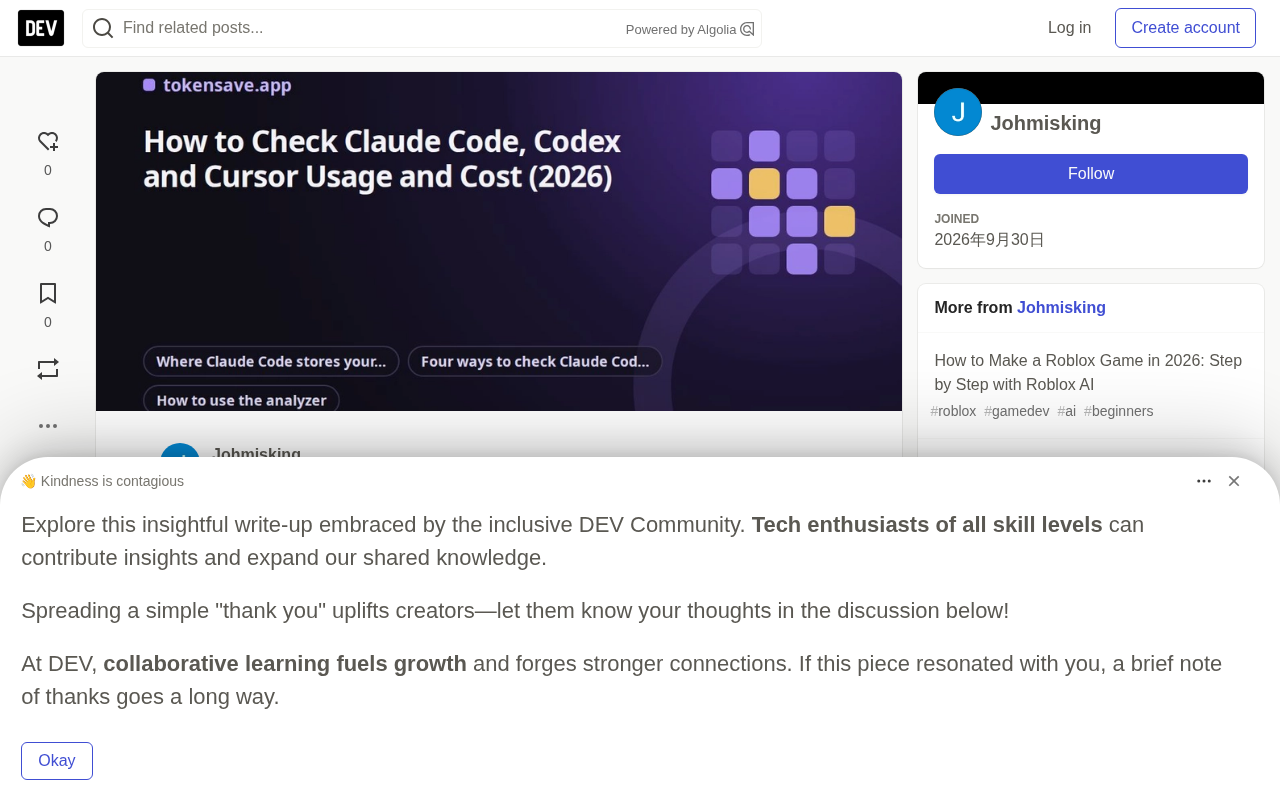
How to Check Claude Code, Codex, and Cursor Usage and Cost: A Complete Guide

Local logs in Claude Code and similar tools hold precise usage data that reveals cost structure and plan value.
Claude Code's `/usage` only shows limit progress and can't answer where money goes. The real data is stored in `.jsonl` session logs under `~/.claude/projects/`, where each reply records input, cache creation, cache read, and output tokens plus model names—but the default retention is only 30 days. Tools like ccusage, CodeBurn, and the browser-based TokenSave analyzer can read these files; the latter also supports Codex logs and Cursor export CSV. A 17-day Opus 5.5 test showed 1,636 replies and 277.5M tokens with an API-equivalent cost of $145.90, of which cache reads were 36%, cache writes about 38%, output 25%, and brand-new input less than 1%. Over 95% of tokens were cache reads. Compared with Max 5× at $100/month, the user got about 257% of plan value, but light users may lose money on a plan. The article ends with tips to reduce costs: start new sessions, switch to Sonnet, watch high-spend days, and trim MCP tools.
How Much Are You Actually Spending Each Month?
Claude Code's /usage command only tells you how far you are from your plan limit—it can't answer a more critical question: where did the money go? How much did that session last Tuesday cost? Which project ate up most of the month's budget? Is the Max plan or pay-as-you-go actually more economical?
The good news is that this data has been sitting on your computer all along. Claude Code writes every conversation to log files, and each reply records the model used and exact token counts. Command-line tools like ccusage and CodeBurn can read these files and aggregate them—and you don't even need to install anything. You can complete the analysis right in your browser, and it can also read Codex logs and Cursor usage exports.
Where Claude Code Stores Usage Data
The complete record of each session is saved under the ~/.claude/projects/ directory. Each project has its own folder, and each session is a .jsonl file—one JSON object per line. Subagent conversations are stored in a subagents/ folder next to the corresponding session.
The paths for different operating systems are as follows:
| OS | Folder Path |
|---|---|
| Windows | %USERPROFILE%\.claude\projects |
| macOS | ~/.claude/projects |
| Linux | ~/.claude/projects (or projects/ under CLAUDE_CONFIG_DIR) |
Each model reply has a usage block containing five numbers that are critical for cost calculation:
- input tokens: new input not cached
- cache creation tokens: input written to the prompt cache, split into 5-minute and 1-hour writes
- cache read tokens: input read from the cache
- output tokens: model output, including reasoning
- model: for example,
claude-opus-5-5
There are two easy-to-miss details. First, the same reply may be written to multiple lines during streaming, and copied again when a session is resumed—simple summation will lead to double counting. Second, log files are not retained forever—according to the official documentation, records older than cleanupPeriodDays are deleted, and the default is 30 days. To keep a longer history, you need to change this value in ~/.claude/settings.json before the files disappear.
What Is Prompt Caching?
Large language model input is billed per token, and an agent resends the full conversation, opened files, and tool results to the model at every step. If each request were billed as brand-new input, the cost would be prohibitively high. Prompt caching allows the server to temporarily store a prefix, and subsequent requests that hit the same prefix are billed at a price far below regular input. Anthropic's cache has two write durations: 5 minutes and 1 hour, with different write prices, while the read price is uniformly much lower than the input price. The cache has a time-to-live and must be rewritten after expiration, so frequent sessions with long gaps in between can actually generate more write costs. Understanding the difference between cache creation (write) and cache read is the key to reading the cost tables below.
Comparing Four Ways to Check Usage
| Method | What You Can See | Installation Required | Daily/Project History | Plan vs API Comparison | Supports Codex/Cursor |
|---|---|---|---|---|---|
/usage inside Claude Code | Plan limit progress bar, current session | None | No | No | No |
ccusage (npx ccusage) | Daily/monthly/session reports in terminal | Node.js | Yes | No | Claude Code only |
CodeBurn (npx codeburn) | Terminal dashboard, multi-tool support | Node.js | Yes | No | Yes, Cursor is estimated |
| TokenSave usage analyzer | Cost by day/project/model/tool, exportable CSV | None, runs in browser | Yes | Yes | Yes |
/usage is good for a quick check when you're about to hit a limit. On Pro and Max plans, it also shows what's consuming the limit—subagents, MCP servers, or cache misses. But it wasn't designed for reviewing weeks of data. ccusage and CodeBurn are for developers comfortable with the terminal; both read the same .jsonl files. The browser analyzer is for users who don't want to install Node.js, or who want to see plan and API comparison on the same screen.
The .jsonl Format and the Deduplication Challenge
.jsonl (JSON Lines) is a text format with one independent JSON object per line, making it easy to append and parse line by line—commonly used for log data. Claude Code uses it to record sessions, which has the advantage that even if the program crashes mid-way, the lines already written remain fully readable. The cost is that the same logical event may appear on multiple lines: during streaming output, each incremental chunk may be written as a separate line, and when a session resumes, the history is copied again. Naive summation will count the same tokens twice or more, so every analysis tool must implement deduplication logic—usually by merging on message ID or response ID. This is why when you write your own script to tally, the numbers often come out higher than what ccusage or CodeBurn report.
Steps to Use the Analyzer
- Open tokensave.app/claude-code-usage
- Click Choose folder and select your
projectsfolder. Windows users can paste%USERPROFILE%\.claude\projectsinto the folder picker's address bar; Mac users can press ⌘ + Shift + G and paste~/.claude/projects - Optional: add
~/.codex/sessionsto read Codex data, and the Cursor usage CSV (Cursor dashboard → Usage → Export CSV) - View the results. You can switch between All, 7 days, 30 days, and current month periods, and select your plan for comparison

A few things to note about interpreting the results. "Replies" counts deduplicated model responses, not your questions—a single prompt to the agent usually produces multiple replies, because each tool call and each step is an independent response. "Tokens" aggregates input, output, and both types of cache traffic, so the number looks much larger than the actual conversation size. If a model doesn't have a known price, the analyzer lists it below the table rather than guessing. The Download CSV button exports a table with rows by day, including all token types and costs, ready for spreadsheet analysis.
Chrome may show a "Do you want to upload files to this site?" prompt when selecting the folder—this is just the browser's standard wording for folder access. The page reads files via the browser's File API and only aggregates numbers; your prompts and code never leave the tab and are not sent to any server.
Real Data Read from the Logs
The author ran a test with three sets of logs: Claude agent sessions used to build and maintain a website, Codex sessions on a PC, and the account's Cursor usage CSV.
| Tool | Replies | Tokens | API-Equivalent Cost | Plan Used |
|---|---|---|---|---|
| Claude Code (Opus 5.5) | 1,636 | 277.5M | $145.90 | Max 5× |
| Codex (GPT-5.6 Terra, GPT-6 Luna) | 108 | 6.5M | $1.98 | Free |
| Cursor (Grok 4.6) | 2 | 379K | $0.29 | Free |
The Claude Code portion covered 10 active days between September 29 and October 15, with the busiest day (October 8) costing about $39 at API prices.
The token distribution is the real surprise. Of 277.5 million tokens, brand-new input was only about 3,000. About 264 million were cache reads, about 10.8 million were cache writes, and 1.8 million were output. In other words, over 95% of what Claude Code "used" was the same context being repeatedly read from cache. This is exactly how agents work: every step resends the conversation, opened files, and tool results, and caching makes this process cheap.
But cheap doesn't mean free. Here's the breakdown of the $145.90 (at Opus 5.5 pricing):
| Component | Price per Million Tokens | Cost Share |
|---|---|---|
| Cache reads | $0.20 | ~36% |
| 5-minute cache writes | $5.00 | ~34% |
| Output | $20.00 | ~25% |
| 1-hour cache writes | $8.00 | ~4% |
| Brand-new input | $4.00 | Less than 1% |
Cache reads are 95% cheaper than regular Opus 5.5 input, but the volume is so large that they still take the biggest cost share. Cache writes are almost as much, because every new file, tool result, or long reply must first be written to cache before it can be read at low cost. Output is only 1.8 million tokens, yet it accounts for a quarter of the bill, because output is priced at $20 per million.
Without caching, those cache reads would cost about $1,017 more at regular input prices—that's the "Saved by caching" figure in the screenshot.
Why Are Output Tokens So Expensive?
In autoregressive generation, the model must perform a full forward computation for every token it produces, whereas the input side can amortize cost through parallel computation and cache reuse. Therefore, output pricing is typically 5 to 10 times that of input. In the test, 1.8 million output tokens accounted for only about six-thousandths of the total, yet contributed about a quarter of the bill—that's why. Output also includes the model's reasoning process before giving the final answer; this part is invisible to the user but is still billed. To cut output costs, the most direct approach is to reduce unnecessary long replies and verbose tool-call explanations, rather than simply shortening your questions.
Is the Max Plan Worth It? Plan vs API Comparison

The analyzer compares your selected plan with the API cost of the same tool over the same period. The Claude logs span 17 days; Max 5× costs $100 per month before tax, so 17 days is about $56.67. The same tokens via API would cost $145.90, meaning you used about 257% of your plan fee in API value. For intensive agent work, the subscription is clearly more economical than pay-as-you-go.
But there are two situations to watch out for:
- Plans have limits. Pro and Max reset every 5 hours, plus there are weekly limits. If the API-equivalent number is many times the plan fee, you may already be hitting those limits, and the real choice becomes waiting, upgrading, or buying extra usage.
- Light users may lose money on a plan. The author's Codex and Cursor usage were both on free plans, costing only $1.98 and $0.29 respectively. If you were to pay for ChatGPT Plus ($20/month) just for that little Codex usage, the plan value would be less than the cost itself. The analyzer highlights this case in amber.
Codex and Cursor Usage Data
Codex stores logs under ~/.codex/sessions/YYYY/MM/DD/, with one rollout-….jsonl file per session. Rather than writing a usage block in each reply, it writes the entire session's running total at each step. The analyzer takes the difference between adjacent steps and calculates cost at OpenAI API rates, with cached input billed at cache prices. Archived sessions are moved into archived_sessions/ with the same name, so the analyzer counts each only once by filename to avoid duplication.
Cursor is different. After opening Cursor's local database, it turns out that every conversation's token count is stored as zero—the current version does not retain token data locally, which is why command-line tools can only estimate Cursor usage from text length. The accurate source is the usage export on the Cursor dashboard: go to Usage and click Export CSV. Each row contains the date, model, input with and without cache writes, cache reads, output, and the fee Cursor charged. The analyzer uses that fee data directly.
How to Reduce Usage Costs
Since most of the cost comes from cache traffic and output, a few habits can make a difference:
- Start a new session for a new task.
/cleardiscards old context so subsequent steps don't repeatedly read it. Long sessions keep paying cache read fees for everything that came before. - Use Sonnet for everyday tasks. Sonnet 5.5 is $2/$10 per million, while Opus 5.5 is $4/$20—the same session costs about 50% less at API prices.
- Watch high-spend days. The daily cost chart visually shows which day and which type of task drove up costs.
- Trim unused tools. In plan mode,
/usageshows which MCP servers and subagents are consuming the limit share.
Frequently Asked Questions
How do I check Claude Code usage history?
Open the ~/.claude/projects folder with the analyzer, or run npx ccusage in the terminal. The /usage inside Claude Code only shows the current limit, not history.
Does the analyzer upload my code? No. It reads files within the browser tab, only aggregates token numbers, and sends no data anywhere.
Why is the API-equivalent cost much higher than the plan fee? The agent rereads the entire context at every step, generating a lot of cache traffic. The plan is a fixed fee; the API-equivalent number is the price for the same tokens if billed by usage.
Why does it only show the last month?
Claude Code deletes records older than 30 days by default. Increase cleanupPeriodDays in settings.json to retain them longer.
Can it read Gemini CLI, Copilot, or Windsurf? Not currently. At this stage it supports Claude Code, Codex, and Cursor CSV.
Conclusion
Claude Code already records every token you use—the hard part is reading it out. /usage tells you how far you are from the limit, while the logs under ~/.claude/projects tell you where the money went. In a 17-day agent work test, almost all tokens were cache reads, cache traffic accounted for about three-quarters of the API-equivalent cost, and Max 5× returned about 257% of the plan fee in value. Codex and Cursor on free plans cost only a few dollars. Load the folders into the usage analyzer and you'll see your own real numbers.
Related articles

Random Pruning of the DPO Computation Graph: 1.4x Training Speedup and Lower Peak Memory
DPO training too slow and memory-hungry? This paper proposes a random pruning framework for the DPO computation graph, sampling independently across position, sequence, and branch dimensions; branch pruning achieves a 1.426x step-time speedup and cuts training time by about 30%, with in-depth attribution of memory and time gains.

Why Does JEPA Underperform MLM in Longitudinal EHR Representation Learning?
New study compares JEPA and MLM for longitudinal EHR representation learning on MIMIC-IV: three JEPA variants train stably without collapse but underperform MLM; target size, not heterogeneity, drives prediction error.

Transfer Learning + Visible Light Communication: A New Approach to Energy-Efficient Indoor Positioning
A study proposes a transfer learning-based visible light communication indoor positioning method, achieving 47% accuracy improvement on the BOSCH factory dataset, 67.5% model efficiency under high noise, and introducing the ME composite metric for energy-efficient positioning in energy-constrained industrial IoT scenarios.