How to Choose AI Coding Tools: A Full Breakdown of the Six Camps

AI coding tools aren't one category; choose by the six agent camps and lifecycle scenario, not rankings.
The article argues that ranking AI coding tools together is the wrong question, since they are different types of tools. The key distinction is model vs. Harness: the model is the engine, while the Harness dictates tool calls, context, runtime location, memory, and permissions—most product differentiation comes from the Harness. The author sorts tools into six camps by where the agent lives: editor, terminal, cockpit, cloud teammate, around-the-code, and build-your-own, noting no single tool covers the full lifecycle, so most teams combine two or three. Cross-tool standards like MCP, AGENTS.md, and Skills are converging into a portable investment, and vendors' own security warnings should be taken seriously. Selection advice: run a small hands-on test on a real ticket, with cost per accepted feature as the core metric.
Title
How to Choose AI Coding Tools: A Full Breakdown of the Six Camps
Meta Description
Too many AI coding tools and no idea how to choose? This article groups DeepSeekAd Harness, GitHub Copilot, Cursor, Claude Code, Codex and others into six camps based on where the agent runs, analyzing use cases, pros and cons, and security considerations, plus a practical framework for scenario-based selection and hands-on evaluation.
Article Content
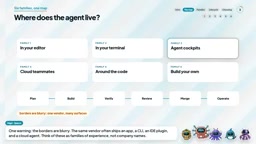
AI coding tools keep multiplying, with new products appearing every week. Faced with choices like DeepSeek Harness, GitHub Copilot, Cursor, Claude Code, and Codex, the question developers ask most often is: which one is best? But in a recent video, the YouTube channel RebelLion Labs offered a counterintuitive answer—the question itself is wrong. These tools are not the same category of product. Ranking them against each other is like comparing a screwdriver and a power drill to see which is more useful.
Core Concept: The Model Is the Engine, the Harness Is the Key
Before discussing specific tools, we need to clarify a commonly confused concept. The model is the engine, and the Harness is everything around the engine—which tools the agent can call, what context it reads, where it runs, what it remembers, what it can do without confirmation, and when it must stop and wait for a human.
This explains why two products using similar models can deliver completely different experiences. According to RebelLion Labs, most of today's real differentiation comes precisely from the Harness layer. Industry trends confirm this: Google describes its Anti-Gravity SDK as a way to build custom agents on the Anti-Gravity Harness, and DeepSeek went so far as to name its product DeepSeek Harness.
MCP (Model Context Protocol) is a standard open-sourced by Anthropic in late 2024 for letting AI applications connect to external data sources and tools in a unified way. It uses a client-server architecture: the AI application acts as the client, calling tools, resources, and prompts exposed by MCP servers through a standard interface; MCP servers encapsulate access to databases, APIs, file systems, and other proprietary systems. The article notes that it has been widely adopted by Claude Code, Copilot, Cursor, Kiro, and Codex, which means developers only need to implement an MCP server once to let multiple different Harnesses reuse the same set of tool integrations, rather than writing separate integrations for each product. This is exactly why the article lists it as part of a "portable investment."
AGENTS.md is a project instruction file placed in the repository that records the project's build commands, code conventions, testing approach, and caveats in natural language, for AI agents to read before starting work. It is essentially an "onboarding manual" for agents, making different tools behave consistently within the same project. Codex uses this file natively, and Claude Code can also read it in place of its own CLAUDE.md, reducing the cost of repeated configuration when switching between tools.
The Six Camps: Classifying by "Where the Agent Lives"
RebelLion Labs groups tools into families based on a simple question: where does the agent live? Who does it work for? This taxonomy covers the complete software lifecycle from planning to operations, and since the same vendor often ships an app, a CLI, an IDE extension, and a cloud agent simultaneously, these families describe types of experience rather than company names.
Family One: Agents Inside the Editor
This is where most developers start. Cursor bills itself as an "AI editor and coding agent," with Plan mode, rules, skills, and MCP servers. GitHub Copilot offers Agent mode and Plan mode in the IDE, the latter drafting an implementation plan for review before changing code. Kiro puts spec documents at the center, emphasizing requirements, design, and tasks, and comes with Steering files and Hooks. Google Anti-Gravity is a full agentic IDE.
The advantage is the shortest feedback loop—you can see every diff in real time right where you work, making it ideal for building features and getting familiar with a codebase. The disadvantage is that it is tied to your machine and your attention: when you stop staring at the screen, the work usually stops too. For teams, the cost of switching editors is very real.
Family Two: Agents in the Terminal
The defining feature of the terminal family is scriptability. Claude Code can read a codebase, edit files, run commands, commit, and open pull requests, and the official docs even show piping a git diff in for security review. OpenAI's Codex CLI and Google's Gemini CLI are both open source under the Apache 2 license, GitHub has Copilot CLI, and the fully open-source camp includes OpenCode, Kilo, and Aider.
The terminal's strength is composability—agents can run in scripts and CI pipelines. Claude Code's docs cover GitHub Actions and GitLab pipelines, and Codex lists a GitHub Action. Open-source agents typically let you bring your own model and audit the code. The cost is less visual feedback and configuration you have to handle yourself; when choosing an open-source project, be sure to confirm it is still actively maintained.
Family Three: The Agent Cockpit
This is the newest and most closely watched family—desktop application form factors that let you supervise multiple agents at once. According to the video, the GitHub Copilot desktop app is aimed at agent-driven development: each session belongs to a project and runs in isolation on a separate branch, and multiple can run simultaneously. It has a browser canvas supporting "Pick and Polish," which lets you select page elements as context for the next request; Agent Merge handles review feedback on pull requests, CI failures, and merge conflicts, but the final merge decision still rests with a human.
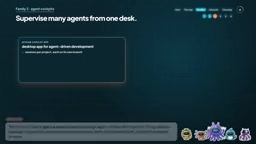
Similar products include: the Claude Code desktop app, supporting side-by-side multiple sessions, scheduled tasks, and cloud sessions; Codex, spanning the ChatGPT desktop, web, mobile, as well as CLI, IDE extensions, and the cloud; the Google Anti-Gravity app, a command center for multiple local agents working in parallel; and Cognition's Devin desktop, billed as managing a fleet of local and cloud agents from a single interface. Notably, windsurf.com now redirects directly to Devin. Self-hosted users can look at OpenHands' Agent Canvas, which can run OpenHands, Claude Code, Codex, Gemini CLI, or OpenCode on a laptop, in Docker, or on your own server.
The cockpit's weakness is that the human becomes the bottleneck—five agents producing five pull requests far outpaces one person's ability to review them carefully.
Family Four: Cloud Teammates
This is the form closest to operations: assign a task, close your laptop, and come back to a pull request. GitHub's Copilot cloud agent works in ephemeral cloud environments, launched from an issue, pull request, or chat, with each task corresponding to a branch and a pull request. Its documentation gives a rare precise number: a single session runs for up to 59 minutes, and it only supports repositories hosted on GitHub.
Cursor's cloud agents run in isolated virtual machines, can run in large parallel batches, and can be launched from Slack, GitHub, Linear, or the API, returning a pull request along with screenshots, videos, and logs as verification evidence. Claude Code has web sessions and cloud routines that can turn a bug report in Slack directly into a pull request. Codex has Codex Cloud, and Devin bills itself as an autonomous AI software engineer, summonable from Slack, Teams, Linear, or Jira, returning a draft pull request.
The advantage of cloud teammates is that work does not depend on your machine, and the best implementations show evidence rather than just code. The cost is money and configuration: Cursor bills cloud agents at model API prices and requires spending limits to be set, and every cloud agent needs a runnable environment with dependencies and secrets. GitHub's official documentation is blunt: review and test outputs before using them in production.
Ephemeral cloud environment refers to an isolated runtime created temporarily for each task and discarded afterward, usually provided as a container or virtual machine, preloaded with project dependencies, the code repository, and the necessary secrets. GitHub Copilot cloud agents and Cursor cloud agents both use this model: each session starts from a clean state, and the environment is destroyed when the task is complete, avoiding state contamination between tasks and enabling large-scale parallelism. The cost is that every environment must be reproducibly buildable—dependency installation, secret injection, test databases, and so on all need to be automated, or the agent will fail the moment it starts. This is why the article emphasizes that "every cloud agent needs a runnable environment with dependencies and secrets," and it demands a higher level of engineering maturity from teams than local tools do.
Family Five: Work Around the Code
ChatGPT Work and Claude Cowork are not coding tools but agents that handle work around code. ChatGPT Work is described as a way to delegate real work—briefings, presentations, analyses, recurring updates—running on the desktop to handle local files and applications, or in the cloud through plugins for GitHub, Slack, Google Drive, SharePoint, and more. OpenAI says its core capabilities are the same as Codex, just with an experience designed for everyday work. Anthropic describes Cowork as bringing Claude Code's agentic capabilities to knowledge work, without a terminal, including projects, scheduled tasks, sub-agents, and three permission modes (manual, auto, skip).
Office suites are also getting smarter. Microsoft 365 Copilot works inside Word, Excel, PowerPoint, Outlook, and Teams, and under premium licensing grounds its answers in organizational data through Microsoft Graph and WorkIQ.
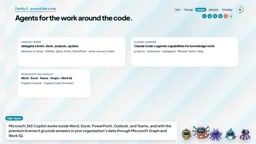
Microsoft's documentation also lists Copilot Cowork for executing tasks across Microsoft 365 and Copilot Code, still in Frontier Preview. Gemini for Google Workspace does the same in Gmail, Docs, Sheets, Drive, and Meet, paired with Gemini Notebook for source-based research. Manus offers agents for slides, websites, and so-called "wide research." The advice for choosing this category is simple: pick the one that lives where your documents, email, and meetings live—switching ecosystems for a sidekick is rarely worth it.
Family Six: Tools for Builders
This family is not for using but for building. DeepSeek Harness is DeepSeek's open-source agent Harness under the MIT license, with the slogan "everything is a plugin." It offers a web UI or desktop app, can use DeepSeek models or OpenAI-compatible endpoints, and has a creator mode for building plugins through conversation. It is fairly candid about its own status: this is a developer preview, and the README states in capital letters that "there will be breaking changes."
Similar builder kits include Claude Code's Agent SDK, the Google Anti-Gravity SDK (supporting Python prototyping and evaluation), Kilo distributed as an SDK, and the open-source OpenHands, which works with any model. The builder kit's advantage is full control over models, tools, permissions, and costs; the disadvantage is that all the responsibility is yours too. DeepSeek's own security statement acknowledges that the Harness has not undergone a security audit and recommends running it in a disposable virtual machine or container with minimal privileges.
The Lifecycle Panorama and Cross-Tool Common Ground
Laying the six families across the software lifecycle: in planning there are spec-first tools like Kiro, the Plan modes of Copilot and Cursor, and work-class agents; in building there are editor and terminal agents; in verification, cloud environments run tests and produce evidence such as screenshots and videos; in review there are code reviews from Copilot, Claude Code, and Codex; in merging there is Agent Merge tracking CI failures and conflicts; and in operations there are scheduled routines, recurring tasks, and turning Slack bug reports into pull requests.
Interestingly, no single tool is equally good at every stage, and most teams will combine two or three—this is both the video's judgment and the natural conclusion of this panorama.
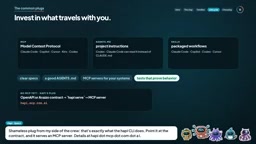
A more positive signal is that the underlying interfaces are converging. MCP (Model Context Protocol) appears in Claude Code, Copilot, Cursor, Kiro, and Codex; AGENTS.md is the project instruction file used by Codex, and Claude Code can also read it in place of its own CLAUDE.md; Skills, a way to package repeatable workflows, appear in Claude Code, Copilot, Codex, and Cursor.
This means there is a portable investment structure: clear spec documents, a well-written AGENTS.md, MCP servers for your own systems, and tests that can prove behavior. Whichever Harness wins next year, these assets retain their value. If your systems do not yet support MCP, there is no need to panic—existing API contracts, OpenAPI files (which many people still call Swagger), or workflow definitions are themselves a great starting point. The Hoopy CLI mentioned in the video does exactly this: point it at a contract, and it provides an MCP server.
The Vendors' Own Security Warnings Deserve to Be Taken Seriously
The video quotes three statements from vendors: GitHub says "review and test outputs before using them in production"; Anthropic, speaking of Cowork, says "there are unique risks due to its agentic nature and internet access"; DeepSeek says it "has not undergone a security audit." When vendors write these things themselves, they should be taken seriously: use permission modes, set spending limits, give agents the minimum necessary privileges, keep secrets out of their reach, and always retain the human's final say on the merge button.
Permission modes are the mechanism a Harness uses to control how autonomous an agent is, typically in several tiers: in manual mode, every file edit or command execution requires human confirmation; in auto mode, the agent can operate on its own within a certain scope; and skip mode barely intercepts anything. The article notes that Claude Cowork offers manual, auto, and skip modes, and Copilot and Cursor have similar approval and sandbox settings. The point of using permission modes sensibly is risk tiering: exploratory, read-only tasks can be given more autonomy for efficiency, while tasks involving production configuration, secrets, or irreversible operations should stay at the manual confirmation tier. Together with spending limits and the principle of least privilege, permission modes are the operational lever that turns "vendor security warnings" into practice.
How to Choose: By Scenario, Not by Ranking
Here is the framework offered by the video (which explicitly labels it as subjective opinion): if your code and pull requests are on GitHub, start with the Copilot app and its cloud agents; if you need scriptability and CI integration, look at Claude Code, Codex, and Gemini CLI; if you are editor-centric, try Cursor, Kiro, or Anti-Gravity; if you need open source, your own models, or self-hosting, look at OpenCode, Kilo, and OpenHands; if your pain points are research, documents, and reports, choose among ChatGPT Work, Claude Cowork, Microsoft 365 Copilot, or Gemini for Workspace based on where your files and accounts live; and if you want to build an agent platform, start with DeepSeek Harness, the various Agent SDKs, or the Anti-Gravity SDK.
But do not trust any ranking, including this one. A more reliable approach is a small-scale hands-on test: take a real, medium-sized ticket with verification and tests, assign it to two or three tools each on their own branch, and then measure the metrics that actually matter—time to a verified pull request, frequency of human intervention, test pass rate, number of defects found in review, total cost, and each tool's ability to recover from failure. If you keep only one number, use "cost per accepted feature": the total cost of AI, compute, review, and rework divided by the number of features actually accepted. That is more persuasive than any benchmark chart.
This is a snapshot in time. Names will change, projects will merge or be archived, but the six camps—editor, terminal, cockpit, cloud teammate, around-the-code, and build-your-own—will likely remain. When the next shiny new app appears, ask the same three questions: where does the agent live? Which stage of my lifecycle has not yet improved? And what does it need from me to be trusted?
Pick the Harness that fits the task, build with it, verify everything, and ship safely.
One-line Summary
AI coding tools are not the same category of product; choose by the six camps where the agent lives and by lifecycle scenario, not by ranking.
Paragraph Summary
The article argues that ranking AI coding tools against each other is the wrong question, because they are different types of tools. The core distinction is between the model and the Harness: the model is the engine, while the Harness determines tool calls, context, where it runs, memory, and permissions—and most current product differentiation comes from the Harness layer. The author groups tools into six camps based on "where the agent lives": inside the editor, in the terminal, in the cockpit, as cloud teammates, around-the-code work, and tools for builders, noting that no single tool covers the full lifecycle and most teams need to combine two or three. The article also stresses that cross-tool standards such as MCP, AGENTS.md, and Skills are converging, forming a portable investment; at the same time, it reminds readers to take vendors' own security warnings seriously. The selection advice is to run a small-scale hands-on test with a real ticket, with "cost per accepted feature" as the core metric.
Related articles

Chain of Thought Isn't Just for AI: How Humans Can Use CoT to Improve Thinking Quality
Chain of Thought isn't just a prompt trick for large models. Starting from a Hacker News discussion, this article analyzes why CoT works for human thinking too, breaks down actionable ways to transfer it, and highlights the key differences between human CoT and machine CoT.
Cloudflare Teams Up with OpenAI: Closi…
Cloudflare Teams Up with OpenAI: Closing the Loop from Vulnerability Discovery to Defense with AI
Cloudflare uses OpenAI Daybreak to investigate security vulnerabilities and generate reviewable remediation plans, while developers use Codex to boost coding efficiency and quality.

Orca Multi-Agent Orchestration in Practice: A Guide to Parallel Collaboration with Claude and Codex
Orca is Stable AI's free open-source agent workbench supporting 34 agents like Claude Code and Codex in parallel. Learn its Git worktree isolation, multi-model orchestration, and mobile management.