How to Use Claude Code Cheaply with Third-Party API Credits

Third-party API gateways connect to Claude Code at about one-sixth the official price, but are unverified and carry privacy risks.
The article explains how to use Claude Code at far below official pricing through a third-party API gateway. Official API pricing is token-based with different rates for input, output, and cache reads/writes, making heavy usage costly; third-party credit packs offer about $100 of credits for $6 (roughly 7 million Fable 5.2 tokens) or $500 for $16, valid for 30 days. Setup includes installing the client and terminal CLI, registering on the third-party platform and redeeming credit codes, generating an API Key, then selecting Static API Key in Developer Mode and testing the connection. The author stresses this method is not officially verified and is only suitable for learning and testing, with stability, credit authenticity, and data privacy risks to assess yourself.
Why Claude Code Is Both Loved and Hated by Developers
Claude Code is a terminal-based AI coding assistant from Anthropic that supports multiple models including Fable 5.2, Opus 5.5, and Sonnet 5.5. Officially, there are three ways to use it: a personal subscription plan, a team/enterprise plan, and pay-as-you-go API access. The problem is that if you go the API route, official pricing is per million tokens, with different rates for input, output, and cache reads/writes—making heavy usage quite expensive.
In a video, a YouTube creator stated outright that using the official API for token-heavy tasks like video editing and content generation is "very expensive—not everyone can afford it." So he demonstrated an alternative: buying credits through a third-party API gateway and connecting to Claude Code at a price far below the official list rate.
One thing to clarify first: the video's author repeatedly emphasized that this method is not an officially verified channel, is only suitable for learning and testing phases, and that he does not endorse any third-party service. This article is for informational purposes only and does not constitute a recommendation.
Basic Concepts of Tokens and Pay-as-You-Go Billing
A token is the smallest unit of text that a large language model processes—roughly a fragment of an English word or a piece of a Chinese character/word. Typically, 1,000 tokens correspond to about 750 English words. A coding assistant like Claude Code repeatedly reads codebase context, generates patches, and executes multiple rounds of tool calls within a single task, so a single session can consume hundreds of thousands of tokens or more.
Anthropic's API pricing is token-based and differentiates several dimensions: input tokens (prompts and context sent to the model), output tokens (content generated by the model), cache writes, and cache reads (a discount mechanism for reusing repeated context). Output tokens are usually priced significantly higher than input tokens, while cache reads are the cheapest. This is why the original article emphasizes that "input, output, and cache read/write prices are all different"—in heavy-usage scenarios with long contexts and multi-turn conversations, costs accumulate quickly, which is precisely the fundamental reason why third-party low-cost credit schemes are attractive.
Third-Party Credit Schemes: Where Do Cheap Tokens Come From
The core numbers from the video are: about $6 for $100 of API credits (roughly 7 million Fable 5.2 tokens), and about $16 for $500 of API credits (roughly 35 million tokens), with credits valid for 30 days. These are "API credit packs" sold by third-party platforms in the form of coupon codes—not official Anthropic discounts.
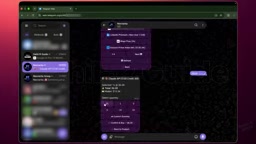
The workflow is roughly: register an account on the third-party website → get a coupon code through the video author's Telegram channel → purchase the redemption code for the corresponding credit amount in the store → top up the redemption code into your account balance → generate an API Key. The author recommends buying only the $100 tier first to test the waters, and considering larger amounts only after confirming it works.
At its core, this step swaps "paying the official price" for "paying a third-party bundled price." Where the price difference comes from and how stable the service is—the video doesn't explain. This is a risk point you must assess yourself before use.
Complete Setup Process: From Installation to Your First Successful Request
Installing Claude Code
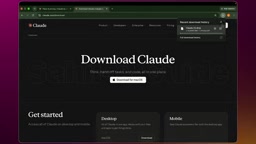
Search in your browser for the Claude Code download page, and download and install the macOS or Windows version according to your device. When you first open it, accept the cookie settings and log in with your existing Claude account (a subscription is not required; logging in is mainly to preserve conversation history).
You also need to install it on the terminal side: macOS users open Terminal, while Windows users can use PowerShell or CMD. Run the installation command for your platform and wait a few minutes for it to complete. The author notes that the Windows installation command differs from macOS, so you'll need to search for it separately.
Configuring the Third-Party API Gateway
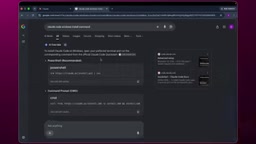
After obtaining the API Key, you need to edit the configuration file in the terminal: paste the environment variable configuration, fill in the Key, delete unnecessary intermediate lines, and save and exit. Then restart Claude Code, go to Help → Troubleshooting to enable Developer Mode, and in the Developer panel select Configure Third Party, choose Static API Key as the type, fill in the third-party gateway URL and API Key, and click Test Connection. Once the connection test turns green, apply the changes and restart.
How Environment Variables and API Gateways Work
By default, Claude Code sends requests to Anthropic's official endpoint. Environment variables (such as ANTHROPIC_BASE_URL and ANTHROPIC_API_KEY) can override this behavior: the former specifies the destination address for requests, and the latter provides identity credentials. When you point the Base URL to a third-party gateway and replace the Key with one issued by the gateway, all requests first pass through that intermediary service, which then forwards them to the upstream model provider.
The so-called "Static API Key" mode refers to this kind of access method with a fixed key and no automatic refresh or OAuth flow. It's simple to configure but carries a higher risk of key leakage. Test Connection is essentially sending a lightweight request to the gateway with that Key to verify authentication and network connectivity. Understanding this helps assess the risk: the intermediary can fully see your prompts and returned content along the path, so sensitive code should not be transmitted through such channels.
Verification and Usage Monitoring
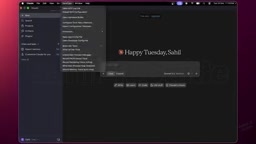
After restarting, select Fable 5.2 from the model list and enter "which model you are" in the Chat area. The returned result will indicate the current model identity. Note that if you stay in the Coding area on first use, it will ask you to select files; switch to the Chat area to converse directly. Back in the third-party platform's dashboard, you can view consumed dollars and token counts in the Overview to control costs.
Who This Scheme Is For and Where the Risks Lie
From the video demonstration, the entire process isn't complicated for developers with some command-line experience and can be completed within half an hour. Its real value lies in enabling budget-constrained individual developers and students to experience Claude Code's multi-model capabilities at low cost without first subscribing to an official plan.
But the risks are equally clear. The video doesn't address the stability of the third-party gateway, the authenticity of the credits, or privacy concerns from data passing through third-party intermediaries; the author himself repeatedly states "no promotion, no guarantee of verification." Sending code and conversation content to an unofficial intermediary service is itself a security decision that requires trade-offs.
The more prudent stance is to treat it as a low-cost testing ground during the learning phase, not a long-term solution for production environments. If you truly need to rely on Claude Code long-term, an official subscription or official API remains the more controllable choice.
One-line Summary
Third-party API gateways connect to Claude Code at about one-sixth the official price, but they are not officially verified and pose privacy risks.
Paragraph Summary
The article centers on a YouTube demonstration video and explains how to use Claude Code at a cost far below official pricing through a third-party API gateway. Official API pricing is token-based and differentiates input, output, and cache reads/writes, so heavy usage can be costly; in contrast, third-party credit packs offer about $100 of credits for $6 (roughly 7 million Fable 5.2 tokens) or $500 of credits for $16, valid for 30 days. The setup process includes installing the client and terminal command line, registering on the third-party platform and redeeming credit codes, generating an API Key, then selecting Static API Key in Developer Mode, filling in the gateway address, and testing the connection. The author emphasizes that this method is not officially verified and is only suitable for learning and testing; the stability, credit authenticity, and data privacy risks brought by third-party intermediaries must be assessed on your own.
Related articles

A 19-Year-Old's Rental Horror Story: Ceiling Collapse, Bug Infestation, and the Lessons It Taught Me
At 19, my first off-campus rental brought bug infestations, no heat, a collapsed ceiling, and a ruined laptop with no renter's insurance. Here are the hard-won lessons for first-time student renters.

Veda Nurse's Cranial Nerve Exam: Why ASMR Role-Play Is Going Viral
Bilibili creator Veda's cranial nerve exam ASMR video goes viral, blending humor and sensory triggers through nurse role-play. This article analyzes its unique appeal and the audience psychology behind ASMR role-play.

LG Cinebeam AI Review: 120-Inch Giant Screen + 3000 Lumens, a New Choice for the Living Room Theater
LG Cinebeam AI projector review: 3000 ANSI lumens, 4K, 100 inches from about 8 cm and 120 inches from about 18 cm. Built-in webOS, AI Concierge voice recommendations, AI Sound Pro 11.1.2 virtual surround, and Game Optimizer—positioned for fixed living room installation, complementing the portable Cinebeam S.