Icons for Free: A Review of 1000+ CC0 Free SVG Icons

Icons for Free delivers 1000+ CC0-licensed line icons with real-time customization and zero attribution requirements.
Icons for Free is a free icon platform by Andreas Dittes offering 1,000+ line-style icons built on a 24px grid, all under CC0 — no registration, attribution, or payment required. It supports real-time adjustment of stroke width, color, and size, with SVG download, PNG download, and hotlinking as export options. Icons are searchable by name and browsable across 30 categories. It's positioned as a lightweight, zero-friction supplement to a designer or developer's toolkit, though its long-term maintenance quality remains to be seen given its currently limited community adoption.
For developers and designers, finding a set of icons that are free for commercial use, visually consistent, and require no attribution is often harder than it sounds. Icons for Free, recently launched on Product Hunt, aims to solve exactly that: it offers over 1,000 line-style icons built on a 24px grid, all released under the CC0 license — free to use without attribution or payment.
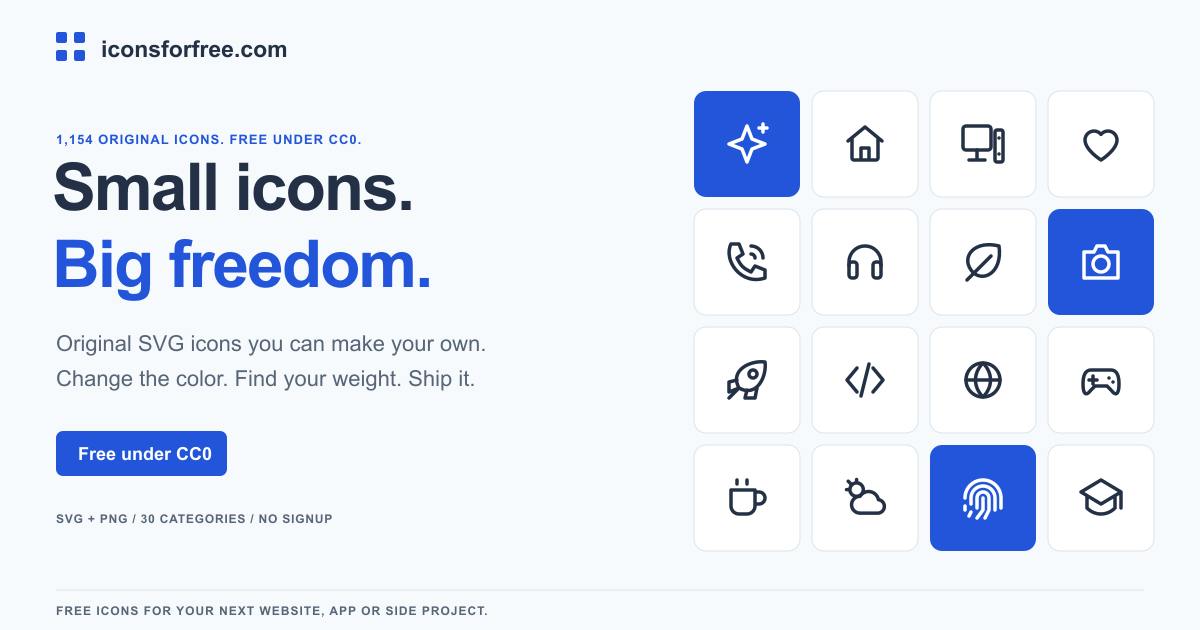
Core Features: Zero-Friction Icon Access
Icons for Free is created by Andreas Dittes, with a focus on "zero-barrier usage." The platform requires no registration, no attribution, and no payment — users can search and download icons immediately upon visiting the site. This frictionless workflow is especially useful for rapid prototyping or quickly filling in placeholder icons during development.
In terms of positioning, the project is categorized under Design Tools, Icons, and Developer Tools — signaling that it targets both designers and developers. While 1,000+ icons isn't a massive library, it's a solid, visually unified set of line icons that covers most common UI needs.
CC0 (Creative Commons Zero) is the most permissive license issued by Creative Commons, legally equivalent to placing a work in the public domain. Unlike CC BY (which requires attribution) or MIT, CC0 waives all copyright claims — including the right to attribution — allowing anyone to copy, modify, commercialize, or redistribute the work without restriction. There's no need to list the source in your product's About page, documentation, or code comments. This matters significantly for commercial products: you won't need to maintain a lengthy third-party attribution list when shipping an app or launching a website. By contrast, some popular icon libraries (like Font Awesome's free tier) use CC BY 4.0, which requires attribution — an easy thing to overlook and a potential source of copyright disputes.
24px Grid and Real-Time Customization
All icons are built on a 24px grid, a widely adopted standard in icon design — consistent with major design systems like Material Design — ensuring uniform visual density and alignment across different interfaces.
What makes the platform particularly practical is its real-time customization. Users can adjust an icon's stroke width, color, and size directly on the page with live preview, then decide whether to export. For line-style icons, stroke width is the key parameter that defines visual style. Being able to tweak it on the fly means the same icon set can adapt to design languages with different weight preferences, without opening a design tool to make manual edits.
The 24px grid system has solid engineering rationale. Since screens render in pixels, and 24 is a common multiple of 1, 2, 3, 4, 6, 8, and 12, strokes and spacing within icons can align to whole pixels — avoiding sub-pixel blurring on both standard and 2x Retina displays. Google's Material Design icon system also uses 24px as its baseline, with a 2px optical padding that leaves a 20px effective drawing area. By sharing the same grid, Icons for Free icons naturally match the visual weight and optical size of Material icons when used together, reducing the need for manual visual correction.
Export and Integration Options
Once you've found the right icon, Icons for Free offers several ways to obtain it:
- Copy or download SVG: ideal for web and app contexts where scalable vector output is needed;
- Download PNG: suited for bitmap use cases where vector handling isn't practical;
- Hotlink the file: reference the hosted file URL directly, skipping local storage entirely.
The hotlink option is a relatively uncommon feature. It lets developers embed icon URLs directly in their projects like a CDN reference, enabling fast integration without self-hosting. That said, this approach carries a risk — if the platform changes its file paths or goes offline, the references break. For production projects, it's still advisable to keep a locally downloaded copy as a backup.
Search and Browse Experience
With over a thousand icons, discoverability is critical. Icons for Free supports search by name and organizes icons into 30 categories for browsing. This dual-path approach — search when you know what you need, browse when you're exploring — is the standard for icon libraries, and it works well here.
Verdict: A Lightweight Option Worth Bookmarking
Icons for Free doesn't try to be the most feature-complete icon platform out there. Its value lies in being "good enough, with no strings attached." The CC0 license eliminates commercial licensing concerns, real-time customization reduces post-processing overhead, and the multiple export options accommodate different tech stacks.
One caveat: the project currently has limited traction on Product Hunt (4 upvotes, 1 comment, ranked #17), so community feedback is sparse. Icon quality, update frequency, and long-term maintenance are still unproven. For teams looking for free, commercially usable icon resources, it's a solid addition to the toolbox — but for critical projects, a small-scale trial is recommended before committing.
Related articles

uGAP: An AI Platform Unifying 100+ African Geospatial Datasets
uGAP is an African geospatial AI platform by a University of Cape Town team, unifying 120+ African datasets with a Python SDK for discovery, processing, and model training, already used in cyclone flood mapping.

Cursor Can Now Control Your Computer: AI Agents Can Drive Desktop Apps for Testing
Cursor adds desktop control: AI agents can drive desktop apps like the iOS Simulator to test their own features. We analyze the impact on dev workflows, possible technical approaches, and reliability concerns.

Vibecoding a Custom Inference Engine: High Hopes, Harsh Reality
A Reddit developer shares the real experience of vibecoding a custom inference engine: running GGUF Q4 models in the browser with WebGL2 and GLSL, only to fall into tokenizer debugging hell. This article analyzes the engineering challenges of browser-side LLM inference and why cloning llama.cpp is the more rational choice.